
In your MSG91 account
- Sign up or log in to your MSG91 account.
- In the MSG91 Dashboard, copy your Sender ID and Authentication Key, and check which sending route is enabled for you.
Connect MSG91 in Garage Invoice
- Click Settings at the bottom of the sidebar, under Administration. In the panel on the left, open Comms and click SMS. Click the SMS Providers tab. SMS Connections lists every provider and whether it’s connected.
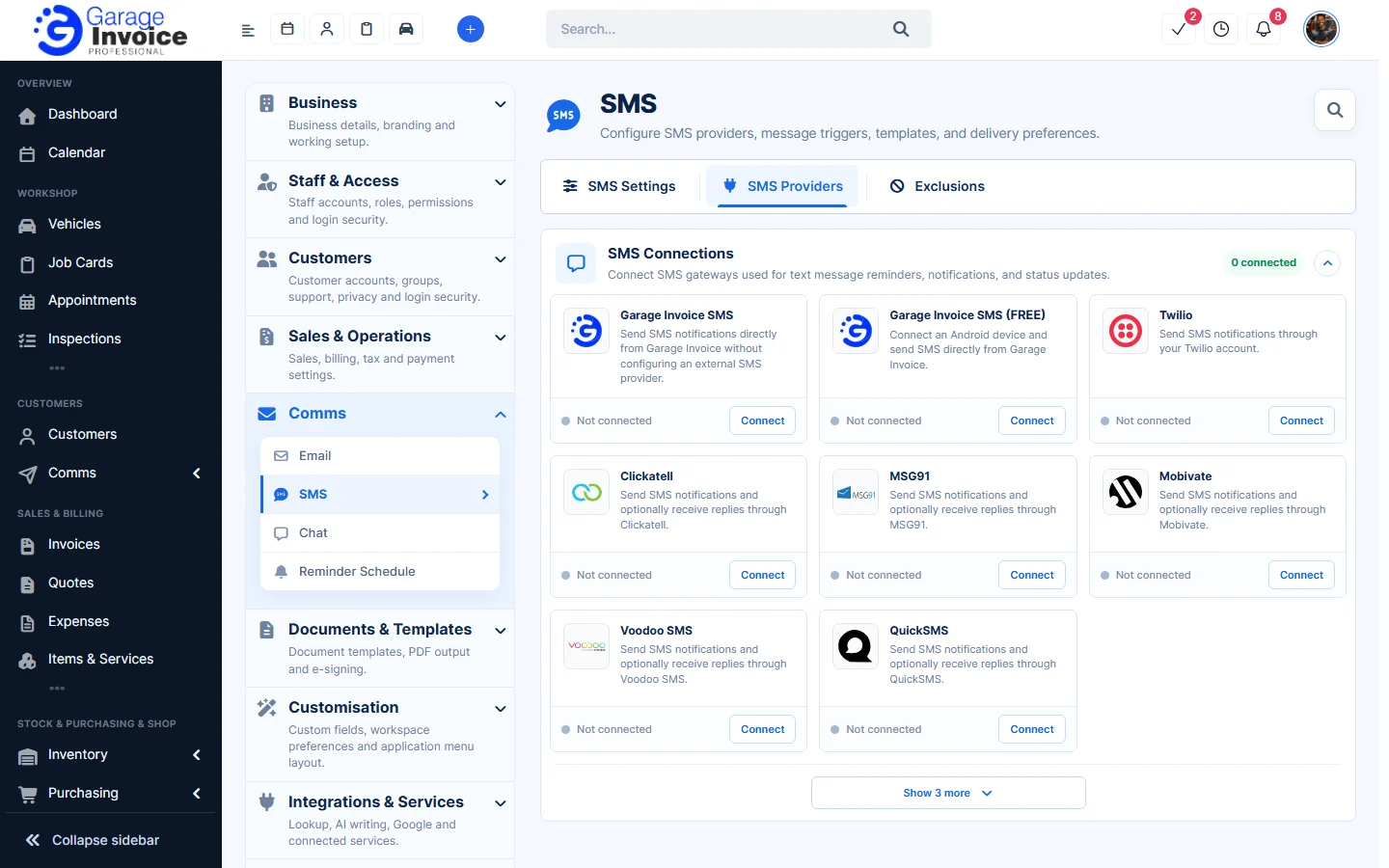
- Next to MSG91, click Connect, then click Continue.
- Enter the details from your MSG91 account:
- Sender Name or Number: what customers see as the sender. Availability depends on your provider and country.
- Sending Route: International (World route) or Standard API route, whichever is enabled for your account.
- Authentication Key: from your MSG91 account.
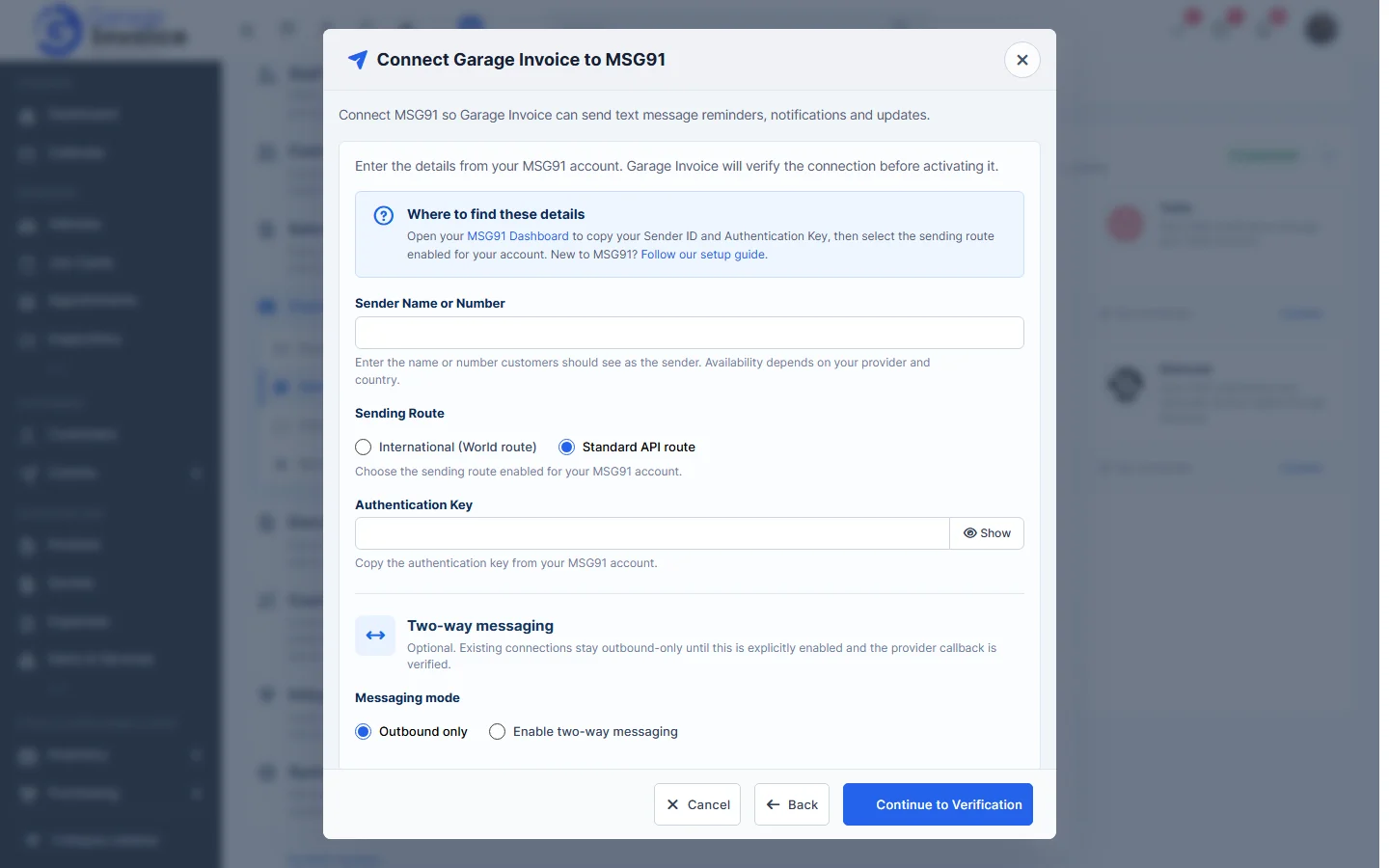
- Leave Outbound only selected, or choose Enable two-way messaging if customers should be able to reply.
- Click Continue to Verification. Garage Invoice checks the connection before turning it on.
Tip: once connected, choose which messages are sent in SMS Settings.
Feature Email and SMS notifications: see what it does and how it fits your workshop.