
Appointments can be Booked, Confirmed, Draft, Rescheduled, In workshop, Finished, Cancelled or Unpaid.
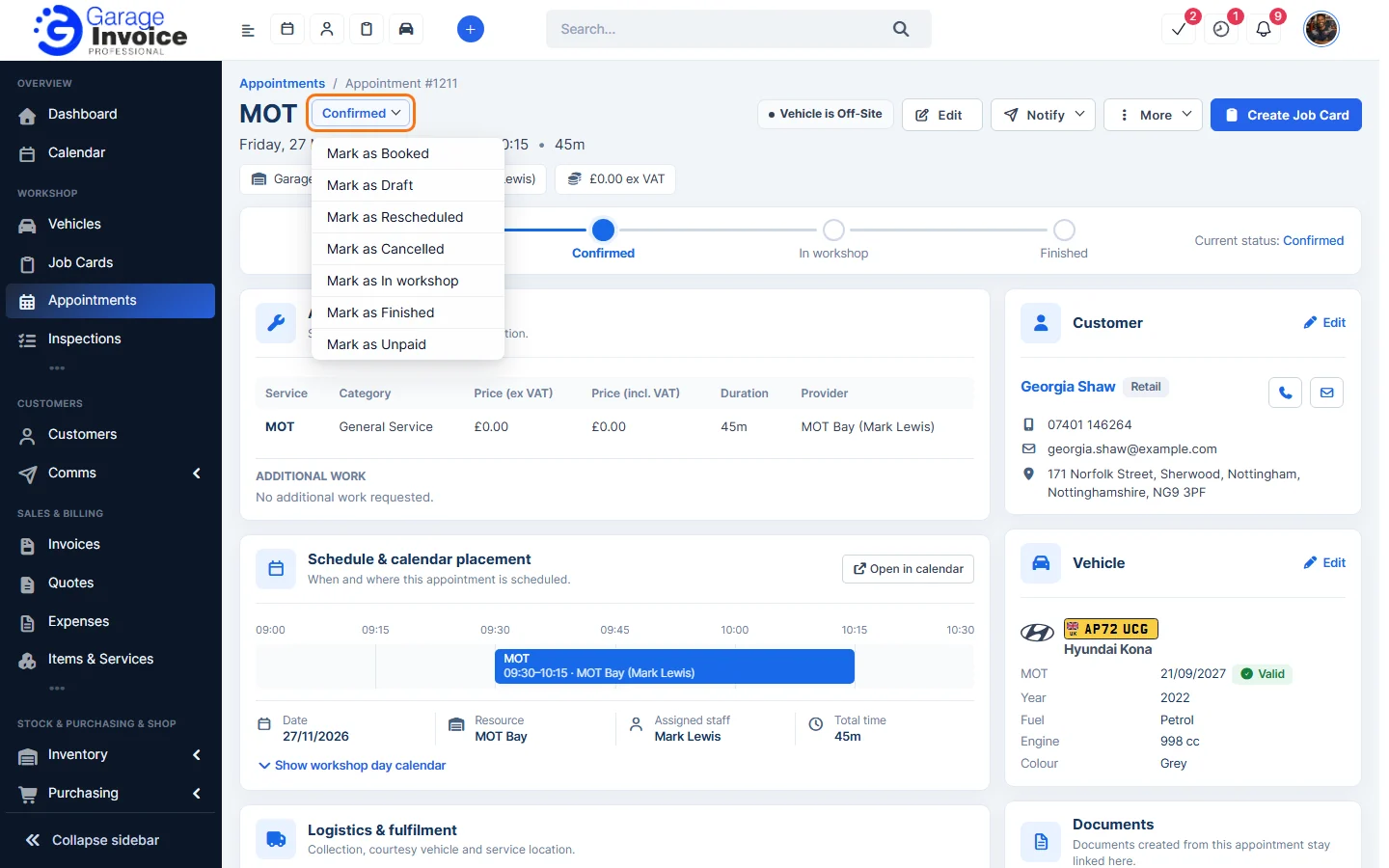
On the appointment page
- Click Appointments in the sidebar, under Workshop, and click the appointment’s date and time (or hover over it and click View).
- Click the status next to the service name and choose the new status, for example Mark as In workshop.
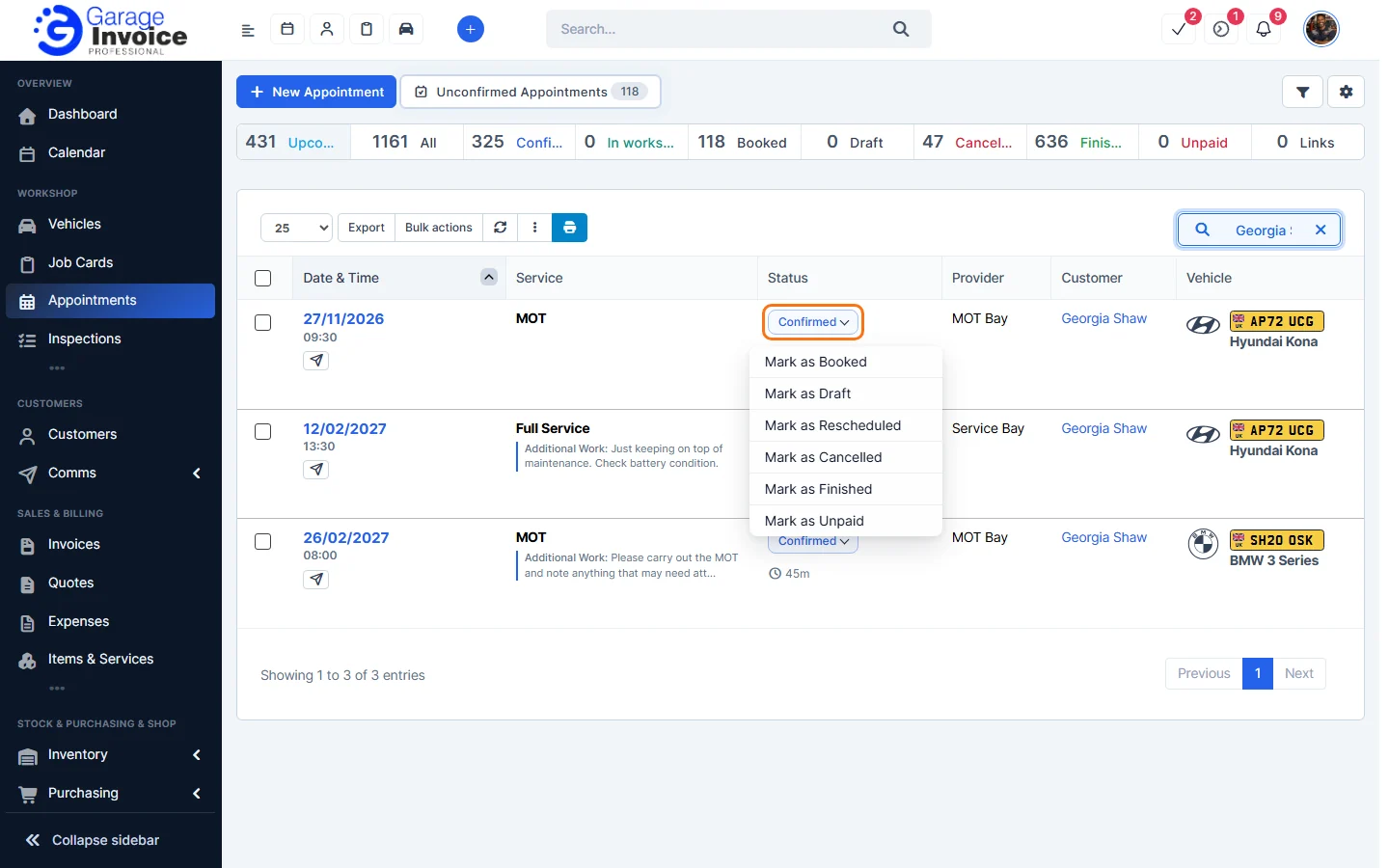
In the Appointments list
- Click the status in the appointment’s row and choose the new status.
- For a Booked appointment, click the green Confirm button under the date to confirm it.
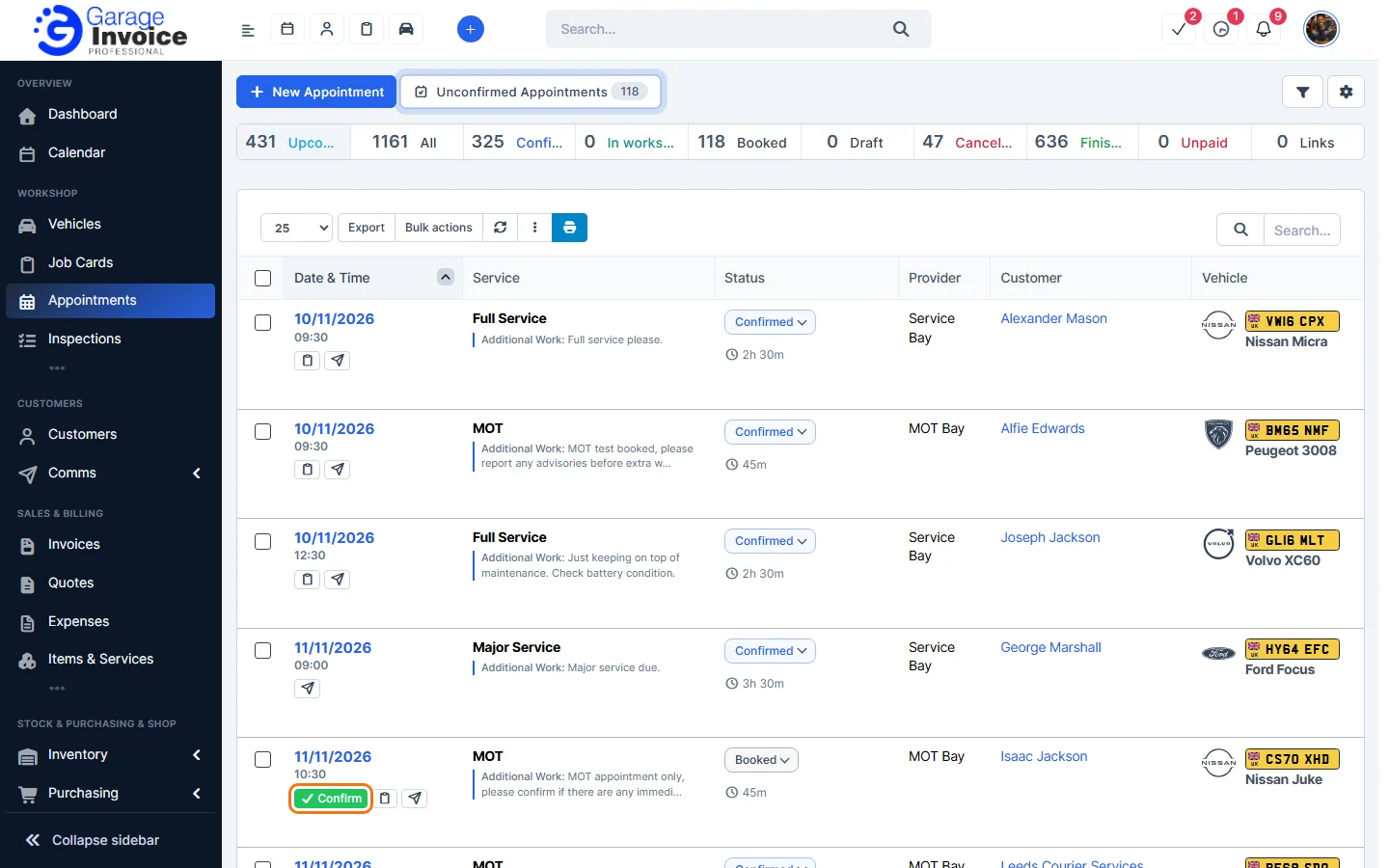
Tip: to check and confirm many online bookings at once, see Review Unconfirmed Appointments. To cancel, you can also use More → Cancel Appointment on the appointment page.
Feature Online booking and appointments: see what it does and how it fits your workshop.