
Invoices
Garage invoicing software that gets invoices out faster
Build invoices from parts, labour and saved items, send them by email or SMS, and see what's paid and what's still owed.
Opens the demo garage with example data. No sign-up or payment card needed.
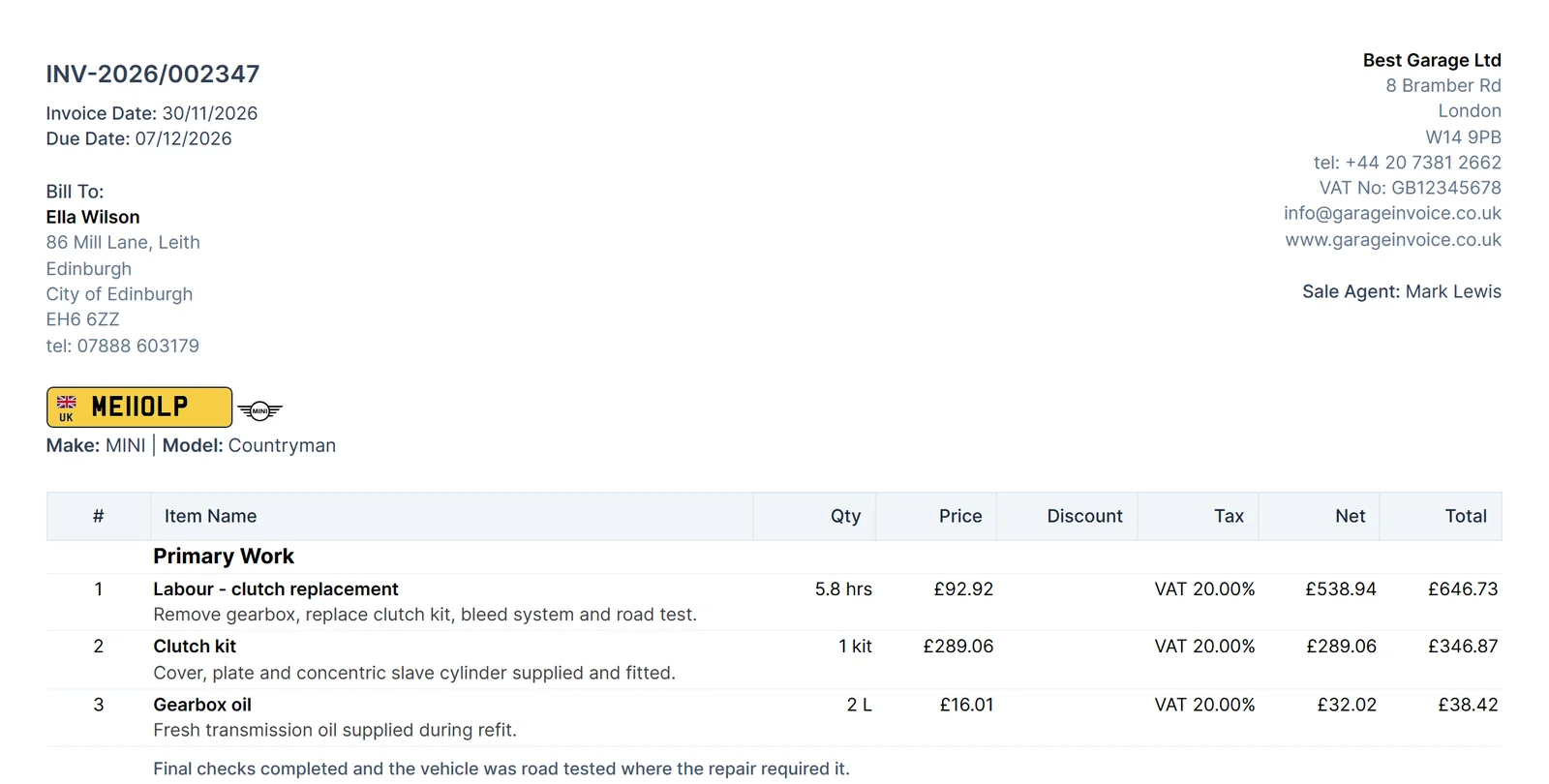
Professional invoices from your parts and labour
Add saved items and the description, price and VAT fill in for you. Group work under clear headings so customers can see what they're paying for.
- Saved items. Pick parts, labour and services from your list instead of typing them each time.
- Discounts. Apply a percentage or fixed discount, before or after tax.
- Your branding. Add your logo, notes and terms to every invoice.
- PDF copies. Attach a PDF automatically when you save and send.
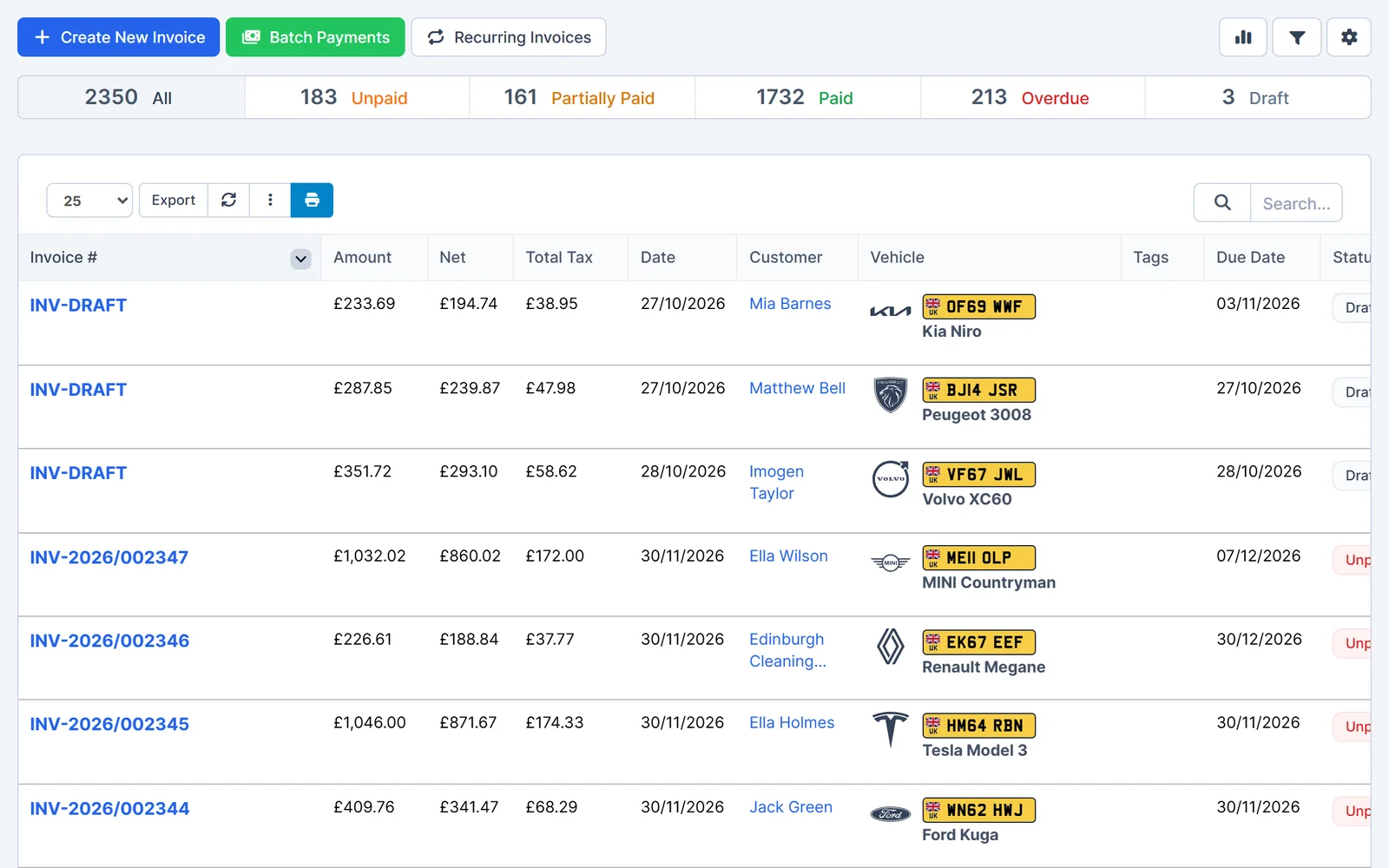
Send invoices and get paid sooner
Email or text customers a link to view the invoice online. If you connect a payment provider, they can pay from the same link.
- Email and SMS. Send a short link to the invoice by email or text message.
- Online payment. Connect Stripe, PayPal, Square, SumUp or another supported provider. The provider's fees apply.
- Due and overdue notices. Remind customers automatically when an invoice is due or overdue.
- Customer portal. Customers can sign in to view and pay their invoices.
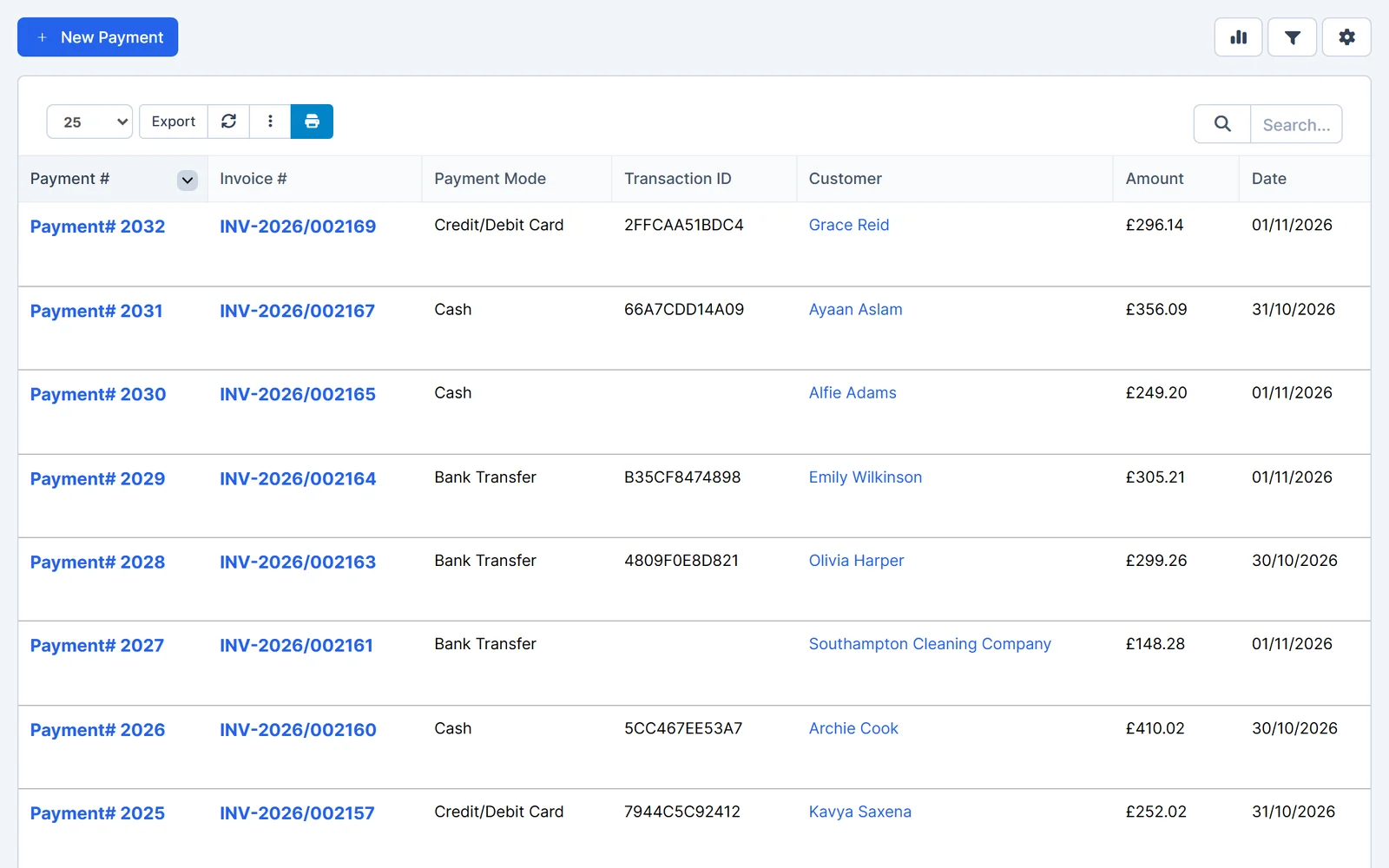
Less work for regular customers
Save time on fleet accounts and repeat work, and keep every invoice easy to find.
- Recurring invoices. Have an invoice created on a schedule you set, for a set number of cycles or until you stop it.
- Batch payments. Record one payment across several invoices at once.
- From job cards and quotes. Convert finished job cards or accepted quotes into invoices without retyping.
- Credit notes. Issue a credit note when an invoice needs adjusting.
- Draft
- Not yet finalised or sent.
- Unpaid
- Sent and waiting for payment.
- Partially paid
- Part of the balance has been received.
- Paid
- Settled in full.
- Overdue
- Past its due date with a balance outstanding.
Works together
Related features
Garage Invoice keeps these records connected, so you don't enter the same details twice.
- Quotes
- Job cards
- Payments
- Credit notes
- Customers
- Reports
- Billing and accounting
- Free invoice template
Help centre
Invoicing step-by-step guides
Short guides with screenshots that show you how to set it up and use it day to day.
- Invoices Overview
- Invoice Settings Overview
- Add New Invoice | Create Invoice
- Create Recurring Invoice
- Create Credit Note from Invoice
- Add Invoice Note
See how Garage Invoice fits your workshop
Explore the demo garage, try the features and choose the right plan for your business.