Three formats
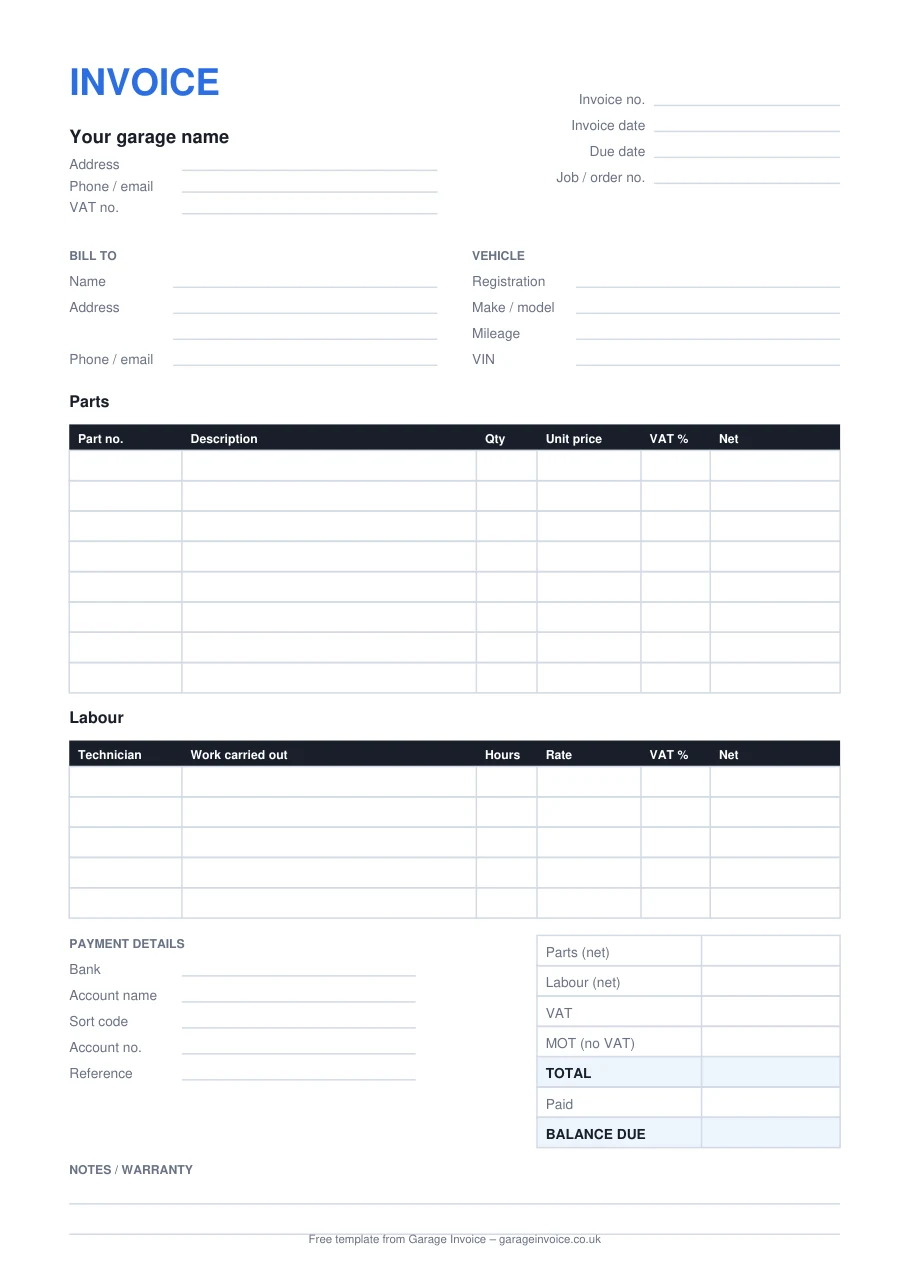
All three have the same layout, so you can switch between them without your invoices looking different.
Type the quantity and price and each line, the VAT and the total fill in automatically. Choose 20%, 5% or 0% VAT per line. Also opens in Google Sheets.
Download .xlsxAdd your logo, change the wording and save a copy for each job. Good if you already write letters and quotes in Word.
Download .docxA clean A4 form to keep on the counter and complete by hand, with ruled lines for every field.
Open the PDFIf you're VAT registered, HMRC expects a full VAT invoice to show certain details. The template has a space for each of them.
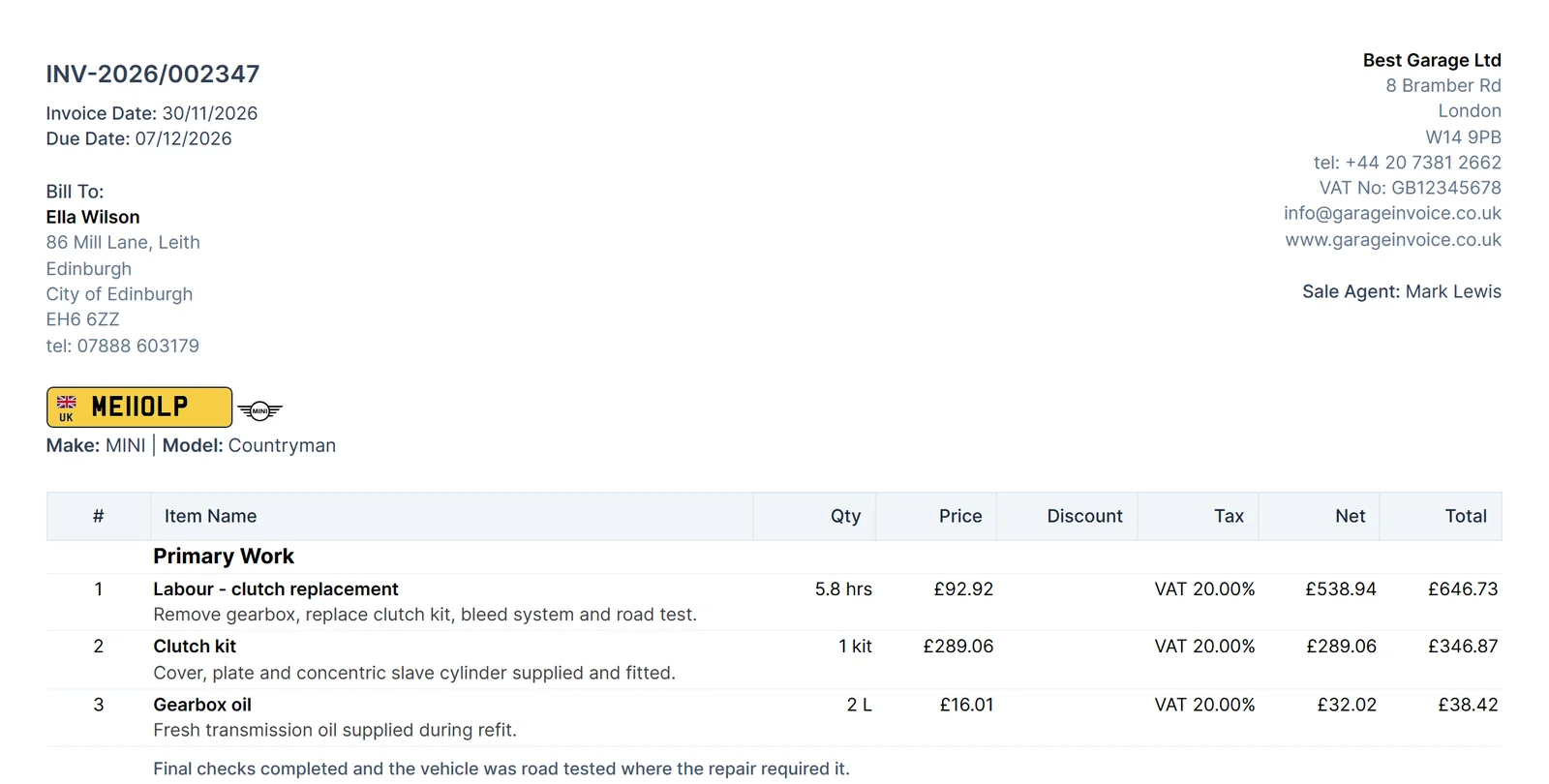
A spreadsheet is fine for a handful of jobs a week. Once you're busy, retyping parts, chasing payments and finding old invoices takes longer than the work itself. Garage Invoice does the same job for you.
Questions
Yes. Download it, change it and use it for as many invoices as you like. You don't need to sign up or give an email address.
Yes. Set the VAT column to 0% on every line and delete the VAT number from the top. The totals still add up correctly.
The MOT test fee itself is outside the scope of VAT, so the template has a separate MOT line that isn't added to the VAT. Any repairs or parts done alongside the MOT are charged at the normal rate. If you're unsure about a particular charge, check with your accountant.
Use a simple sequence, for example INV-0001, INV-0002 and so on. Each number must be unique, and you shouldn't skip or reuse numbers.
Yes. In the Word and Excel versions, replace the word INVOICE at the top with your logo using Insert, then Picture.
Yes. It only uses simple formulas, so it opens in Google Sheets, Apple Numbers and LibreOffice as well as Excel.
See how Garage Invoice handles bookings, job cards and invoices in one place, with example data already loaded.