
Job cards
Digital job cards for every vehicle in the workshop
Record the customer's complaint, your findings, the parts and labour, and the work completed on one job card, then turn it into a quote or invoice.
Opens the demo garage with example data. No sign-up or payment card needed.
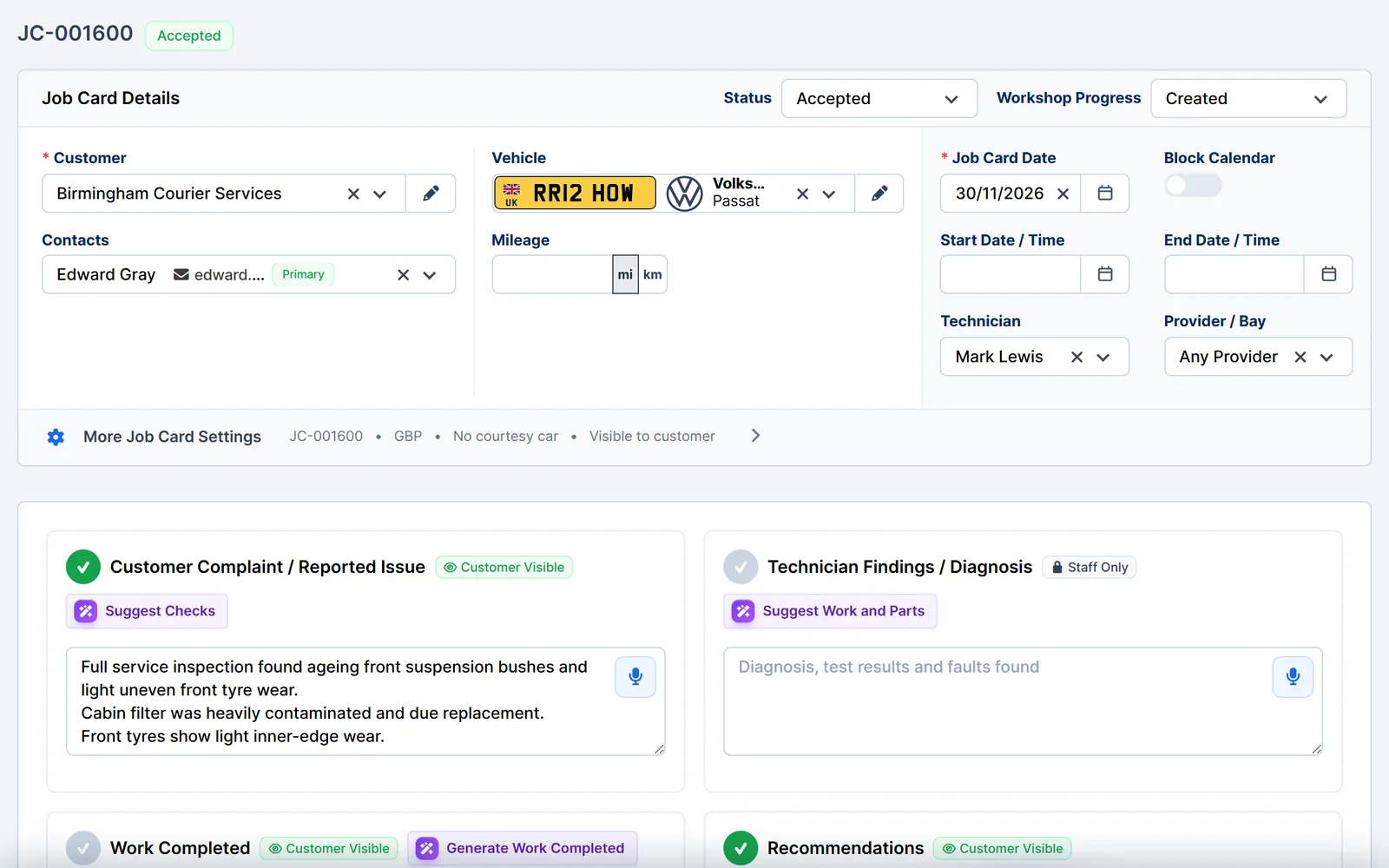
Everything about the job in one place
Technicians and the front desk work from the same record, so nothing gets lost between the bay and the office.
- Complaint and findings. Record the reported issue, technician findings, recommendations and work completed.
- Visible or internal. Mark each note as visible to the customer or for staff only.
- Parts and labour. Add items from your parts and labour list.
- Files. Attach photos and documents to the job card.
- Customer complaint
- What the customer reported.
- Technician findings
- What your technician found.
- Recommendations
- Work you advise next.
- Work completed
- What was done on this visit.
- Parts and labour
- Priced items for the job.
Plan and track the work
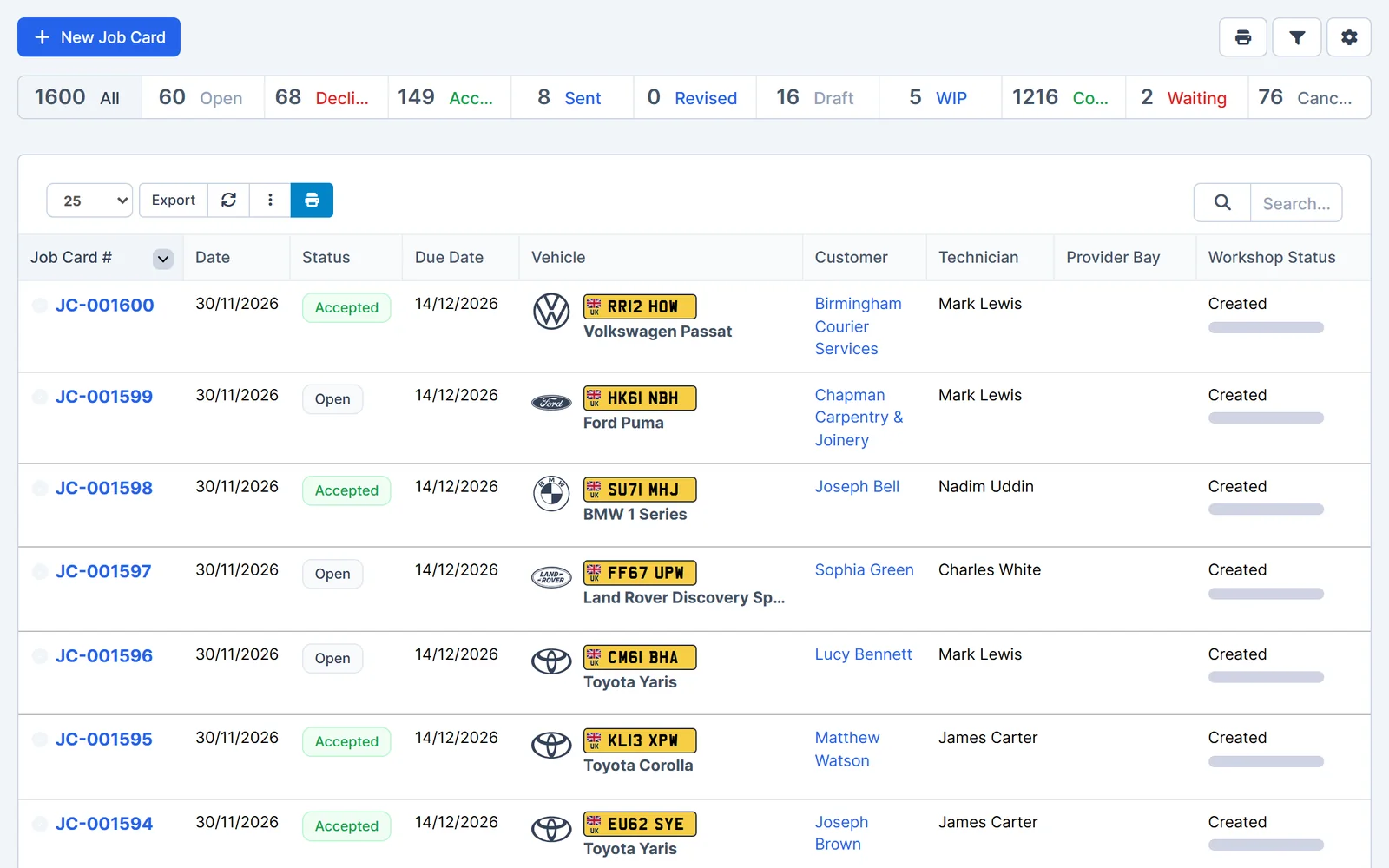
See who is working on what, and where each job is up to.
- Technician and bay. Assign the job to a technician and a bay or provider.
- Workshop progress. Move each job through your workshop statuses.
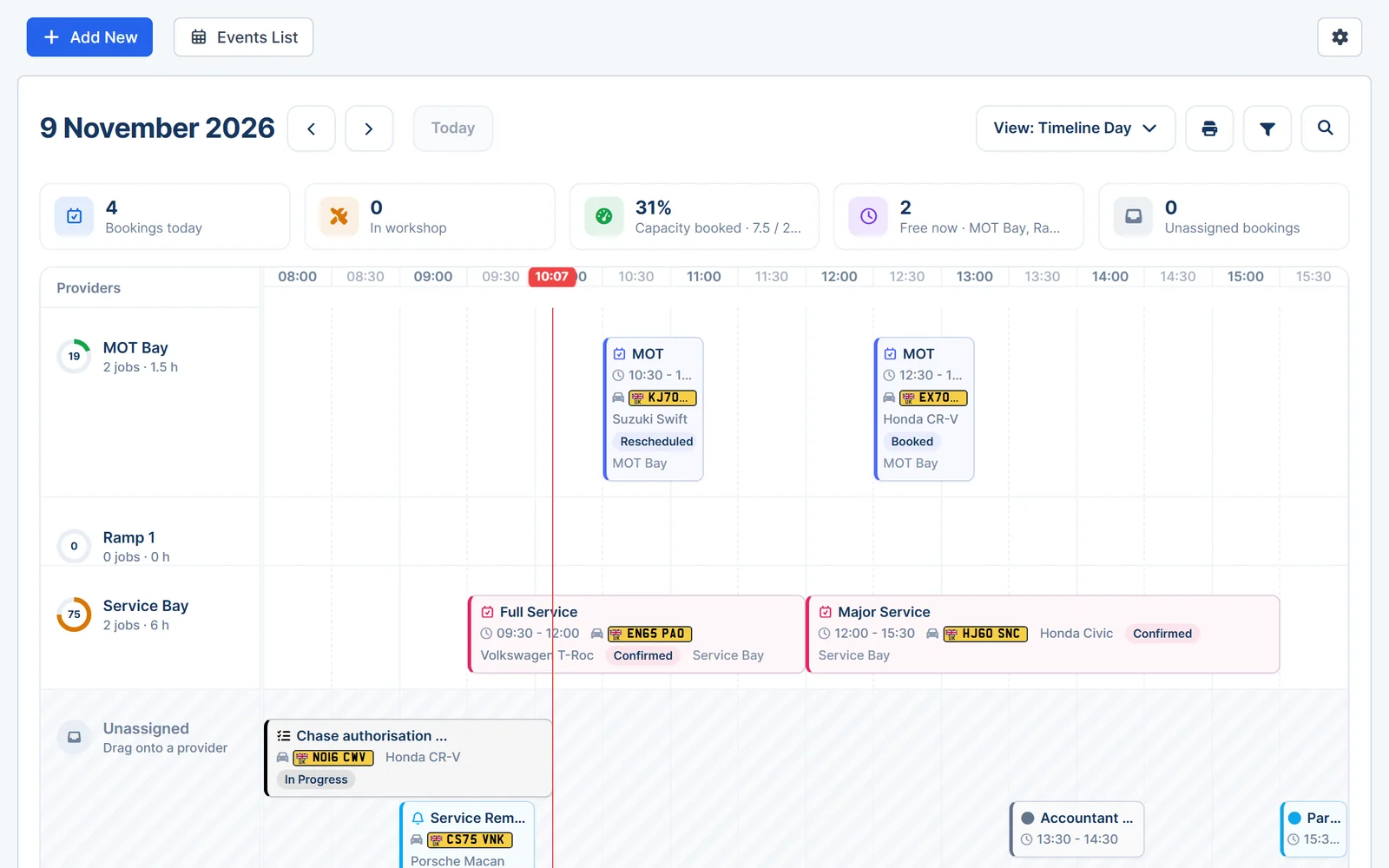
- On the calendar. Timed job cards can block booking slots so you don't overbook.
- Due dates. Set a default number of days until a job card is due.
Customer approval and invoicing
Get the go-ahead in writing, then bill the work without typing it again.
- Online approval. Send a link so the customer can view, accept or decline the job card.
- Electronic signature. Ask customers to sign and confirm their identity when they accept.
- Convert in one step. Turn the job card into a quote or invoice and choose what carries over.
- PDF copies. Attach a PDF automatically when you save and send.
Works together
Related features
Garage Invoice keeps these records connected, so you don't enter the same details twice.
Help centre
Job Card step-by-step guides
Short guides with screenshots that show you how to set it up and use it day to day.
- Create Job Card
- Edit Job Card
- Send Job Card to Customer | eJob Card
- Change, Update Job Card Status
- Pipeline View | Kanban View
- Convert Job Card to Quote
See how Garage Invoice fits your workshop
Explore the demo garage, try the features and choose the right plan for your business.