
Vehicles
Vehicle records with history, MOT status and upcoming work
Every vehicle record brings together its details, its owner, the work you've done and what's coming up next.
Opens the demo garage with example data. No sign-up or payment card needed.
A complete view of every vehicle
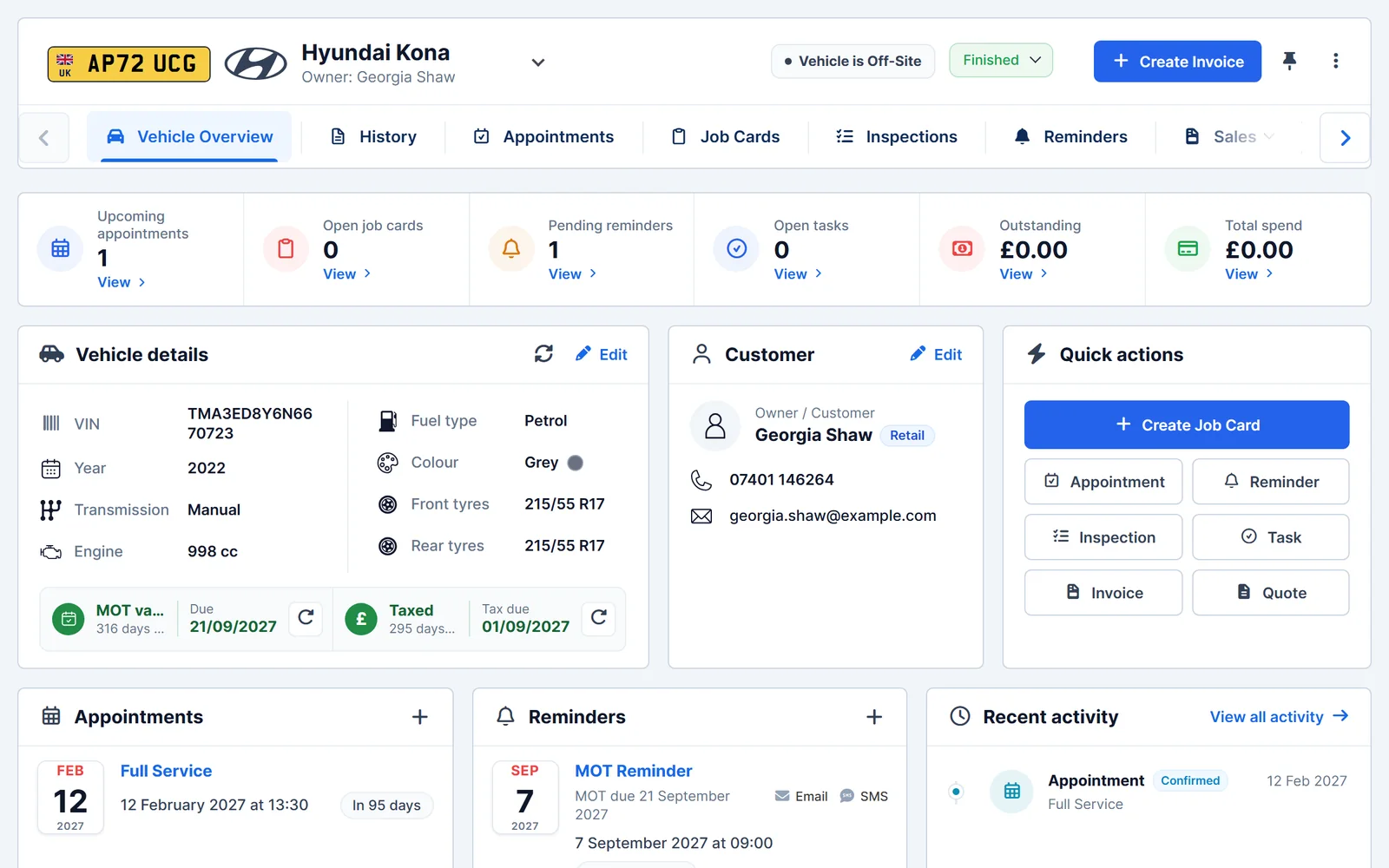
Open a vehicle and see what matters at a glance, without searching through separate records.
- Linked records. Job cards, inspections, appointments, reminders and sales for the vehicle, each on its own tab.
- Vehicle details. VIN, year, engine, fuel type, colour and tyre sizes.
- Owner. The customer the vehicle belongs to, with their contact details.
- Activity history. A timeline of what has happened on the vehicle.
- Upcoming
- Appointments booked for the vehicle.
- Open work
- Job cards and tasks still in progress.
- Reminders
- MOT, service and other reminders that are due.
- Money
- Outstanding balance and total spend.
Know where each vehicle is
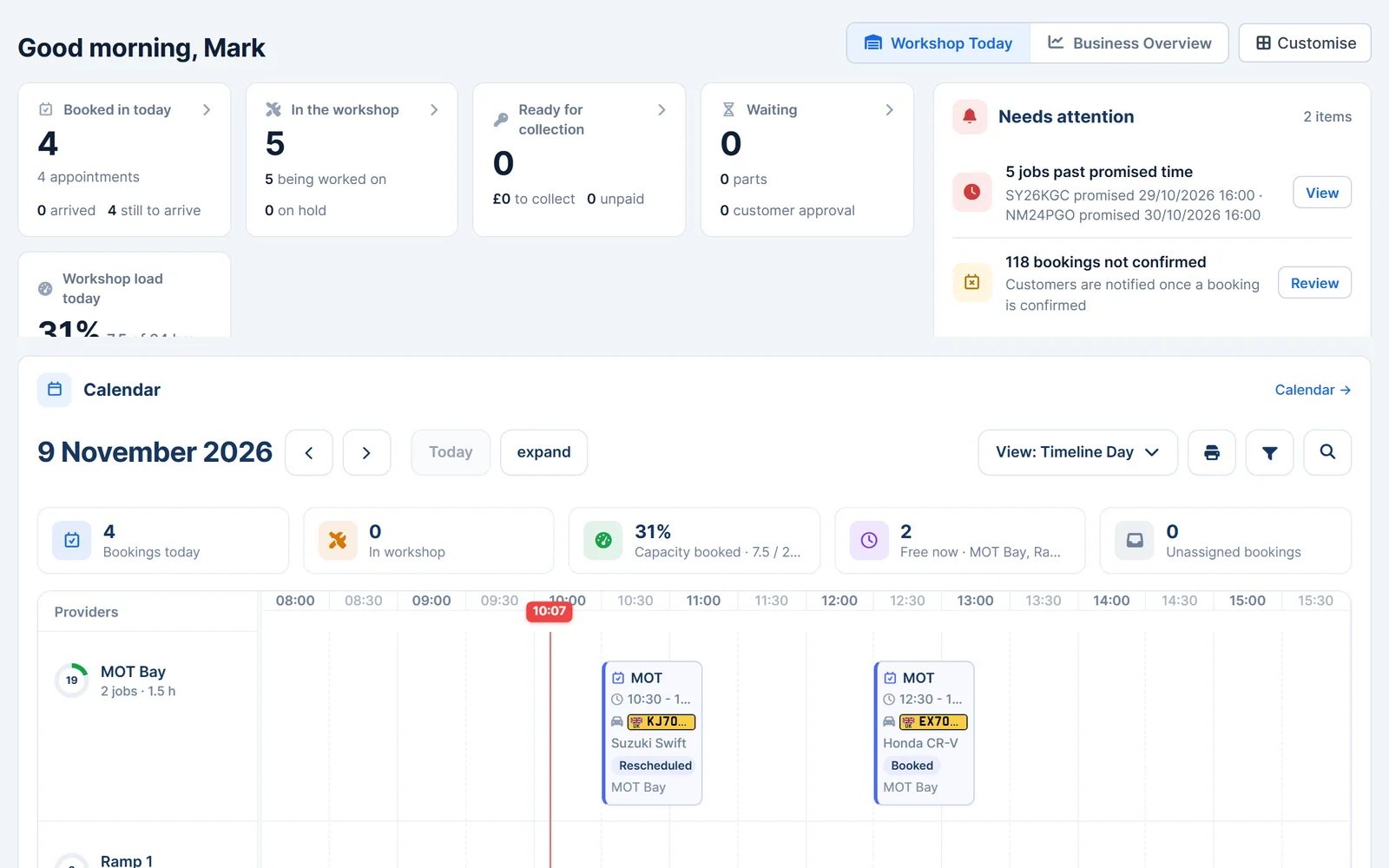
Clear statuses help the whole team see which vehicles are waiting, being worked on or ready to go.
- Workshop statuses. Not started, in progress, on hold, testing, to be invoiced, ready for collection, finished or cancelled.
- Off-site flag. Mark when a vehicle has left the premises.
- Pin to the sidebar. Keep the vehicles you're working on one click away.
- Quick actions. Create a job card, inspection, appointment, quote, invoice, task or reminder from the vehicle.
MOT and tax at a glance
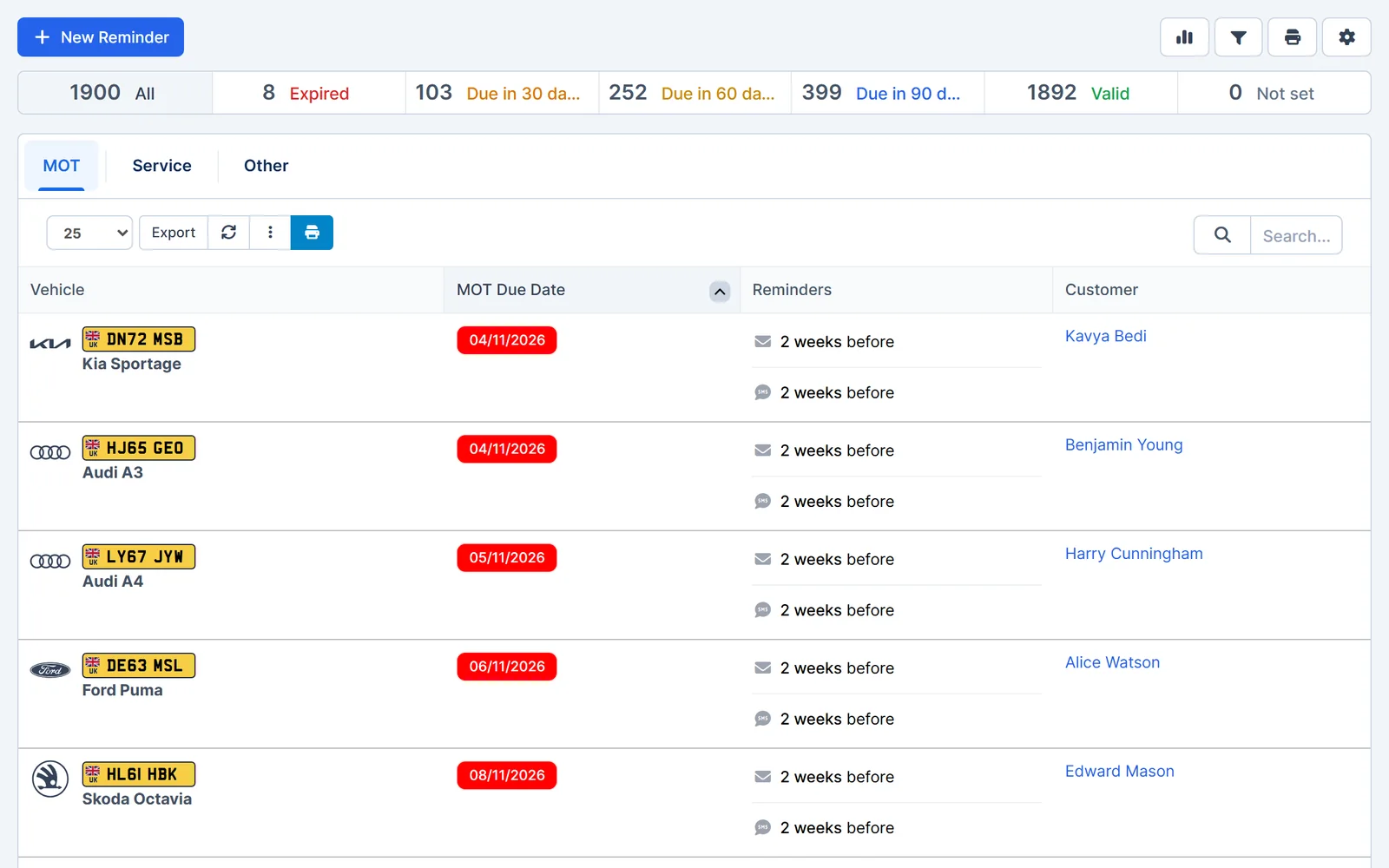
See when a vehicle's MOT and tax are due, and remind the customer before they run out.
- MOT and tax status. Shown on the vehicle record with due dates.
- MOT history. Check the available MOT history for UK vehicles.
- Registration lookup. Enter a registration to fill in the vehicle details.
- MOT and service reminders. Send reminders by email or SMS before the due date.
Works together
Related features
Garage Invoice keeps these records connected, so you don't enter the same details twice.
Help centre
Vehicles step-by-step guides
Short guides with screenshots that show you how to set it up and use it day to day.
- Vehicles Overview
- Vehicle Overview Screen
- Add New Vehicle
- Create Discussion
- Add Comment/Upload File to Discussion
- Add Description and Comments to Uploaded File
See how Garage Invoice fits your workshop
Explore the demo garage, try the features and choose the right plan for your business.