
AI Assist

AI help for job cards, quotes, invoices and expenses

Build work from a description or a photo, check for missing charges and write customer notes in a few clicks. AI only suggests, so nothing changes until you review and confirm.

Try the live demo View pricing

Opens the demo garage with example data. No sign-up or payment card needed.
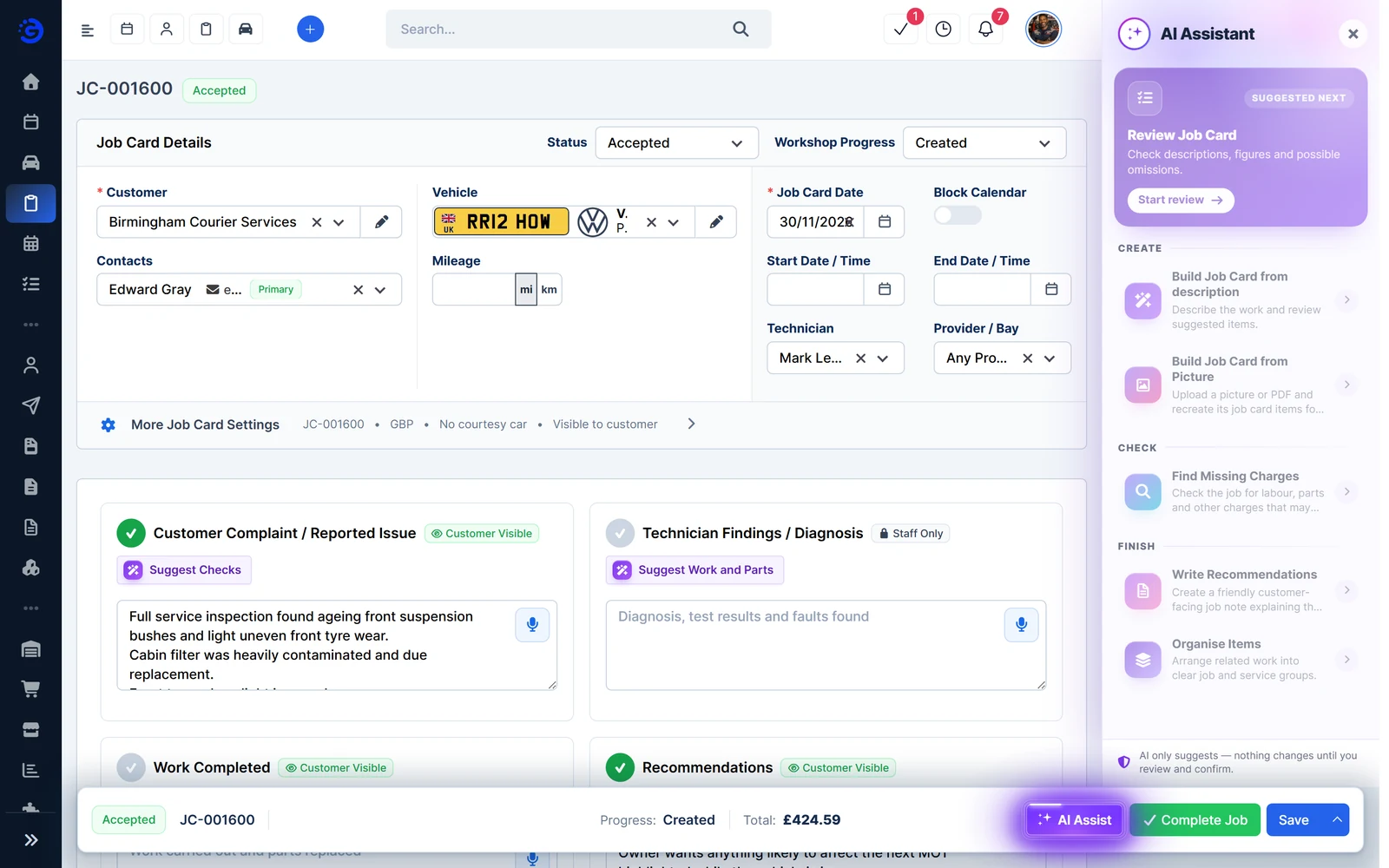
Garage Invoice job card with the AI Assistant panel open, showing review, build, missing charges and recommendations tools (demo data)

Build and check job cards, quotes and invoices

Open AI Assist from the bar at the bottom of a job card, quote or invoice. On job cards you can also ask for suggested checks and suggested work and parts as you write.
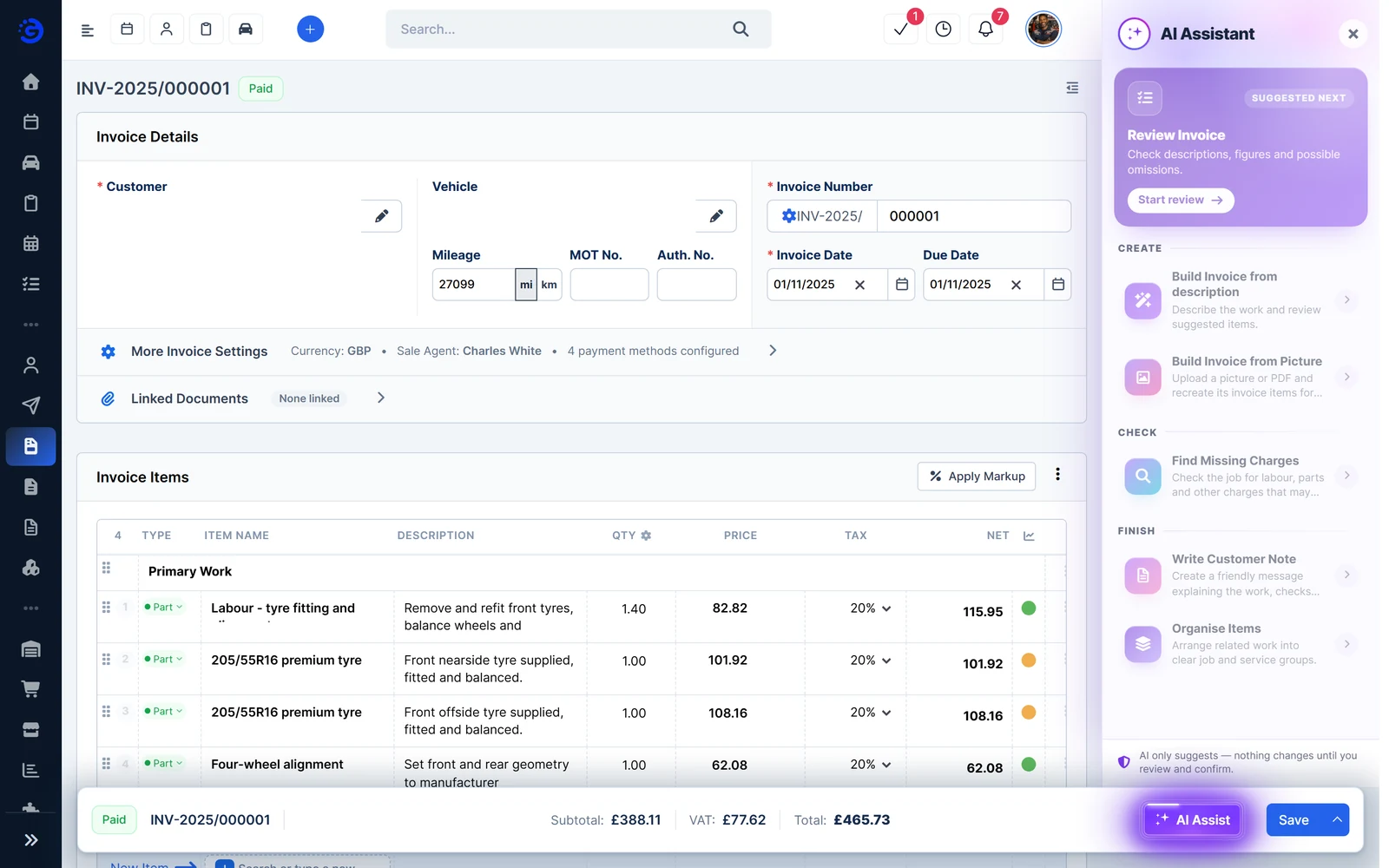
  • Review. Check descriptions, figures and possible omissions.
  • Build from a description. Describe the work and review the suggested items.
  • Build from a picture. Upload a photo or PDF and recreate its items for review.
  • Find missing charges. Check for labour, parts and other charges that may be missing.
  • Customer notes. Write a friendly note explaining the work, checks and recommendations.
  • Organise items. Arrange related work into clear job and service groups.
Garage Invoice invoice with the AI Assistant panel open, showing review, build, missing charges and customer note tools (demo data)

Quicker, tidier expenses

Turn a supplier invoice into an expense, then check it before you save.
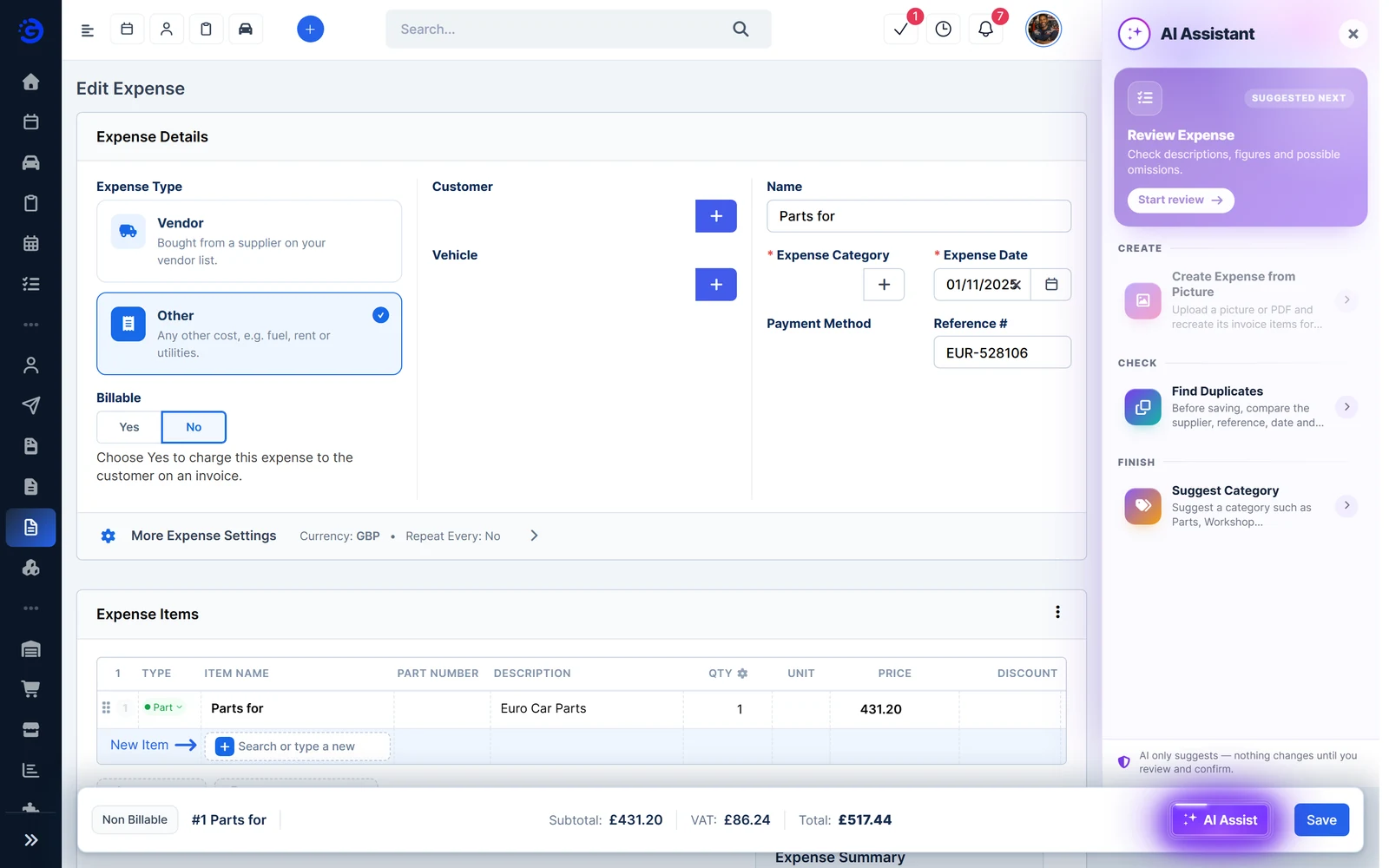
  • From a picture. Upload a photo or PDF of a supplier invoice and recreate its items for review.
  • Find duplicates. Before saving, compare the supplier, reference, date and amount with your existing expenses.
  • Suggest a category. Get a category such as Parts, Tools, Fuel or Rent, based on your saved expenses and supplier preferences.
  • Review. Check descriptions, figures and possible omissions.
Garage Invoice expense with the AI Assistant panel open, showing review, create from picture, find duplicates and suggest category (demo data)

You stay in control

AI only suggests. Nothing changes on a job card, quote, invoice or expense until you review and confirm it.
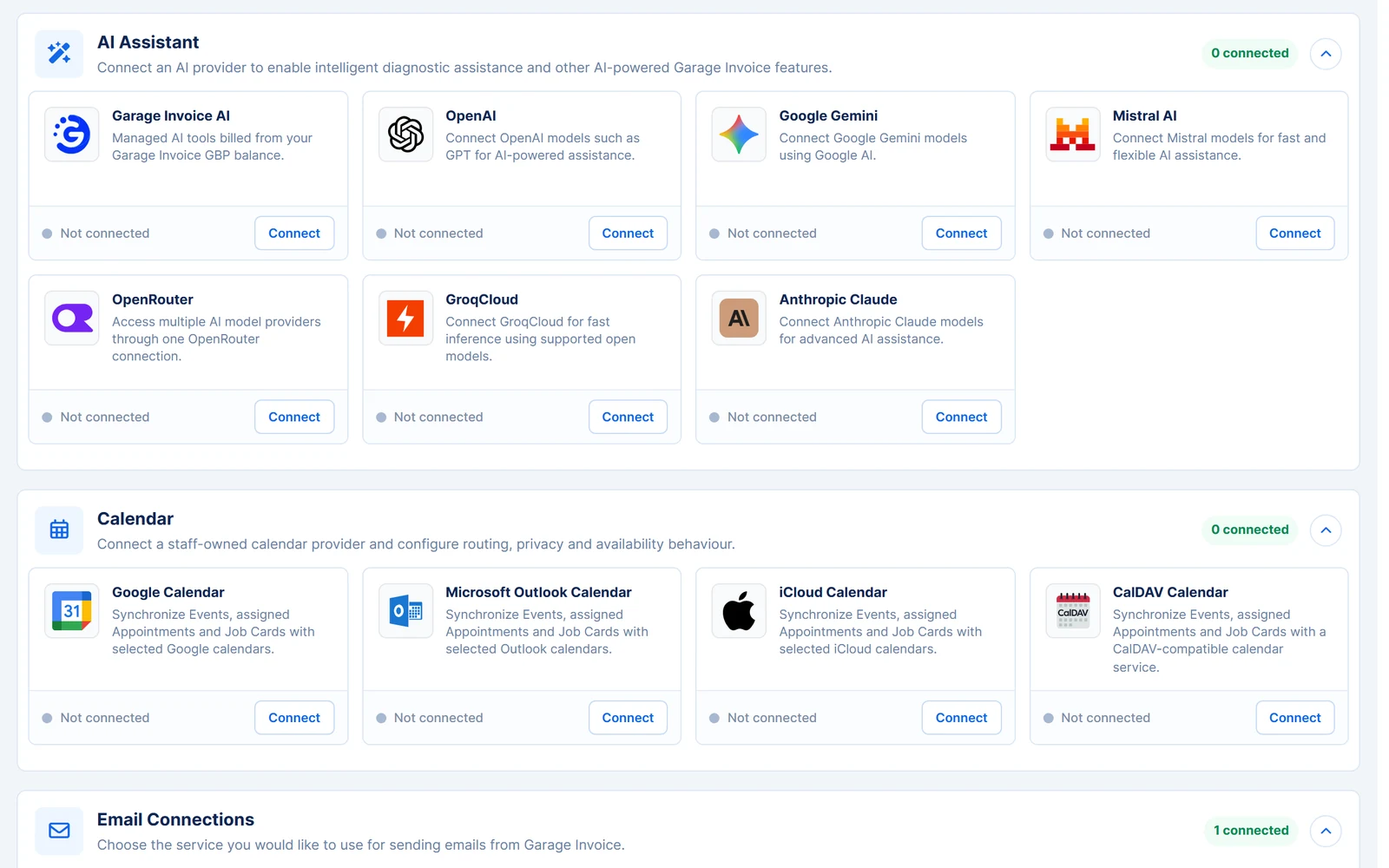
  • Garage Invoice AI. Managed AI tools billed from your Garage Invoice GBP balance.
  • Or your own provider. Connect OpenAI, Google Gemini, Mistral AI, OpenRouter, GroqCloud or Anthropic Claude instead.
  • One place to set up. Choose and connect your AI provider in Apps & Integrations.
  • Review before saving. Suggested items, notes and categories are only added when you confirm them.
Garage Invoice Apps and Integrations page listing AI providers: Garage Invoice AI, OpenAI, Google Gemini, Mistral AI, OpenRouter, GroqCloud and Anthropic Claude

Works together

Related features

AI Assist works inside the records you already use, so suggestions land in the right place.

See all features

See how Garage Invoice fits your workshop

Explore the demo garage, try the features and choose the right plan for your business.