
Less admin. More time for your workshop.
Manage quotes, job cards, inspections and invoices in one place. Garage Invoice keeps your customers, vehicles and workshop records connected, from the first booking to the final payment.
Opens the demo garage with example data. No sign-up or payment card needed.
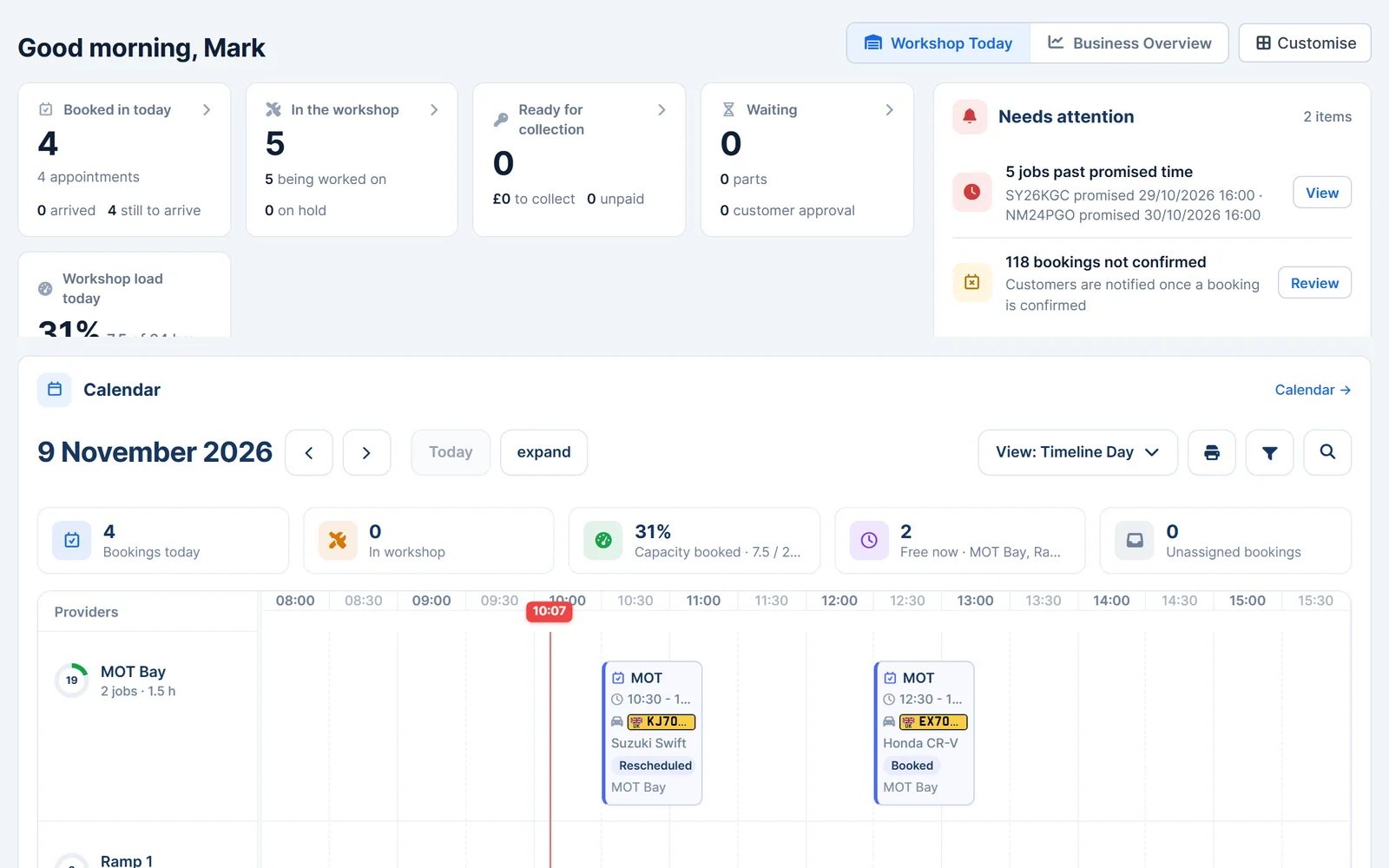
Access online
Open Garage Invoice in your browser on a computer, tablet or phone.
Connected records
Keep customers, vehicles, jobs and invoices together.
Built for workshops
Manage the everyday admin behind your garage, from bookings to payments.
How it fits together
From booking in to getting paid
Each step uses the details you've already entered, so you don't type the same customer and vehicle information twice.
Book in
Customers book online, or you add the appointment yourself.
Job card
Record the fault, assign a technician and add parts and labour.
Inspect and approve
Share inspection findings or a quote. The customer approves online.
Invoice
Convert the job card or quote into an invoice without retyping it.
Get paid
Record the payment, or let the customer pay the invoice online.
You decide when each step happens. Optional settings, such as converting accepted quotes into invoices automatically, can be switched on when you're ready.
Invoices
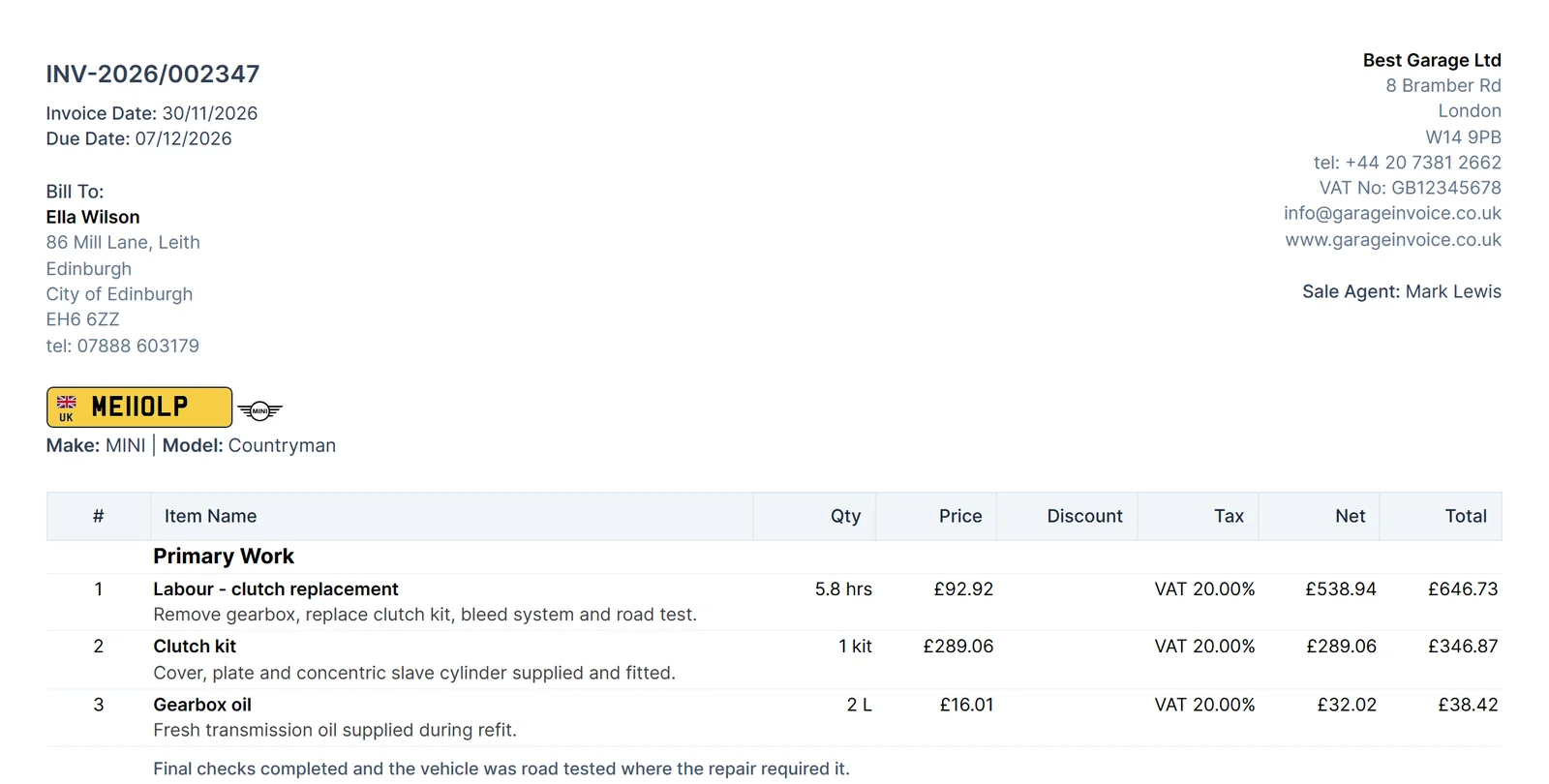
Create professional invoices with less admin
Build invoices from your parts, labour and saved items, then send them to customers by email or text message.
- Parts, labour and VAT. Add saved items and the price, description and tax fill in. Apply a percentage or fixed discount.
- Your branding. Add your logo, notes and terms to every invoice.
- Recurring invoices. Have regular invoices, such as monthly fleet work, created on a schedule.
- Send and find. Email or text a link to the invoice, and search past invoices when you need them.
Quotes
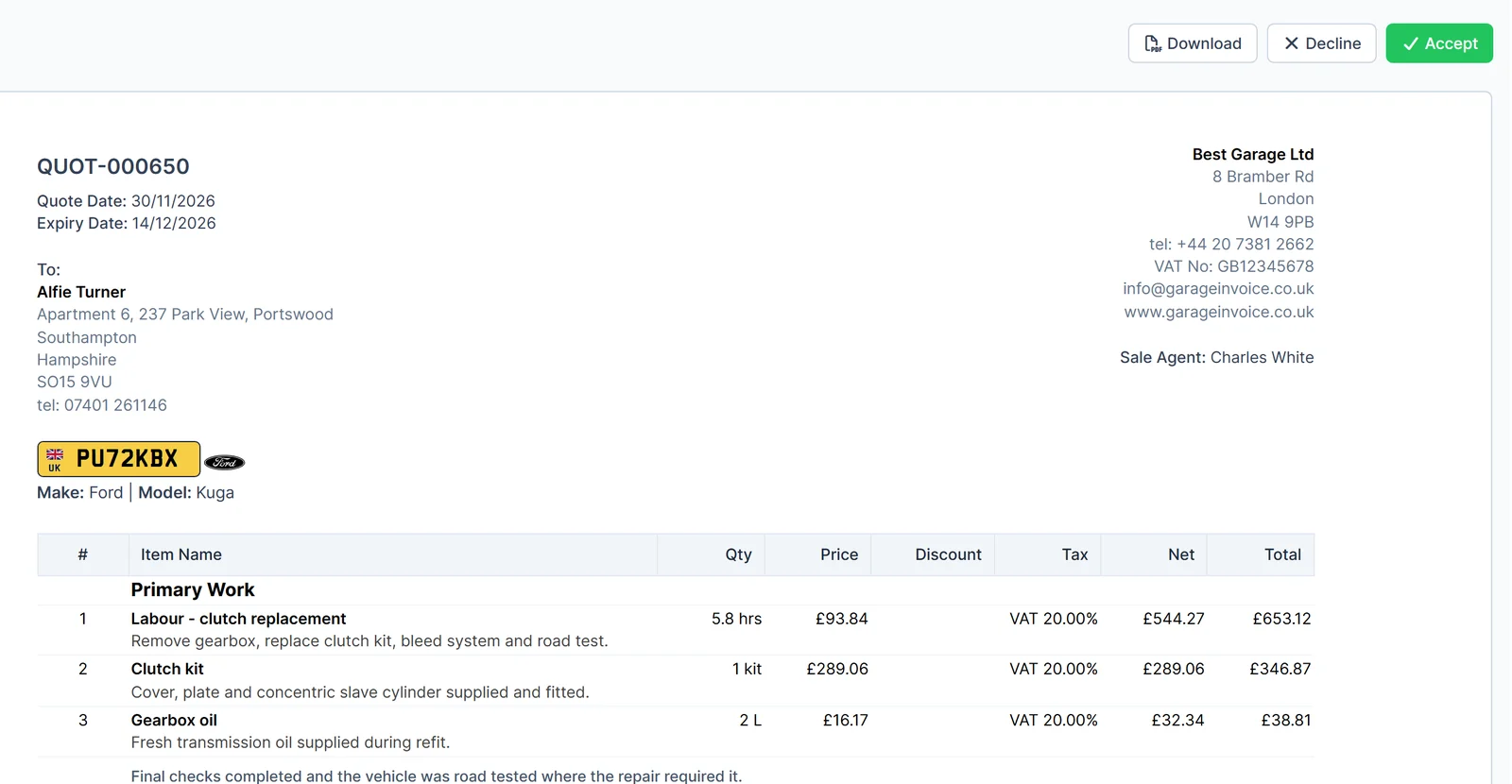
Send clear quotes and get customer approval online
Price the work before you start, and let customers accept it from their phone or computer.
- Saved items and expiry dates. Build quotes from your parts and labour list and set when each one expires.
- Online approval. Customers accept or decline online. You can ask for an electronic signature when they accept.
- Revise and convert. Update a declined quote and send it again. Convert an accepted quote into an invoice with one click, or switch on automatic conversion.
- Notes and terms. Add customer notes and your terms, and send quotes by email or text message.
Job cards
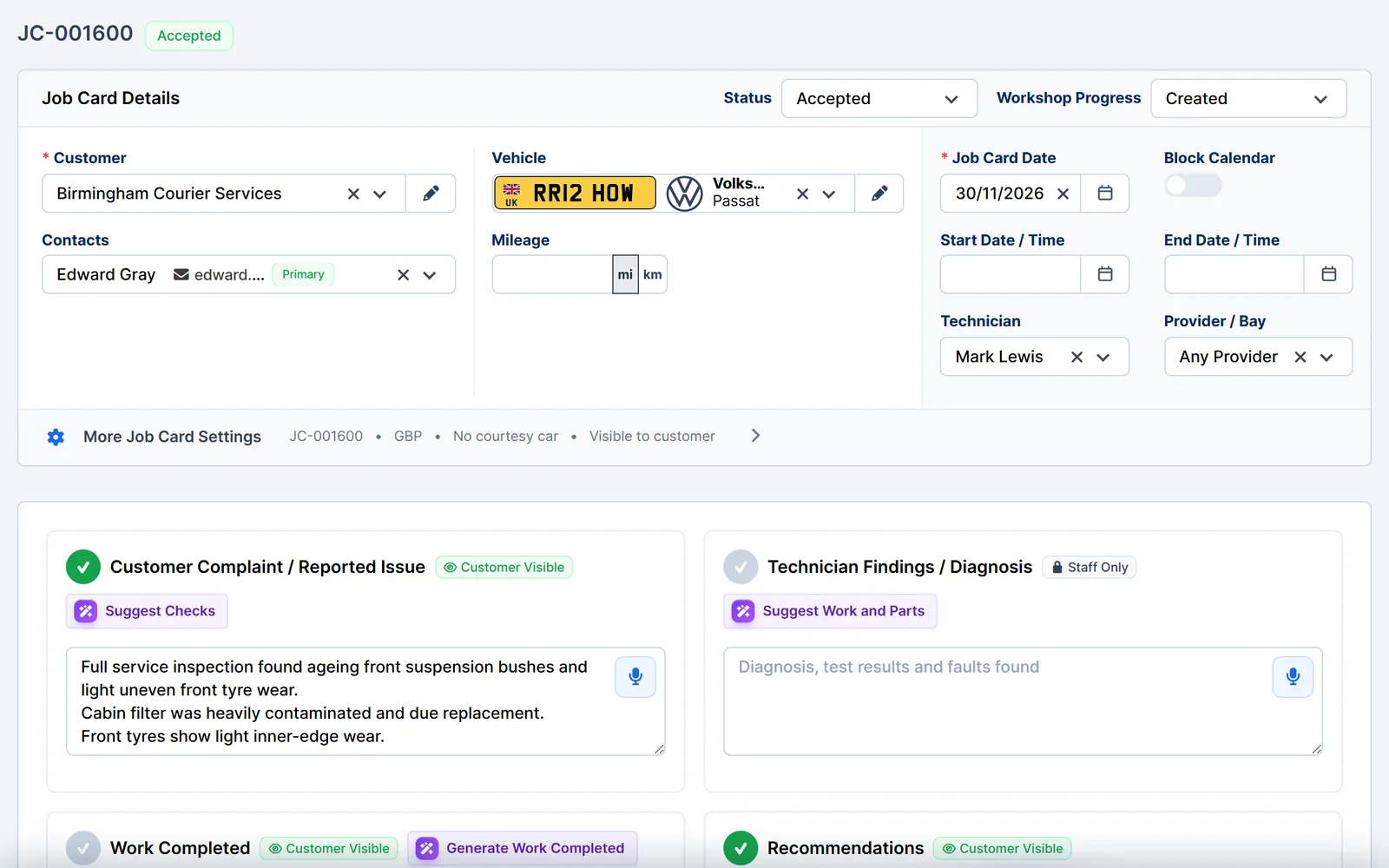
Keep every job clear, from reported fault to completed work
One job card holds the customer's complaint, your findings, the parts and labour, and the work completed.
- Assign and track. Choose the technician and bay, and follow each job through your workshop statuses.
- Faults, findings and work done. Record the reported issue, technician findings, recommendations and completed work. Mark notes as visible to the customer or staff only, and attach files.
- Customer approval. Send a link so the customer can view, accept or decline the work, with an optional electronic signature.
- No retyping. Convert the job card into a quote or invoice and the details carry over.
Vehicles
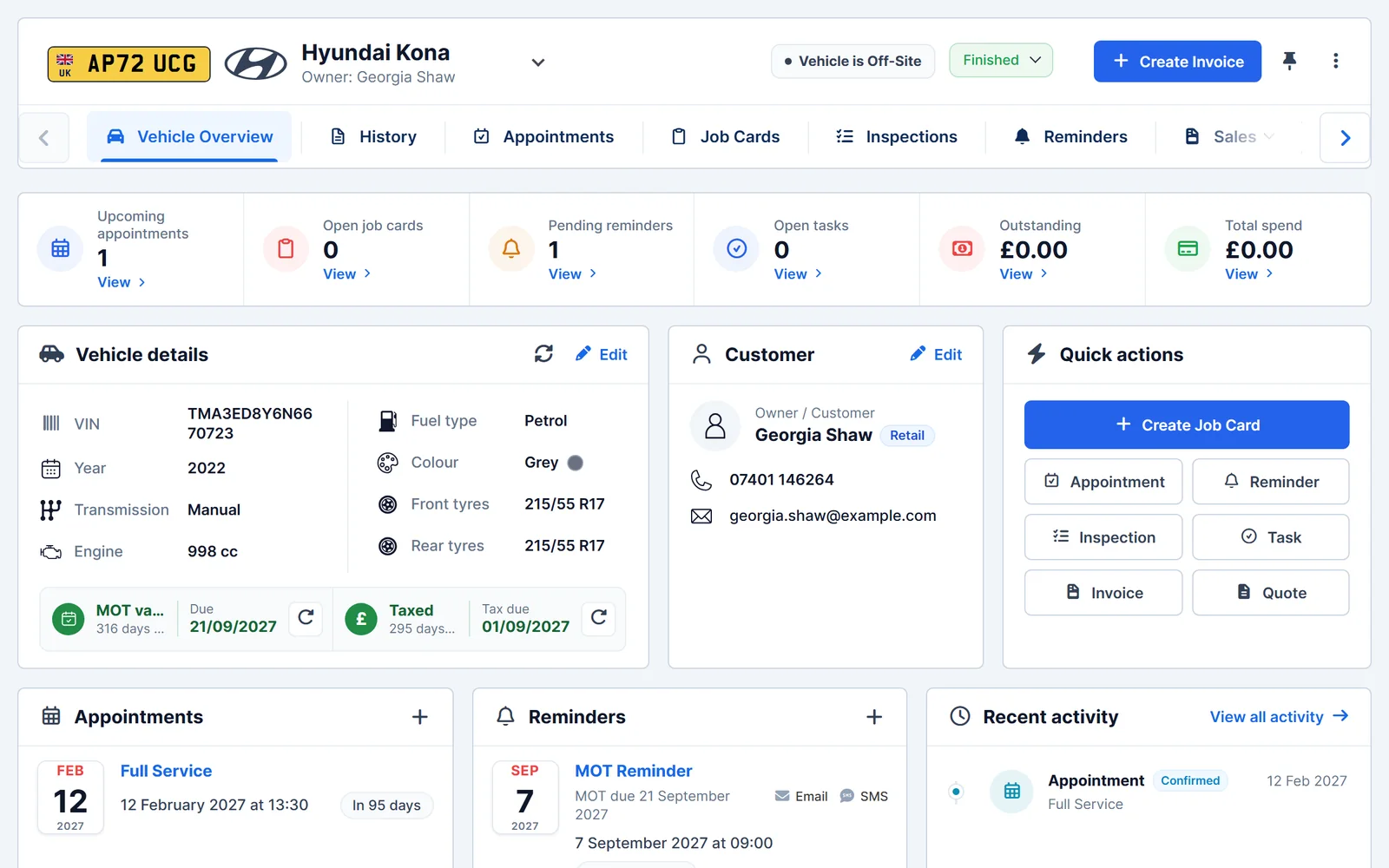
The vehicle details you need, all in one place
Each vehicle record brings together its history, upcoming work and the customer it belongs to.
- Linked records. See the vehicle's job cards, inspections, appointments, reminders and invoices.
- MOT and tax status. Check MOT and tax status, and the available MOT history for UK vehicles.
- Work status. Mark a vehicle as in progress, on hold, ready for collection or finished, and pin the ones you're working on to the sidebar.
- Quick actions. Create a job card, inspection, quote, invoice or reminder straight from the vehicle.
Inspections
Show customers what needs attention
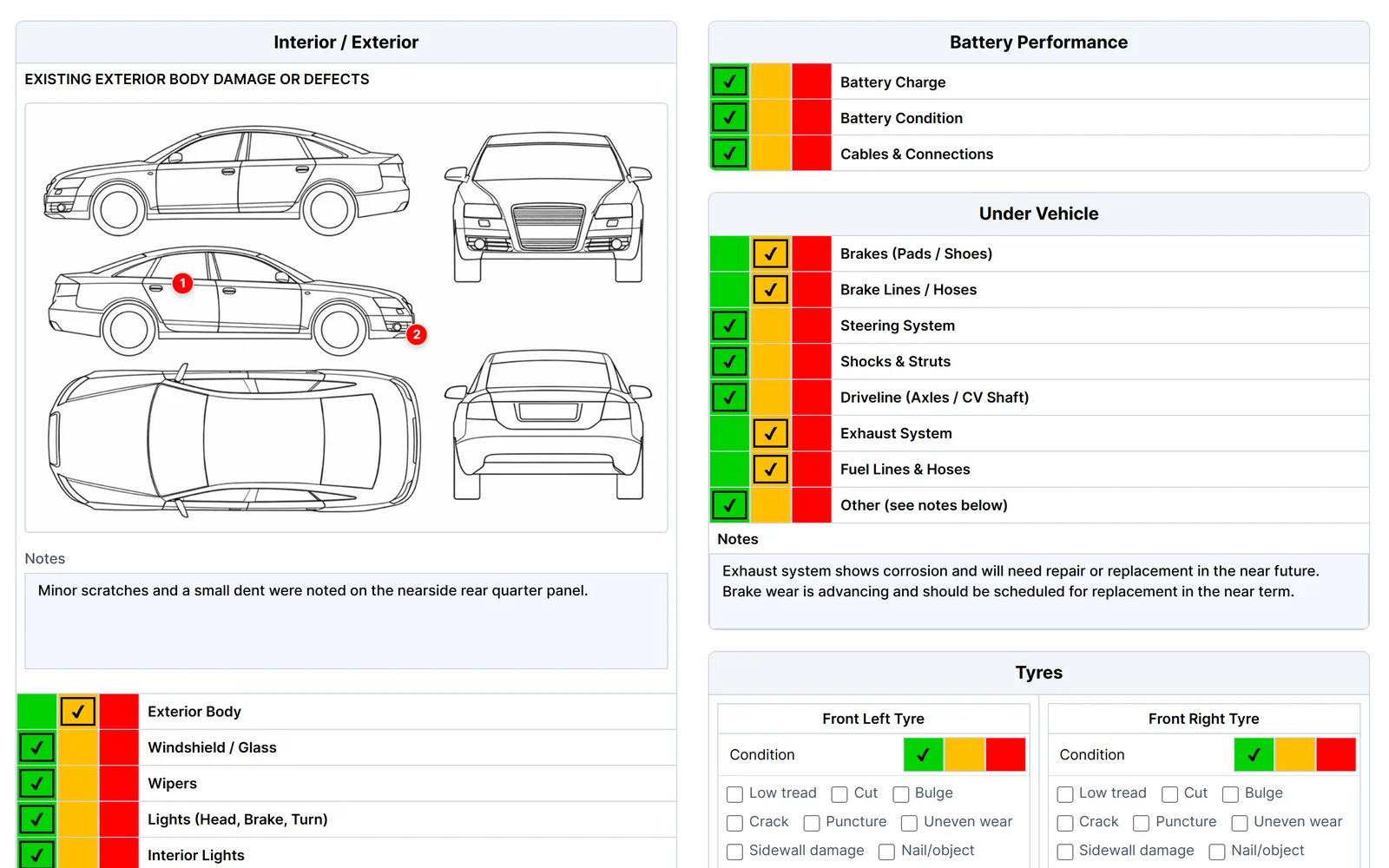
Carry out vehicle health checks on a tablet or computer and share a clear report with the customer.
- Your own templates. Build inspection forms for health checks, pre-sale checks or your own service checks.
- Clear results. Mark each check green, amber or red and add notes for the customer.
- Saved with the vehicle. Findings stay on the vehicle record alongside its job cards and invoices.
- Customer report. Share the report online. Customers can accept or decline the recommended work, with an optional electronic signature.
Inspections are for your own workshop checks. They do not replace an official MOT test.
AI Assist
Let AI do the first draft, you make the call
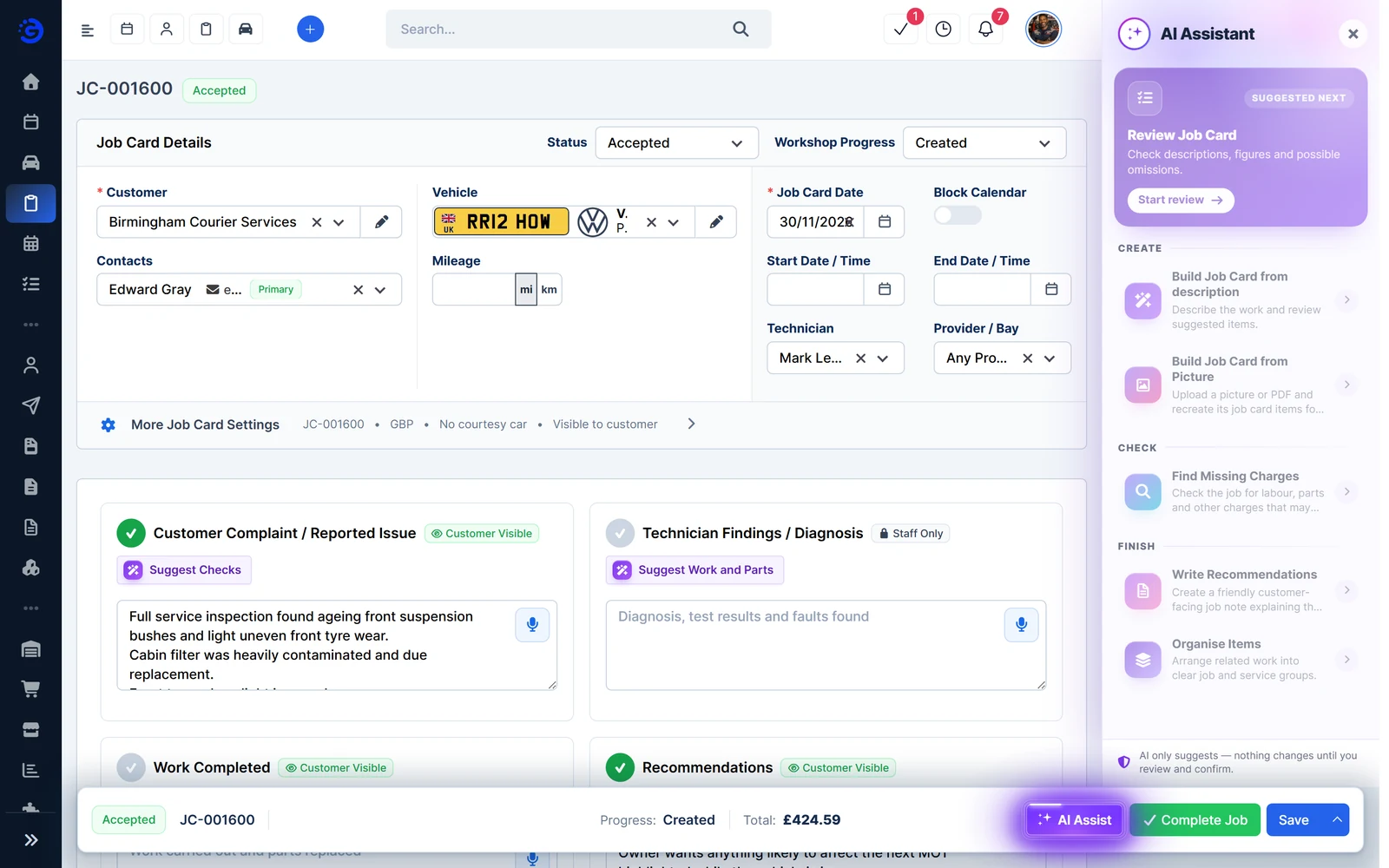
AI Assist works on job cards, quotes, invoices and expenses. It only suggests, so nothing changes until you review and confirm.
- Build from a description or photo. Describe the work, or upload a picture or PDF, and review the suggested items.
- Find missing charges. Check for labour, parts and other charges that may be missing.
- Customer notes. Write a friendly note explaining the work, checks and recommendations.
- Tidier expenses. Spot possible duplicates and get a suggested category.
See these screens with example data
Open the demo garage to try quotes, job cards, inspections and invoices for yourself. No sign-up or payment card needed.
Customers
Know your customers and the work you've done for them
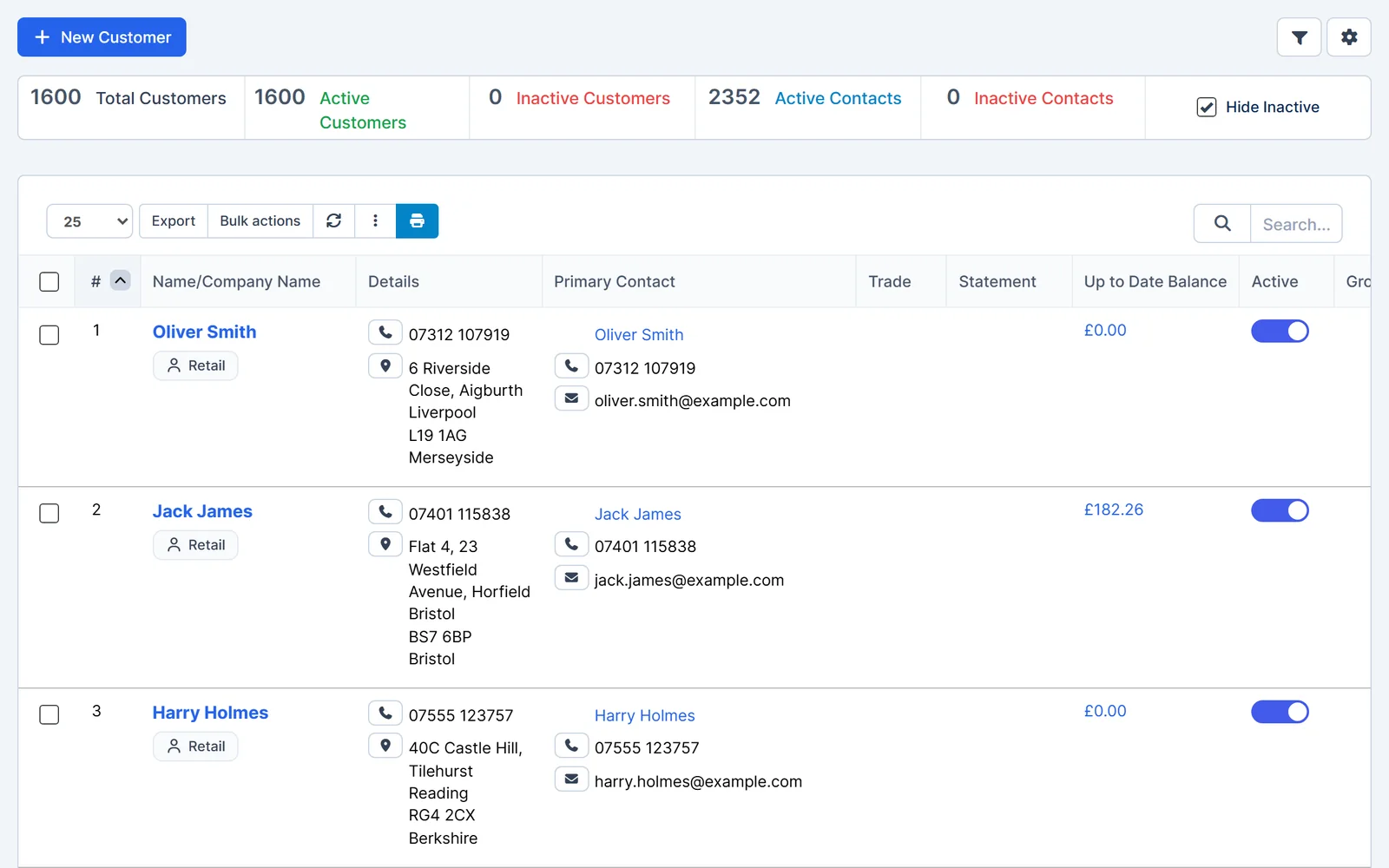
Keep private and business customers organised, with their vehicles, documents and balances in one record.
- Private and business customers. Store contacts, addresses and phone numbers, and organise customers into groups.
- Full history. Open a customer to see their vehicles, job cards, quotes, invoices and payments.
- Customer account statements. Print, download or email a statement for any date range.
- Customer portal. Customers can sign in to view and pay invoices online, see their statements and documents, and request appointments.
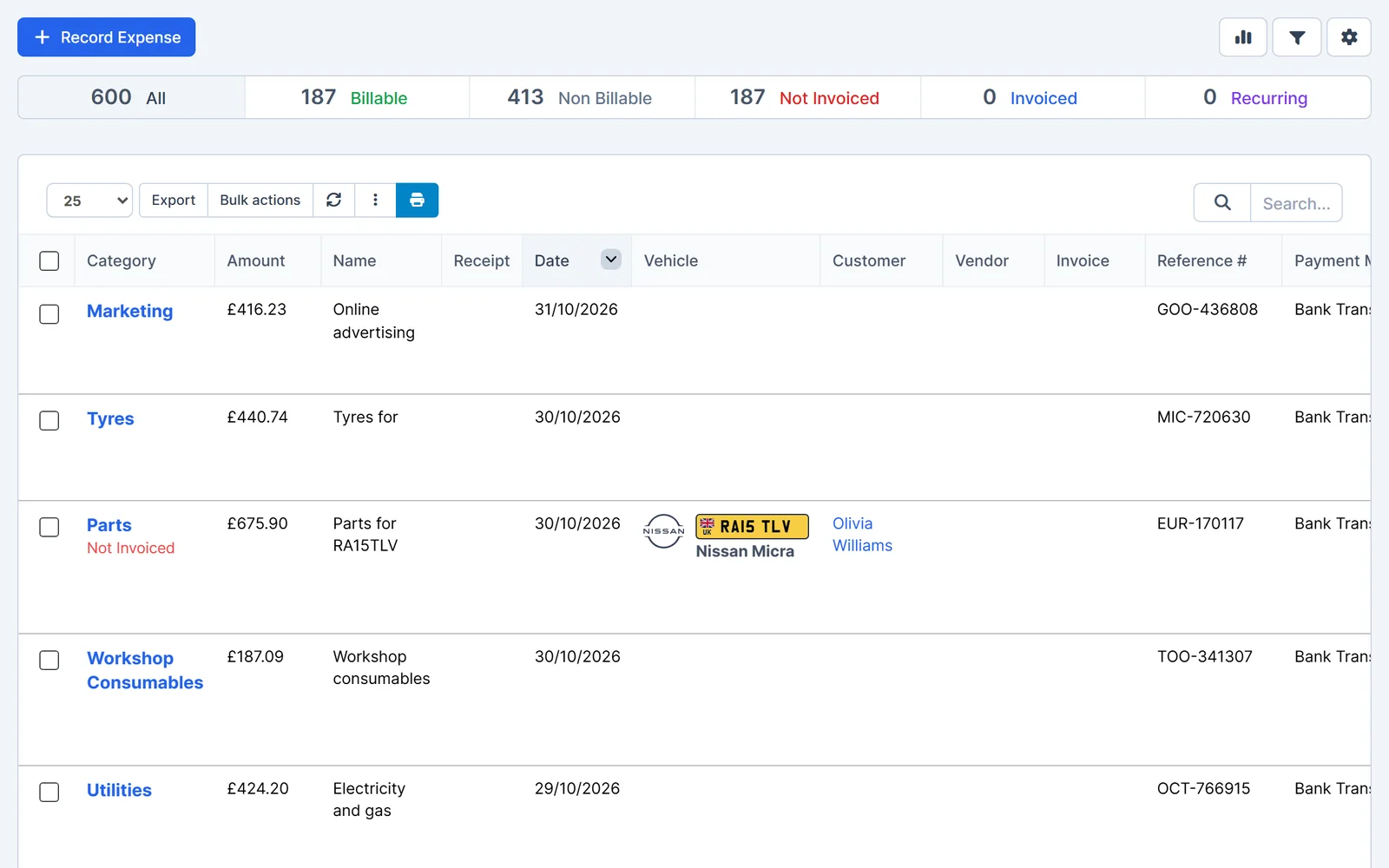
Expenses
Keep workshop expenses and receipts organised
Record what the business spends, keep the receipt with each entry and recover costs you can charge on.
- Receipts attached. Upload a photo or scan of the receipt when you record an expense.
- Recover billable expenses. Link a cost to a customer or vehicle, then tick it to add it to their next invoice.
- Recurring entries. Set up regular costs, such as rent, so they are recorded on schedule.
- Clear categories. Group spending by category for clearer expense reports.
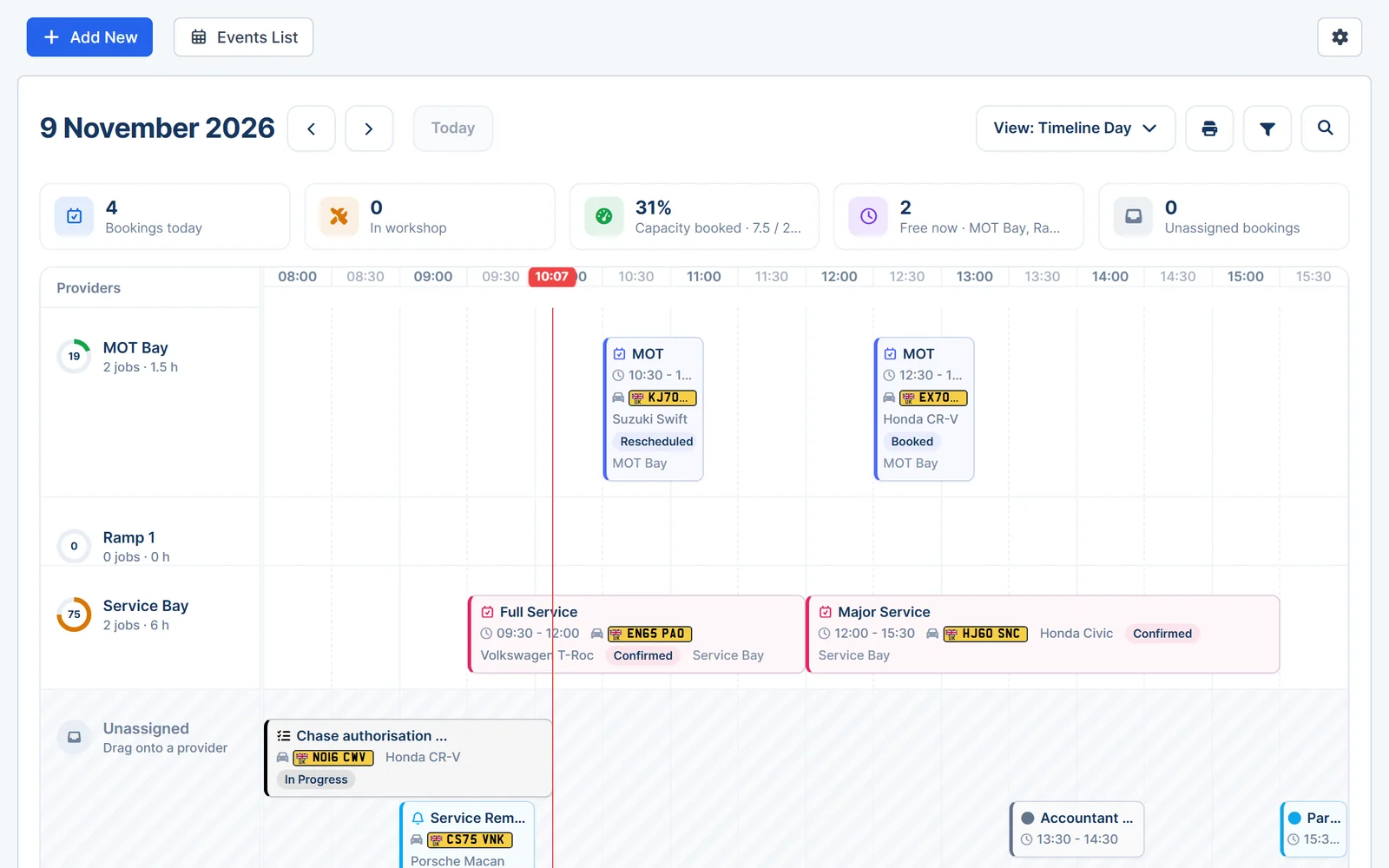
Appointments
Spend less time arranging bookings
Let customers book online and see the whole workshop day on one calendar.
- Online booking. Customers choose a service and a time on your booking page. You review and confirm each booking.
- On your website or Facebook. Add the booking form to your website or share a direct link.
- Calendar views. See bookings by day, week or month, or as a timeline for each bay.
- Confirmations and reminders. Send booking confirmations and appointment reminders by email or SMS.
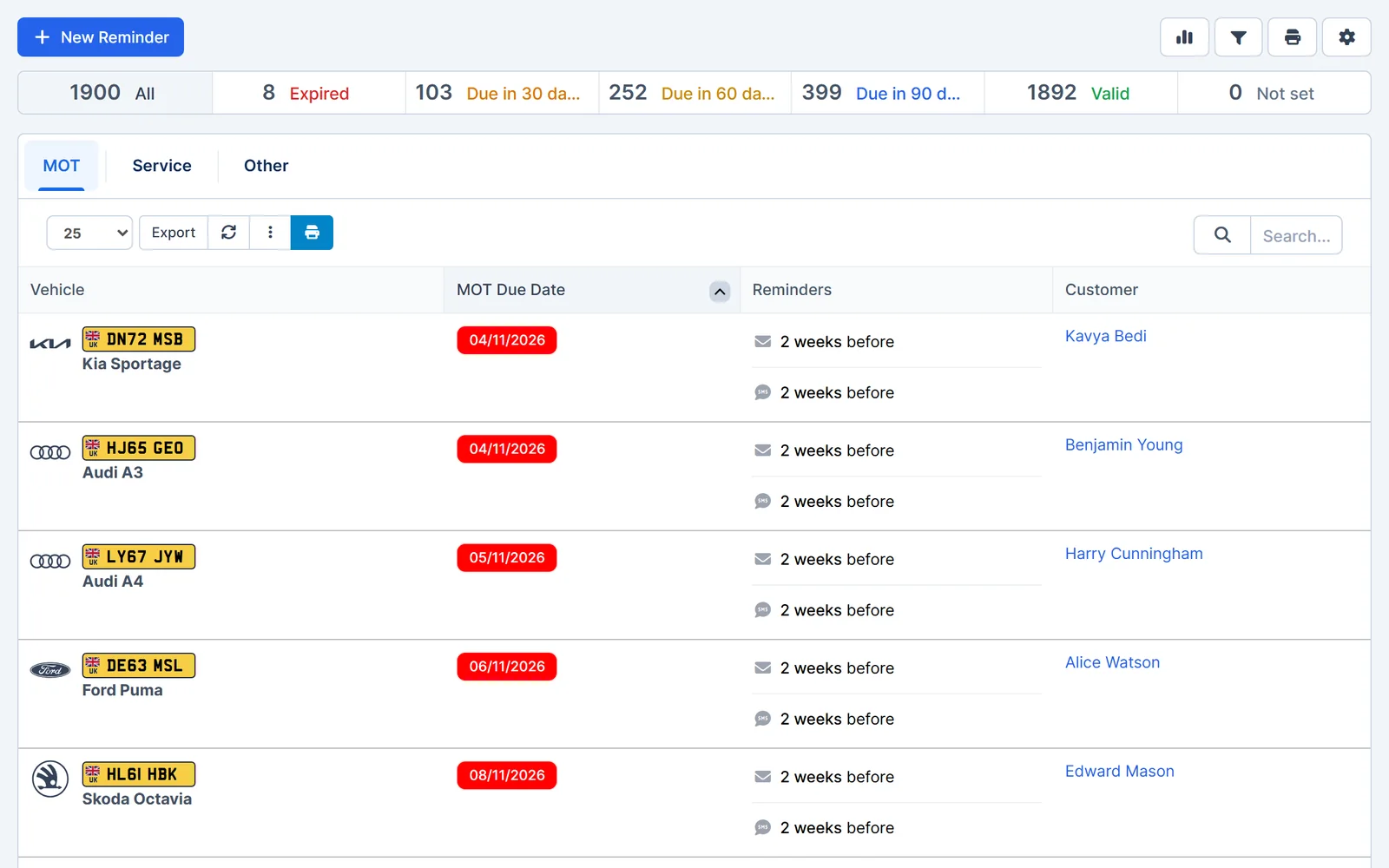
Reminders
Stay on top of services, MOTs and follow-ups
Remind customers when their vehicle is due, and keep track of the follow-ups your team needs to make.
- MOT and service reminders. Send automatic email and SMS reminders before the due date, with an optional second reminder.
- Your own wording. Edit the message templates to suit how you talk to customers.
- Staff reminders. Set reminders against a customer, invoice, quote, job card or task, and see them on the calendar.
- Repeat on a schedule. Create one-off, recurring or custom reminders for anything else that's due.
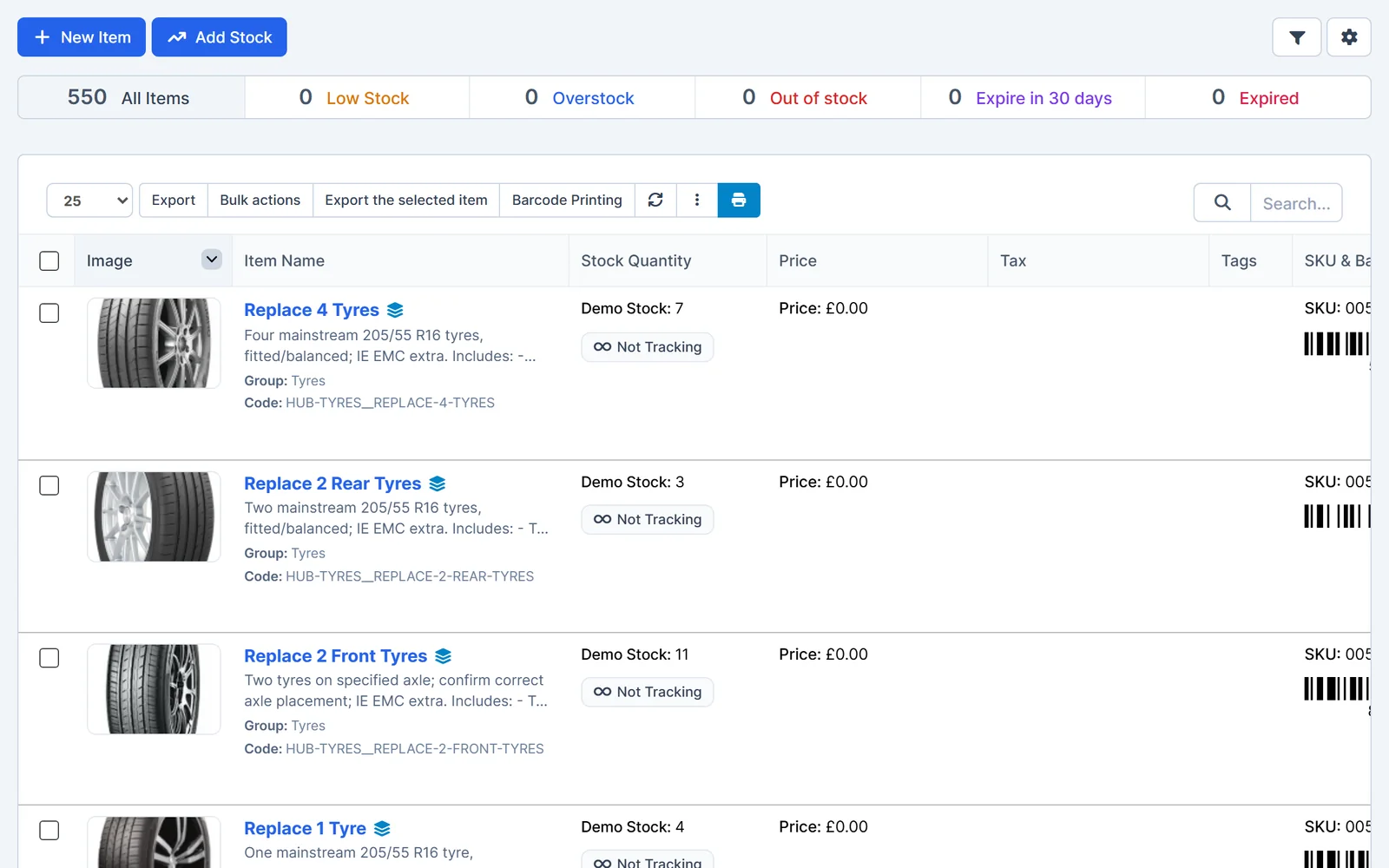
Stock control
Know what's in stock before the next job
Keep track of parts, tyres and workshop supplies, and see when stock is running low.
- Stock items. Record parts, tyres and consumables with quantities, prices and barcodes.
- Low stock at a glance. Filter items that are low, out of stock or above your set levels.
- More than one location. Manage stock across several warehouses or stores and transfer it between them.
- Goods in and adjustments. Record goods received and correct stock counts when needed.
Reports
See sales, spending and outstanding balances clearly
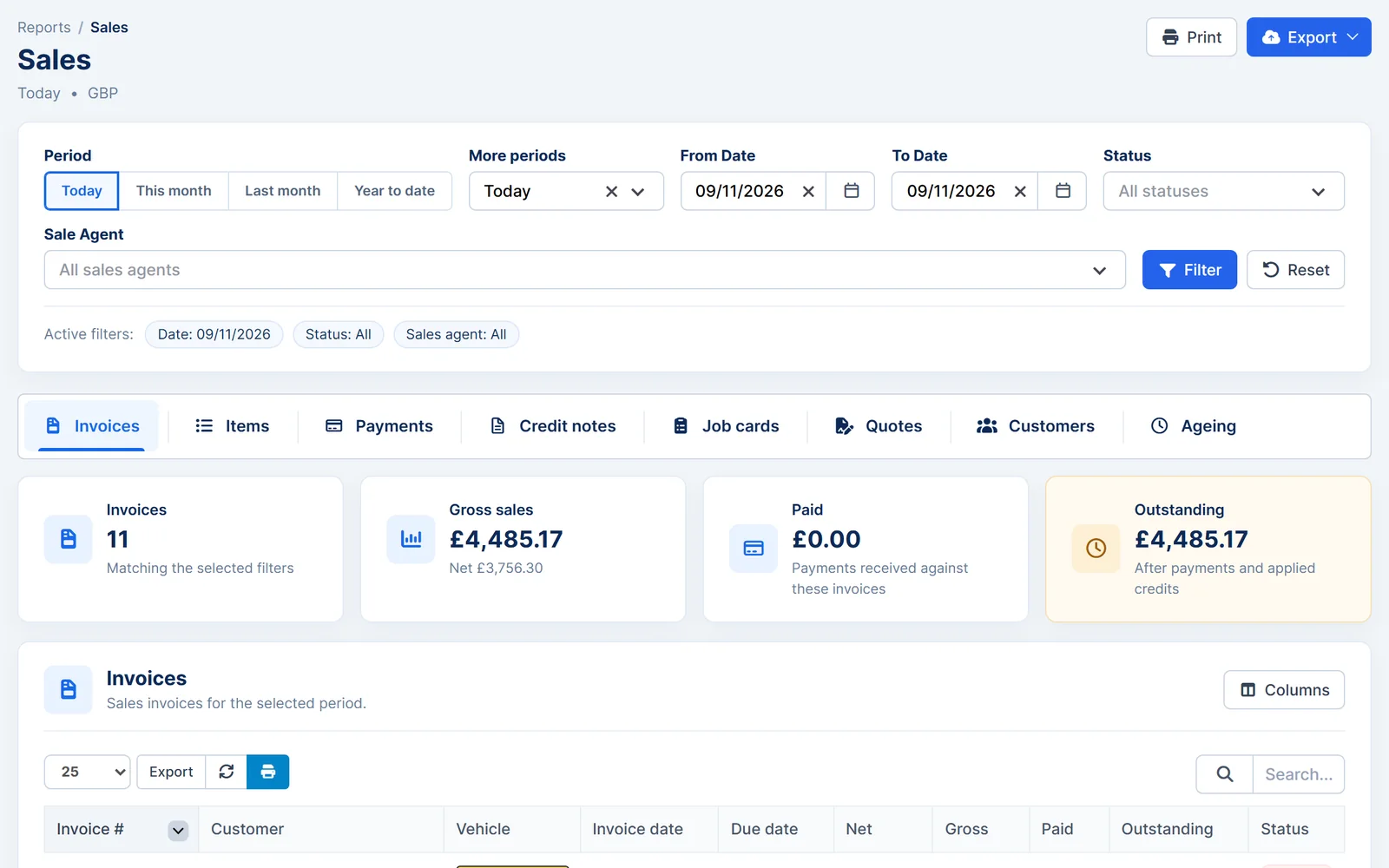
Choose a period and see how the business is doing, from sales and payments to what's still owed.
- Sales. Invoices, items, payments, credit notes, job cards and quotes for any period, filtered by staff member if you need to.
- Outstanding balances. See what each customer owes and how long it has been outstanding.
- Expense reports. Spending by category, plus cash flow, profit and loss and VAT summary reports.
- Exports. Download reports as Excel, CSV or PDF files.
Payments
Keep track of what's paid and what's outstanding
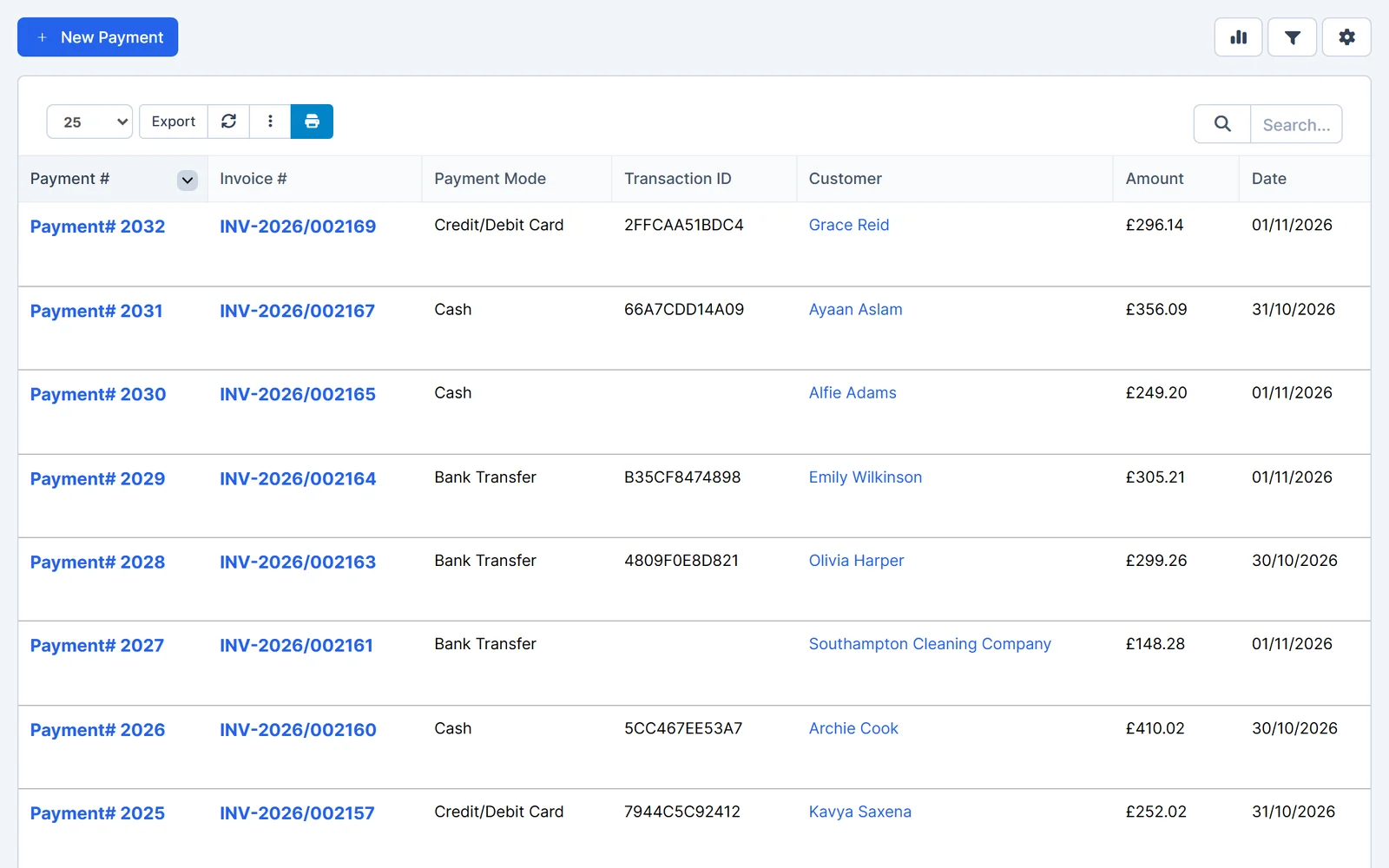
Record payments you've taken, and let customers pay invoices online through a payment provider you connect.
- Record any payment. Log cash, card, bank transfer or your own payment methods against one invoice, or several at once.
- Part payments. Record a partial payment and the invoice shows the balance still due.
- Online card and PayPal payments. Connect Stripe, PayPal, Square, SumUp, Mollie or another supported provider so customers can pay from the invoice link. The provider's fees apply.
- Linked records. Each payment is linked to its invoice and customer.
“Excellent value for money. Easy and logical to use… Batch payments is now saving me a fortune in time and effort.”
Integrations
Connect the services your garage uses
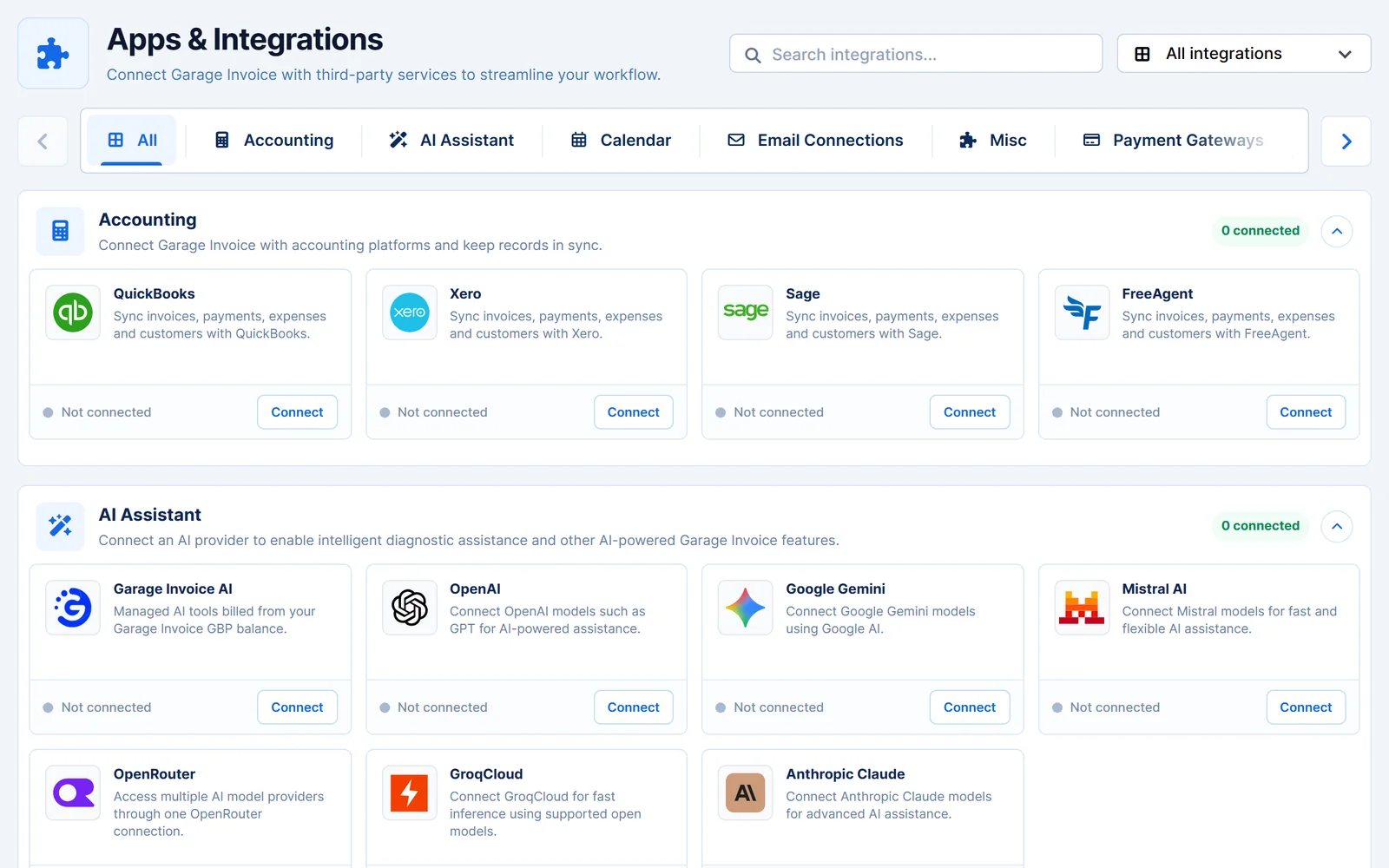
Link Garage Invoice to your email, accounting software, calendars and SMS provider from one screen.
- Email. Use the built-in email service, or send from Microsoft 365, Gmail or Google Workspace, Zoho, iCloud or your own SMTP account.
- Accounting. Connect QuickBooks, Xero, Sage or FreeAgent. Sync Invoices, Payments, Expenses, Items, Customers, Credit Notes, Estimates and Suppliers.
- SMS. Use Garage Invoice SMS, your own Android phone or a provider such as Twilio or Clickatell.
- Calendars. Show appointments and job cards in Google, Outlook or iCloud calendars.
Account protection. Built-in security settings include two-factor authentication, passkey sign-in, Google reCAPTCHA and password rules for staff and customer logins.
Vehicle & address lookups
Enter less. Get the details right.
Enter a registration or postcode and Garage Invoice fills in the details, so there's less typing and fewer mistakes.
- Included in your plan. Basic vehicle lookups and postcode or Eircode lookups are included at no extra cost.
- More detail if you need it. Detailed vehicle lookups are available for an additional charge.
- UK vehicles
- Make, model, fuel, engine size, colour and year, MOT and tax status, and available MOT history.
- Irish vehicles
- Make, model, year, colour and NCT due date.
- Isle of Man vehicles
- Basic vehicle details.
- Addresses
- UK postcode lookups and Irish Eircode lookups.
See how Garage Invoice fits your workshop
Explore the demo garage, try the features and choose the right plan for your business.