
Stock control
Stock control for parts, tyres and supplies
Know what's on the shelf before the next job, see when stock is running low, and manage suppliers and purchase orders in the same system.
Opens the demo garage with example data. No sign-up or payment card needed.
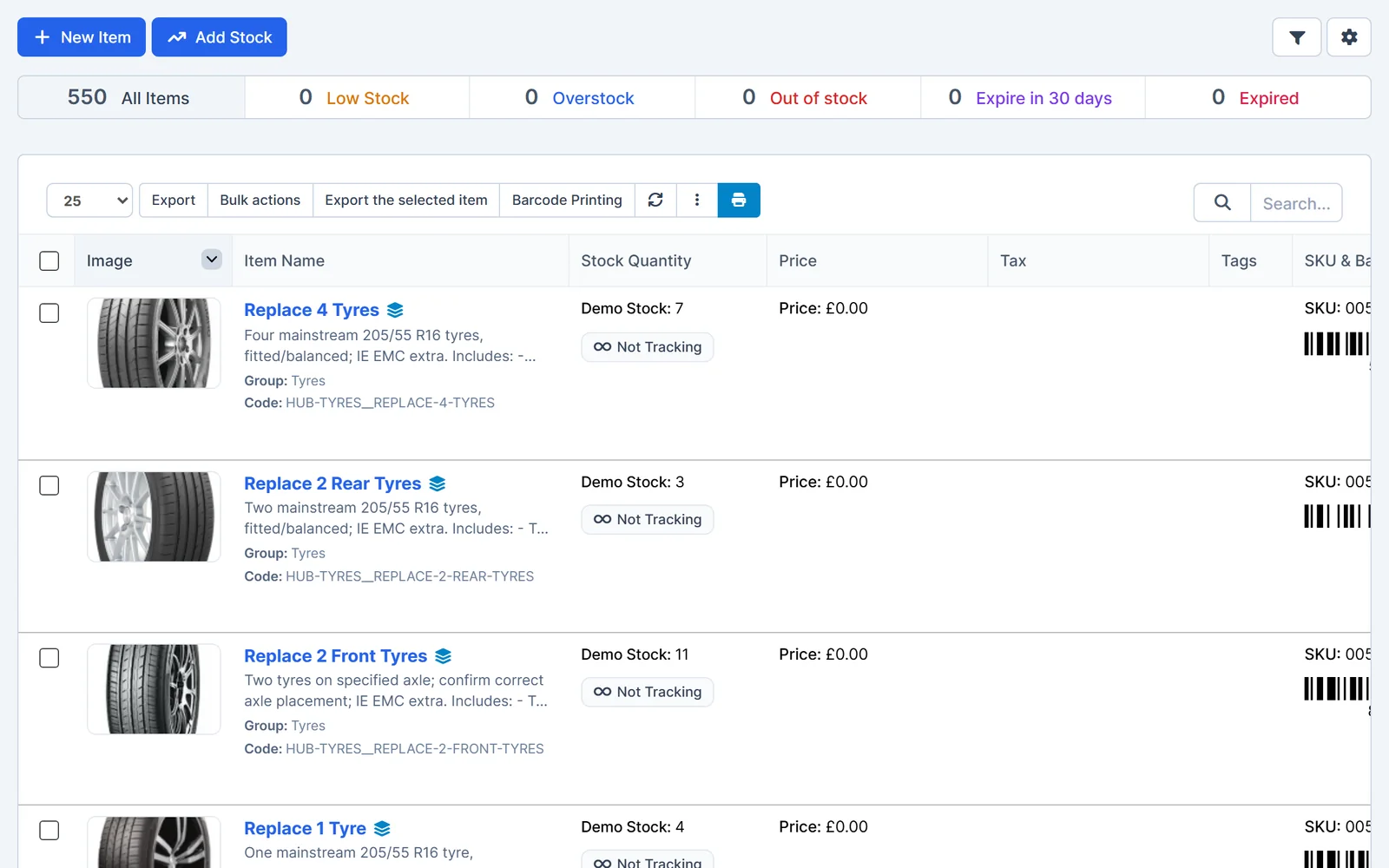
Know what you have
Every stock item shows its quantity, price and code, with filters for the items that need attention.
- Stock items. Record parts, tyres and consumables with quantities, prices, SKUs and barcodes.
- Low stock. Filter items that are low, out of stock or above your set levels.
- Expiry dates. See items that expire soon or have expired.
- Barcode labels. Print barcodes for your shelves.
- Low stock
- Below the level you set.
- Out of stock
- Nothing left on the shelf.
- Overstock
- Above your maximum level.
- Expiring
- Expiring in the next 30 days, or already expired.
More than one location
Manage stock across several warehouses or stores and keep a full history of every movement.
- Warehouses. Set up each location where you keep stock.
- Transfers. Move stock between locations.
- Goods in and out. Record goods received, goods dispatched, packing lists and returns.
- Adjustments and history. Correct stock counts and see every change in the inventory log.
- Goods received
- Book in deliveries.
- Goods dispatched
- Record stock going out.
- Internal transfers
- Move stock between warehouses.
- Stock adjustments
- Correct counts after a stock take.
- Inventory log
- A history of every movement.
Suppliers and purchasing
Order parts and keep supplier paperwork alongside your stock.
- Suppliers. Store suppliers and the items you buy from each one.
- Purchase requests and orders. Raise requests, send purchase orders and record supplier quotes.
- Purchase invoices. Record supplier invoices and debit notes.
- Contracts. Keep supplier contracts in one place.
- Purchase requests
- Ask for parts to be ordered.
- Purchase orders
- Order from your suppliers.
- Supplier quotes
- Compare prices.
- Purchase invoices and debit notes
- Record what you've been billed.
Works together
Related features
Garage Invoice keeps these records connected, so you don't enter the same details twice.
Help centre
Inventory step-by-step guides
Short guides with screenshots that show you how to set it up and use it day to day.
- Inventory Overview
- Items & Services Overview
- Purchase Orders Overview
- Purchase Requests Overview
- Purchasing Overview
- Suppliers Overview
See how Garage Invoice fits your workshop
Explore the demo garage, try the features and choose the right plan for your business.