Add Quote Terms

Estimated reading: 1 minute 368 views
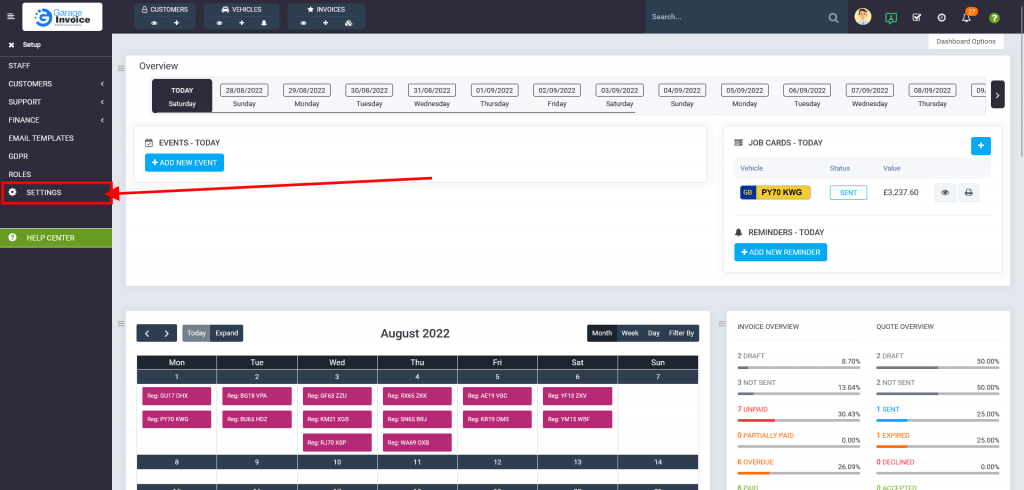
  1. Click SETUP, located on the sidebar menu (left-hand side of the screen).
    27 Dashboard1 1024X490 56
  2. Click SETTINGS option.
    Screenshot Carcheck.ginvoice.co .Uk 2022.08.27 14 01 12 1024X490 18
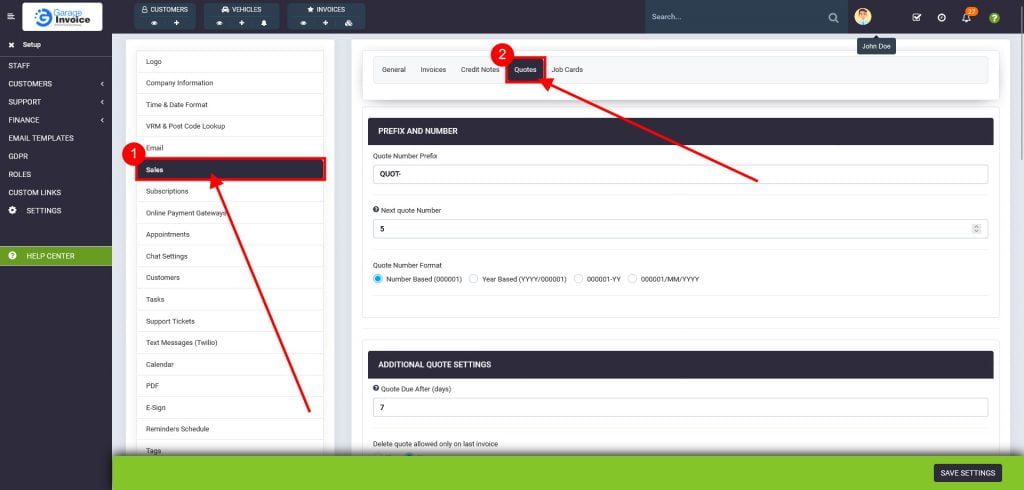
  3. Click Sales, and Invoices tab.
    27 Options 1024X490 2
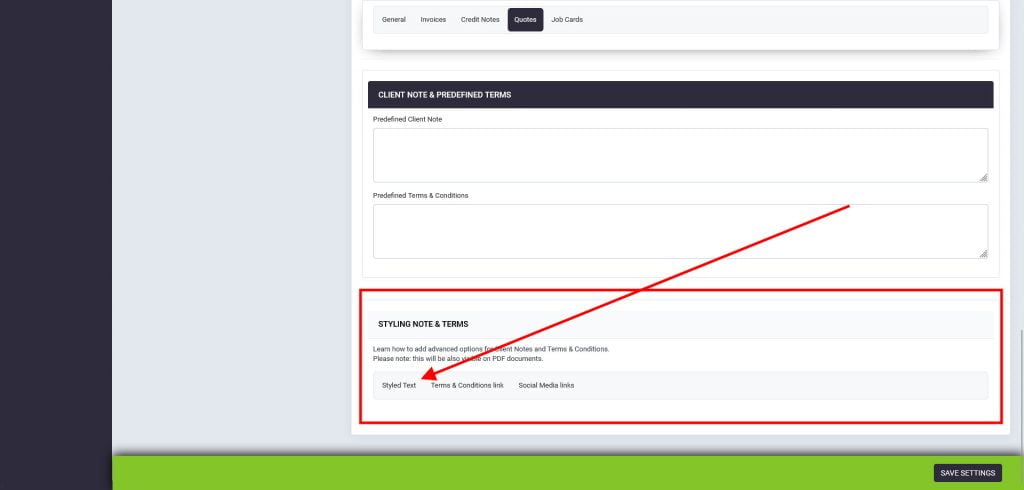
  4. Scroll down to Predefined Terms & Conditions, and enter your custom terms.
    27 Options3 1024X490 1
    You can style the note (make text larger, bold etc.). To learn more, click on styling tabs:
    27 Options2 1024X490 2
CONTENTS
Garage Invoice Vehicle Management Software logo in the footer section
Professional, affordable, and feature-rich Invoicing software for Workshops and Car Garages - making management simple and efficient.