
A valuation report gives you current UK market values for a vehicle, which is useful for part exchange, insurance work or advising a customer.
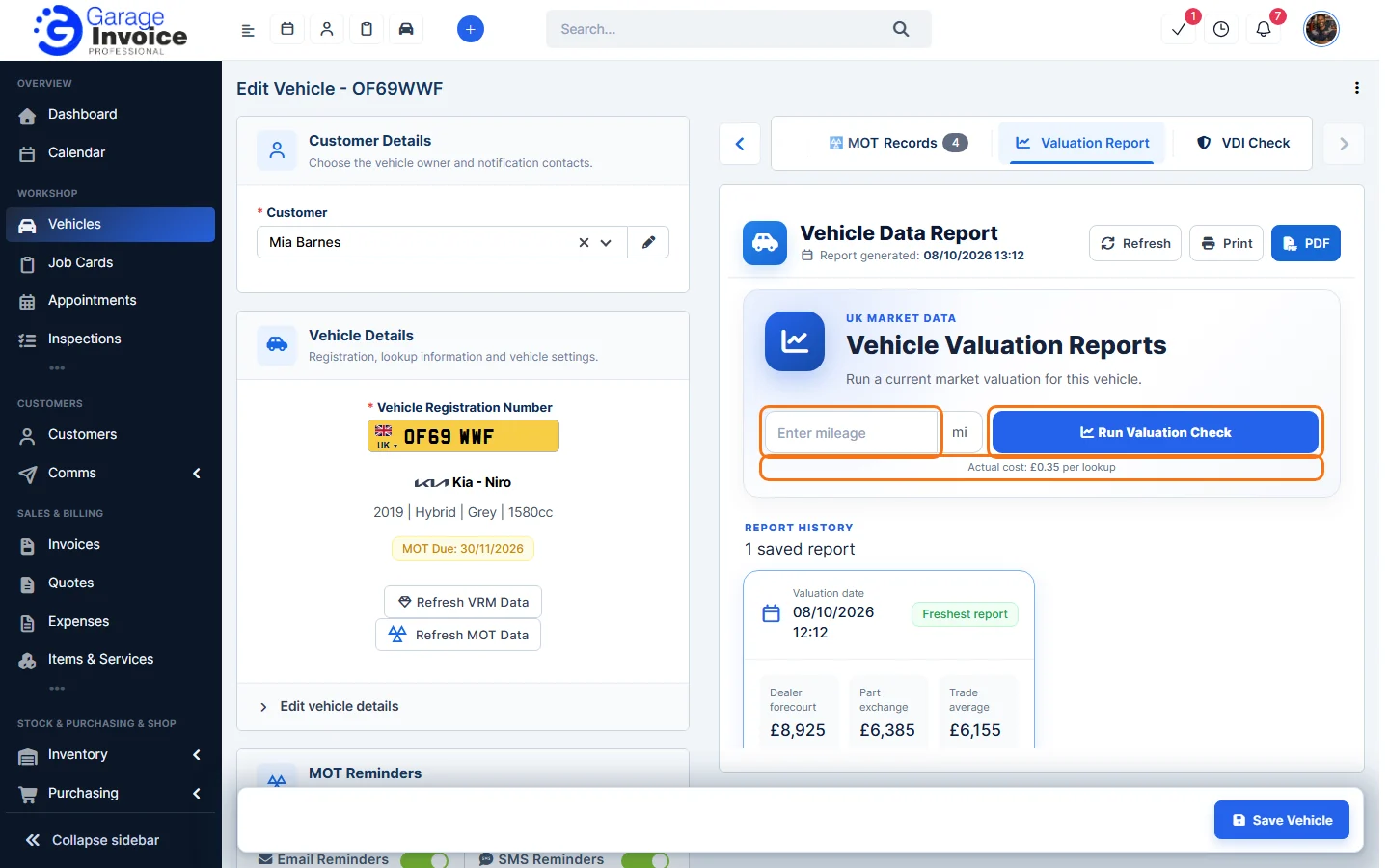
Note: each valuation check is a paid lookup. The cost is shown under the button (£0.35 per lookup at the time of writing) and is charged to your account balance. Your saved reports stay in the Report History.
Run a valuation
- Open the vehicle’s Edit Vehicle page: on the vehicle page click ⋮ → Edit Vehicle, or hover over the vehicle in the Vehicles list and click Edit. See Edit Vehicle.
- Above the Vehicle Data Report, click the Valuation Report tab. Use the arrows at the ends of the tabs if you can’t see it.
- Enter the vehicle’s current mileage. It’s used to calculate the values.
- Click Run Valuation Check.
Read the report
Every check is saved under Report History, newest first, with the date and the main figures. The latest one is marked Freshest report. Click View report to open it.
The report shows Valuation Figures: On The Road (typical original price), Dealer Forecourt, Trade Retail, Private Clean, Private Average, Part Exchange, Auction, Trade Average and Trade Poor.
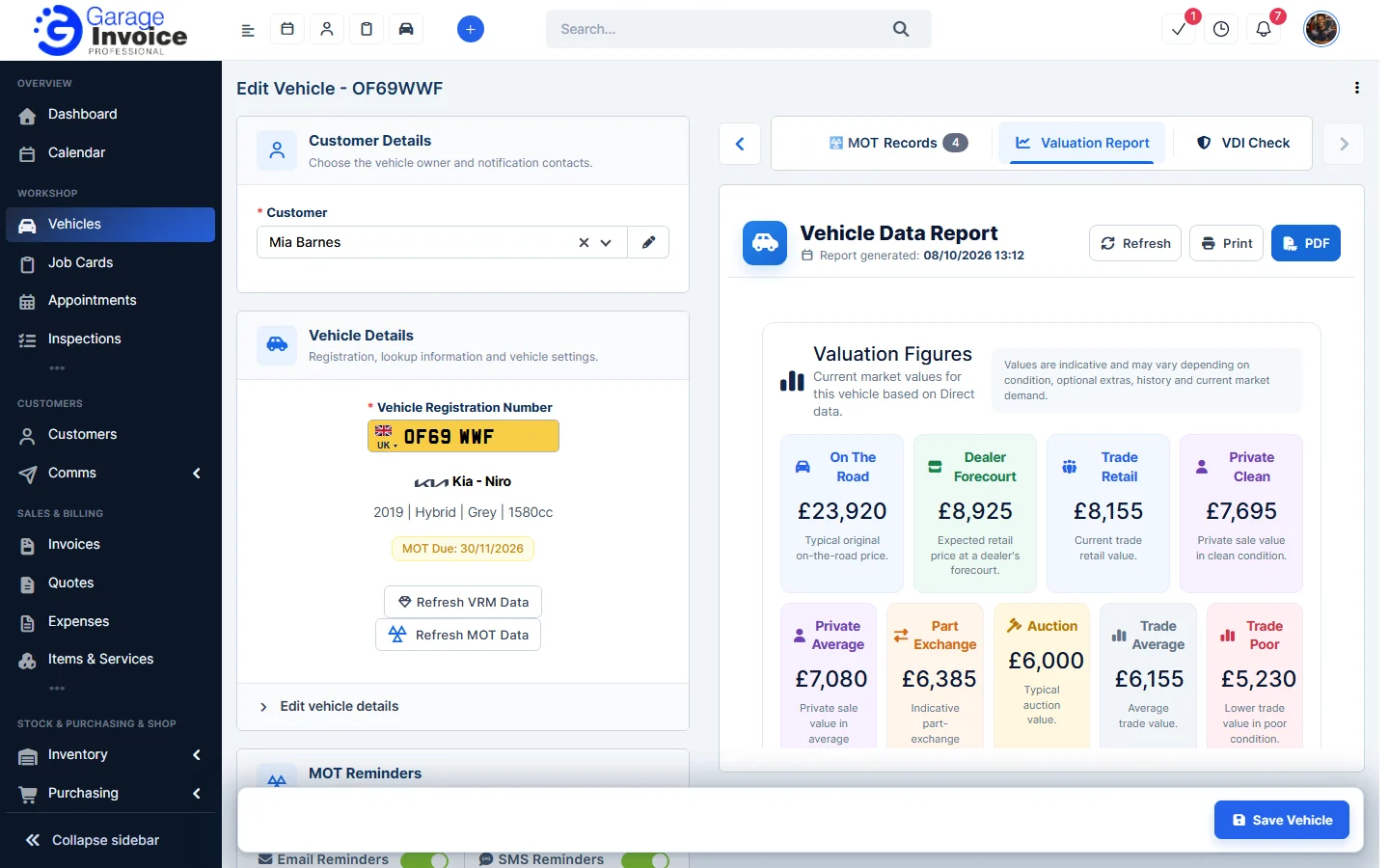
Tip: the values are a guide. They can vary with the vehicle’s condition, optional extras, history and current market demand.
Feature Vehicle records: see what it does and how it fits your workshop.