
Statuses help you see which enquiries still need work. Garage Invoice comes with three:
- Processing: new or being worked on. New enquiries get the Default Status chosen on the form, normally this one.
- Completed: done. An enquiry becomes Completed when you convert it to a quote or job card.
- Cancelled: not going ahead.
Change the status of an enquiry
- Click Comms in the sidebar and choose Enquiries. Click the customer’s name, or hover over the row and click View.
- Click the status next to the customer’s name and choose the new status.
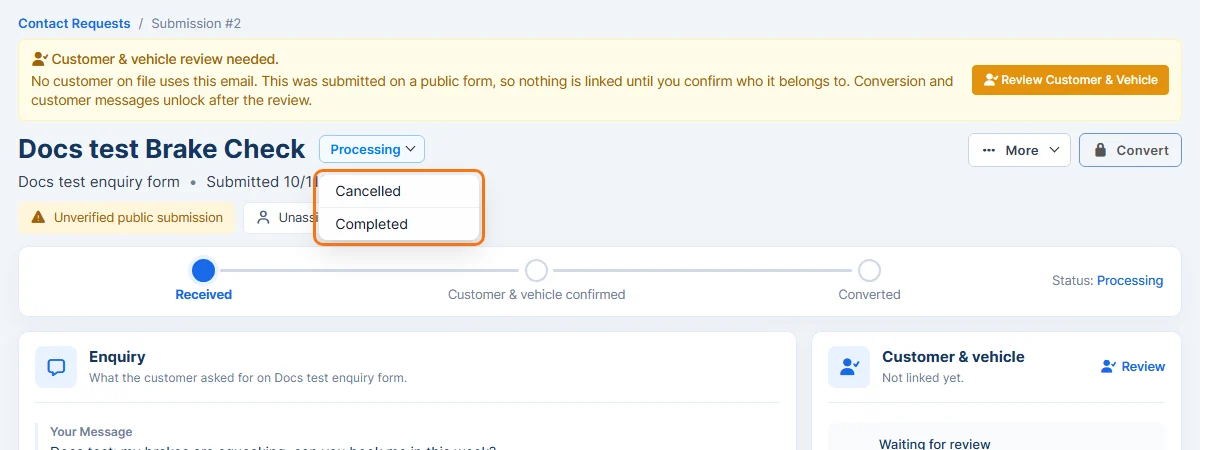
You can also change it from the list: click the arrow next to the status. See Enquiries Overview.
Add your own statuses
- Click Settings at the bottom of the sidebar. In the panel on the left, open Customers and click Customer Contact Forms.
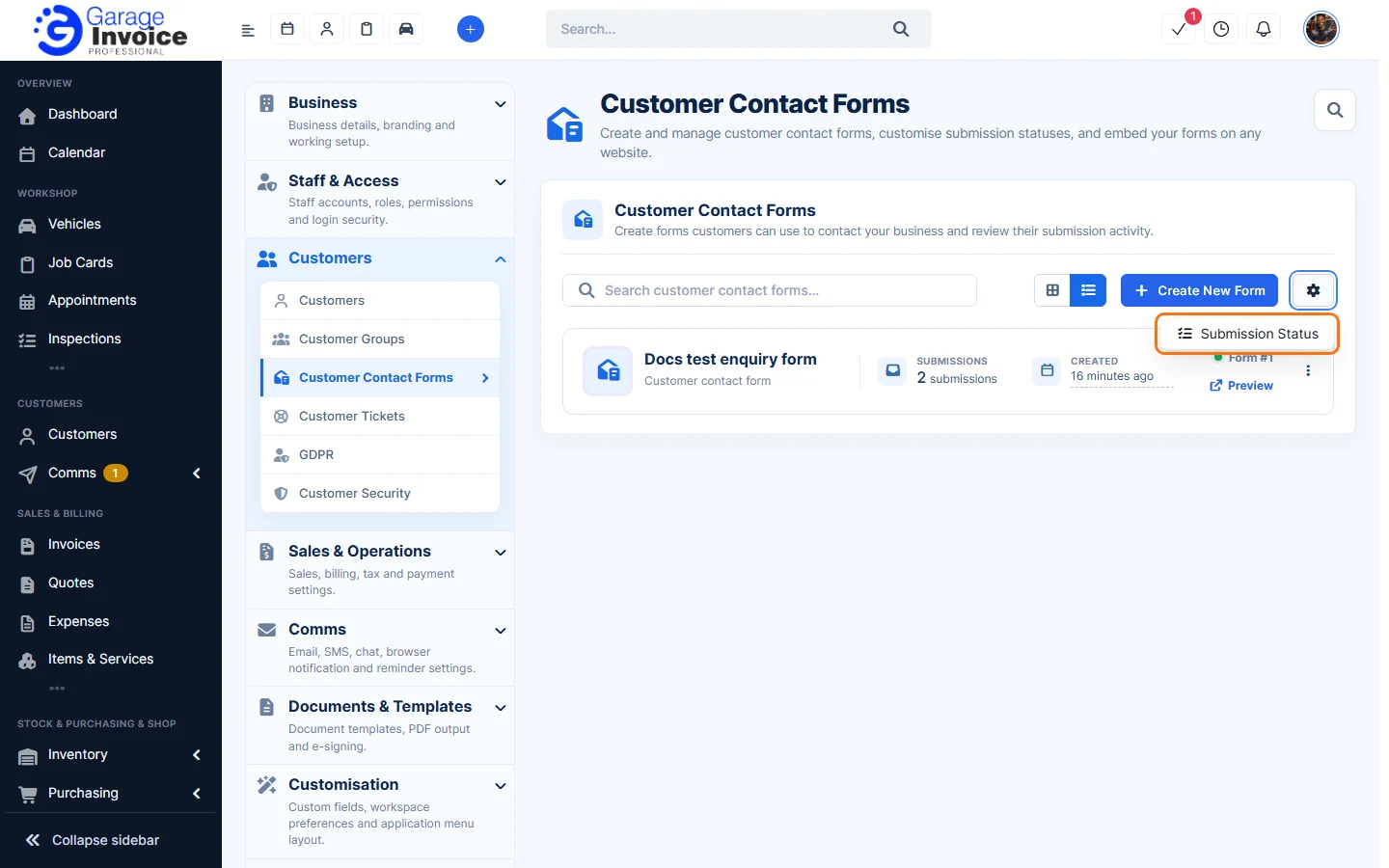
- Click the cog button next to Create New Form and choose Submission Status.
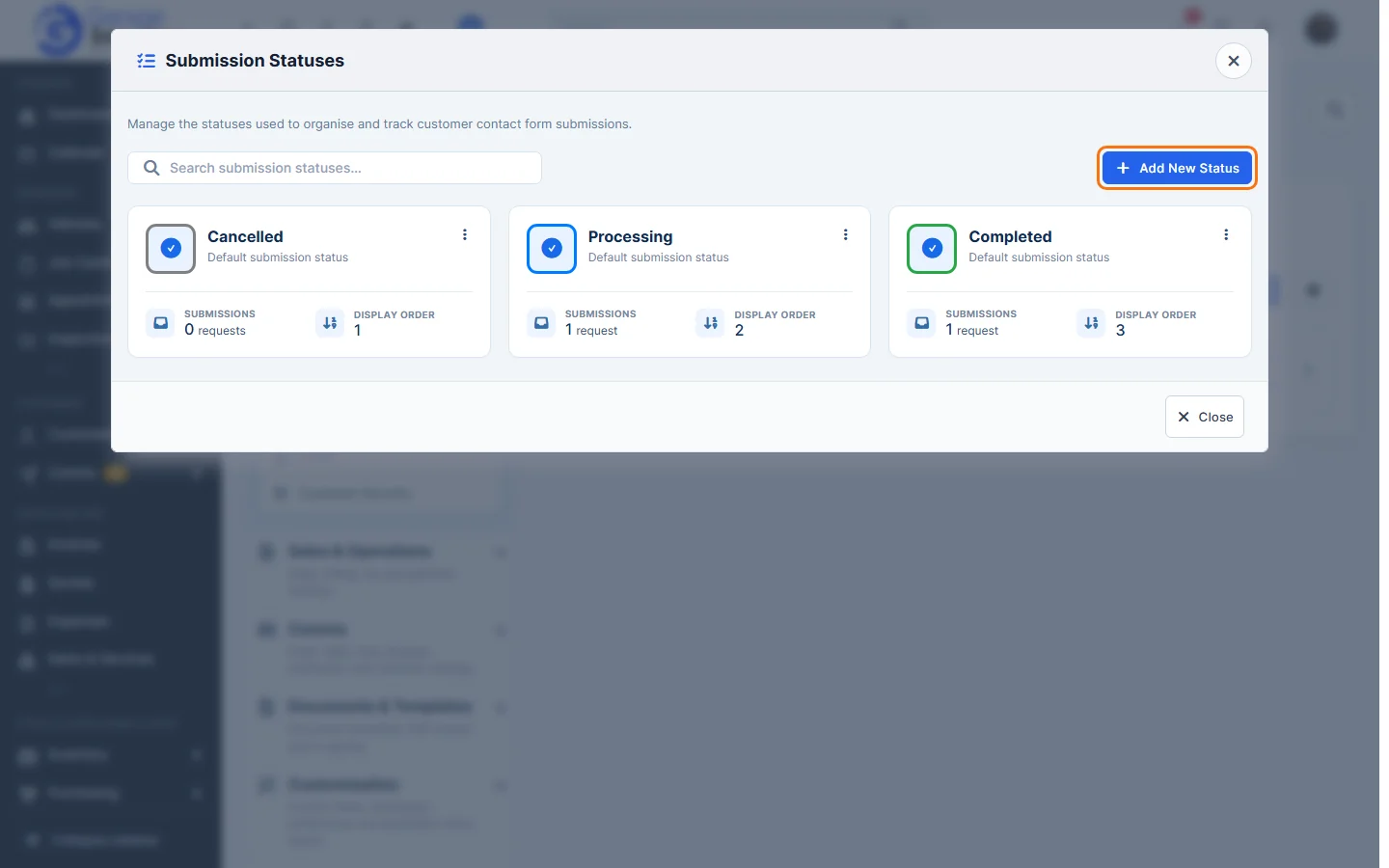
- The Submission Statuses window lists each status with how many enquiries use it and its Display Order. Click Add New Status.
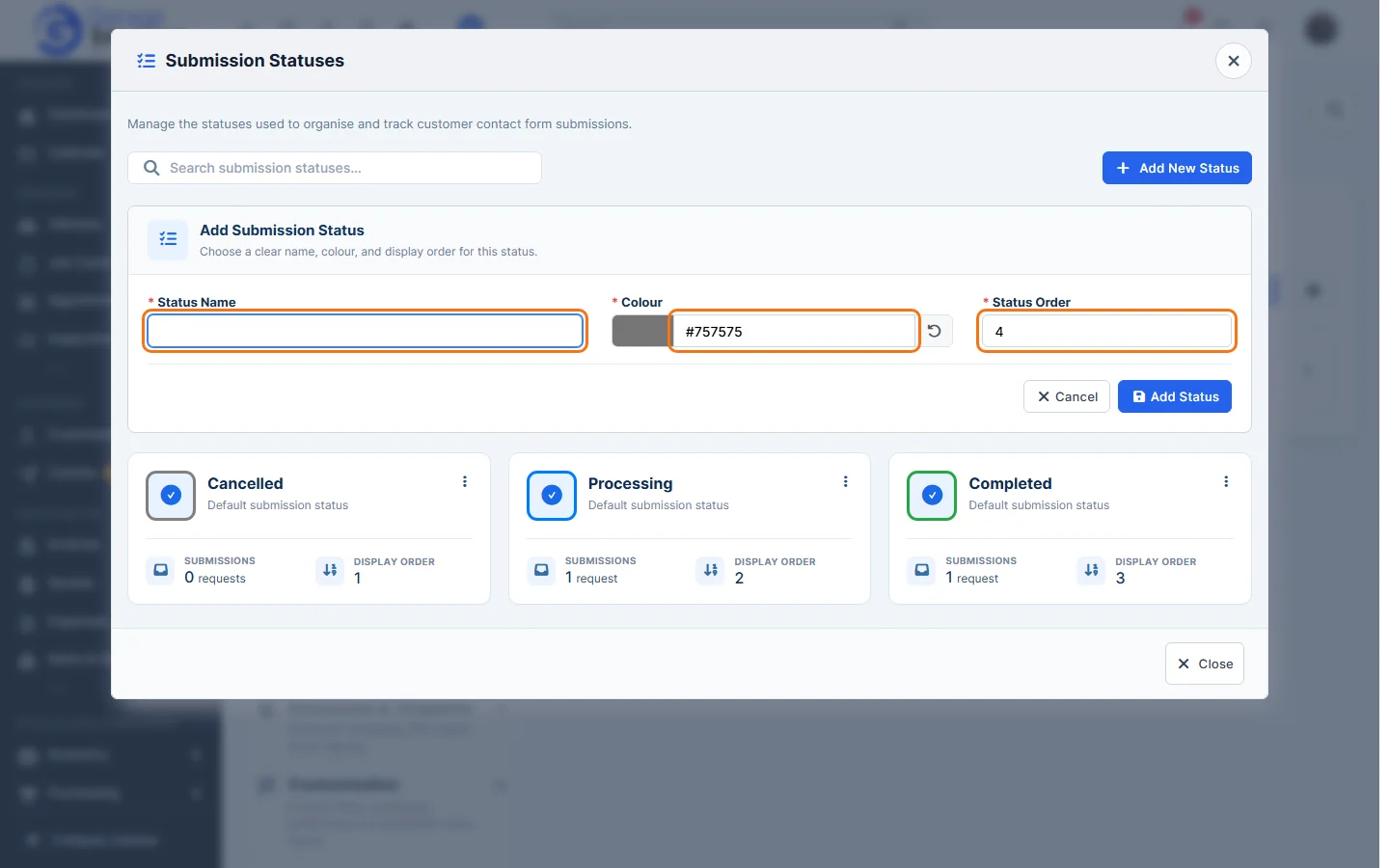
- Enter the Status Name, pick a Colour and set the Status Order (its position in lists). All three are required. Click Add Status.
- Click Close.