
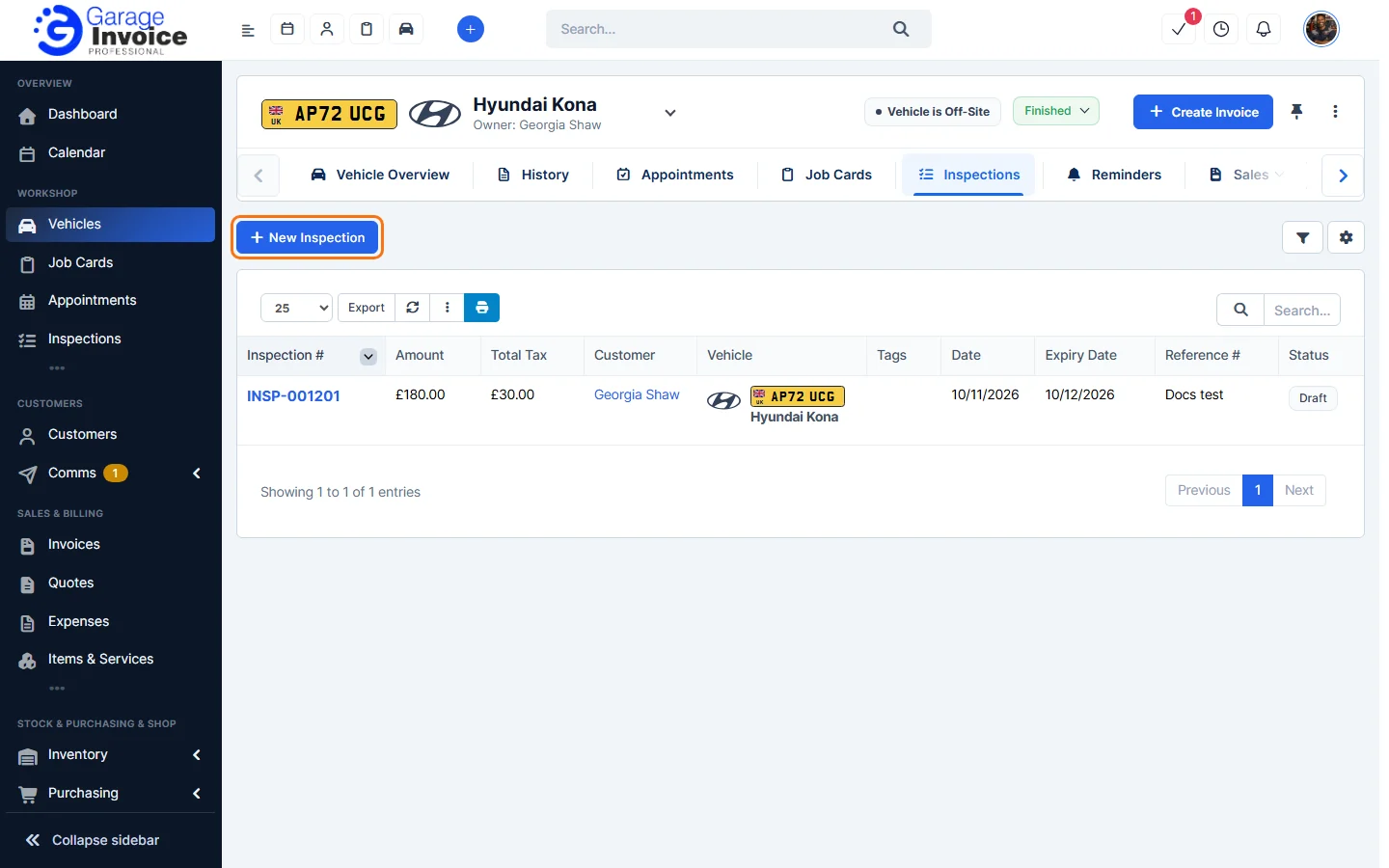
- Open the vehicle (see Search for Vehicle) and click the Inspections tab in the vehicle menu. If you can’t see it, use the arrow at the right end of the menu to scroll.
- You’ll see every inspection for the vehicle with its amount, date, expiry date, reference and status. Click an inspection number to open it.
- Click New Inspection to start an inspection for this vehicle. You can also click Inspection under Quick actions on the vehicle page. See Vehicle Overview Screen.
The rest works as described in Create an Inspection and Carry Out an Inspection. To see inspections for all vehicles, see Inspections Overview.
Feature Vehicle inspections: see what it does and how it fits your workshop.