
A credit note records money you owe a customer, for example after an overcharge, a returned part or a goodwill gesture. You can use the credit to reduce an invoice or refund it to the customer.
- Click Credit Notes in the sidebar, under Sales & Billing. Click the ••• there if you can’t see it.
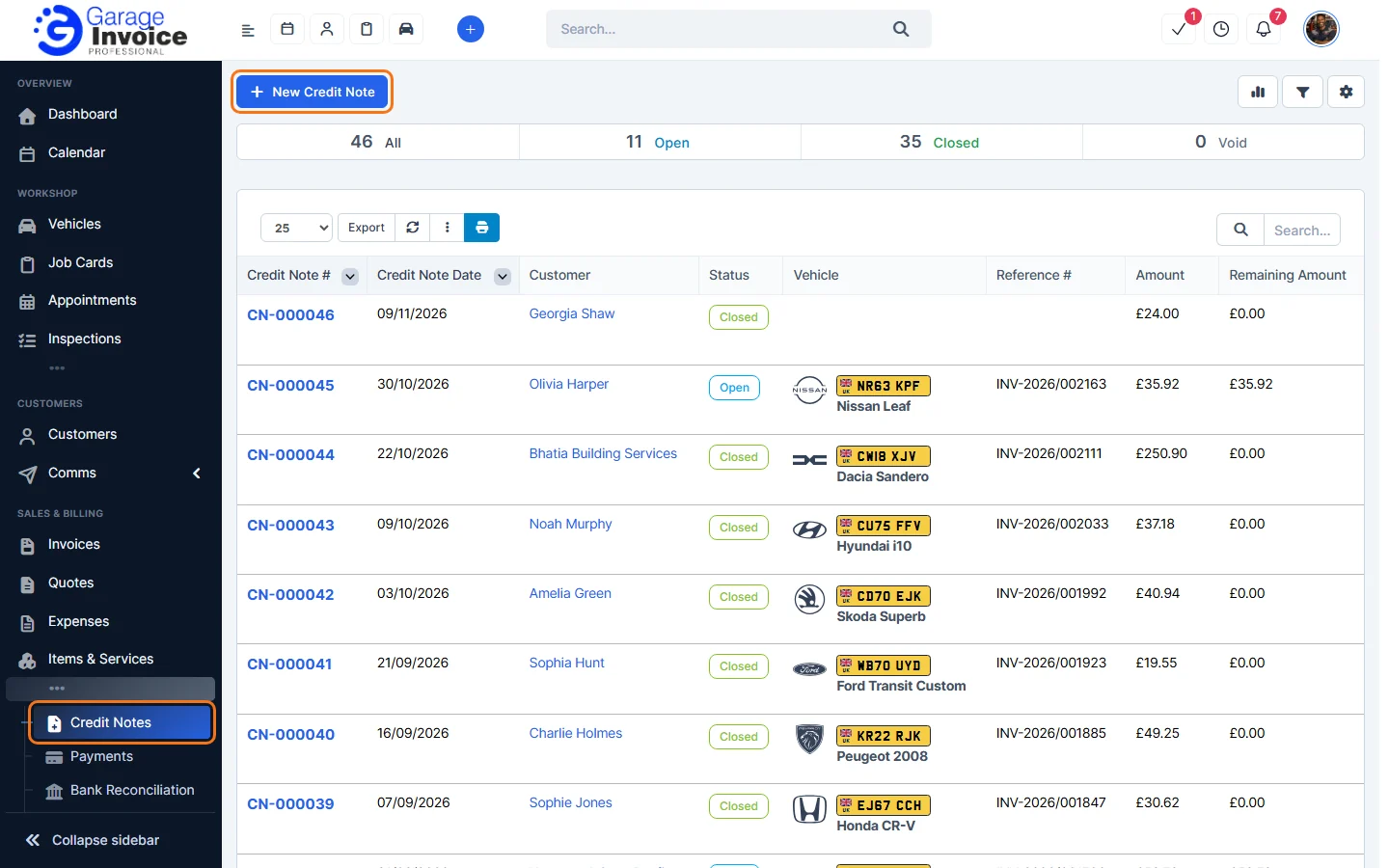
- The bar at the top shows how many credit notes are:
- Open: some credit is still available to use.
- Closed: all the credit has been applied to invoices or refunded.
- Void: cancelled. See Void Credit Note.
- The list shows each credit note’s date, customer, status, vehicle, reference (often the invoice it relates to), Amount and Remaining Amount.
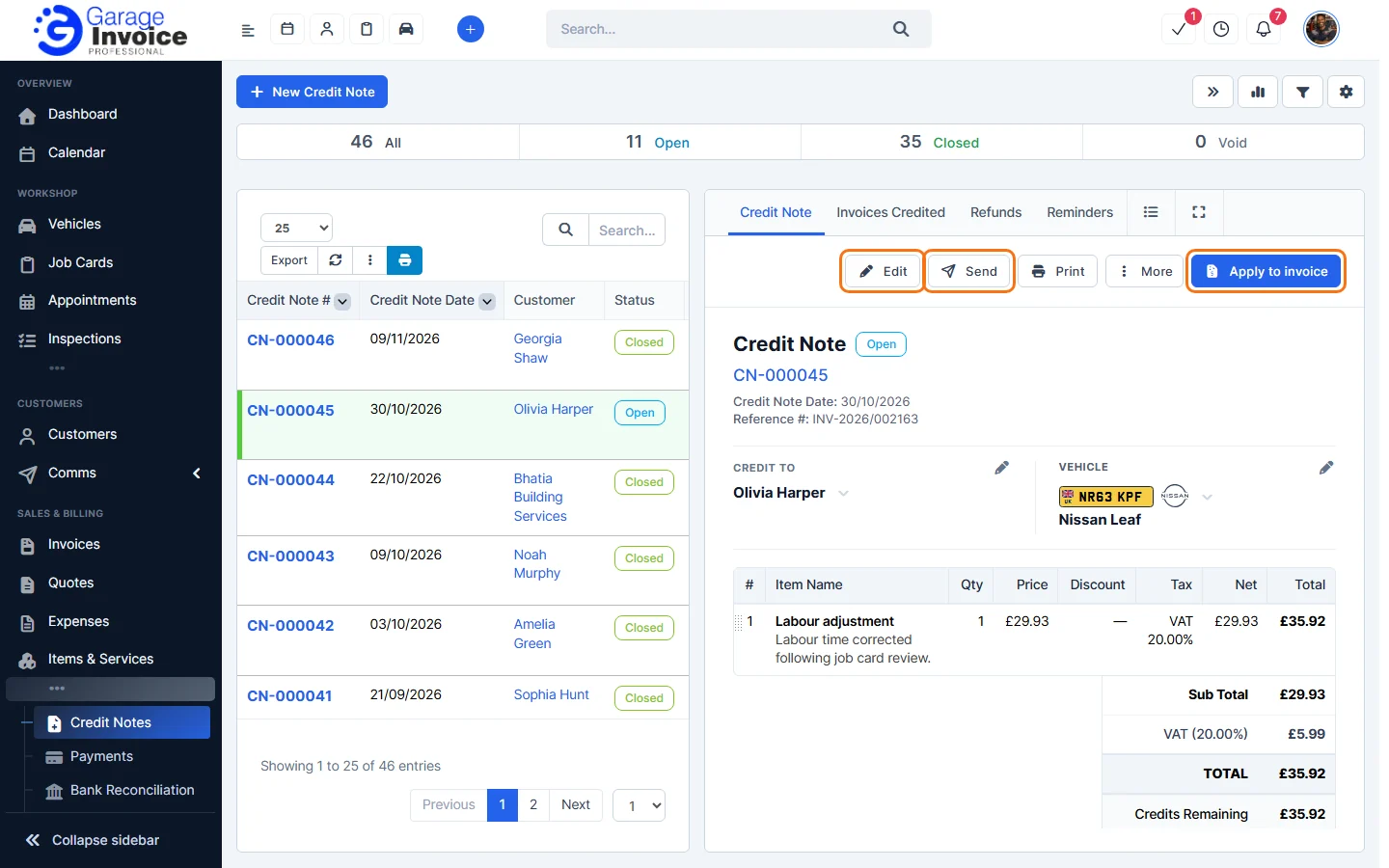
- Click a credit note number to open it. The tabs above it show Invoices Credited, Refunds, reminders and the activity log.
Next: Create Credit Note · Apply Credit Note to Invoice · Refund Credit Note
Feature Credit notes: see what it does and how it fits your workshop.