
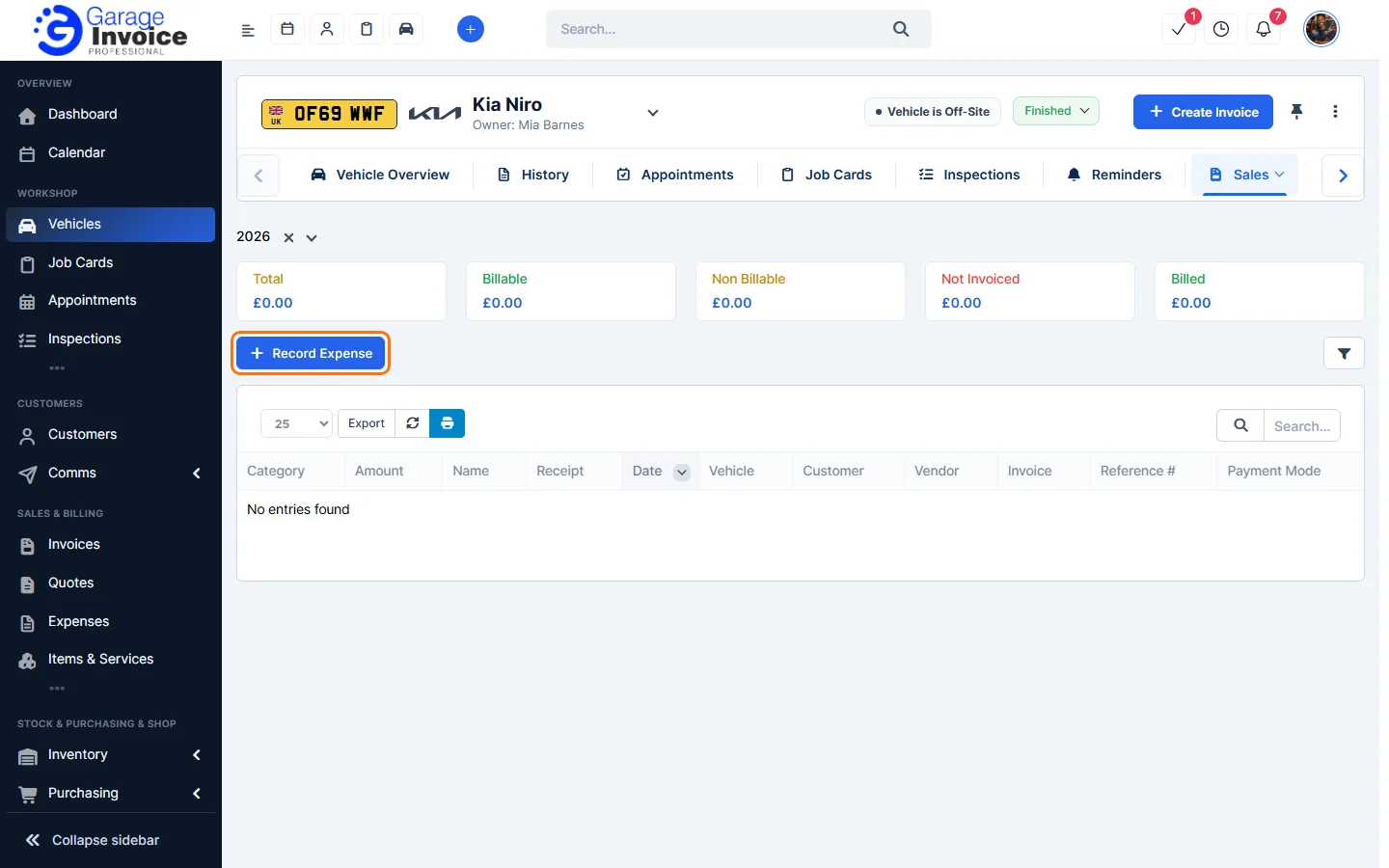
- Open the vehicle (see Search for Vehicle) and click Sales → Expenses in the vehicle menu. If you can’t see it, use the arrow at the right end of the menu to scroll.
- Choose the year at the top. The boxes show the Total, Billable, Non Billable, Not Invoiced and Billed amounts, and the list shows each expense.
- Click Record Expense to add an expense for this vehicle. Mark it as billable if you’ll charge the customer for it.
Step-by-step guides
These screens work in the same way as the main Expenses pages, so the full guides apply:
- Add New Expense | Record Expense
- Add New Billable Expense
- Convert Expense to Invoice
- Edit Expense
- Delete Expense
All guides: Expenses
Feature Vehicle records: see what it does and how it fits your workshop.