
Billing & Usage shows your balance for pay-as-you-go Garage Invoice services (vehicle lookups, SMS and AI), what each one costs and how much you’ve used.
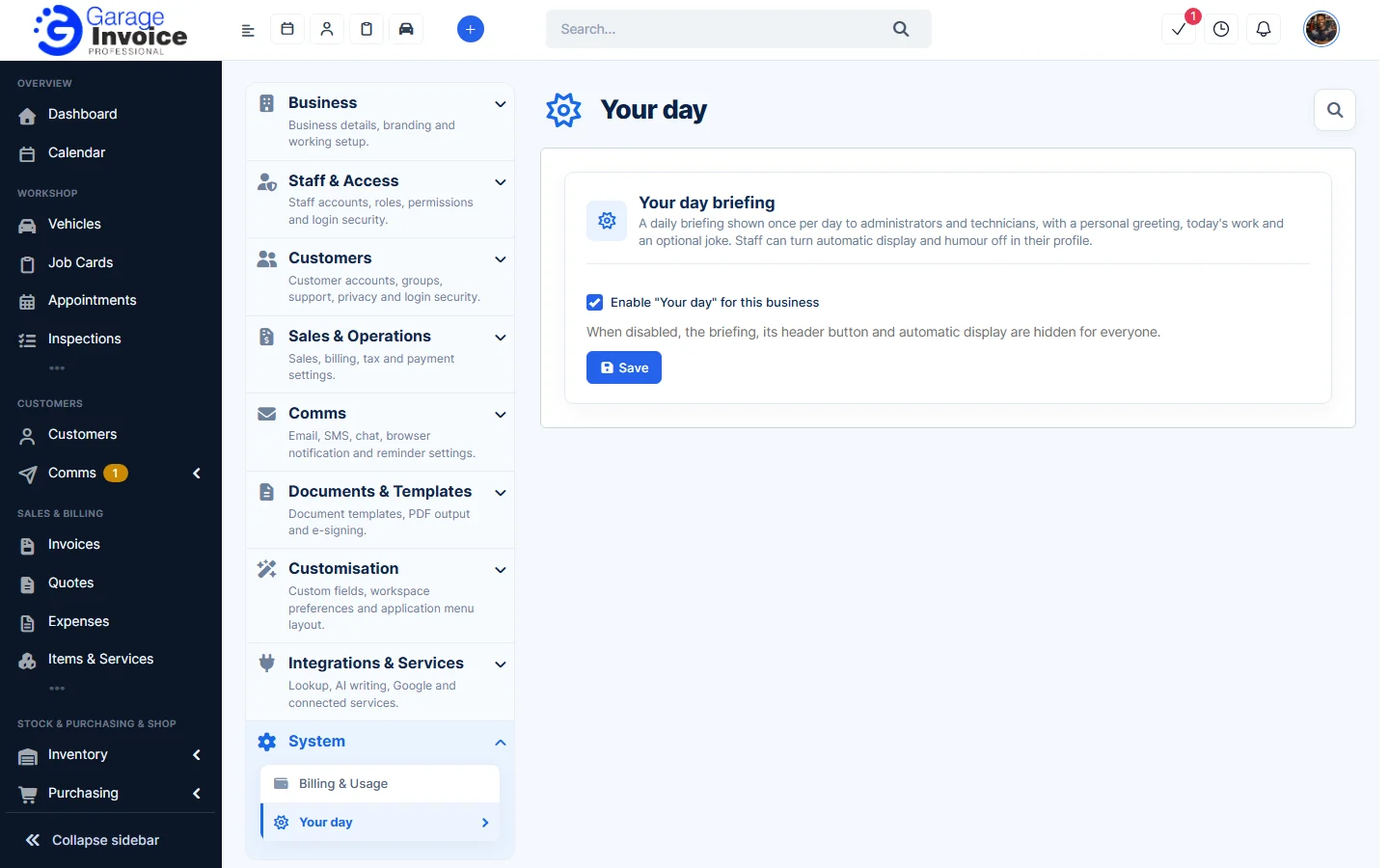
- Click Settings at the bottom of the sidebar, under Administration. In the panel on the left, open System and click Billing & Usage. You can also click your photo at the top right and click Current Balance or Billing.
- The page opens on the Overview tab.
Overview
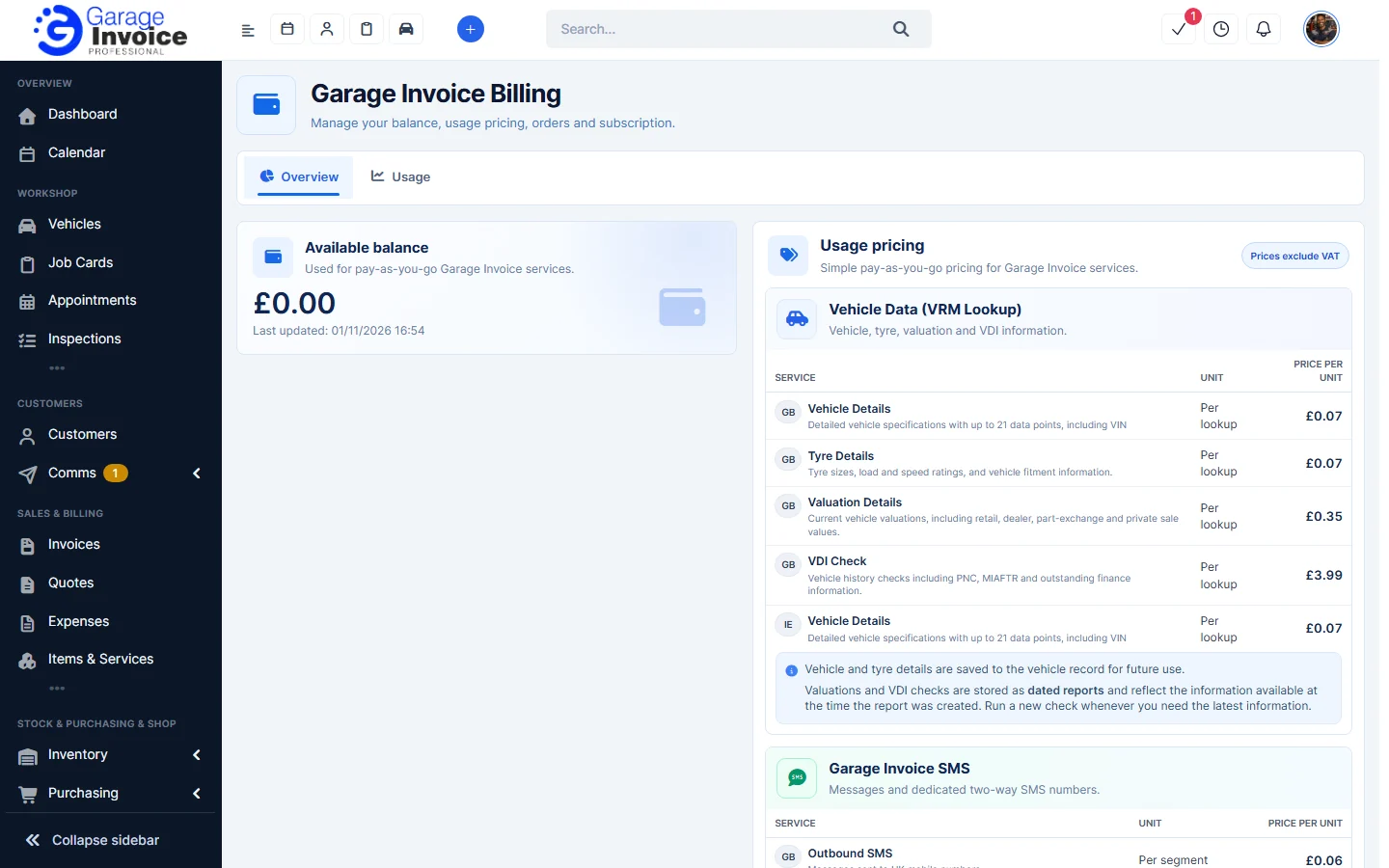
- Available balance: the money on your account for pay-as-you-go services, and when it was last updated.
- Usage pricing: what each service costs. Prices exclude VAT.
Vehicle Data (VRM Lookup)
Each lookup is charged per lookup. For GB vehicles you can get Vehicle Details (specifications with up to 21 data points, including the VIN), Tyre Details (tyre sizes, load and speed ratings and fitment), Valuation Details (retail, dealer, part-exchange and private sale values) and a VDI Check (vehicle history, including PNC, MIAFTR and outstanding finance). For IE vehicles you can get Vehicle Details.
Vehicle and tyre details are saved to the vehicle record for future use. Valuations and VDI checks are saved as dated reports, so run a new check when you need the latest information.
Garage Invoice SMS
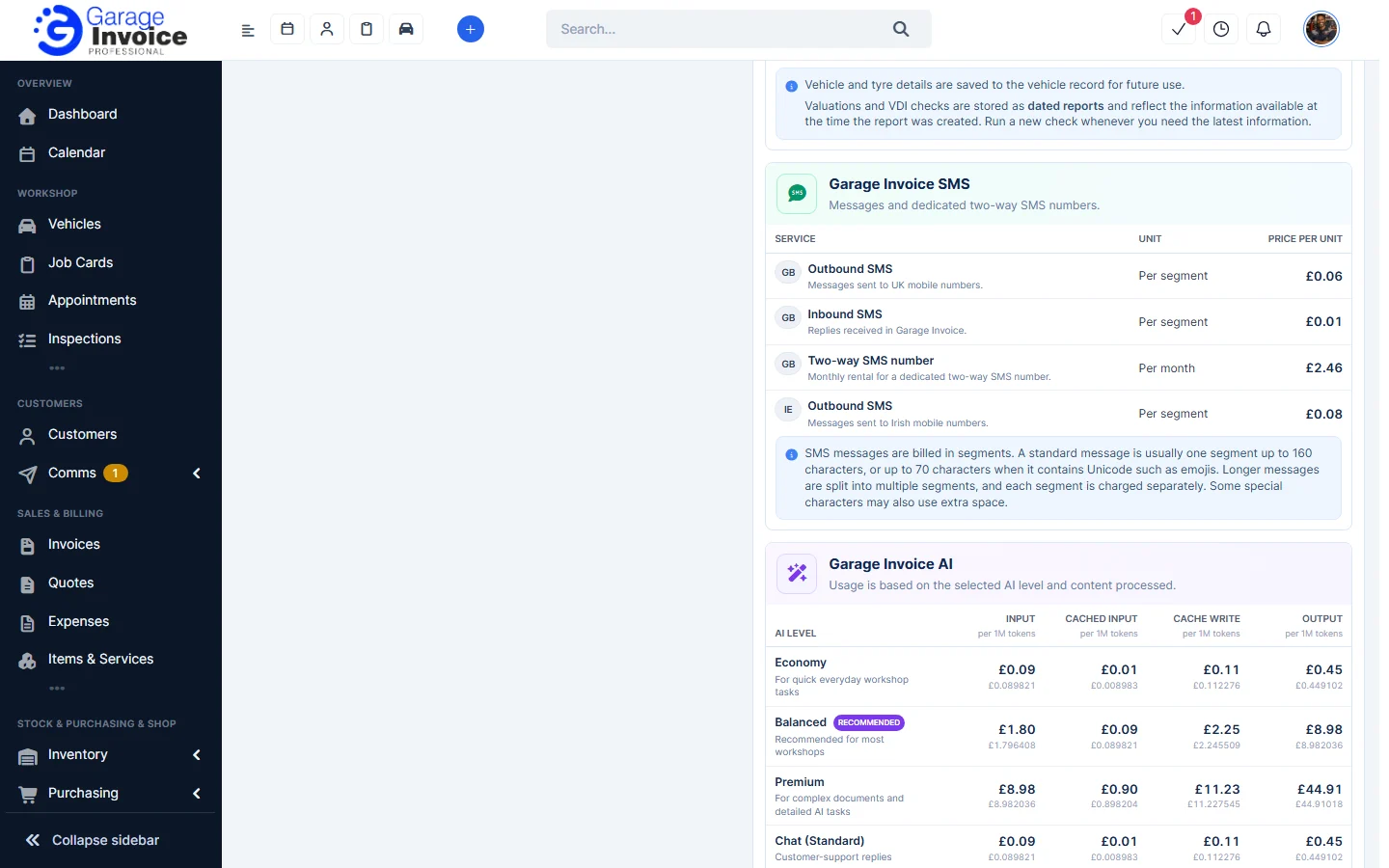
- Outbound SMS: messages you send to UK or Irish mobile numbers, charged per segment.
- Inbound SMS: replies you receive in Garage Invoice, charged per segment.
- Two-way SMS number: monthly rental for your own number that customers can reply to.
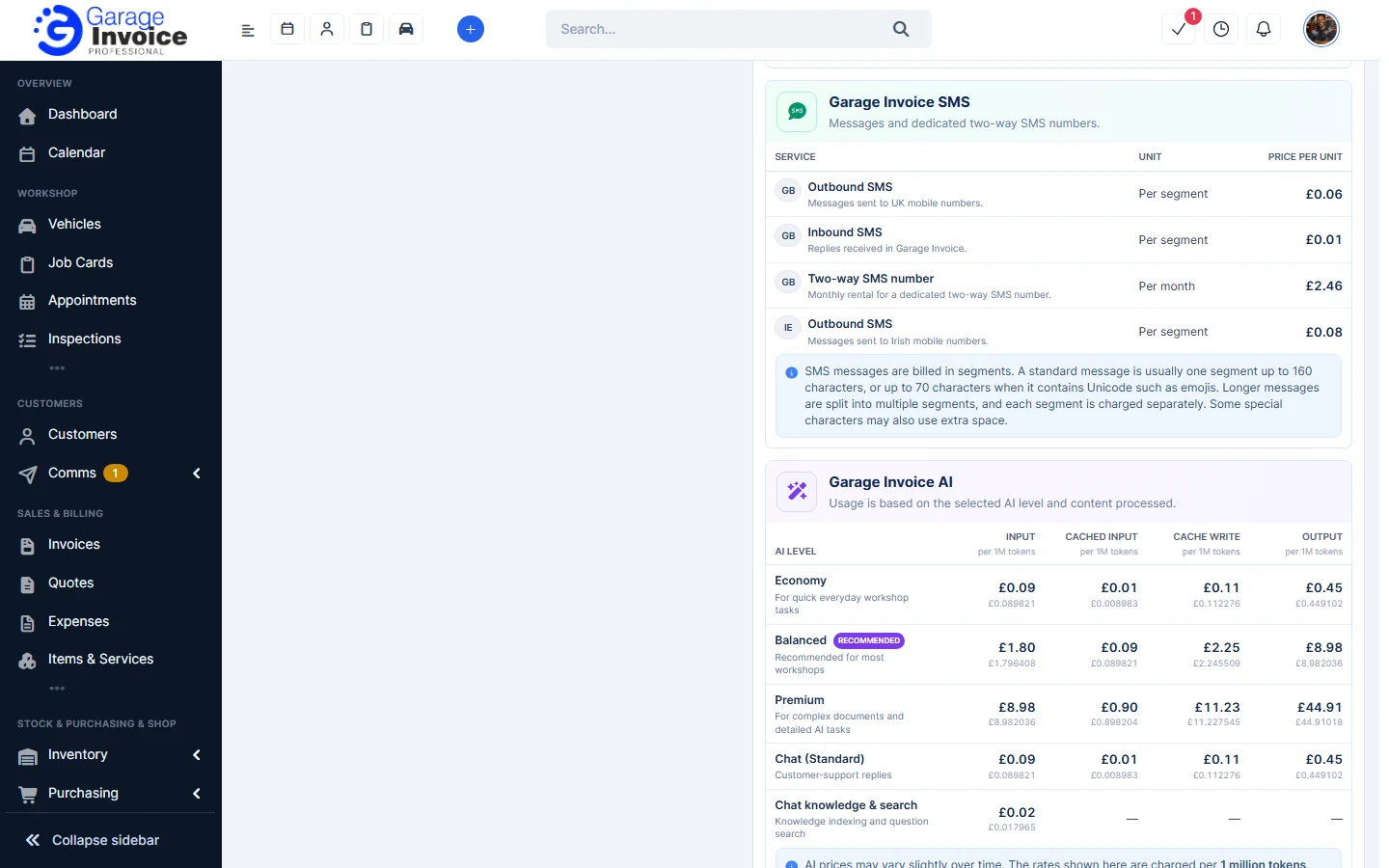
A standard message is usually one segment of up to 160 characters, or up to 70 characters if it contains Unicode such as emojis. Longer messages are split into several segments, and each segment is charged.
Garage Invoice AI
AI is charged per 1 million tokens (the amount of text processed), with separate prices for Input, Cached input, Cache write and Output. The price depends on the AI level:
- Economy: for quick everyday workshop tasks.
- Balanced (recommended): for most workshops.
- Premium: for complex documents and detailed AI tasks.
- Chat (Standard): customer-support replies.
- Chat knowledge & search: knowledge indexing and question search.
The cost of each use depends on how much information is processed, how complex the task is and the AI level. For example, Create Invoice from Image may cost around £0.002–£0.20 per use. AI prices may vary slightly over time.
Usage
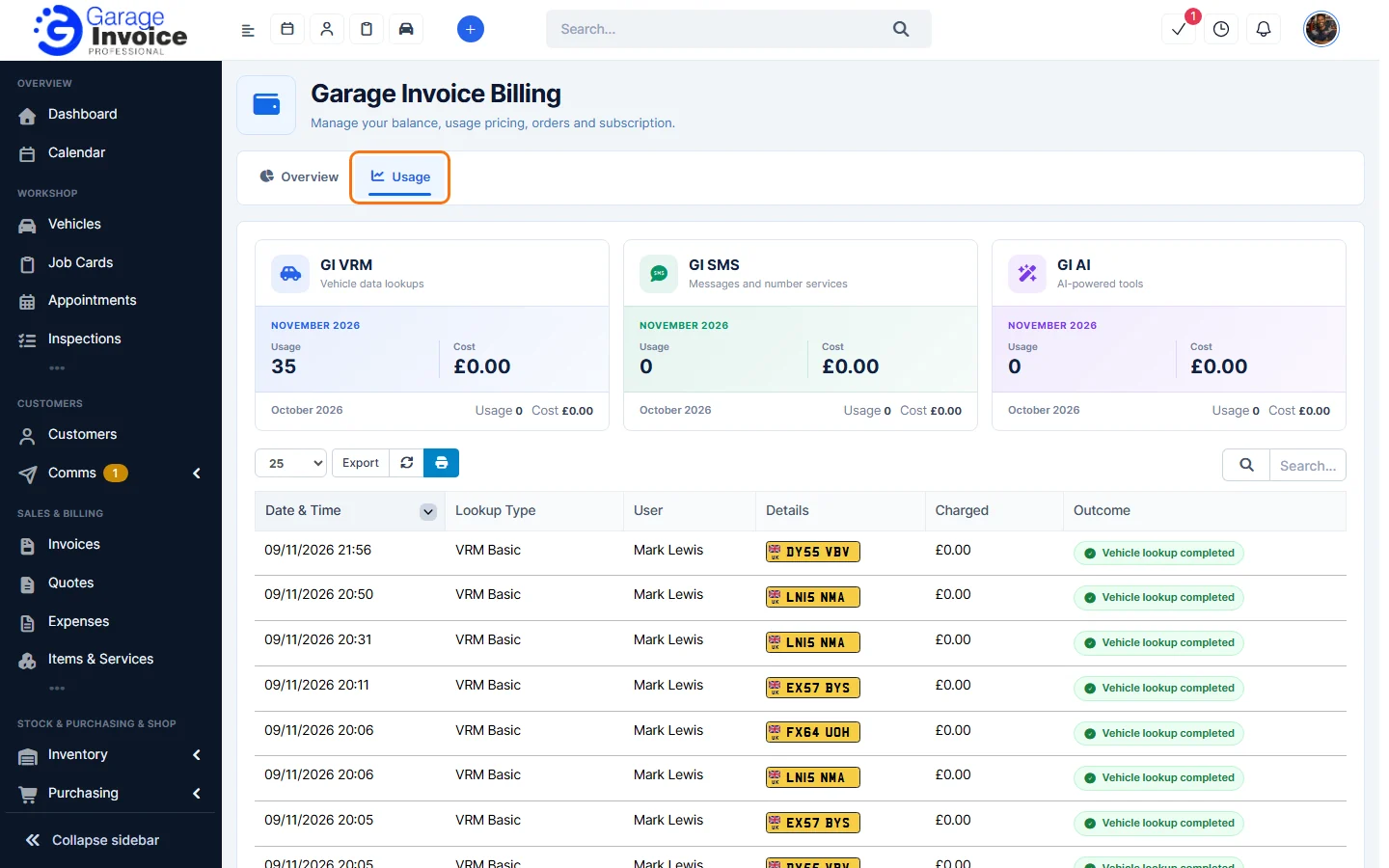
- Click the Usage tab.
- The cards show the Usage (number of uses) and Cost for this month and last month for GI VRM (vehicle data lookups), GI SMS (messages and number services) and GI AI (AI-powered tools).
- The table below lists each use: Date & Time, Lookup Type, the User who ran it, Details (for example the registration looked up), the amount Charged and the Outcome, for example Vehicle lookup completed or Not found. Use the search box to find an entry, choose how many rows to show, or click Export to download the list.
Note: the GI Tools in your profile panel show whether GI AI and GI SMS are connected and which GI VRM mode you use (Off, Free or Paid). See Find Your Way Around.