
A bundle is one item made of several items from your list, for example MOT + Full Service or Replace 4 Tyres.
- Click Items & Services in the sidebar, under Sales & Billing. Click New Item.
- Choose Bundle Item as the Item Type and enter the Bundle Name.
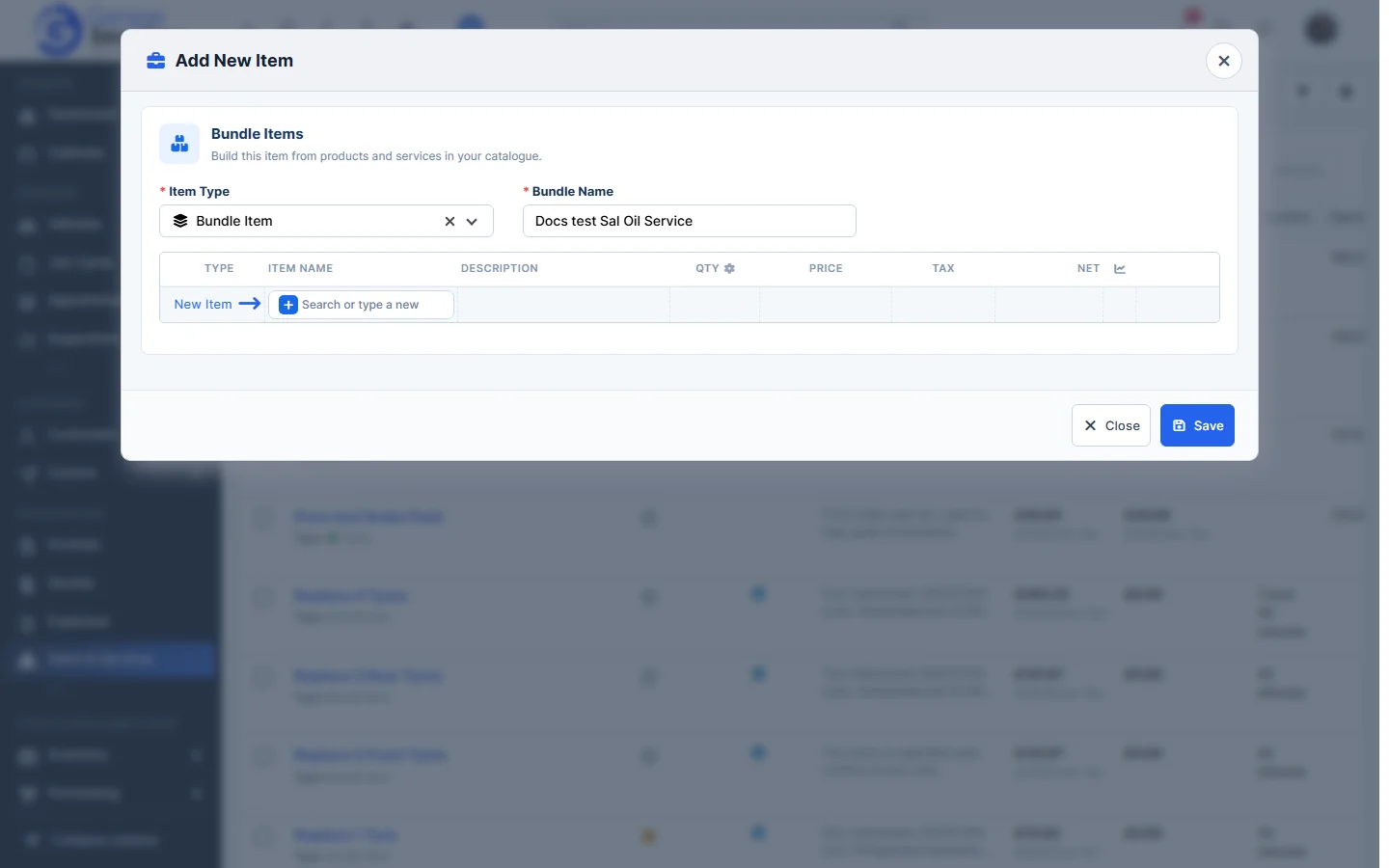
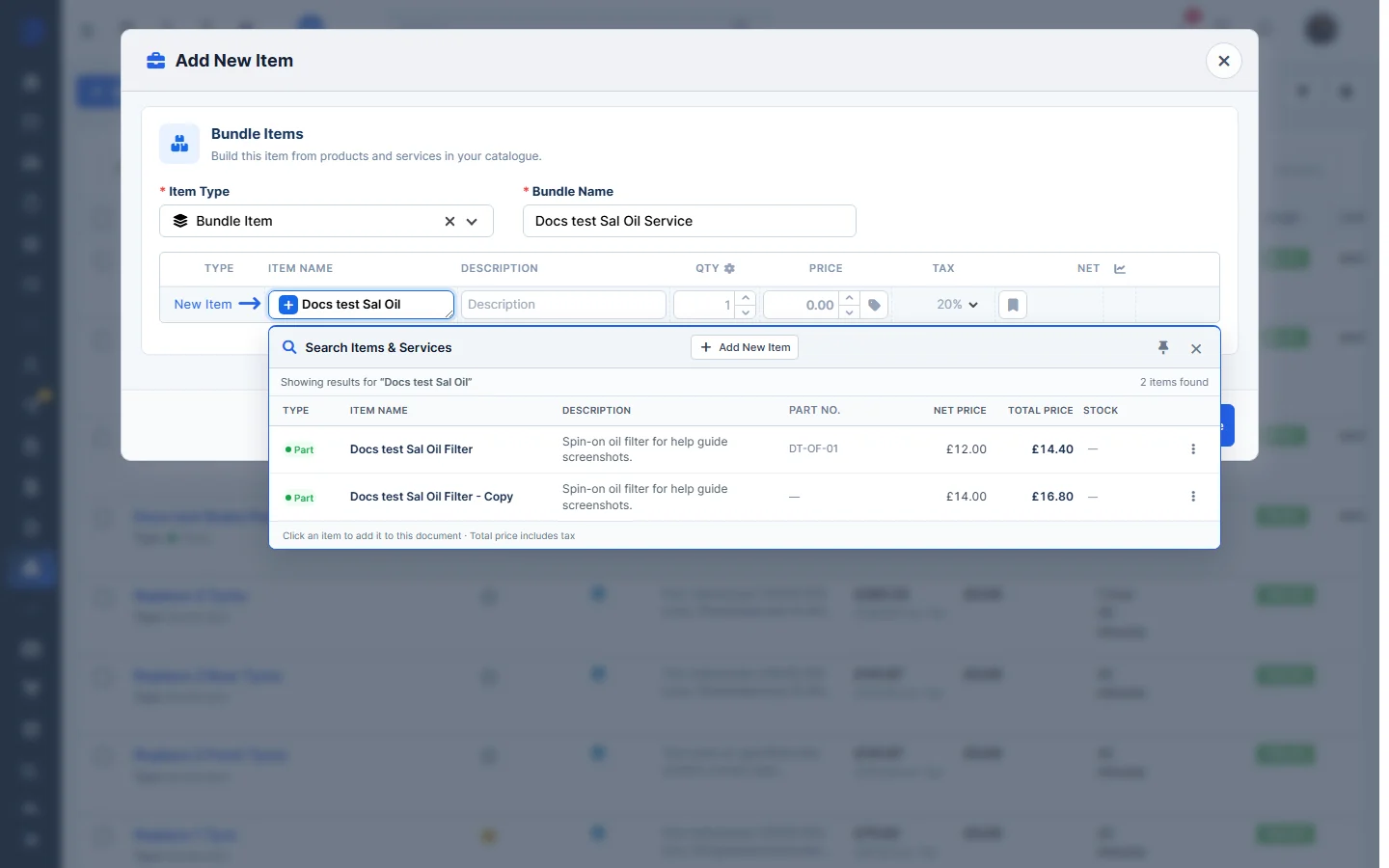
- Click in Search or type a new and type part of an item name. Search Items & Services lists the matching items with their part number, net price, total price and stock. Click an item to add it. Before you type, your favourite items are listed.
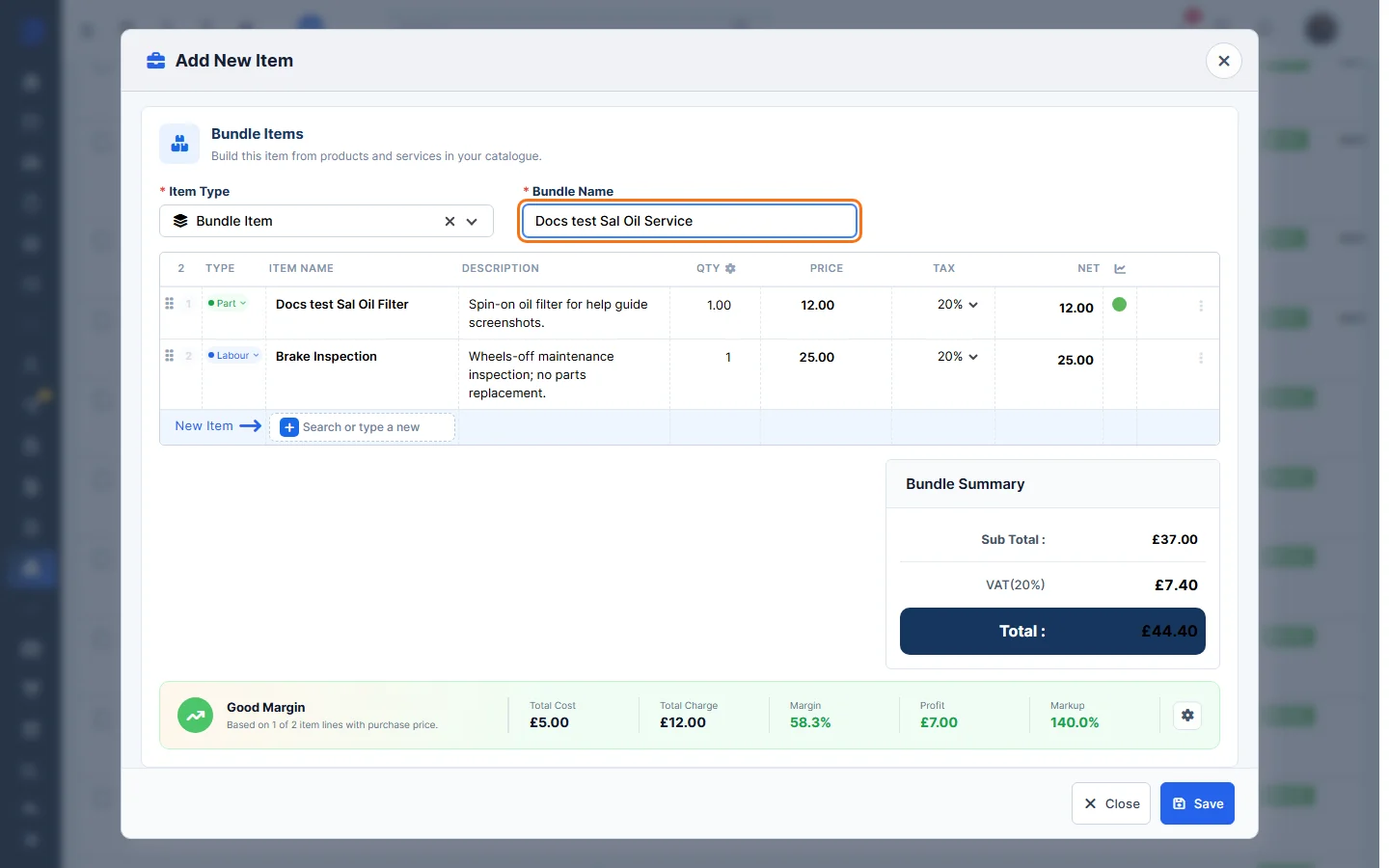
- Add more items the same way. Change the Qty, Price or Tax on each line if you need to. The Bundle Summary shows the Sub Total, VAT and Total, and the margin panel shows the Total Cost, Total Charge, Margin, Profit and Markup.
- Click Save. The bundle shows Type: Bundle Item and a bundle icon in the list.
Tip: to add a bundle to an invoice, quote or job card, search for it like any other item. See Use Items on Invoices, Quotes and Job Cards.
Feature Stock and inventory control: see what it does and how it fits your workshop.