
When an inspection finds work to do, convert it into a quote for the customer to approve, a job card for the workshop, or an invoice.
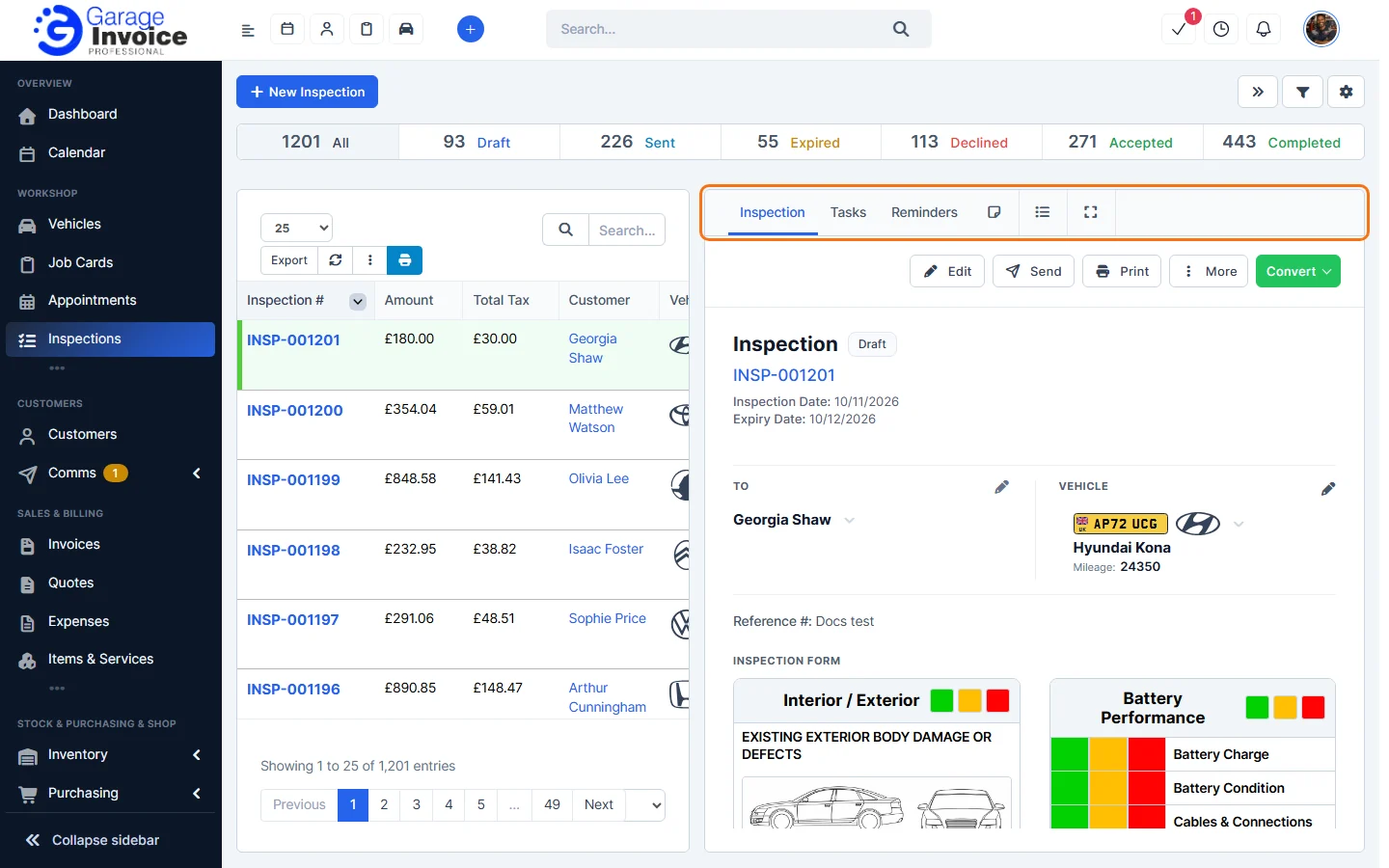
- Click Inspections in the sidebar (under Workshop) and click the inspection number. It opens on the right with Edit, Send, Print, More and Convert.
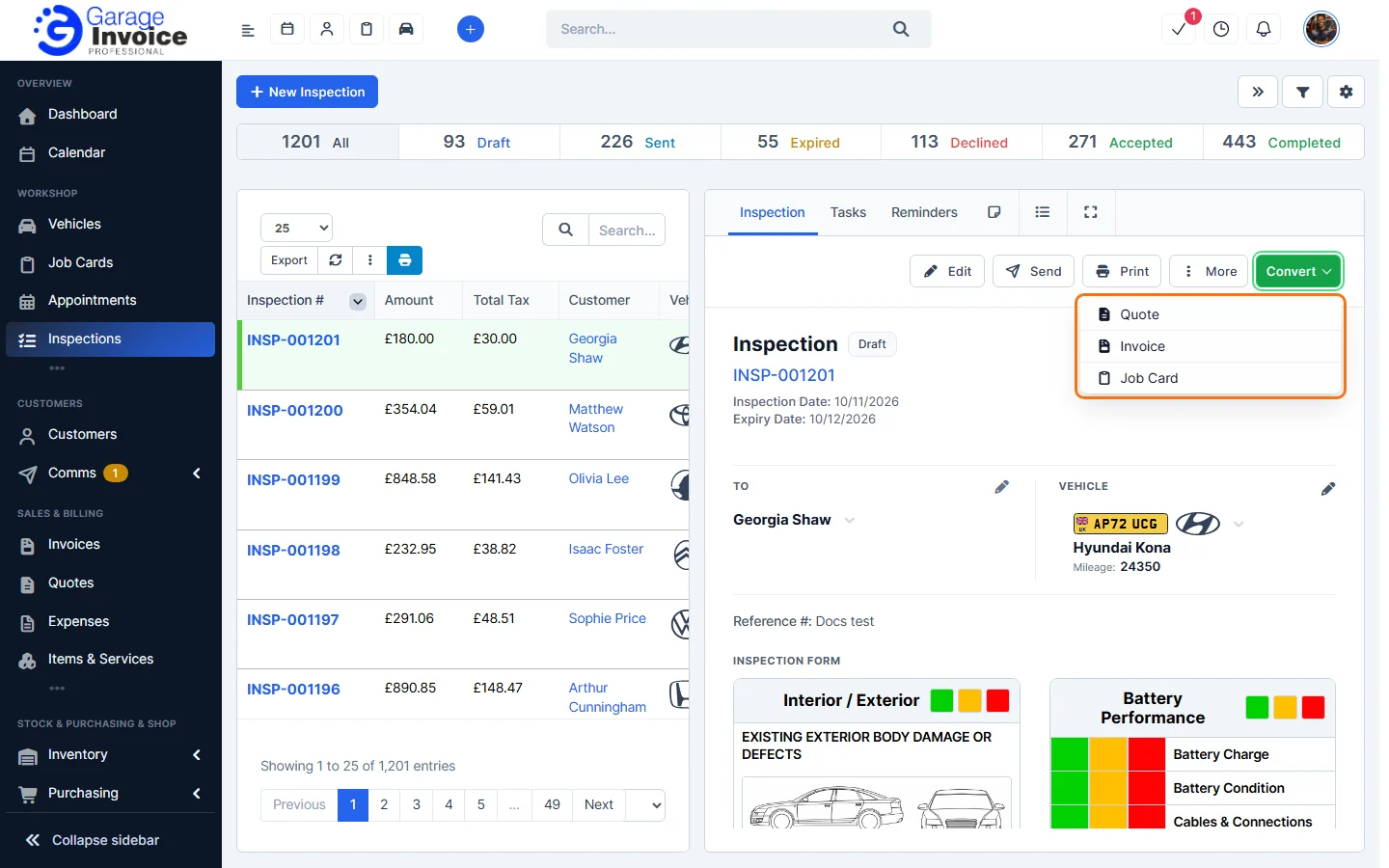
- Click Convert and choose Quote, Invoice or Job Card.
- A window opens with the new document filled in from the inspection: the customer, vehicle, mileage and the inspection items. Check the details and items, and change anything you need.
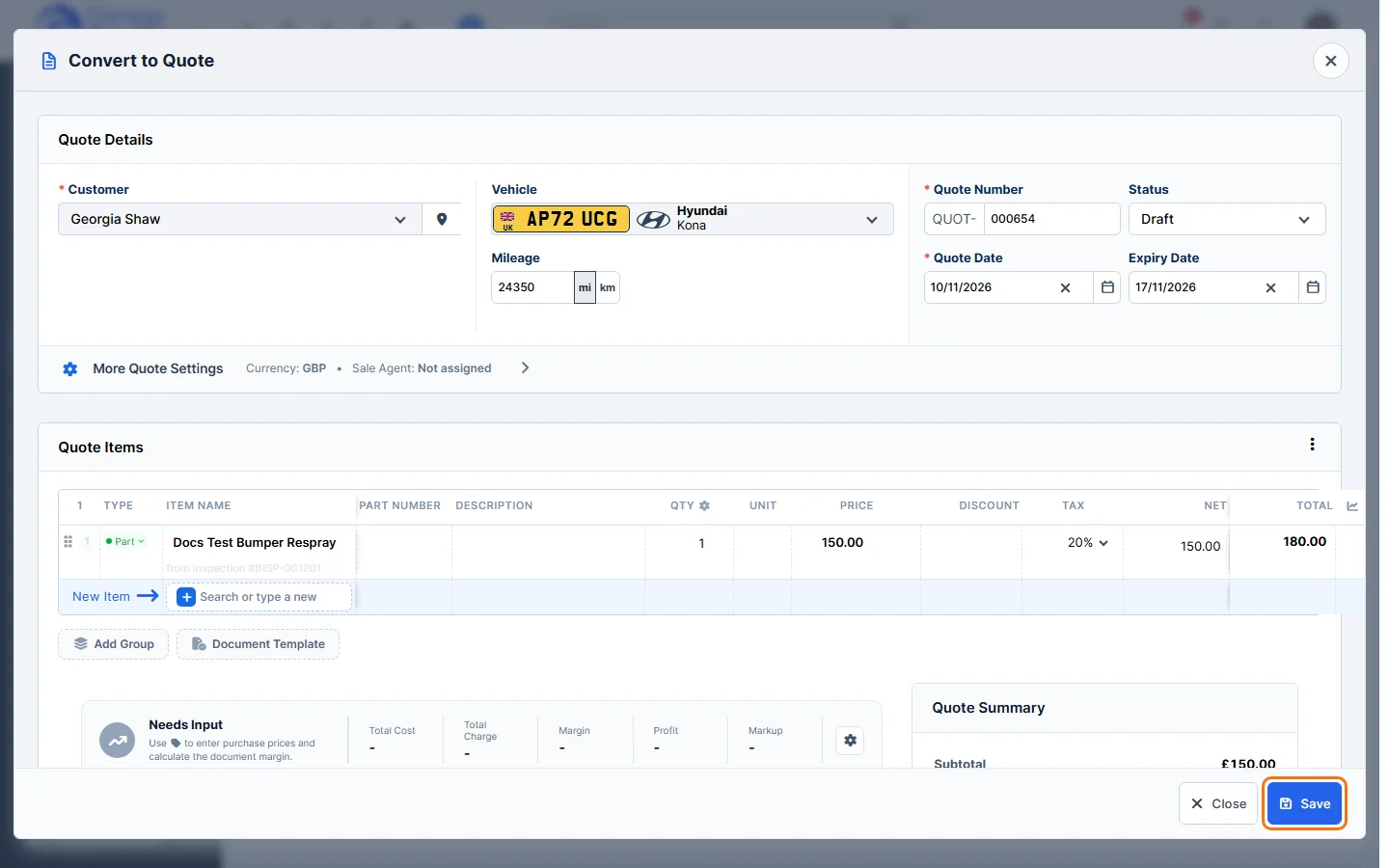
- Click Save.
What else is carried over (customer note, terms and field notes) is set under Convert Inspections in Inspection Settings.
Tip: add the parts and labour for each problem to the check itself (cog → Duration & Items, with Add Items to Document by Default ticked) so they end up in the inspection’s items and then on the quote. See Carry Out an Inspection.
Feature Vehicle inspections: see what it does and how it fits your workshop.