Set default Payment Modes for Invoices/Expenses

Estimated reading: 1 minute 418 views
  1. Click SETUP, located on the sidebar menu (left-hand side of the screen).
    27 Dashboard1 1024X490 78
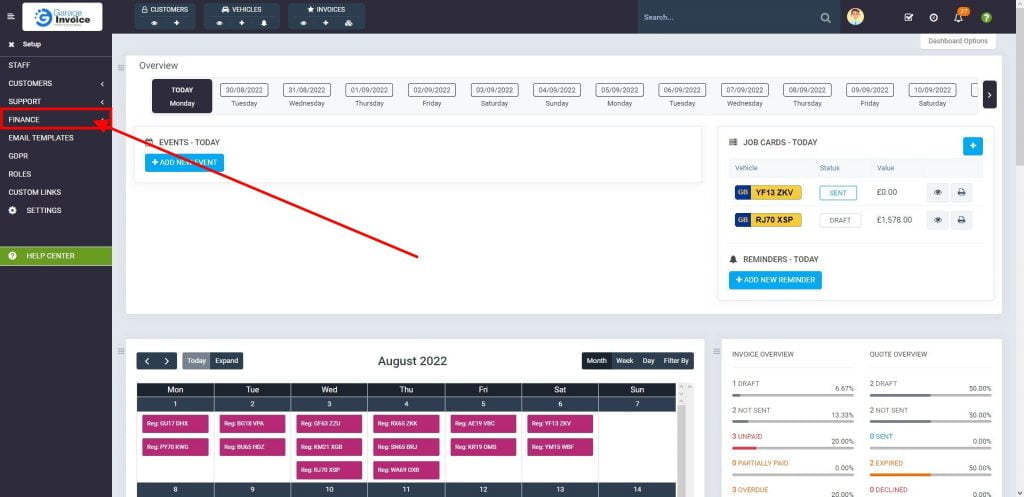
  2. Click Finance menu.
    27 Dashboard 1024X497 15
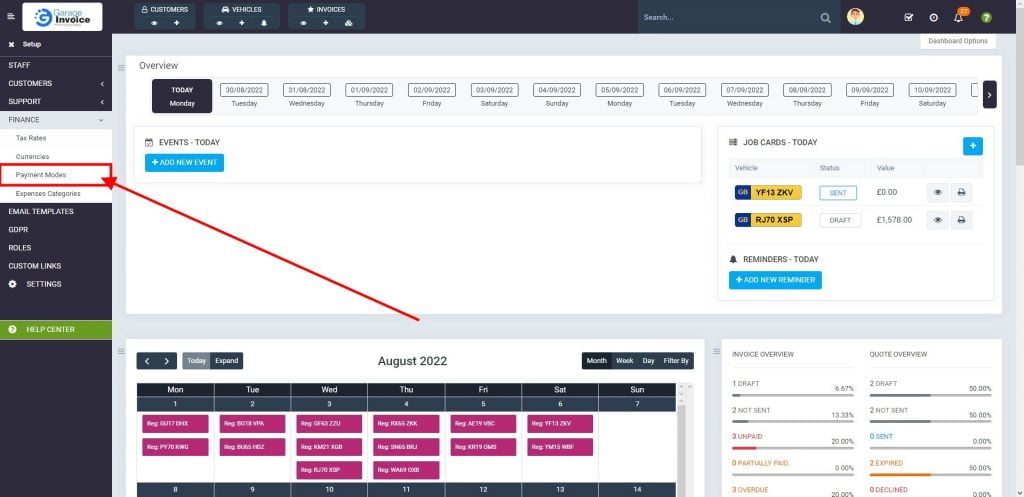
  3. Select Payment Modes option.
    27 Dashboard 1 1024X497 15
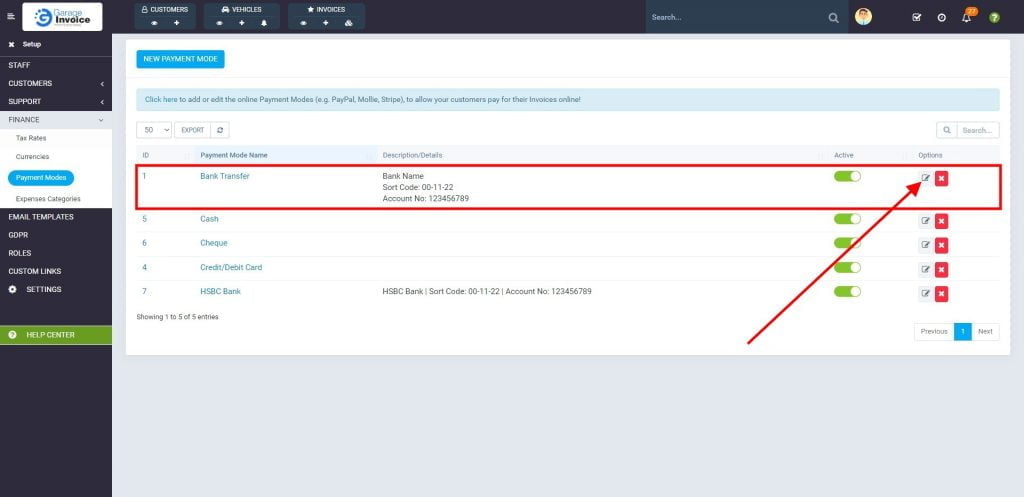
  4. Click 21 Bg18 Vpa 2 10Edit button.
    27 Payment Modes 4 1024X497 7
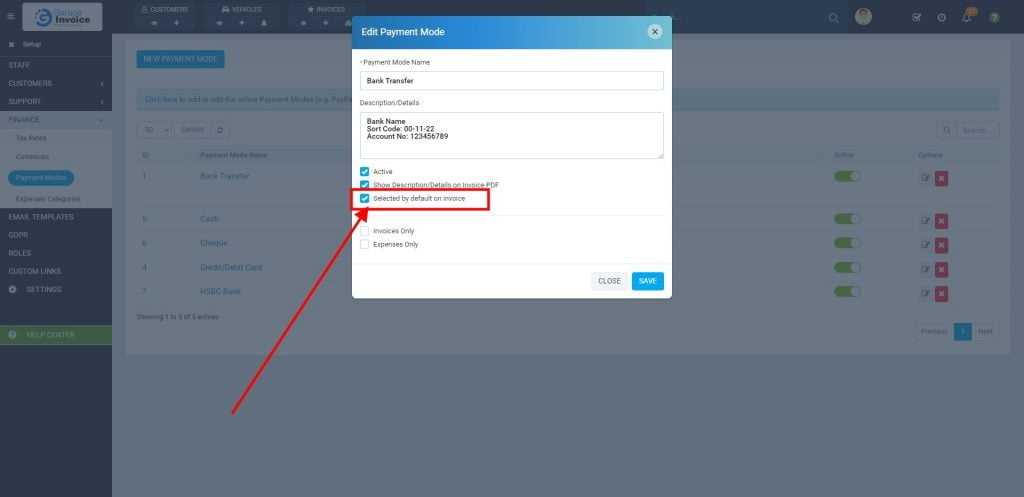
  5. Ensure that Selected by default on invoice option is checked.
    27 Payment Modes 5 1024X497 4
CONTENTS
Garage Invoice Vehicle Management Software logo in the footer section
Professional, affordable, and feature-rich Invoicing software for Workshops and Car Garages - making management simple and efficient.