
- Click Reports in the sidebar (under Insights) and click Profit & Margin.
- Choose the Period and filters: Based On, Category, Customer, Vehicle, Profit Rating (Sold at Loss, Low Margin, Medium Margin, Good Margin, Credit Note), Target Margin % and Invoice Status. Click Filter.
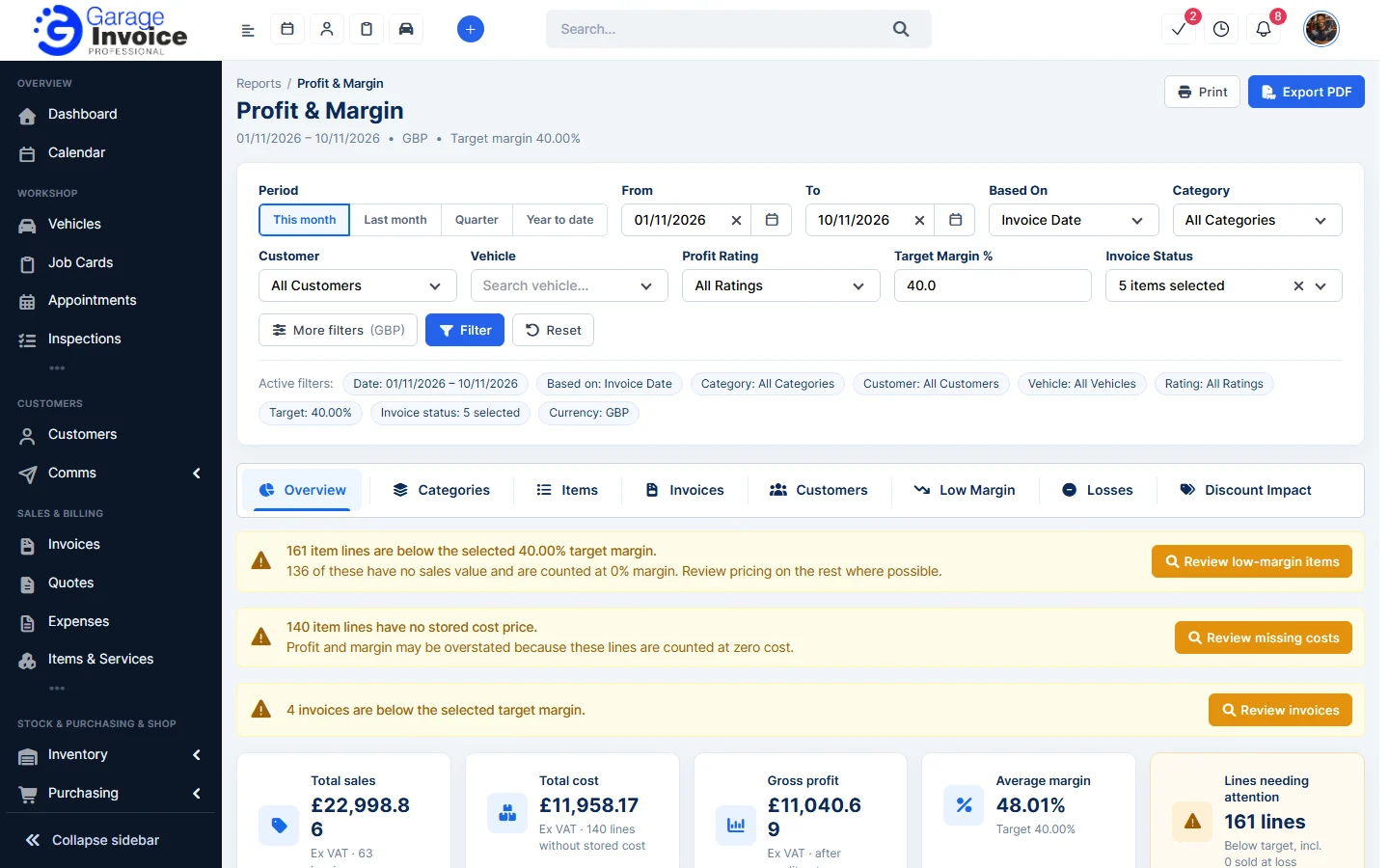
- Read the warnings at the top: lines below your target margin, lines with no cost price and invoices below target. Each has a button to review them.
- The cards show Total sales, Total cost, Gross profit, Average margin and Lines needing attention.
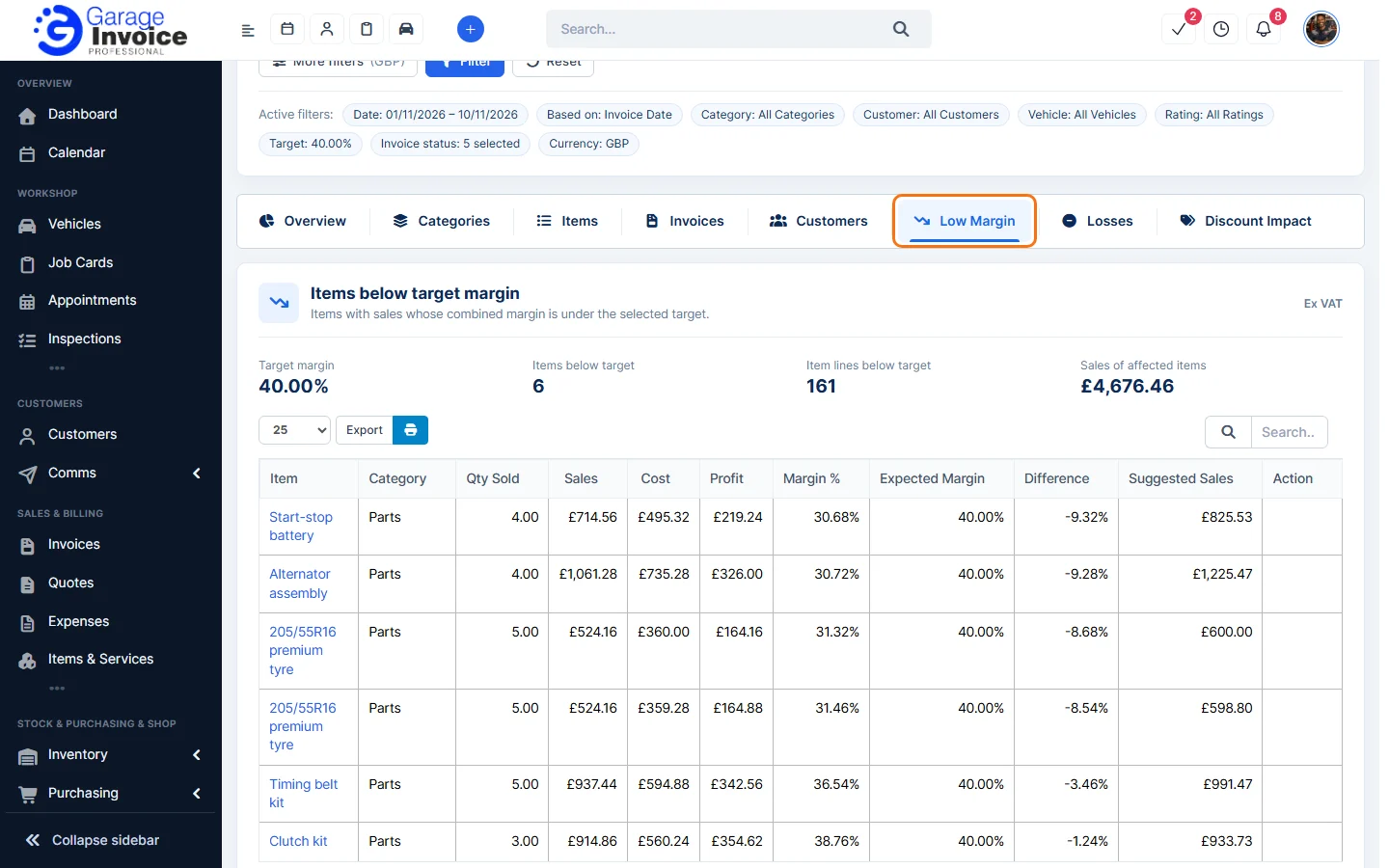
- Use the tabs to dig in: Overview, Categories, Items, Invoices, Customers, Low Margin, Losses and Discount Impact. The Low Margin tab lists items below the target with the difference and a suggested sales price.
- Click Export PDF or Print to keep a copy.
Tip: margin is profit as a share of the sale price; markup is profit as a share of the cost.
See also: Profit & Loss Report · Sales Report: Items
Feature Garage reports: see what it does and how it fits your workshop.