
- Click Inventory in the sidebar (under Stock & Purchasing & Shop) and click Stock Items. Click the gear button at the top right to open Inventory Settings, then click General on the left.
- Under General Settings:
- Default Markup Percentage: the markup used when working out prices.
- Barcodes: tick Include Item Description and Include Item Price to print them on barcode labels.
- Customer Portal: Shipments on Customer Portal, and Notify customers via email when the delivery status changes.
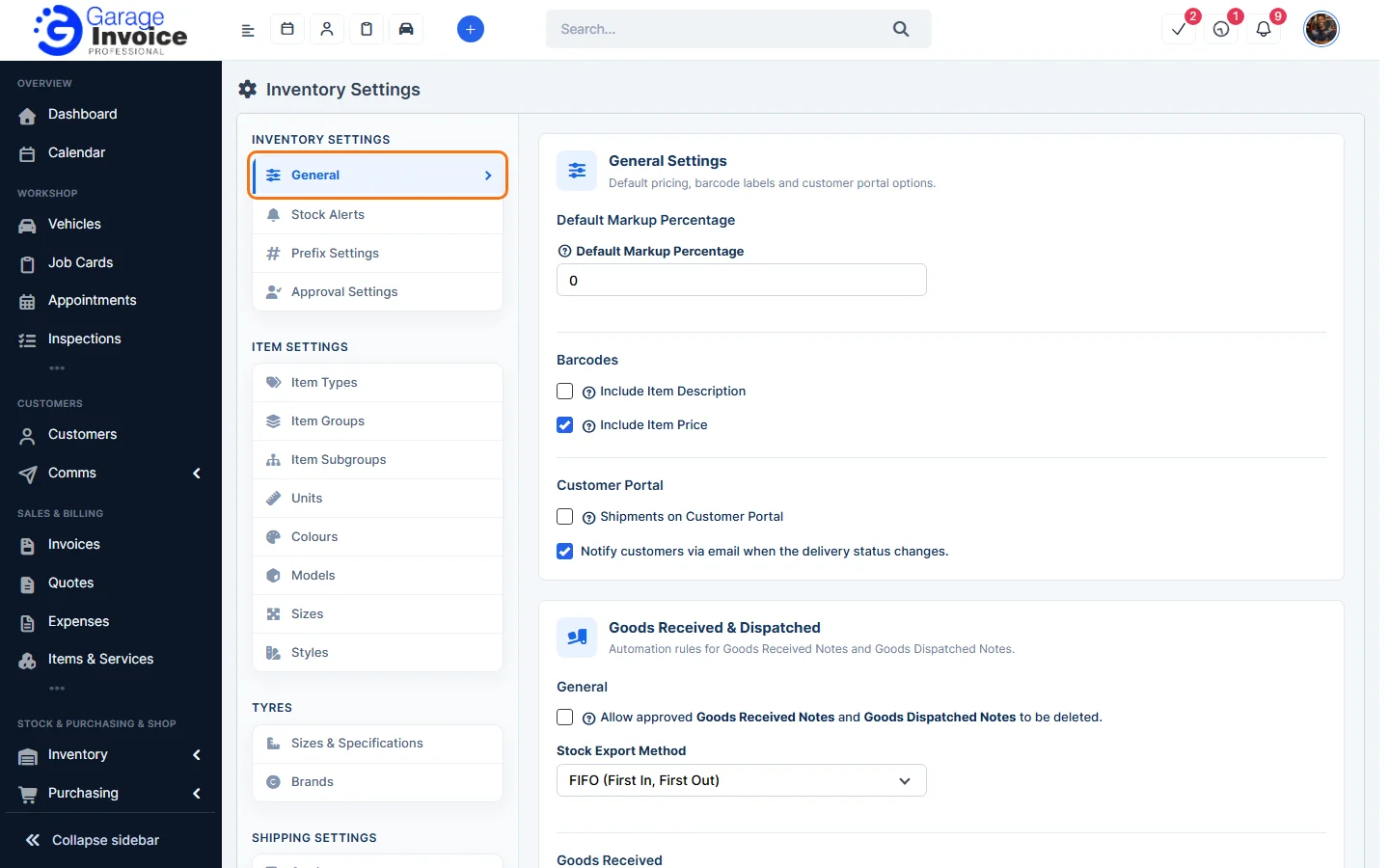
- Under Goods Received & Dispatched:
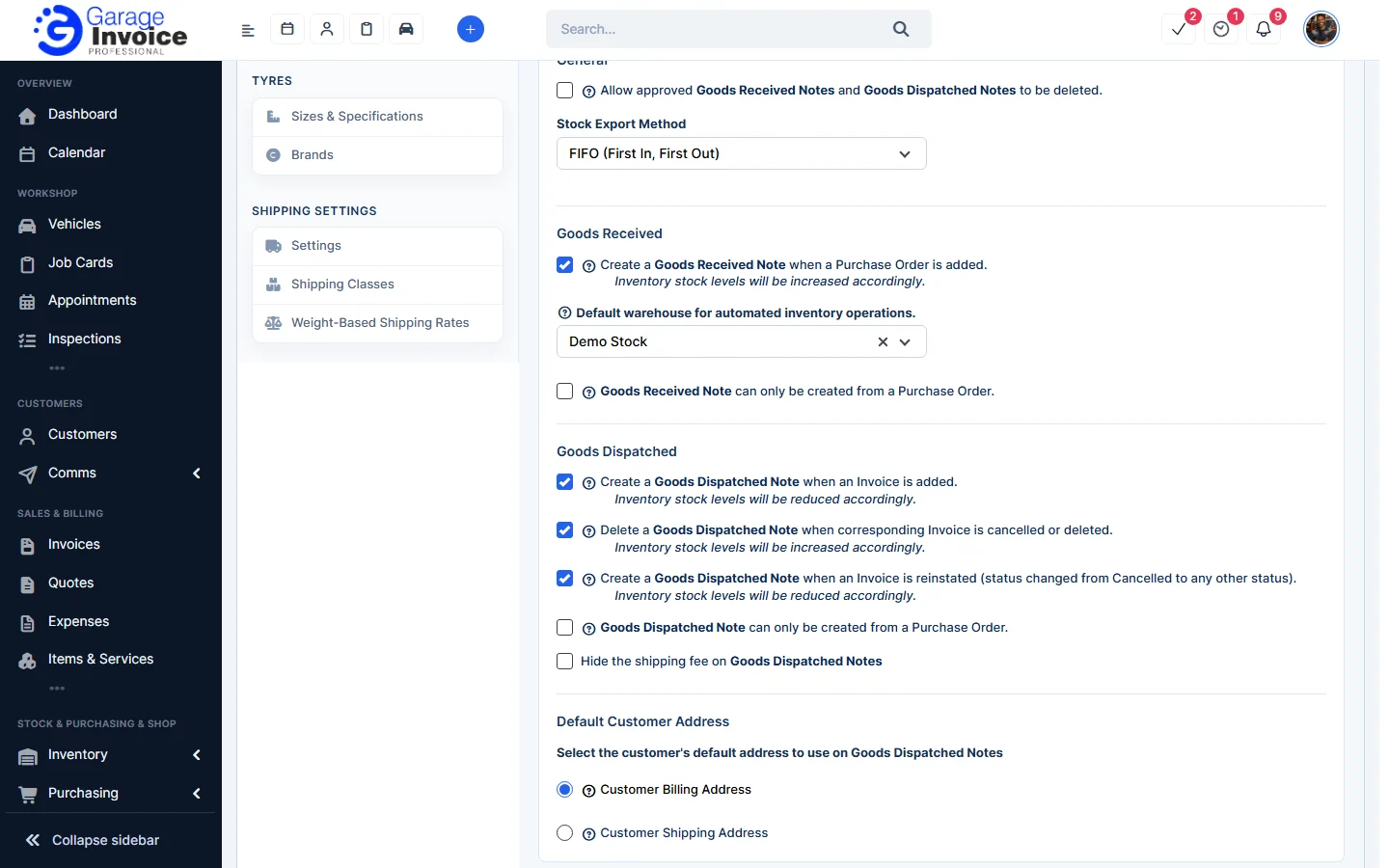
- Allow approved Goods Received Notes and Goods Dispatched Notes to be deleted.
- Stock Export Method: FIFO (First In, First Out) or LIFO (Last In, First Out).
- Goods Received: create a Goods Received Note when a purchase order is added, the default warehouse for these notes, and whether notes can only be created from a purchase order.
- Goods Dispatched: create a Goods Dispatched Note when an invoice is added, delete it when the invoice is cancelled or deleted, create it again when the invoice is reinstated, whether notes can only be created from a purchase order, and Hide the shipping fee on Goods Dispatched Notes.
- Default Customer Address: Customer Billing Address or Customer Shipping Address on Goods Dispatched Notes.
- Under Return Orders, choose the default warehouse for returns and type the Return Order Policy printed on return order PDFs.
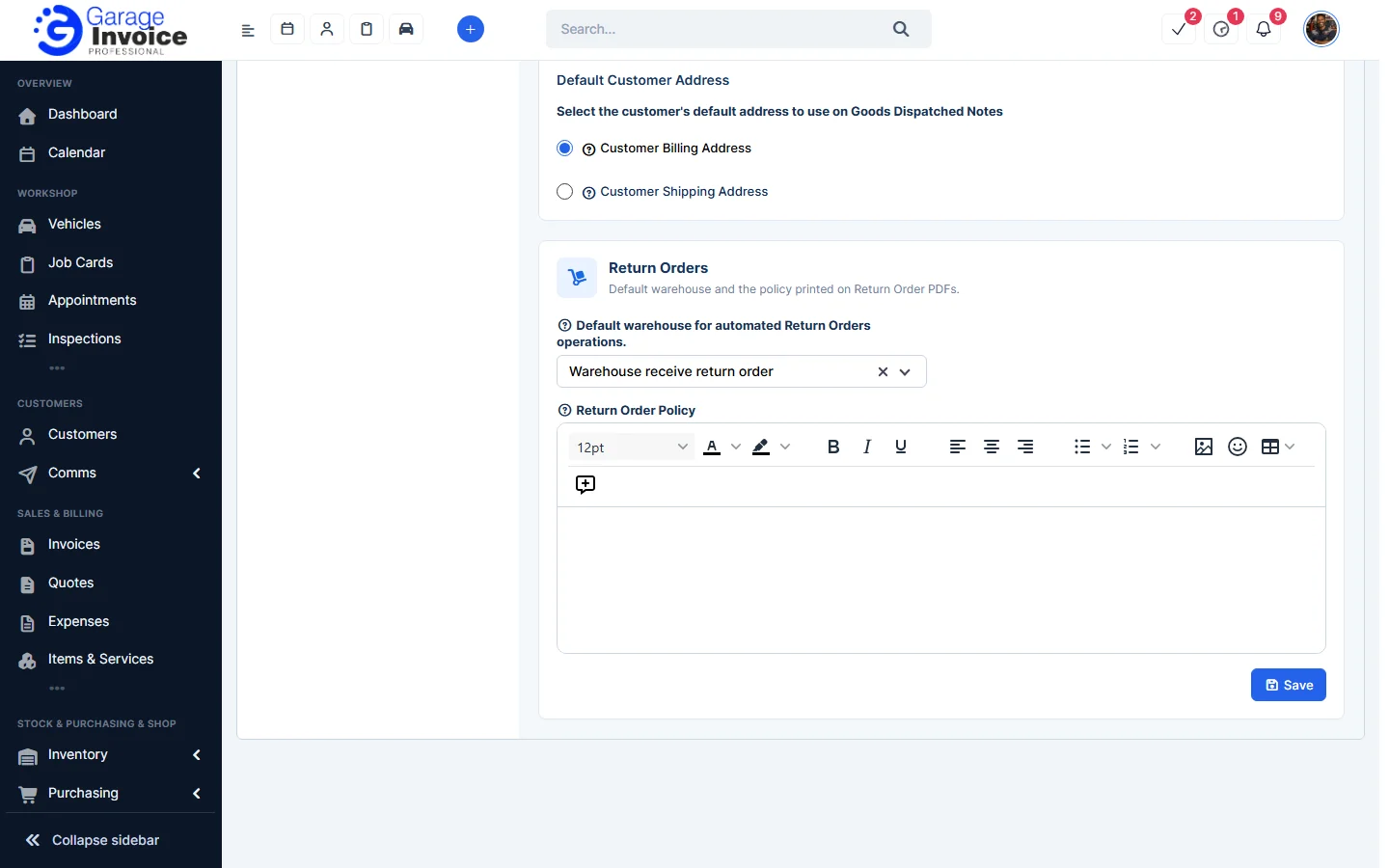
- Click Save.
The other settings pages are: Stock Alerts, Prefix Settings, Approval Settings, Item Types, Item Groups, Item Subgroups, Units, Colours, Models, Sizes and Styles, Tyre Sizes and Brands and Shipping Settings.
Feature Stock and inventory control: see what it does and how it fits your workshop.