
- Click Shop & POS in the sidebar (under Stock & Purchasing & Shop) and click Trade Discounts. and click Add Voucher.
- Under Voucher details, enter the Voucher Name, the Voucher Code customers type (for example 20OFF or BLACKFRIDAY), Valid from and Valid till.
- Under Discount value, choose the Discount Type, Discount Value, Sales Channel and an optional Minimum order value.
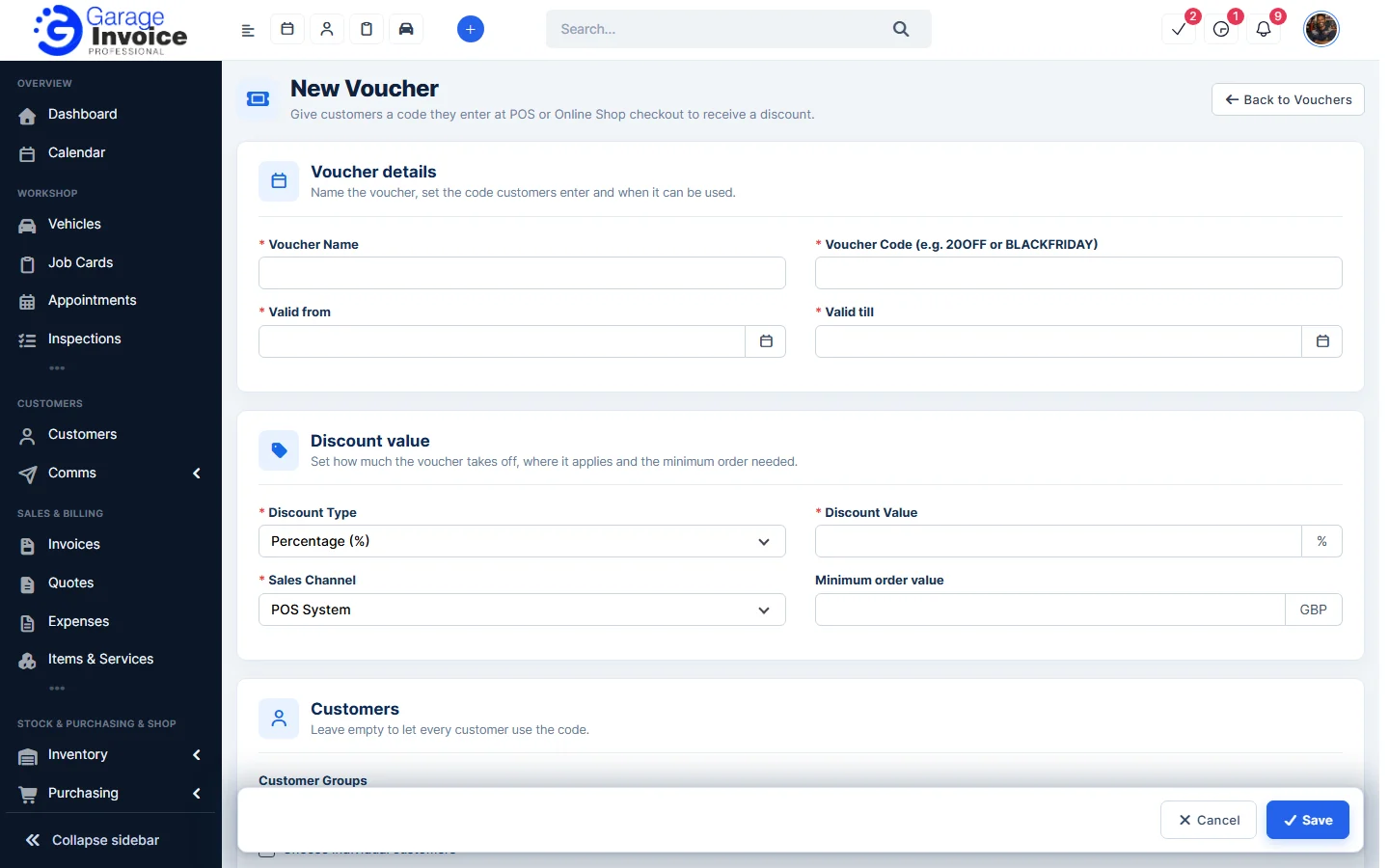
- Under Customers, choose customer groups or individual customers, or leave it empty so every customer can use the code.
- Click Save. The voucher appears on the Vouchers tab.
See also: Edit or Delete a Voucher · Discount vs Voucher
Feature Online shop and POS: see what it does and how it fits your workshop.