
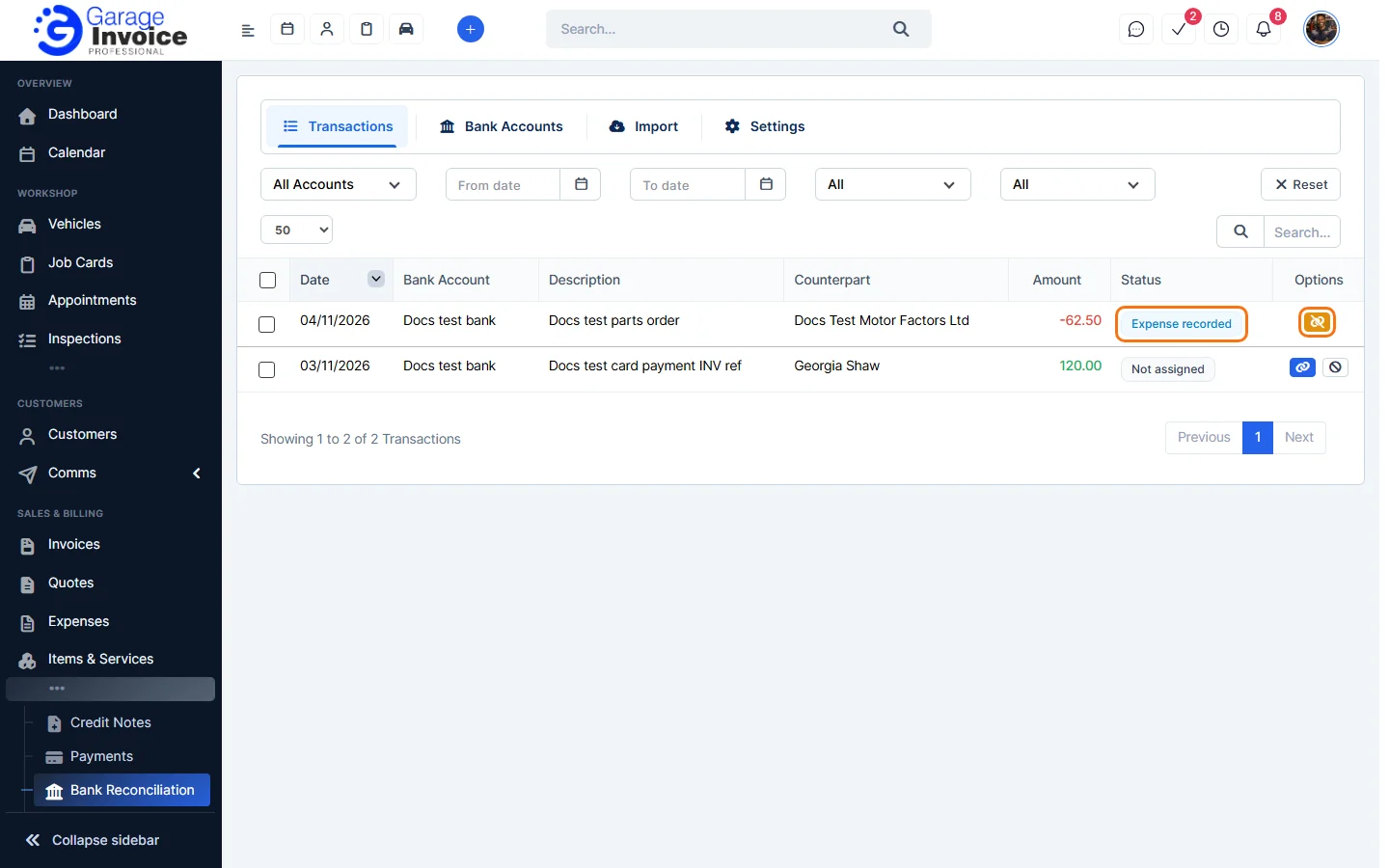
- Click Bank Reconciliation in the sidebar. It’s under Sales & Billing; click the ••• there if you can’t see it. On the Transactions tab, find the matched line. Its status is, for example, Expense recorded.
- Click the orange Unlink Transaction button.
- Under Removal Option, Remove link only is selected: only the link is removed and the payment or expense stays. Click Confirm. The bank line goes back to Not assigned.
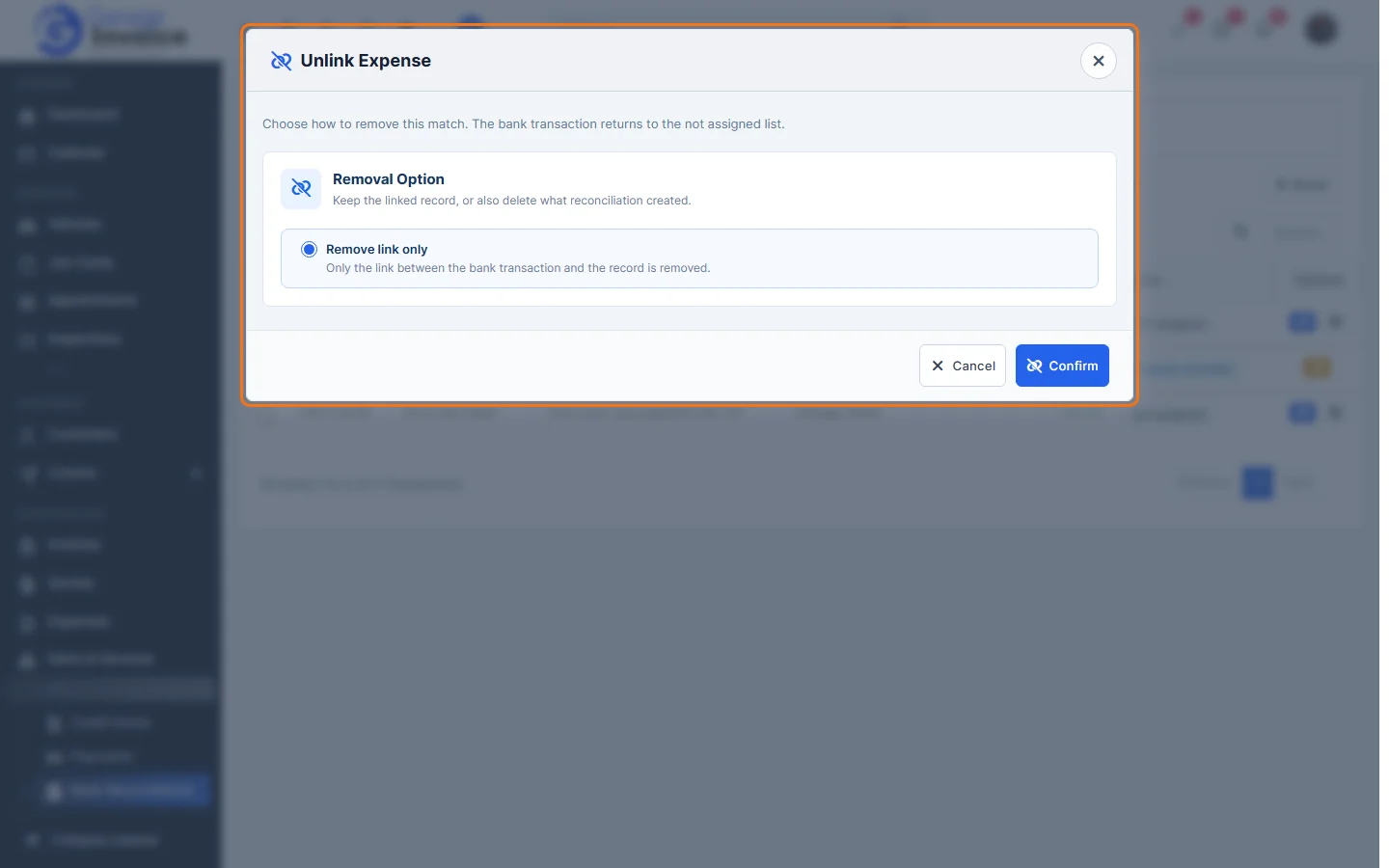
Note: the window can also offer Remove link and delete invoice payment(s) recorded (deletes only payments created during reconciliation; the invoice status updates) or Remove link and delete expense. If these options aren’t shown, remove the link only and then delete the expense yourself (see Delete Expense).
Feature Payments and online payments: see what it does and how it fits your workshop.