
A vehicle’s status shows where the work on it is up to. It helps you and your team see at a glance which vehicles need attention.
The statuses
- Not Started: new vehicles start here.
- In Progress
- On Hold
- Cancelled
- To be Invoiced
- Testing
- Ready for Collection
- Finished
Where you see the status
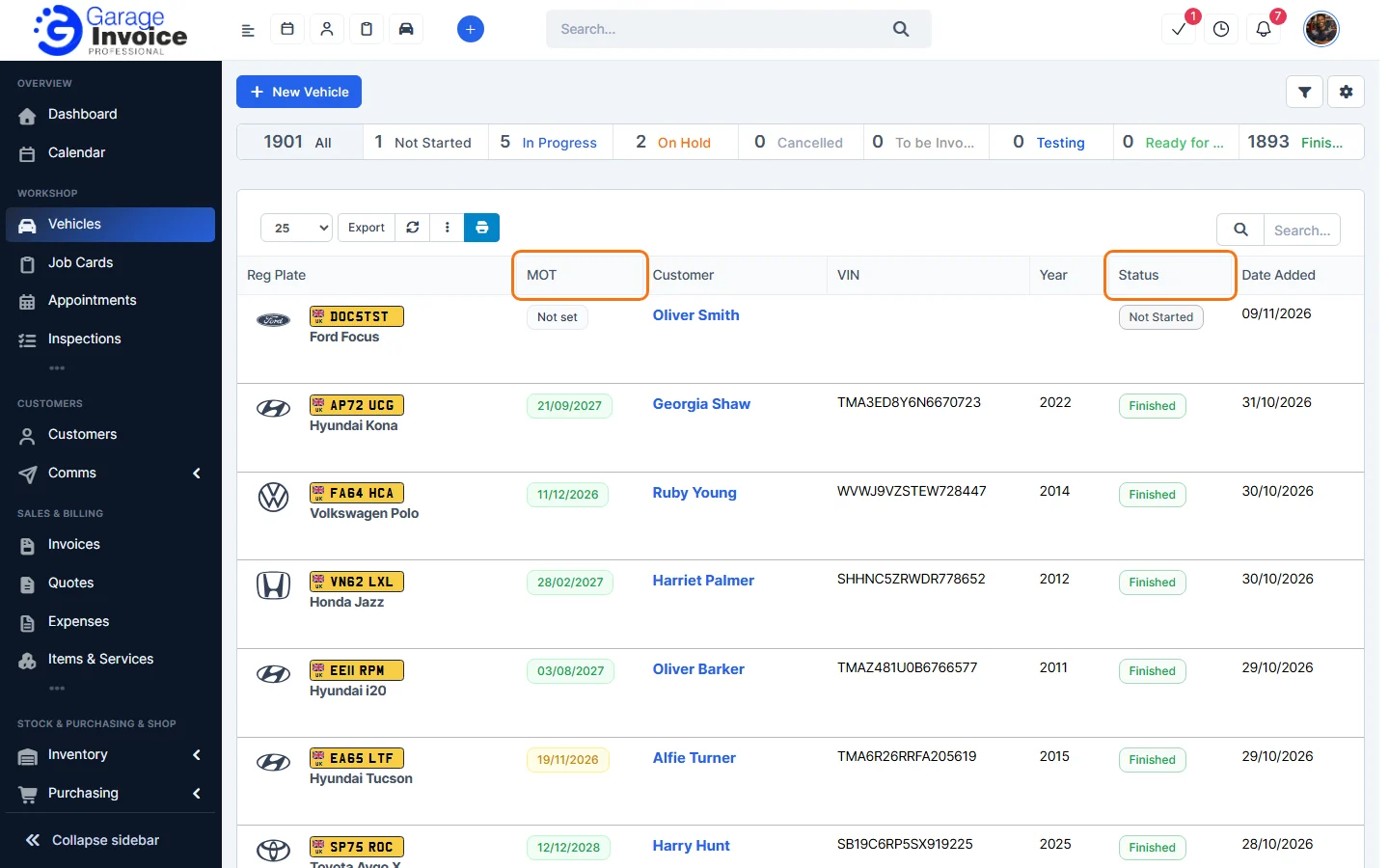
The bar above the Vehicles list shows how many vehicles have each status.

The Status column in the list shows each vehicle’s status, and the vehicle page shows it at the top. To change it, see Change, Update Vehicle Status.
On-Site or Off-Site
Separately from the status, the switch at the top of the vehicle page shows whether the vehicle is at your garage. Click it to switch between Vehicle is On-Site and Vehicle is Off-Site.

Feature Vehicle records: see what it does and how it fits your workshop.