
1. Check VRM Lookup is switched on
- Click Settings, open Integrations & Services and click Vehicle & Postcode Lookup.
- Under VRM Lookup, check the mode:
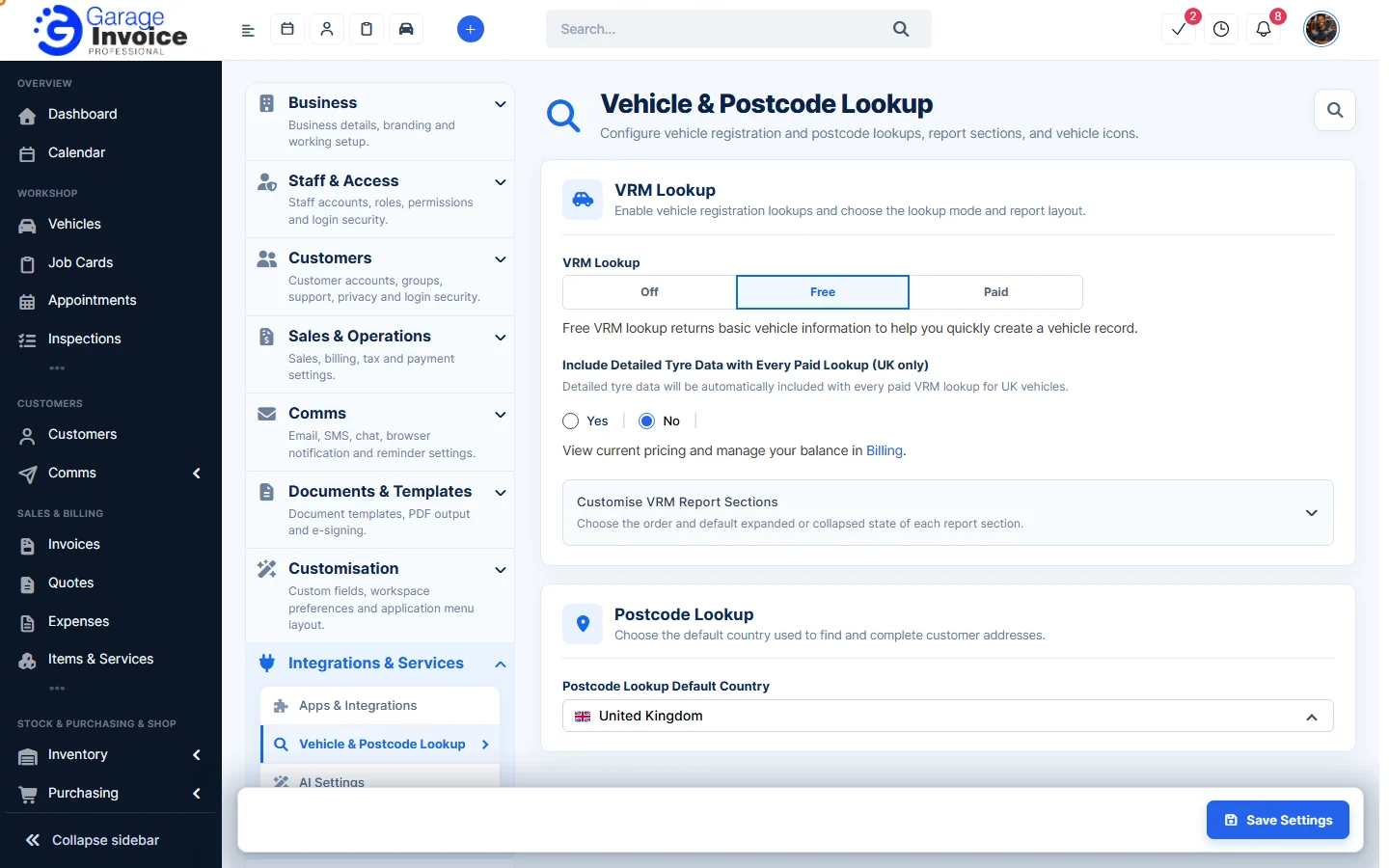
- Off: lookups are switched off.
- Free: returns basic vehicle information to help you create a vehicle record.
- Paid: returns detailed vehicle data and uses your balance. You can also choose Include Detailed Tyre Data with Every Paid Lookup (UK only).
- Click Save Settings.
2. Check your balance (Paid lookups)
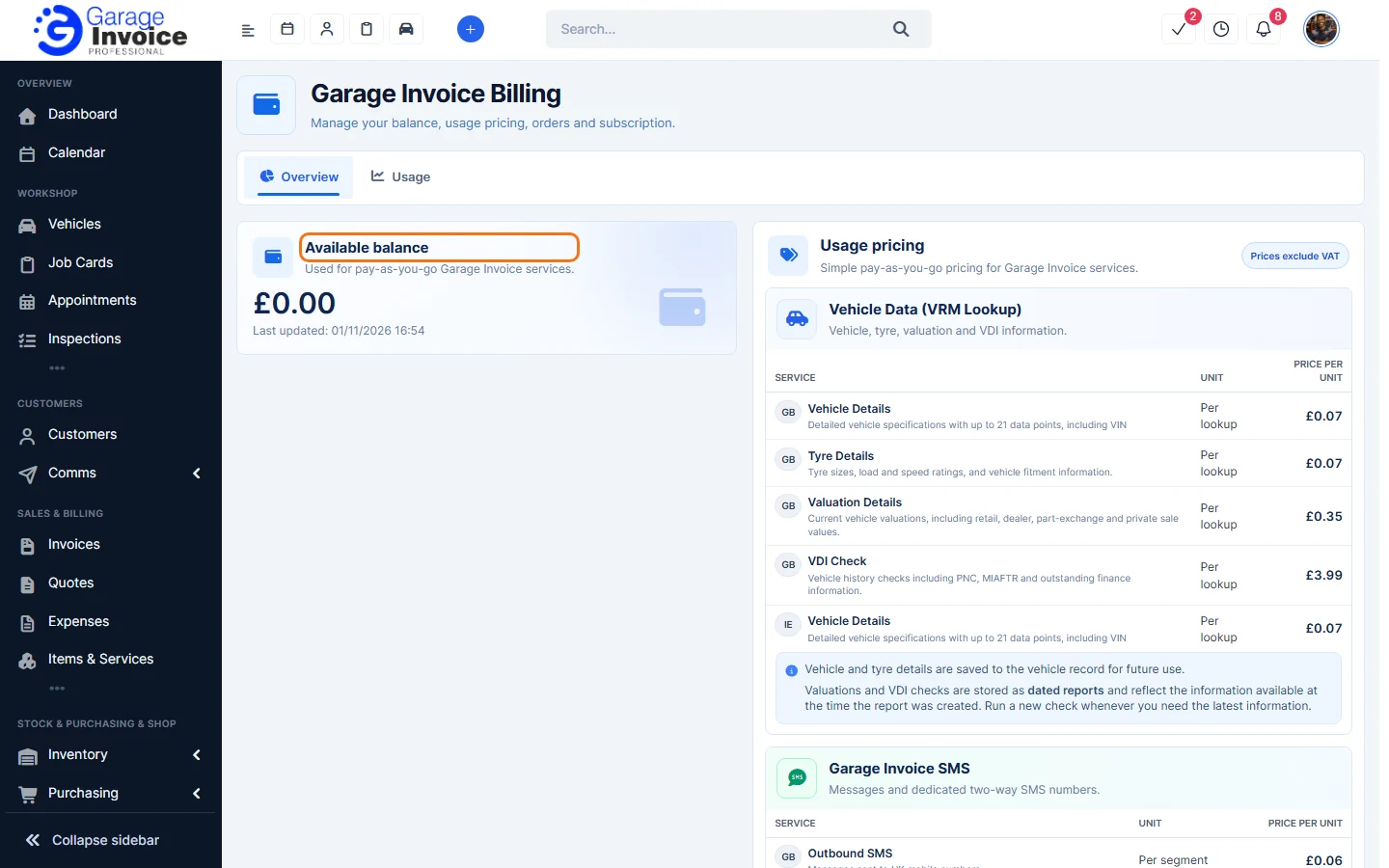
- Click Billing in View current pricing and manage your balance in Billing.
- Garage Invoice Billing shows your Available balance and the Usage pricing for vehicle data. If the balance is £0.00, paid lookups can’t run until you top up.
3. Check the registration and country
- Type the registration without mistakes. Spaces don’t matter.
- Make sure the lookup country matches the vehicle (for example GB or IE). See Change VRM Lookup Country.
- Very new, foreign or private vehicles may not be found. Add the vehicle’s details by hand.
Still stuck? See Guide: Troubleshooting or contact Garage Invoice support.
Feature VRM lookups: see what it does and how it fits your workshop.