
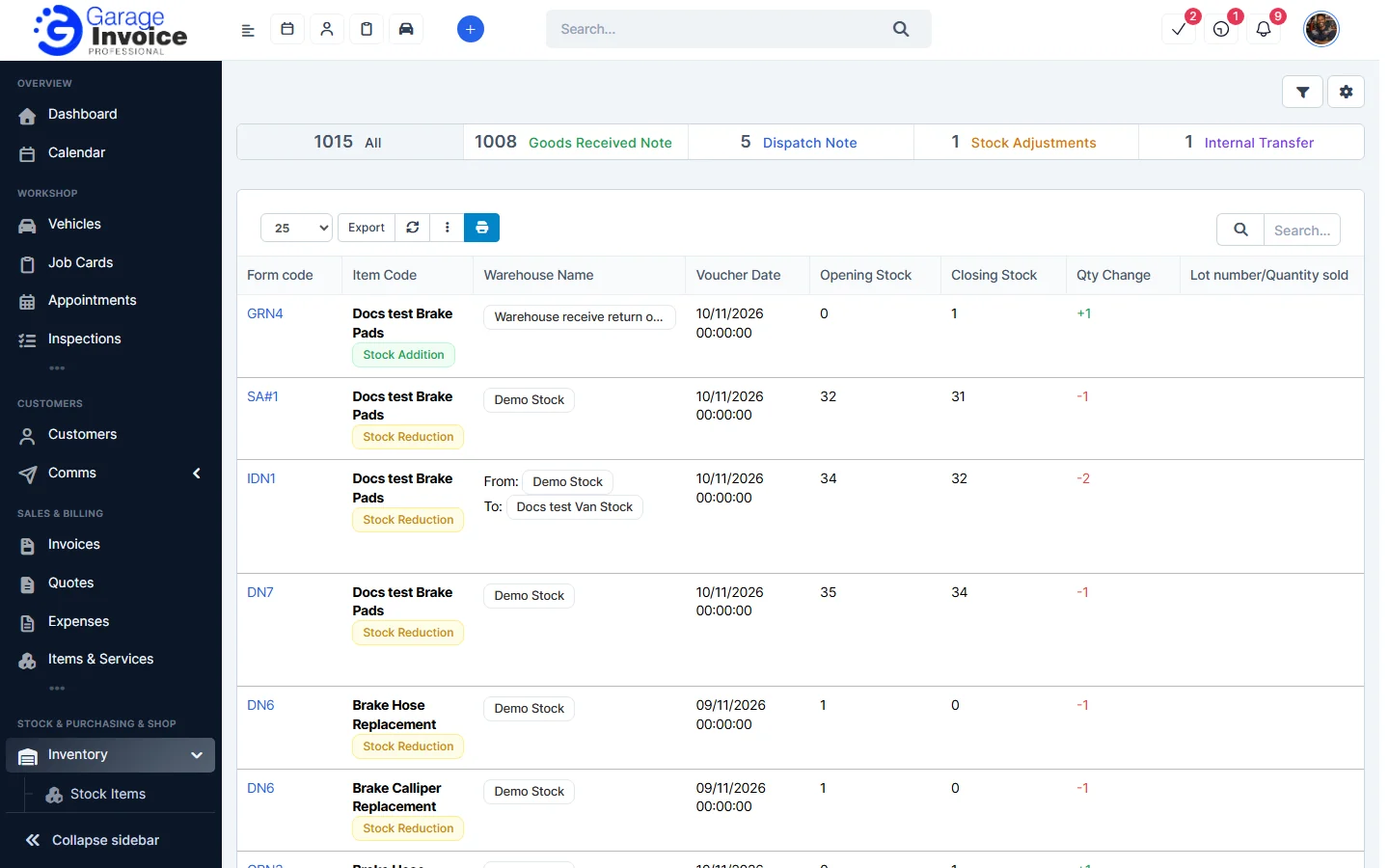
- Click Inventory in the sidebar (under Stock & Purchasing & Shop) and click Inventory Log.
- The bar at the top shows the number of movements from each source: Goods Received Note, Dispatch Note, Stock Adjustments and Internal Transfer. Click one to show only those.
- Each row shows the document (Form code), the item, warehouse, date, Opening Stock, Closing Stock, Qty Change, lot number, expiry date, note, status and staff member.
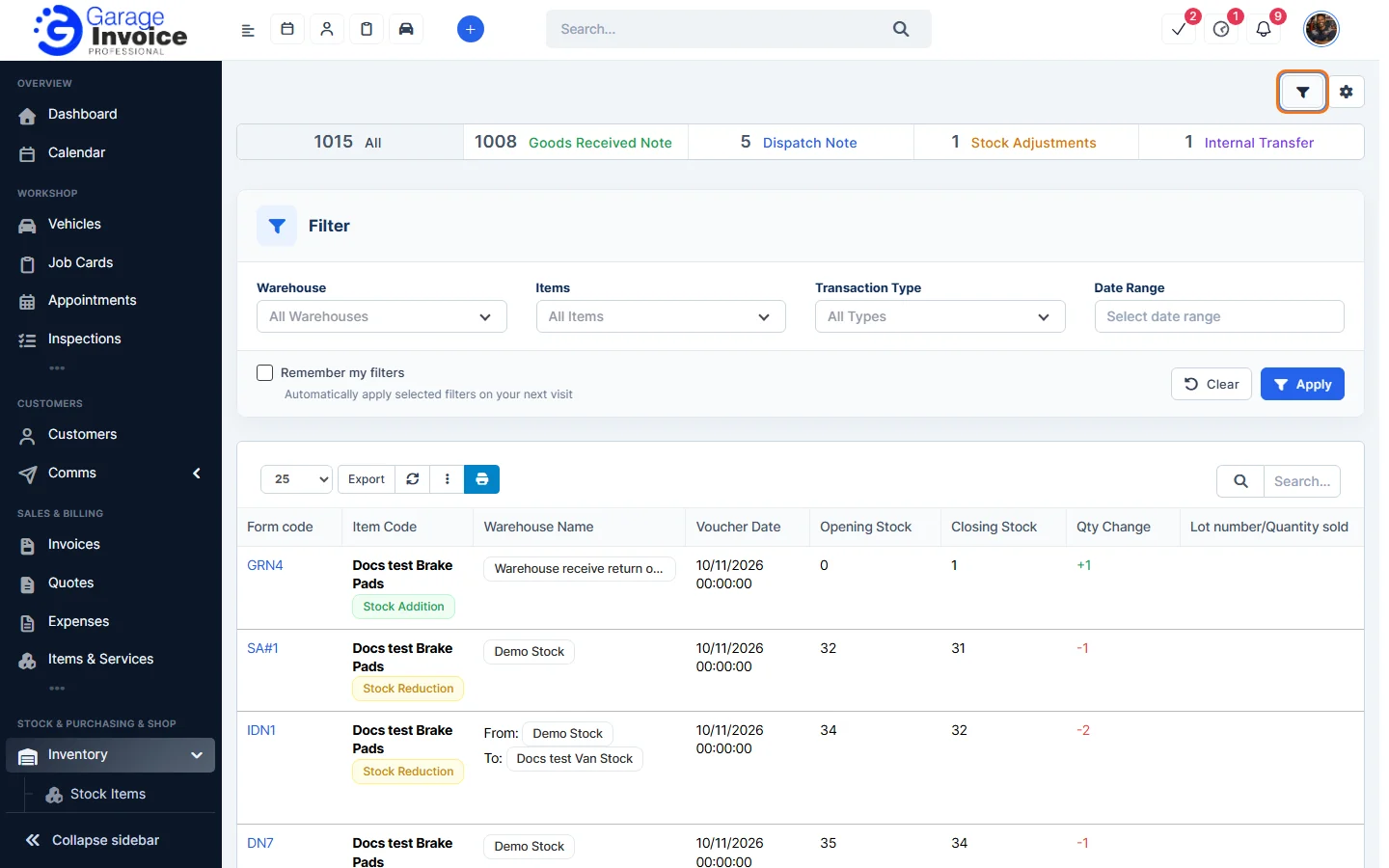
- Click the filter button (funnel) at the top right to filter by Warehouse, Items, Transaction Type and Date Range, then click Apply.
- Click Export to download the list.
Tip: to see the movements of one item, open it and click the Stock Flow tab. See View Stock Item Details.
Feature Stock and inventory control: see what it does and how it fits your workshop.