
- Click Inventory in the sidebar (under Stock & Purchasing & Shop) and click Goods Dispatched.
- Click the note number in the list. It opens on the right with the Goods Dispatched Note, Tasks and Shipping Log tabs. The note shows the customer, the items, warehouse, quantities and totals. If it was made from an invoice, the invoice number is shown too.
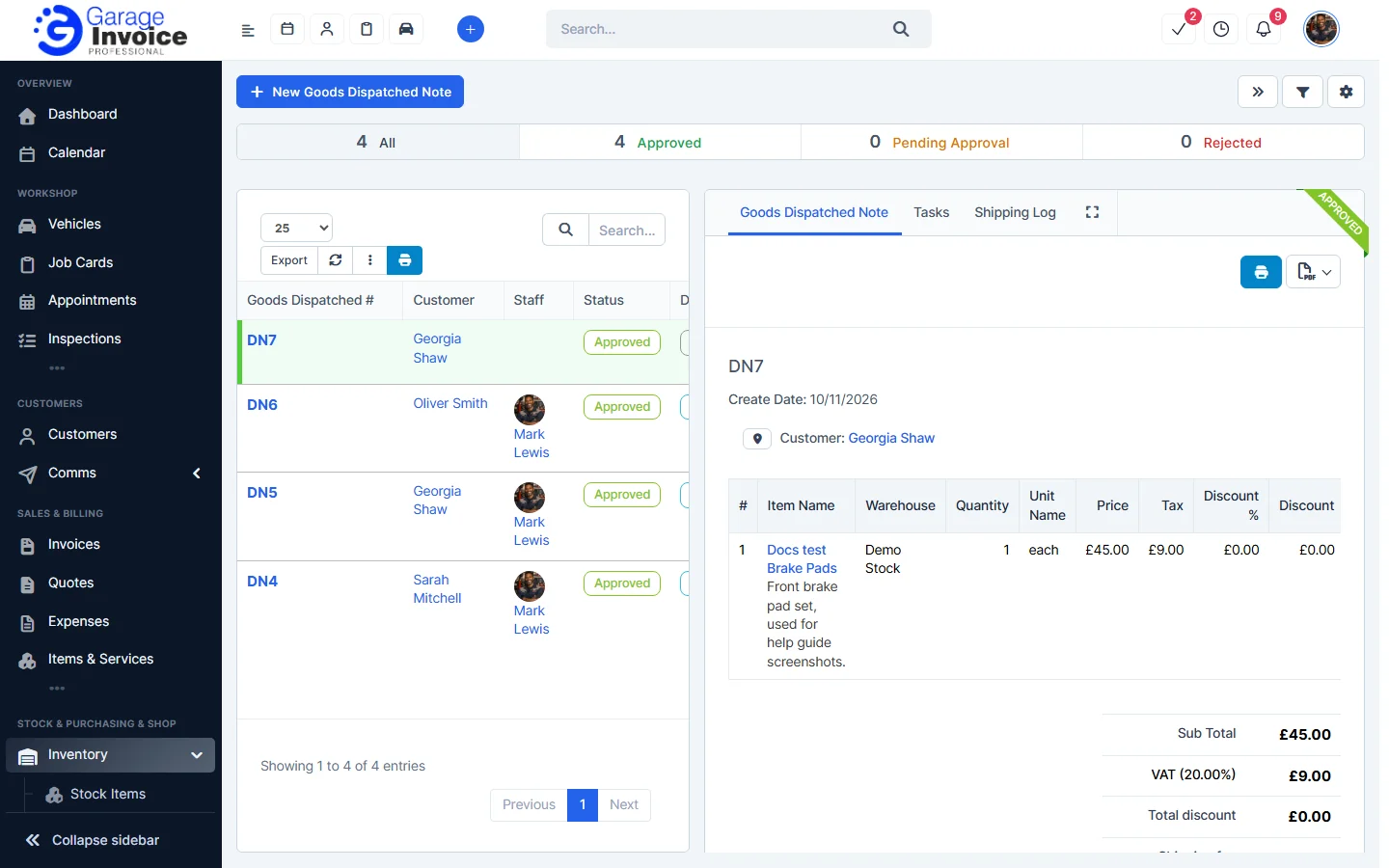
- Use the buttons at the top of the note:
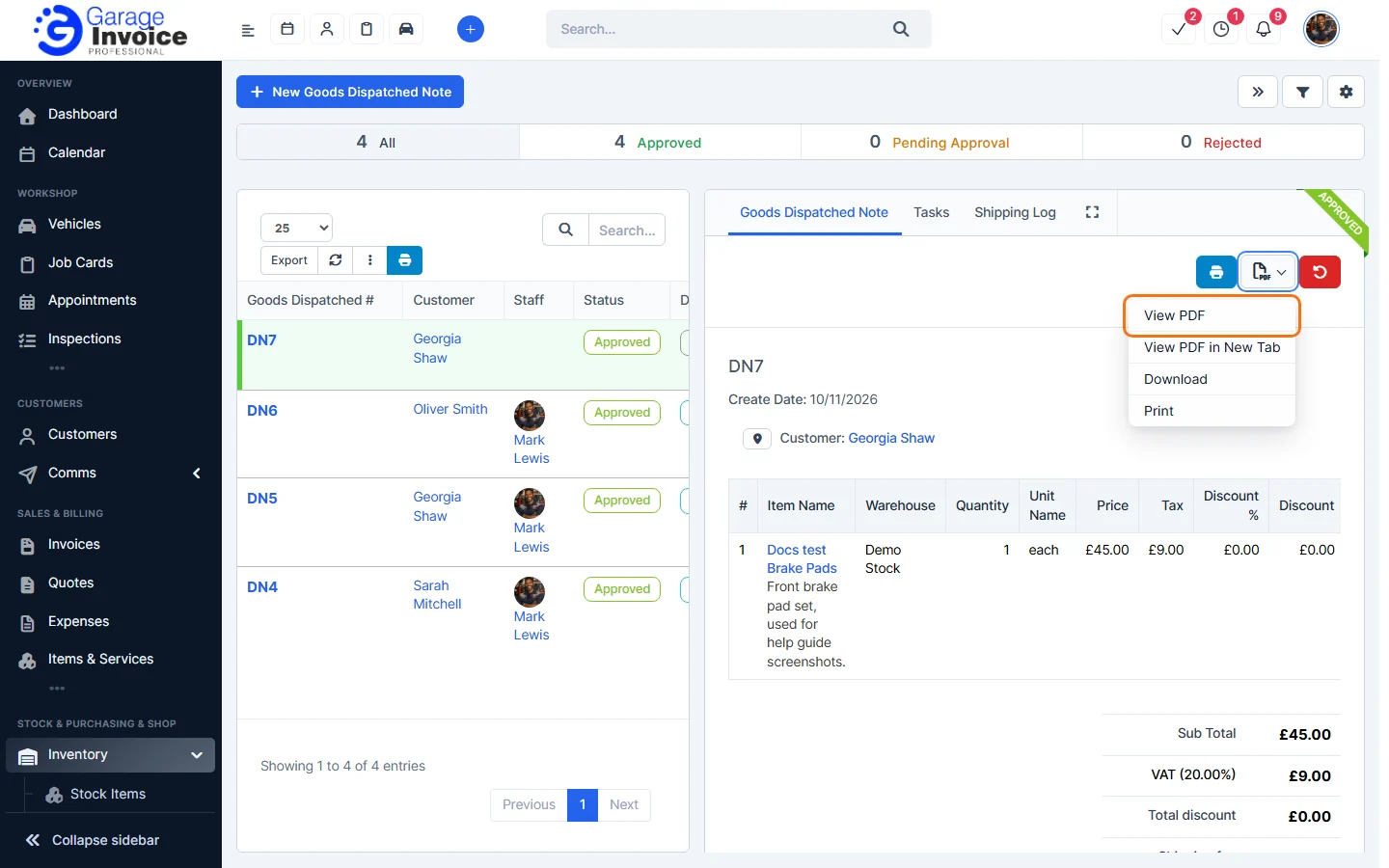
- The blue printer button prints the document.
- The PDF button opens a menu with View PDF, View PDF in New Tab, Download and Print.
Share delivery details with the customer
To give the customer a copy, download the PDF and attach it to an email, or print it. In Inventory General Settings, under Customer Portal, you can also turn on Shipments on Customer Portal and Notify customers via email when the delivery status changes.
Feature Stock and inventory control: see what it does and how it fits your workshop.