
- Check your internet connection by opening another website.
- Reload the page: press F5 (Windows) or Cmd + R (Mac). To force a full reload, press Ctrl + F5 (Windows) or Cmd + Shift + R (Mac).
- Clear your browser’s cache. See How do I clear my web browser’s cache?.
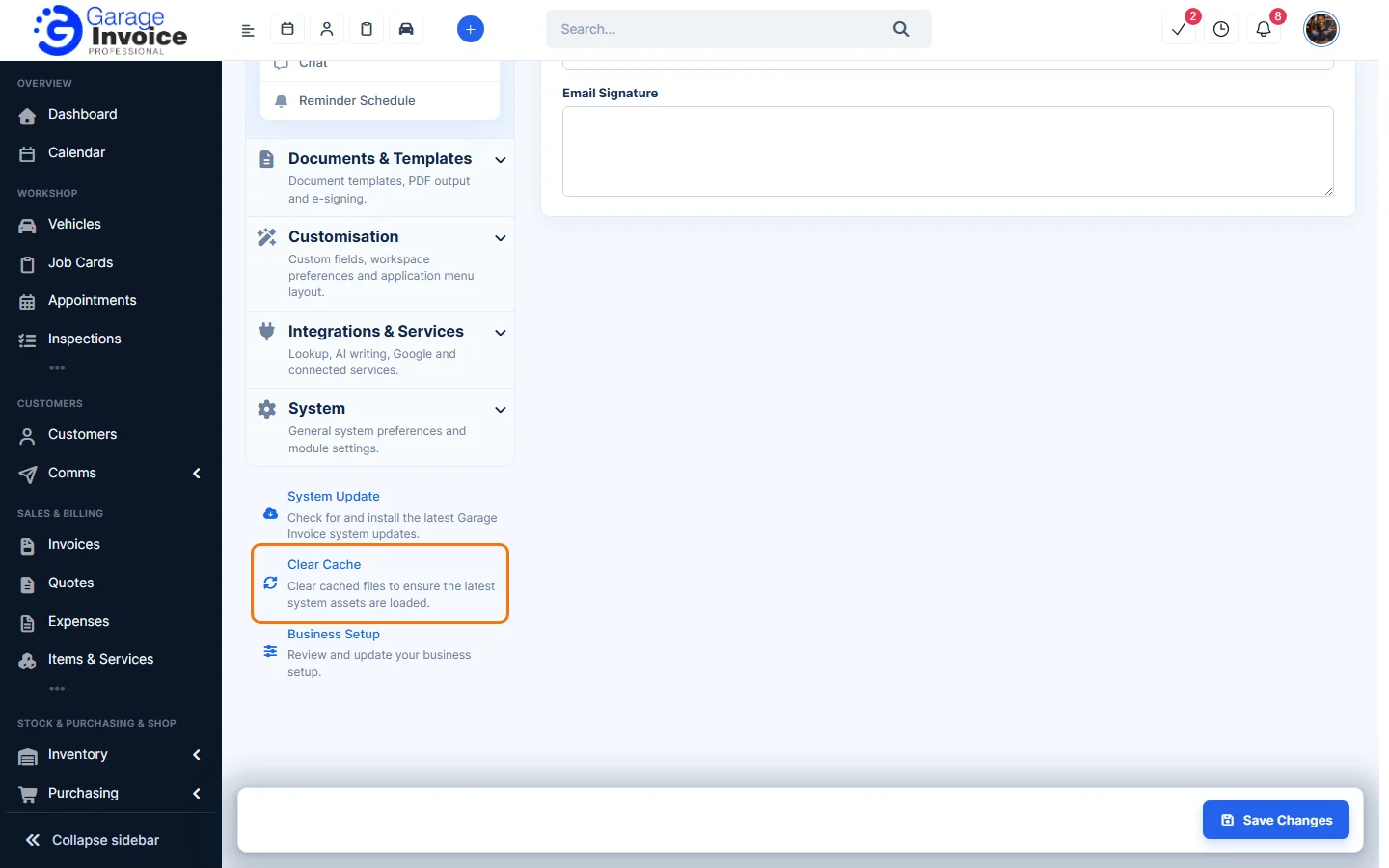
- If the app opens but pages look wrong or show old information, clear the app’s cache: click Settings and click Clear Cache at the bottom of the settings menu.
- Try a private (incognito) window or another browser. If it works there, a browser extension may be blocking the app; turn extensions off one by one.
- If you see an error number, see the matching guide in Guide: Troubleshooting.
Still stuck? See Guide: Troubleshooting or contact Garage Invoice support.