
- Click Settings at the bottom of the sidebar, under Administration. In the panel on the left, open Customisation and click Menu Builder. Choose Main Menu (the staff sidebar) or Customer Portal Menu.
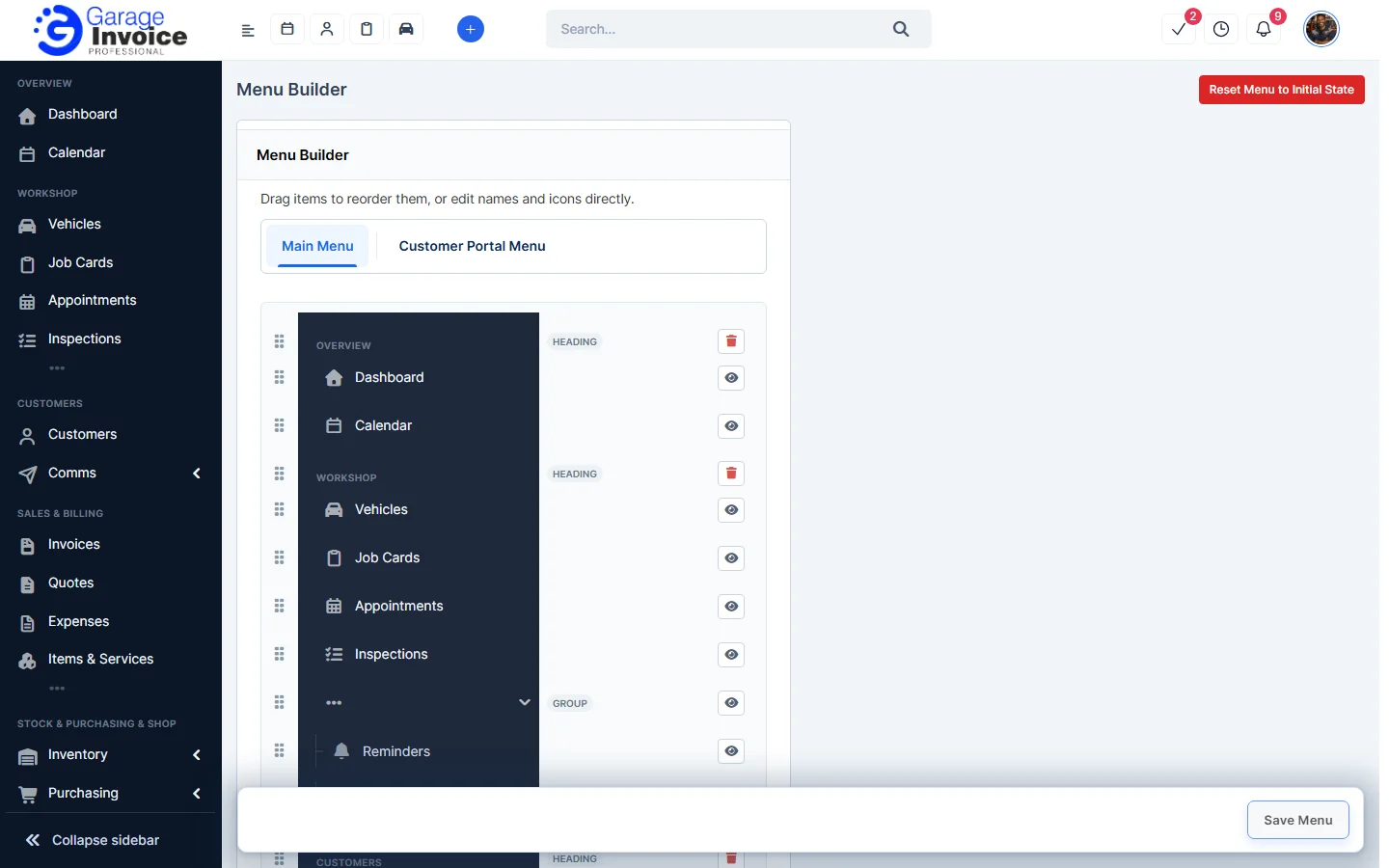
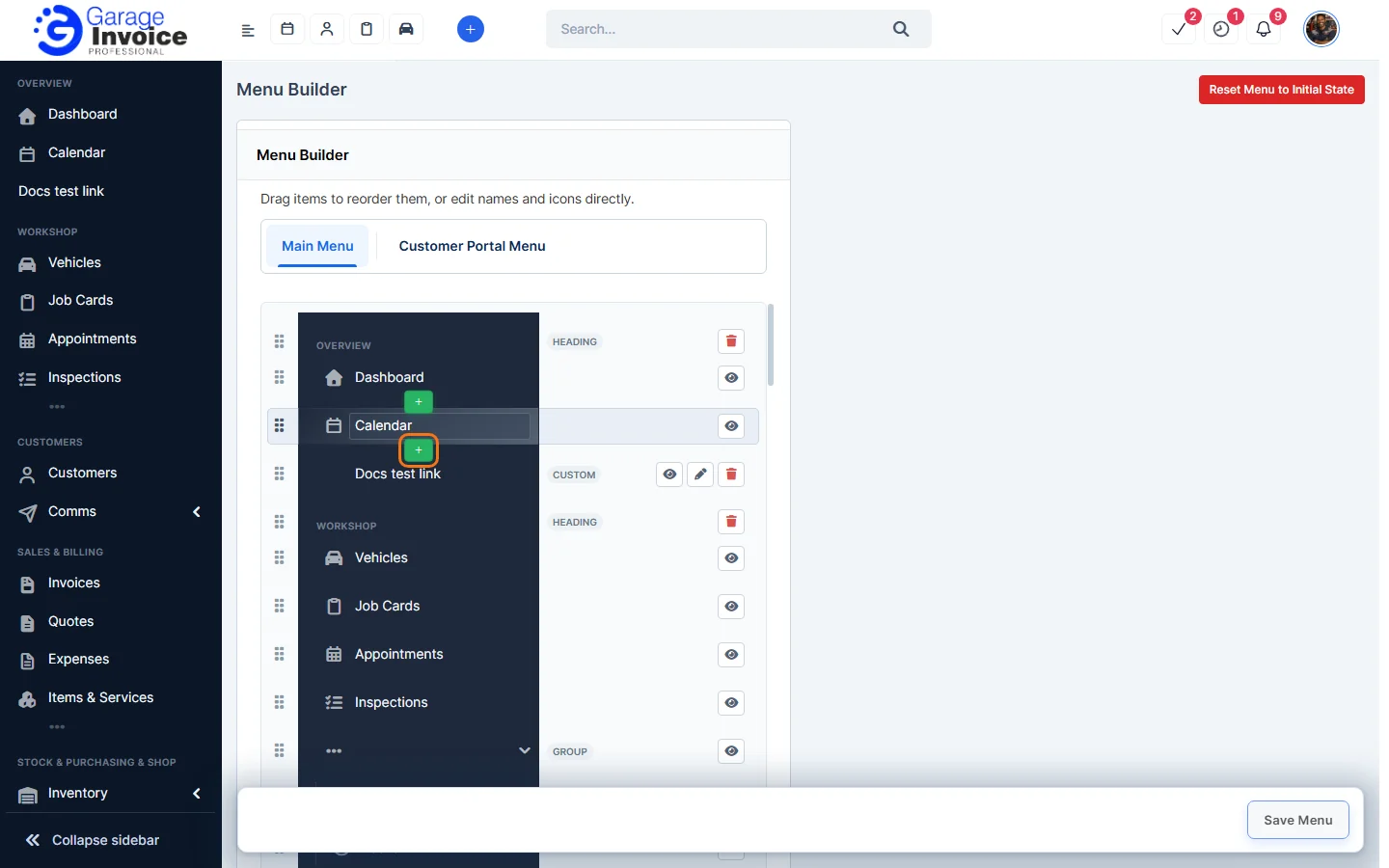
- Hover over the item you want the link next to. Click the green + that appears above or below it.
- In Add Custom Link, leave Menu Item Type on Link (or choose Group, Header or Divider). Enter the Name and the Link, choose an Icon and where it opens: Same window, New window or Inside App. Tick Show Badge to add a badge. Use the Restriction tab to limit who sees it.
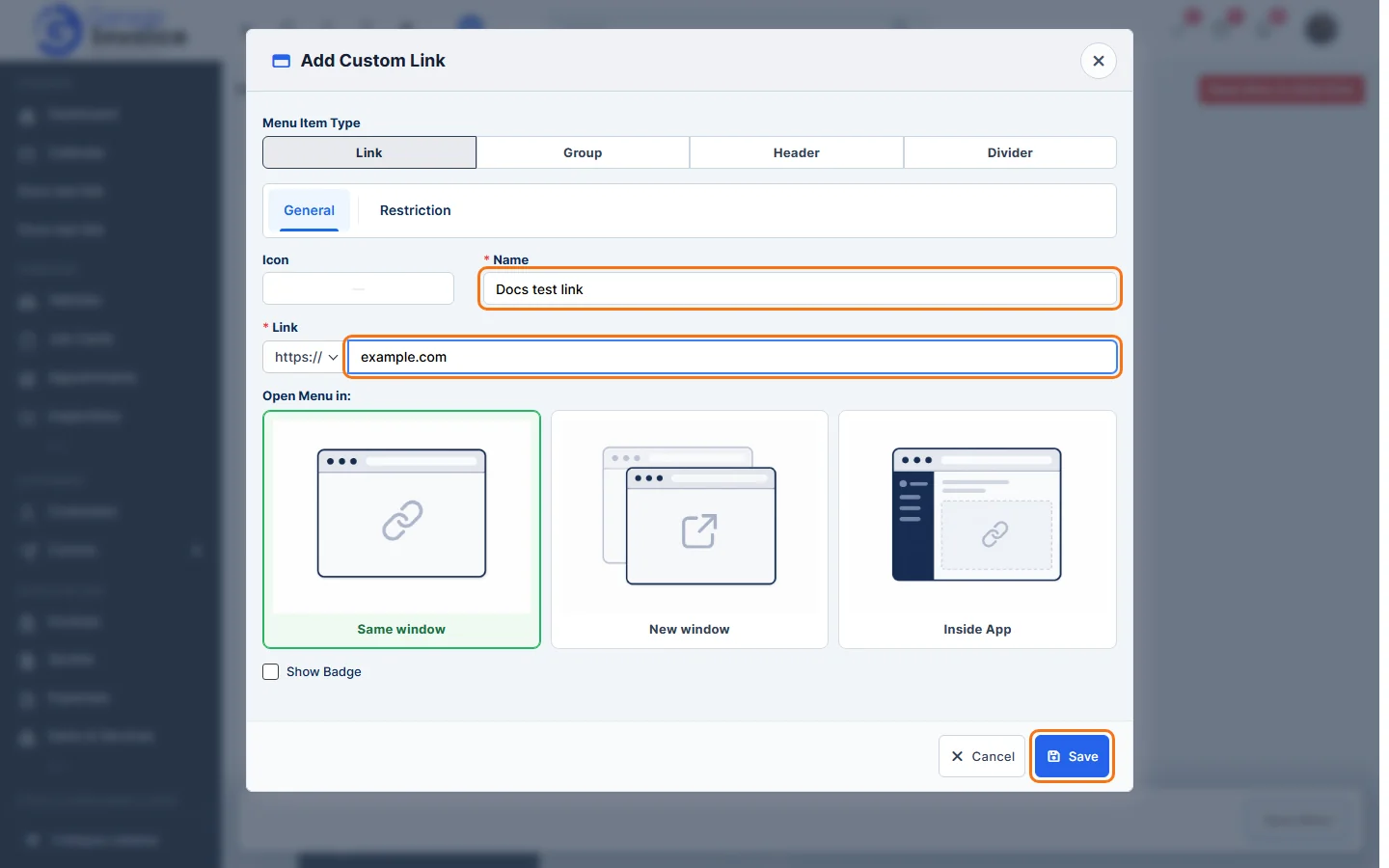
- Click Save. The link appears in the menu straight away, marked Custom.
Tip: drag items by their handle to reorder the menu, then click Save Menu.