
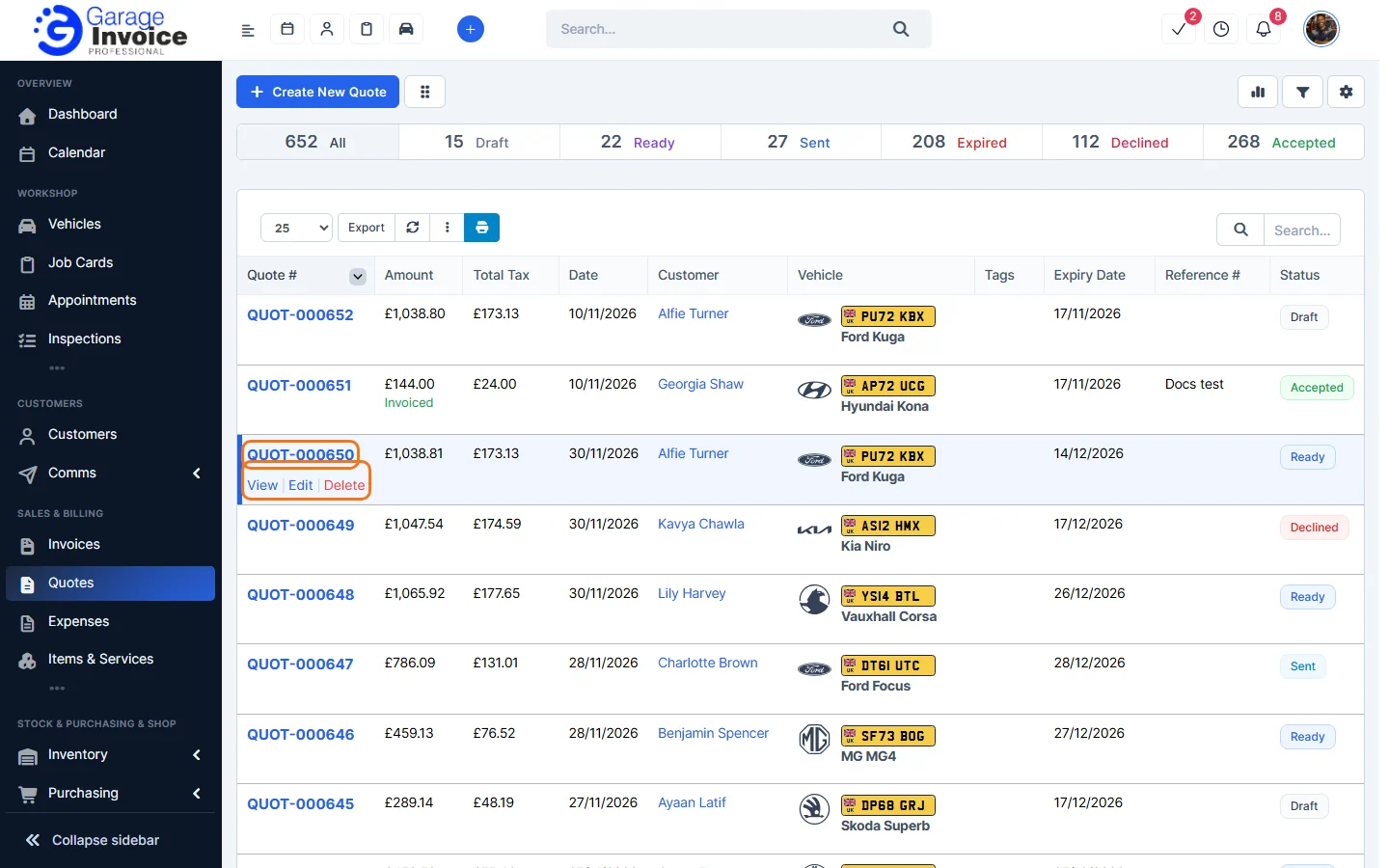
- Click Quotes in the sidebar, under Sales & Billing. Click the quote number, or hover over the quote and click View.
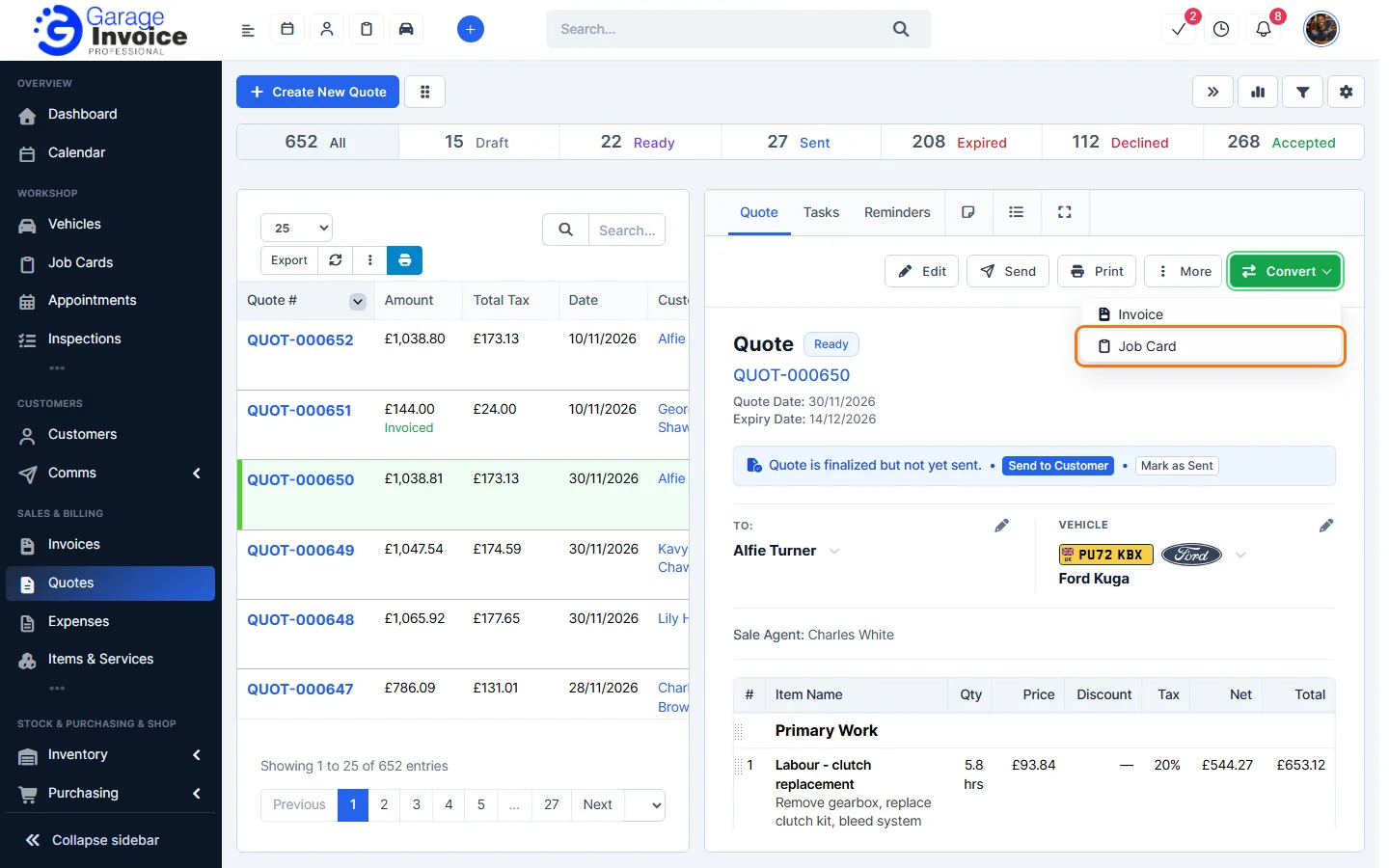
- Click Convert and choose Job Card.
- The Convert to Job Card window opens with the customer, vehicle and items from the quote. Set the Status, Workshop Progress, Job Card Date and Technician, and add the Customer Complaint / Reported Issue if you like.
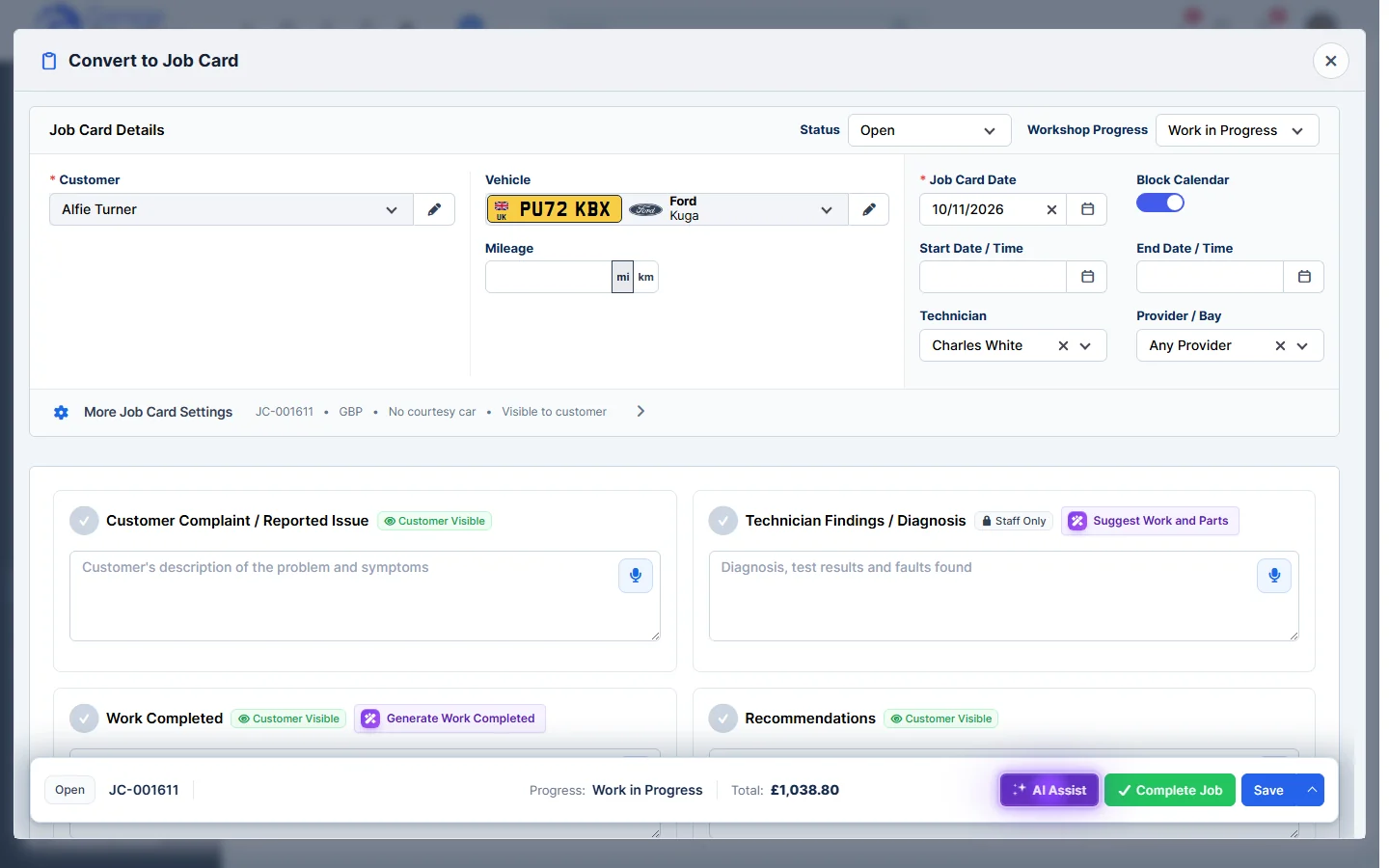
- Click Save. The job card is created and the Job Cards page opens.
The quote keeps its status. Mark it as Accepted if the customer agreed to it. See Change Quote Status.
Note: what is carried over (mileage, customer note, terms and conditions) is set in the quote settings under Convert Quotes → Job Card. See Quote Settings Overview.
See also: Convert Quote to Invoice · Create Job Card
Feature Garage quoting software: see what it does and how it fits your workshop.