
- Open the vehicle (see Search for Vehicle), click Communication in the vehicle menu, then the Files tab. If you can’t see Communication, use the arrow at the right end of the menu to scroll.
- Click the bin button in the file’s Options column.
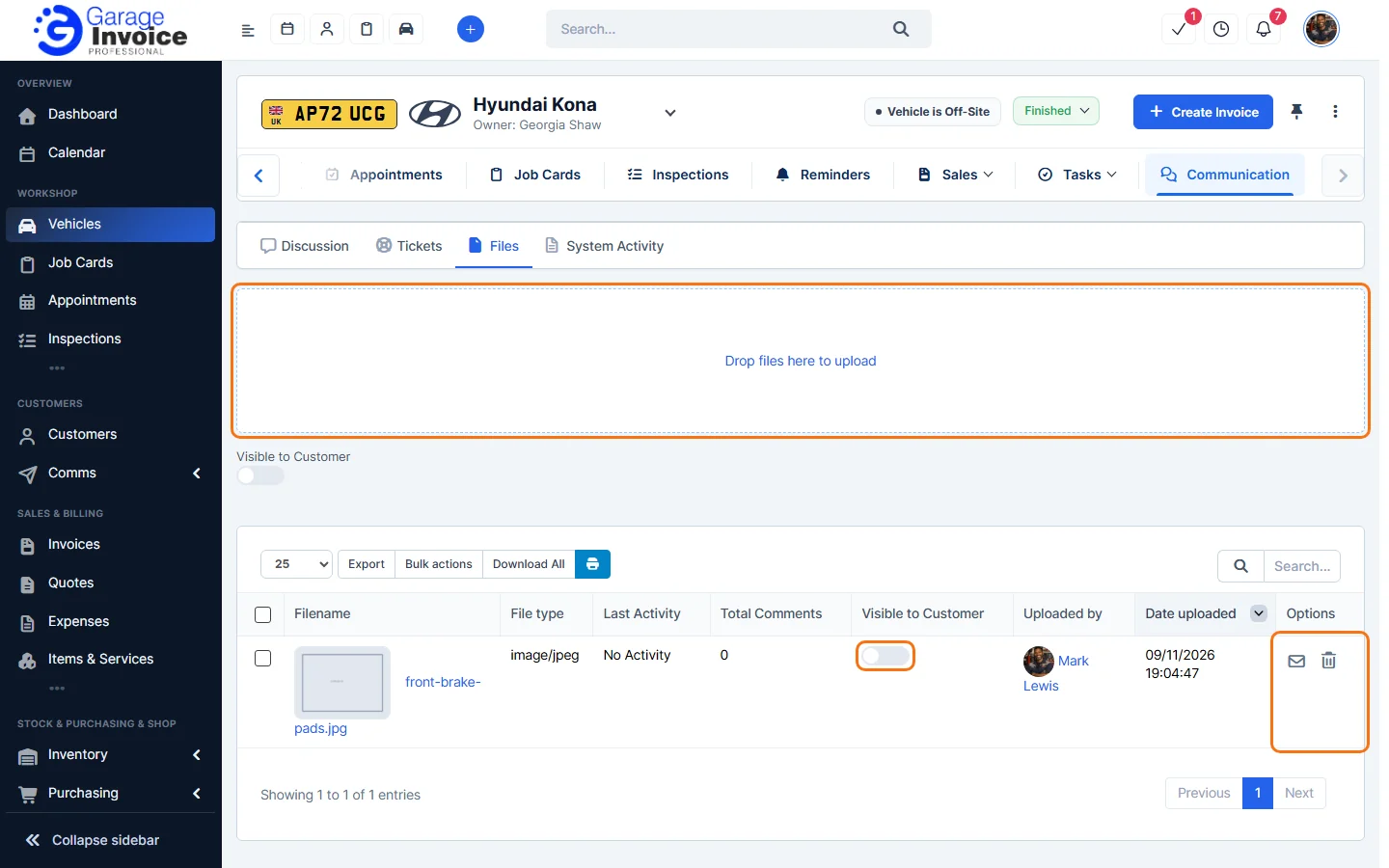
- Your browser asks “Are you sure you want to delete this?” Click OK. The file is removed from the list.
Note: deleting a file can’t be undone.
Tip: to keep a copy first, click Download All above the list. To work with several files at once, tick them and use Bulk actions.
Feature Vehicle records: see what it does and how it fits your workshop.