
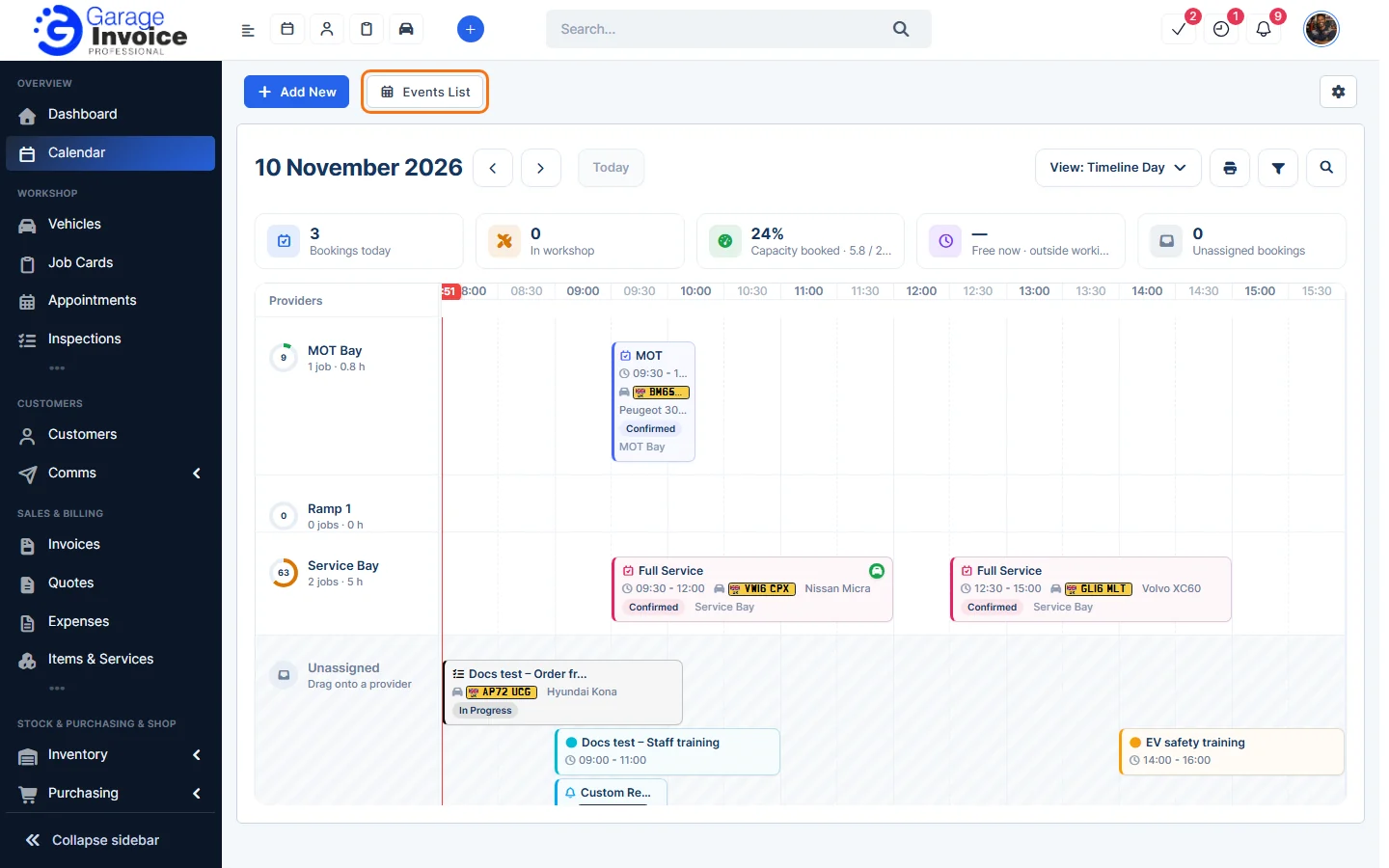
- Click Calendar in the sidebar and click Events List.
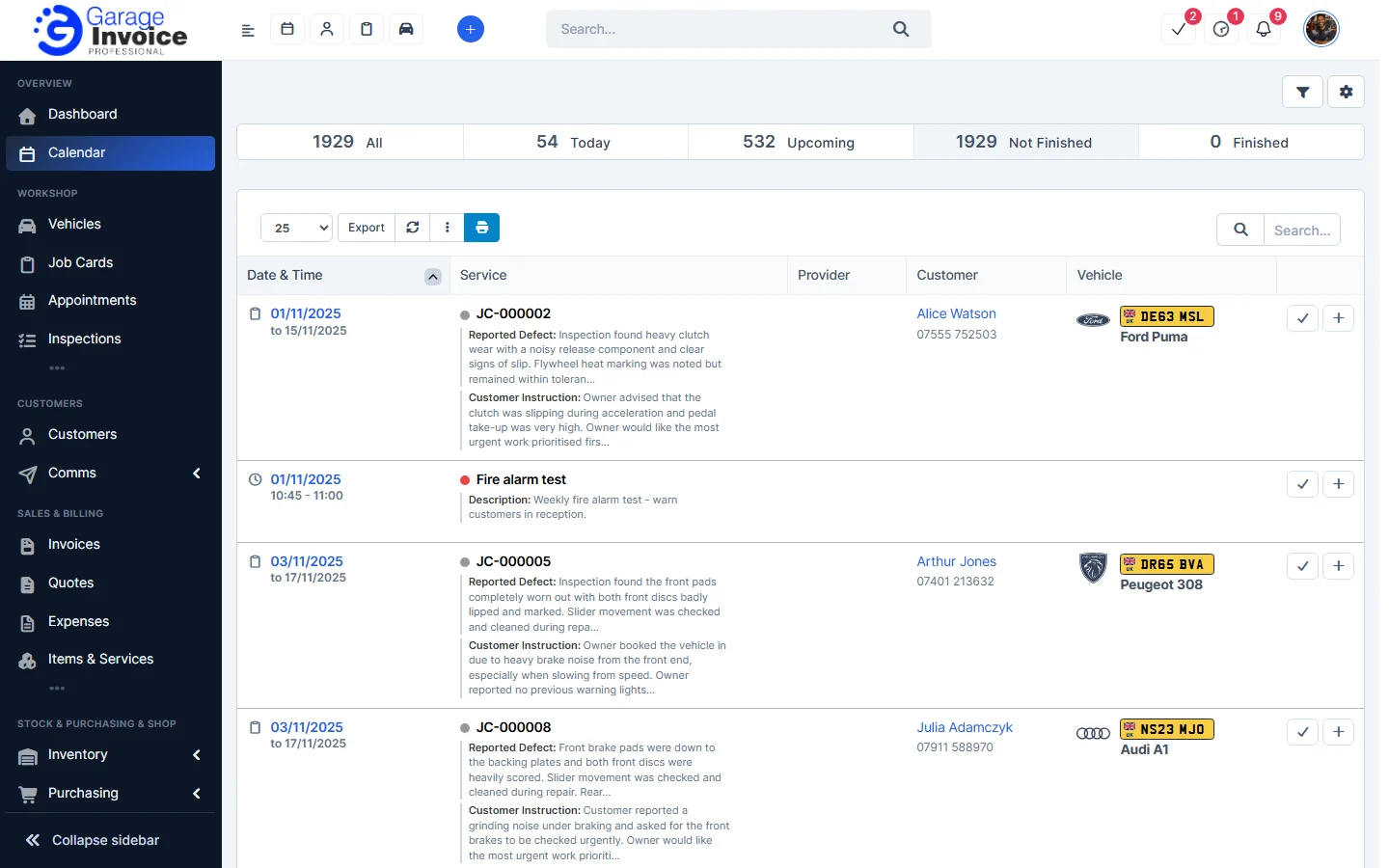
- The tiles at the top filter the list: All, Today, Upcoming, Not Finished and Finished. Each row shows the Date & Time, Service or title, Provider, Customer and Vehicle.
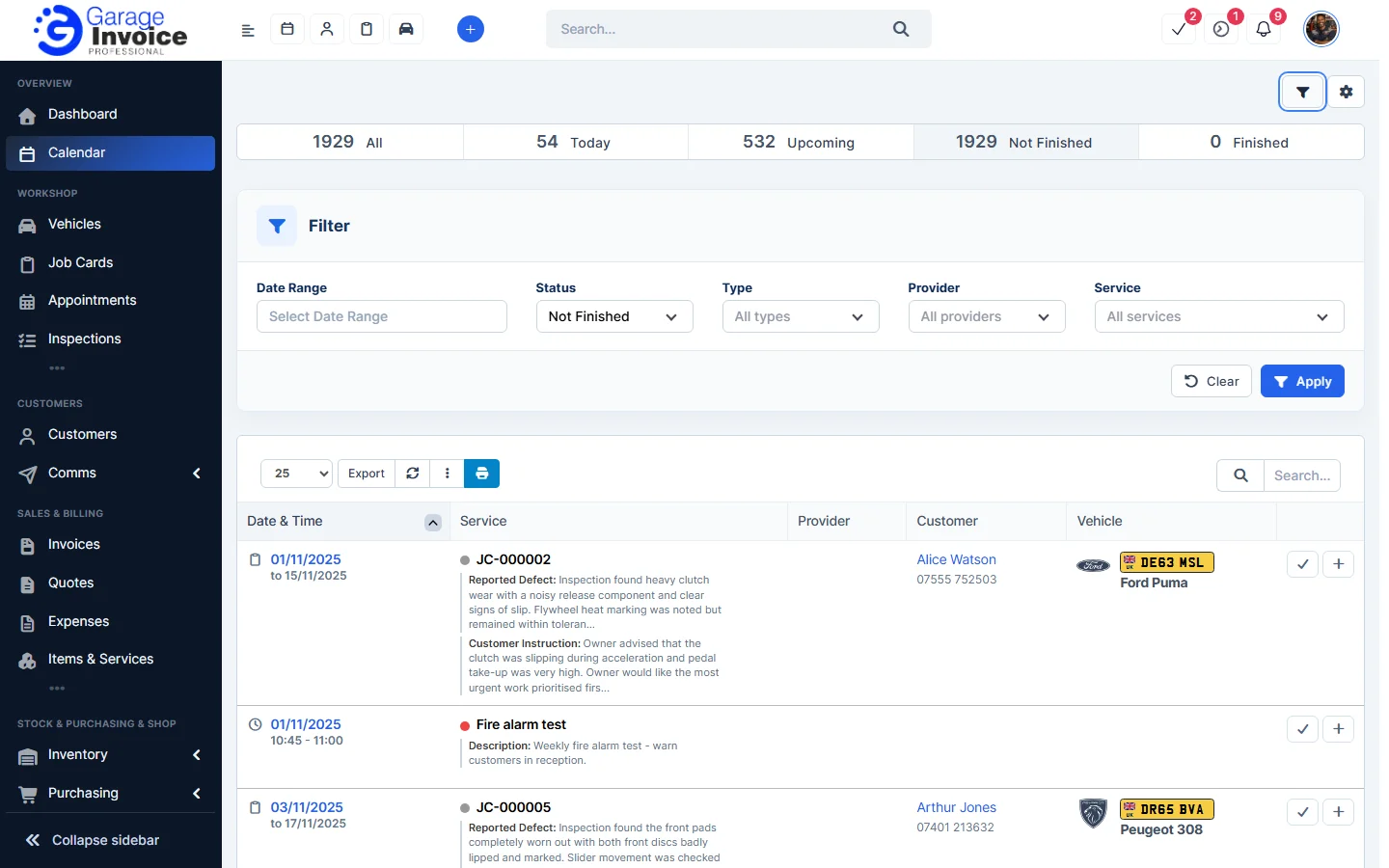
- Click the filter button to filter by Date Range, Status, Type (Appointments, Events, Job Cards), Provider and Service, then click Apply.
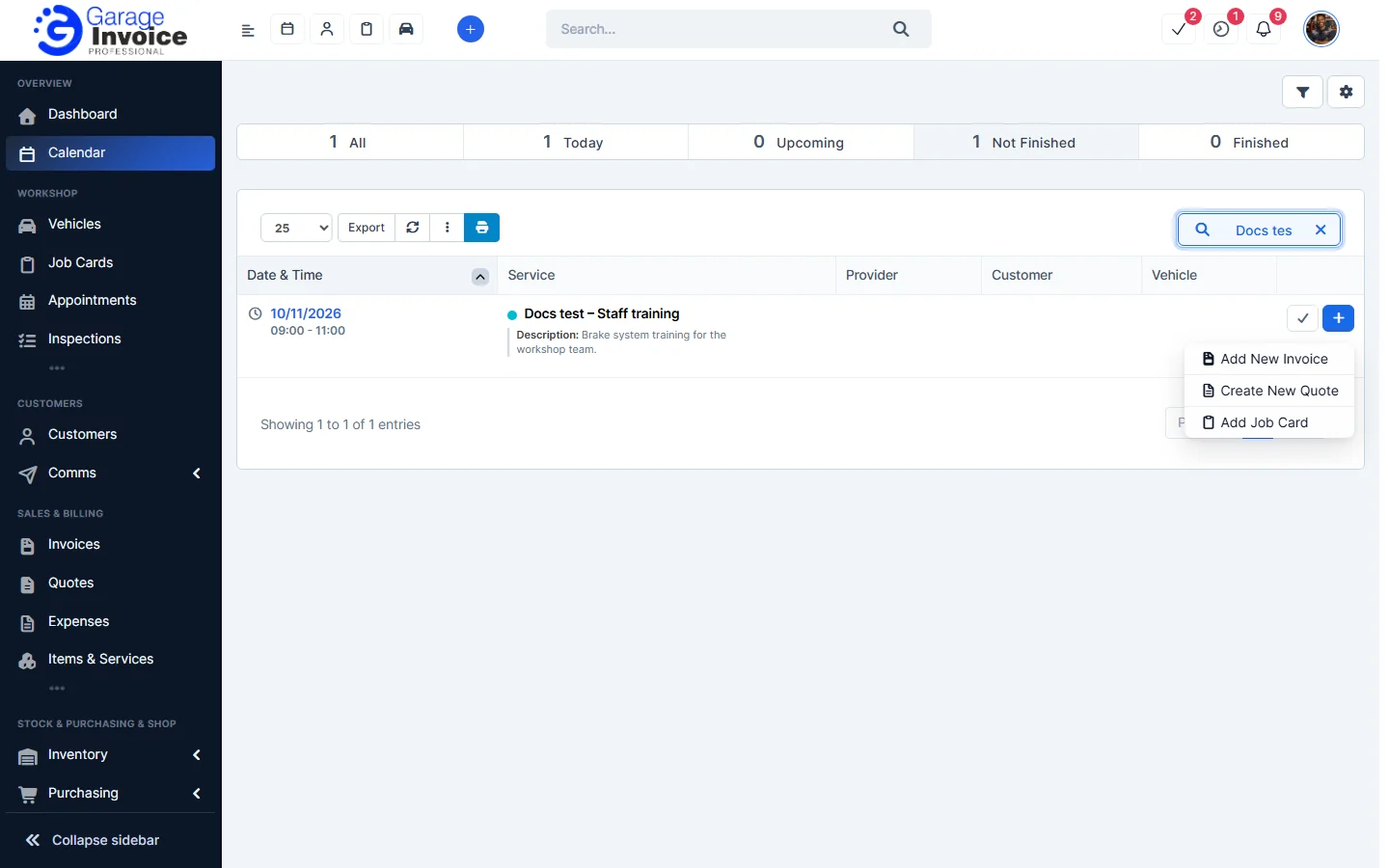
- Click the green tick to mark an item as finished. Click + to create an Invoice, Quote or Job Card from it.
Related: Edit or Delete Calendar Event · Calendar Overview
Feature Workshop calendar: see what it does and how it fits your workshop.