
- Open the vehicle (see Search for Vehicle) and click the Reminders tab.
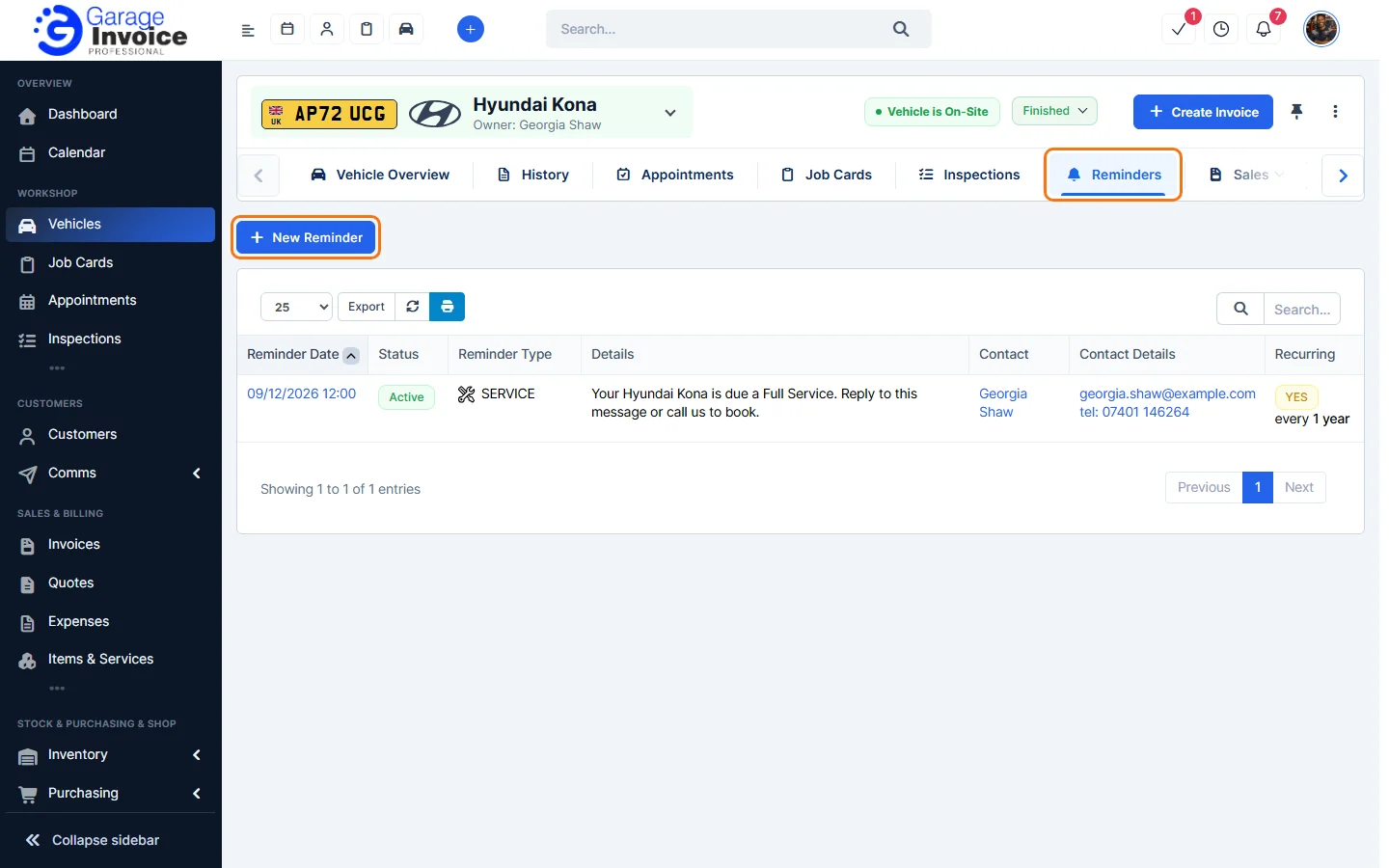
- Click New Reminder, choose Service or Custom, and fill in the message and the date of the first reminder. See Create MOT/Service or Custom Reminder.
- Turn on Repeat this reminder.
- Choose how often under Repeat Every: Week, 2 Weeks, 1 Month, 2 Months, 3 Months, 6 Months or 1 Year. Choose Custom to enter your own number of days, weeks, months or years.
- Leave Infinity ticked to keep repeating it. To stop after a set number, untick Infinity and enter the number in How Many Times.
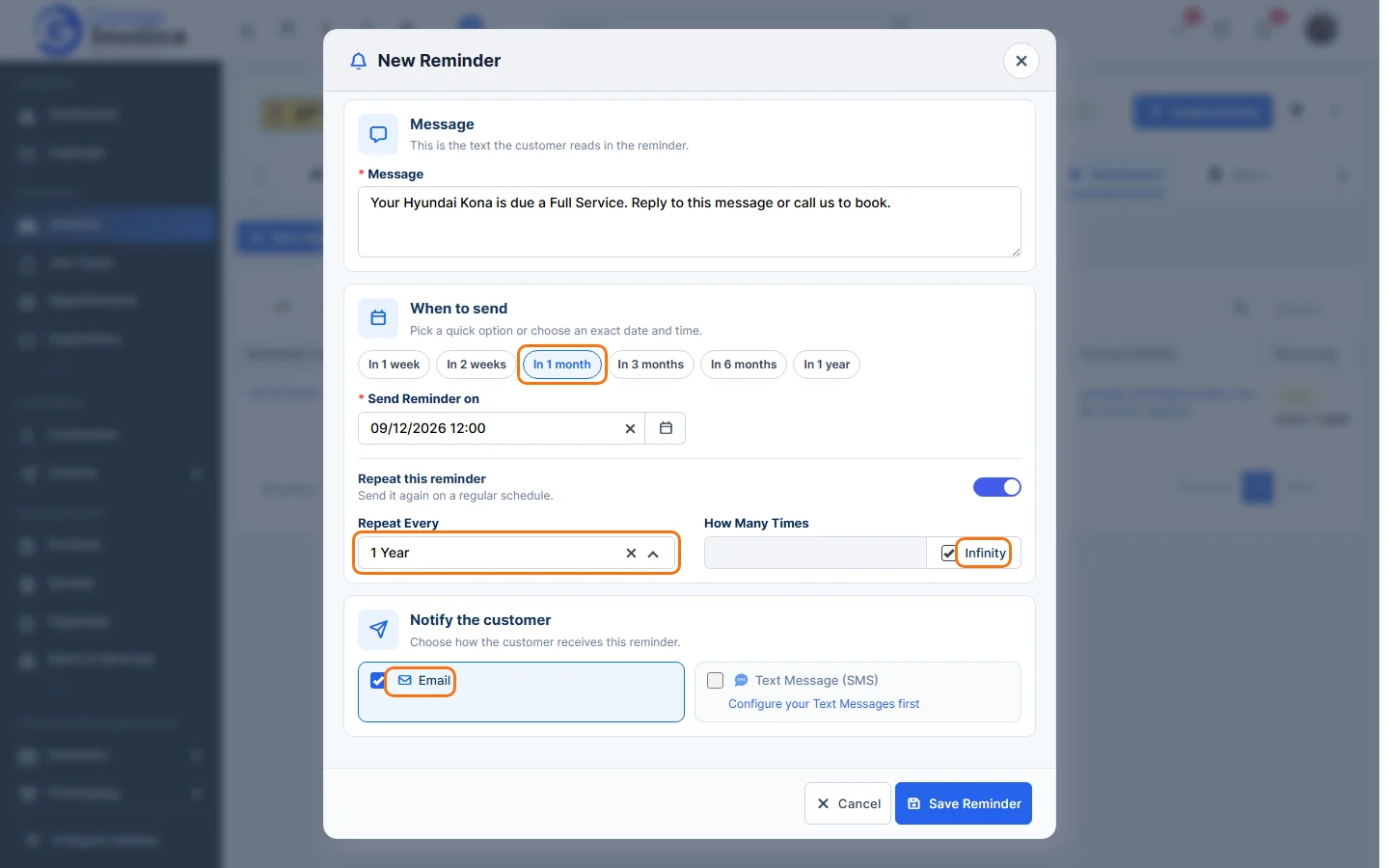
- Choose how the customer is notified and click Save Reminder.
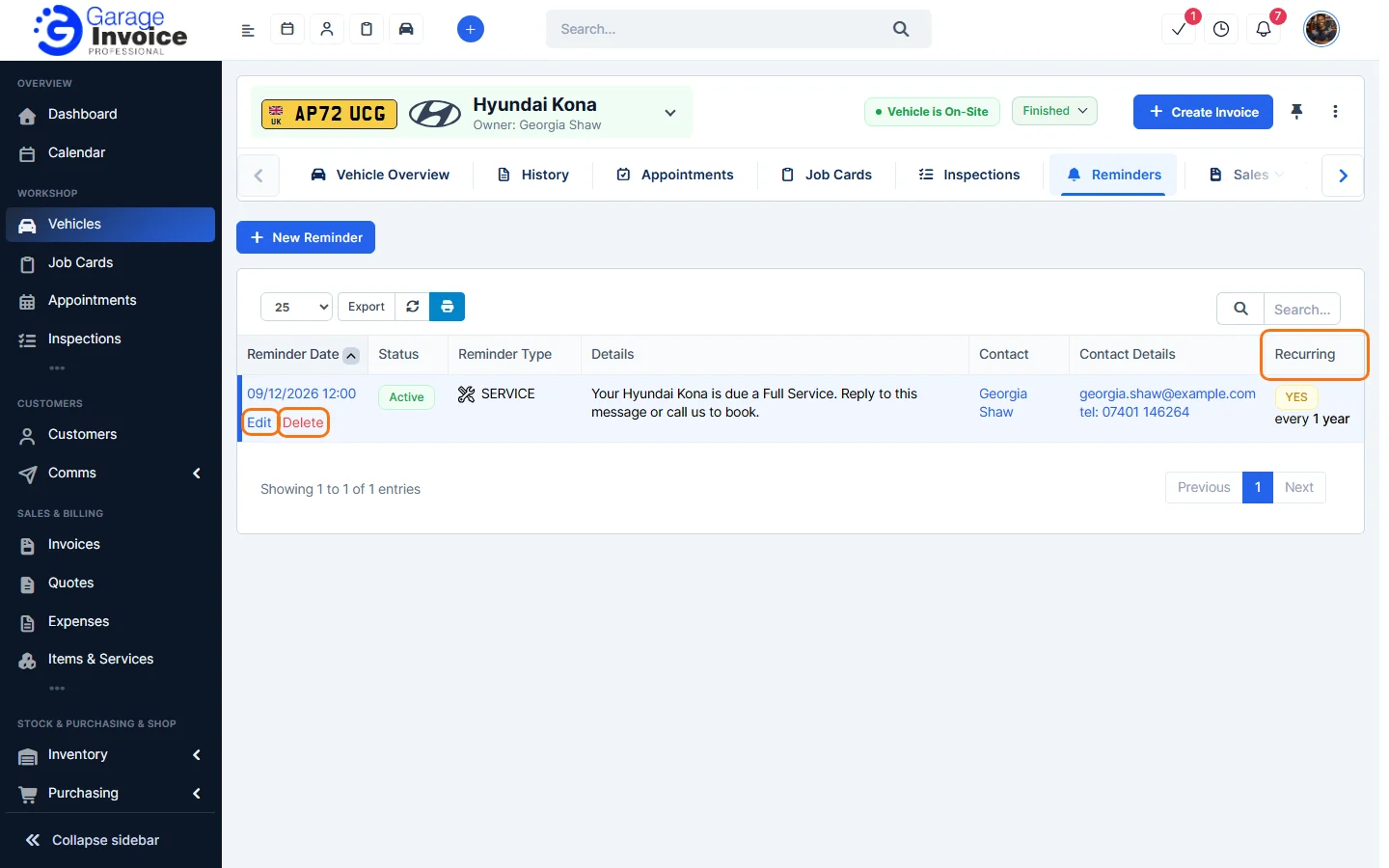
The Recurring column in the Reminders tab shows YES and how often it repeats, for example every 1 year.
Note: MOT reminders don’t need repeating. They’re sent before each MOT due date automatically.
Feature MOT and service reminders: see what it does and how it fits your workshop.