
From the appointment page
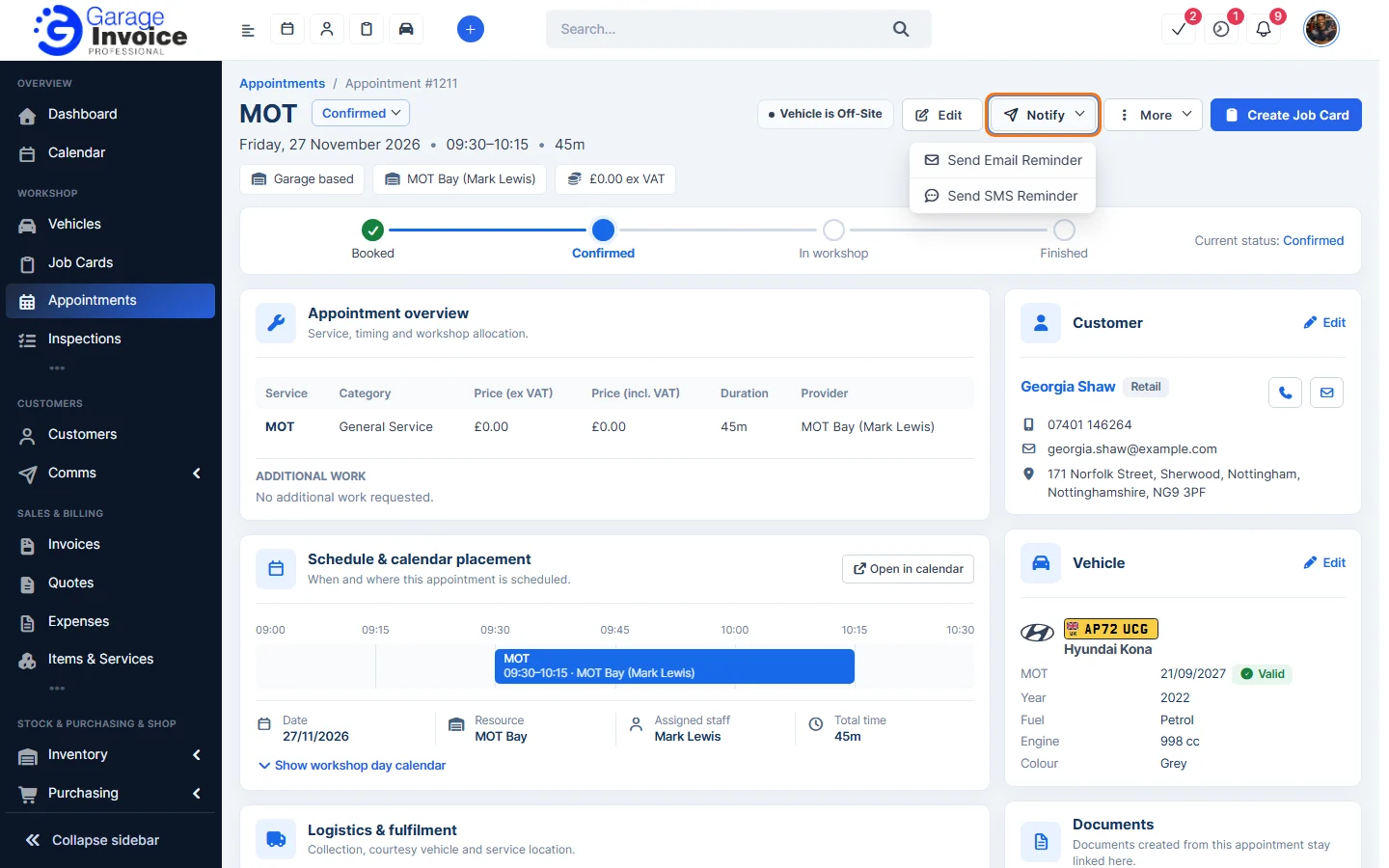
- Click Appointments in the sidebar, under Workshop, and click the appointment’s date and time (or hover over it and click View).
- Click Notify and choose Send Email Reminder or Send SMS Reminder.
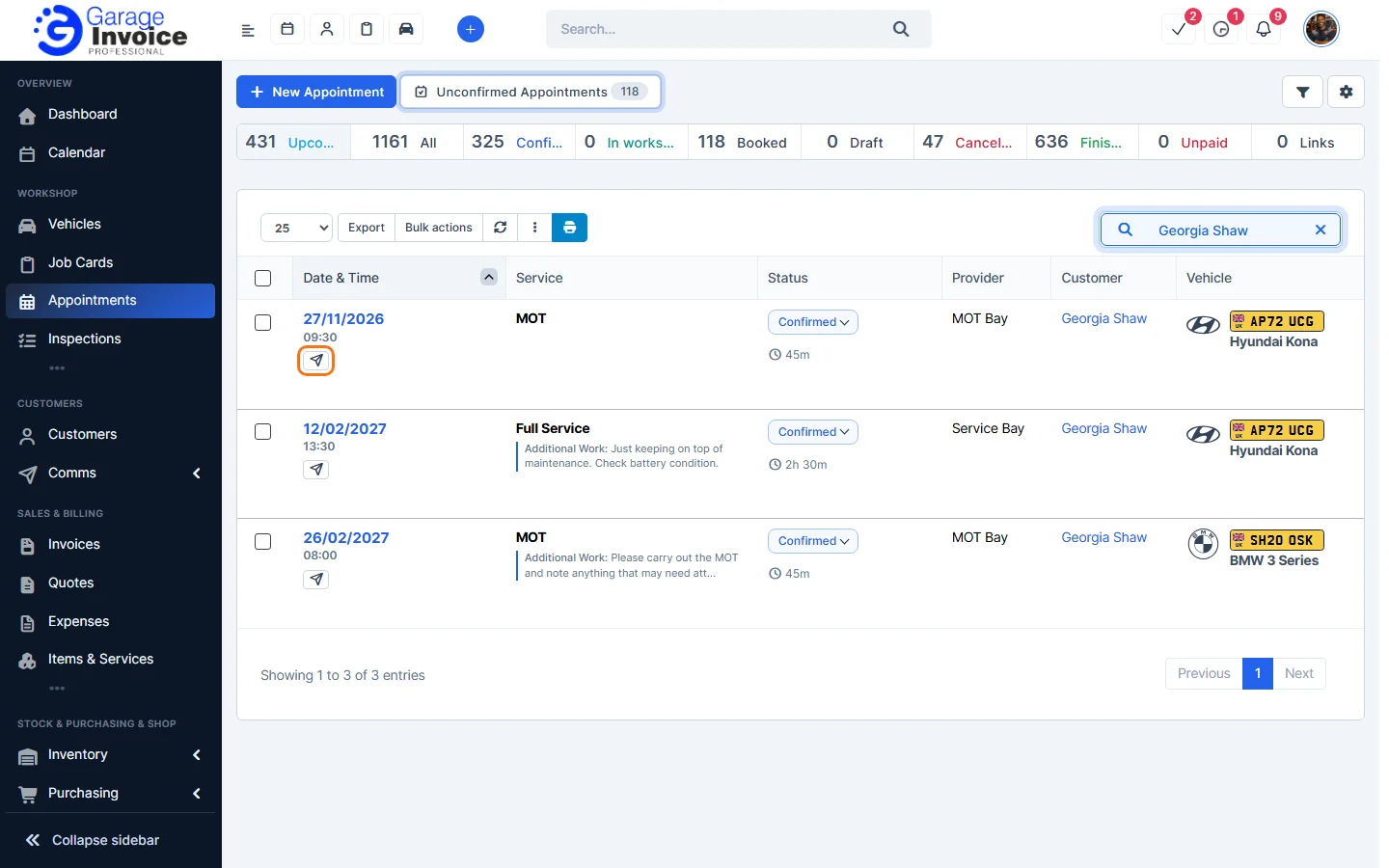
From the Appointments list
- Click the paper plane button under the appointment’s date.
- In Send Appointment:
- Delivery method: turn Email on.
- Template: chosen automatically from the appointment’s status, for example Appointment Reminder.
- Send to: the customer’s contact. Click Add CC or Add BCC to copy someone in.
- Subject & message: open it to change the email text.
- Appointment PDF is attached. Click Preview PDF to see it.
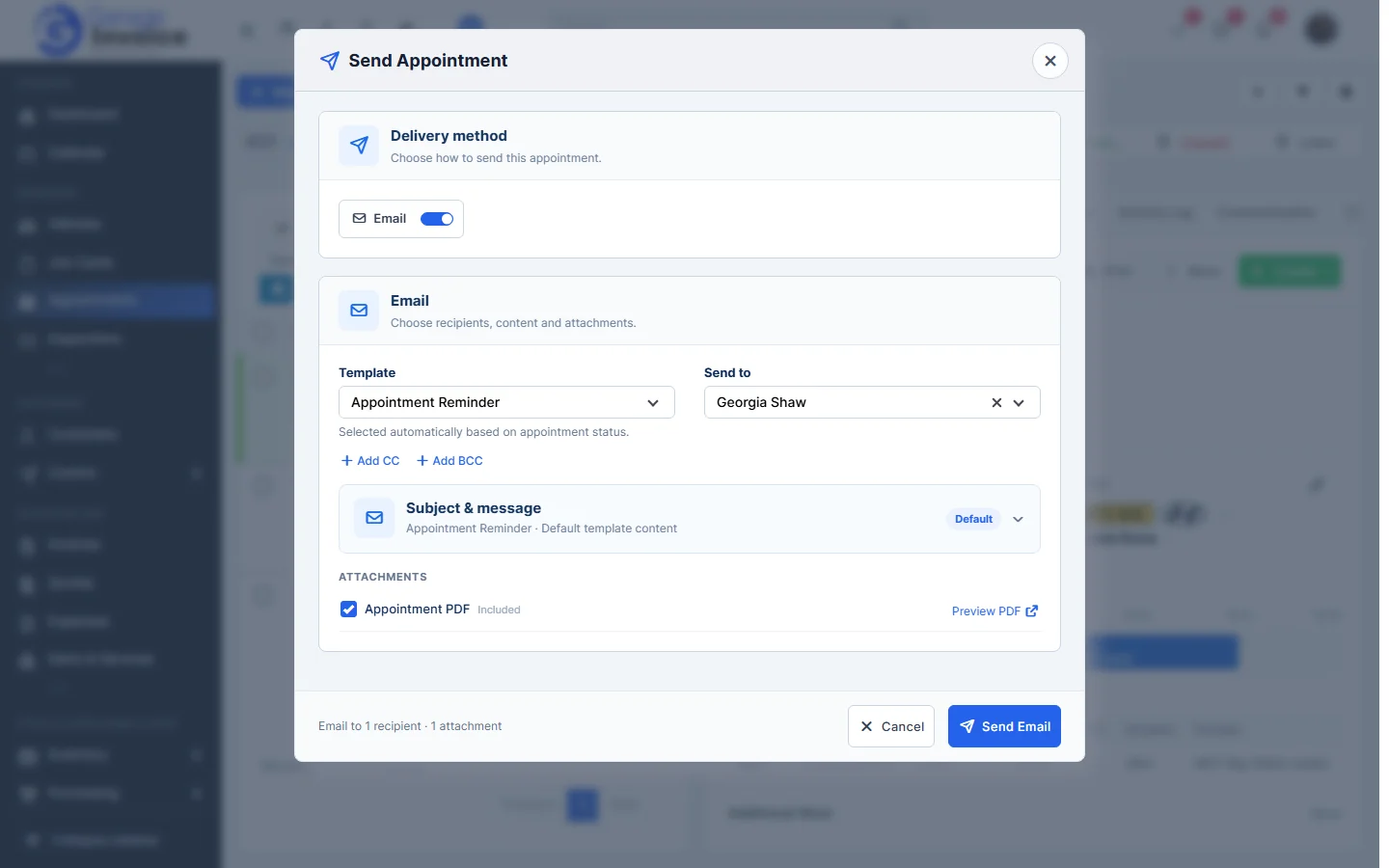
- Click Send Email.
Sent and scheduled reminders appear under Communication history on the appointment page.
Feature Online booking and appointments: see what it does and how it fits your workshop.