
- Click Inventory in the sidebar (under Stock & Purchasing & Shop) and click Stock Items. Click the gear button at the top right to open Inventory Settings, then click Prefix Settings on the left.
- For each document type, set the prefix and the next number: Goods Received Notes (GRN), Goods Dispatched Notes (DN), Internal Transfers (IDN), Packing Lists (PL) and Return Orders (customer and delivery).
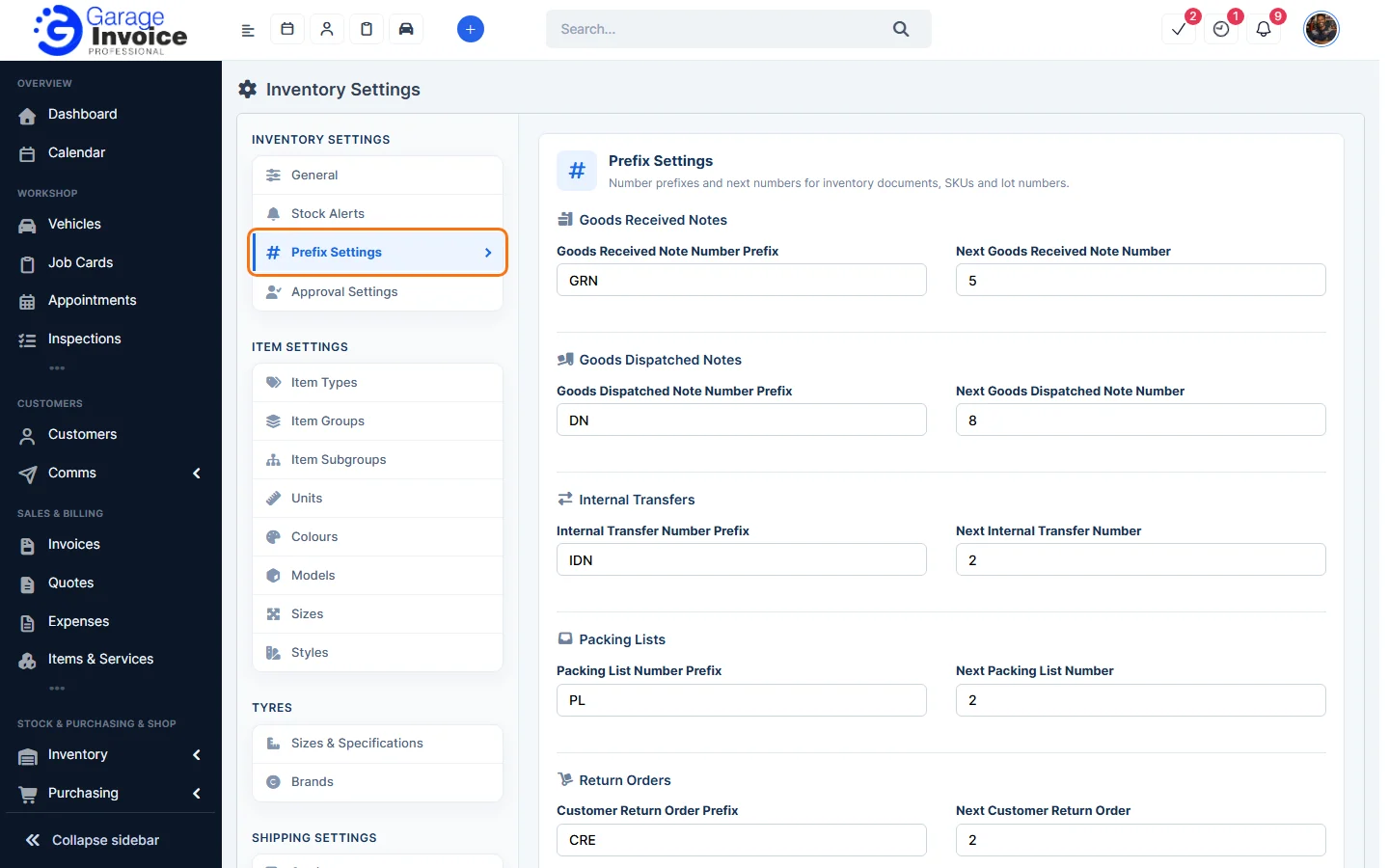
- Further down, set the SKU Prefix and tick Automatically generate Lot numbers if you want lot numbers created for you.
- Click Save.
Note: changing the next number only affects new documents.
Feature Stock and inventory control: see what it does and how it fits your workshop.