
- Click Inventory in the sidebar (under Stock & Purchasing & Shop) and click Goods Received.
- Click the note number in the list. It opens on the right with the Goods Received Note and Tasks tabs. The note shows the reference, who added it, the items, warehouse, quantities and totals.
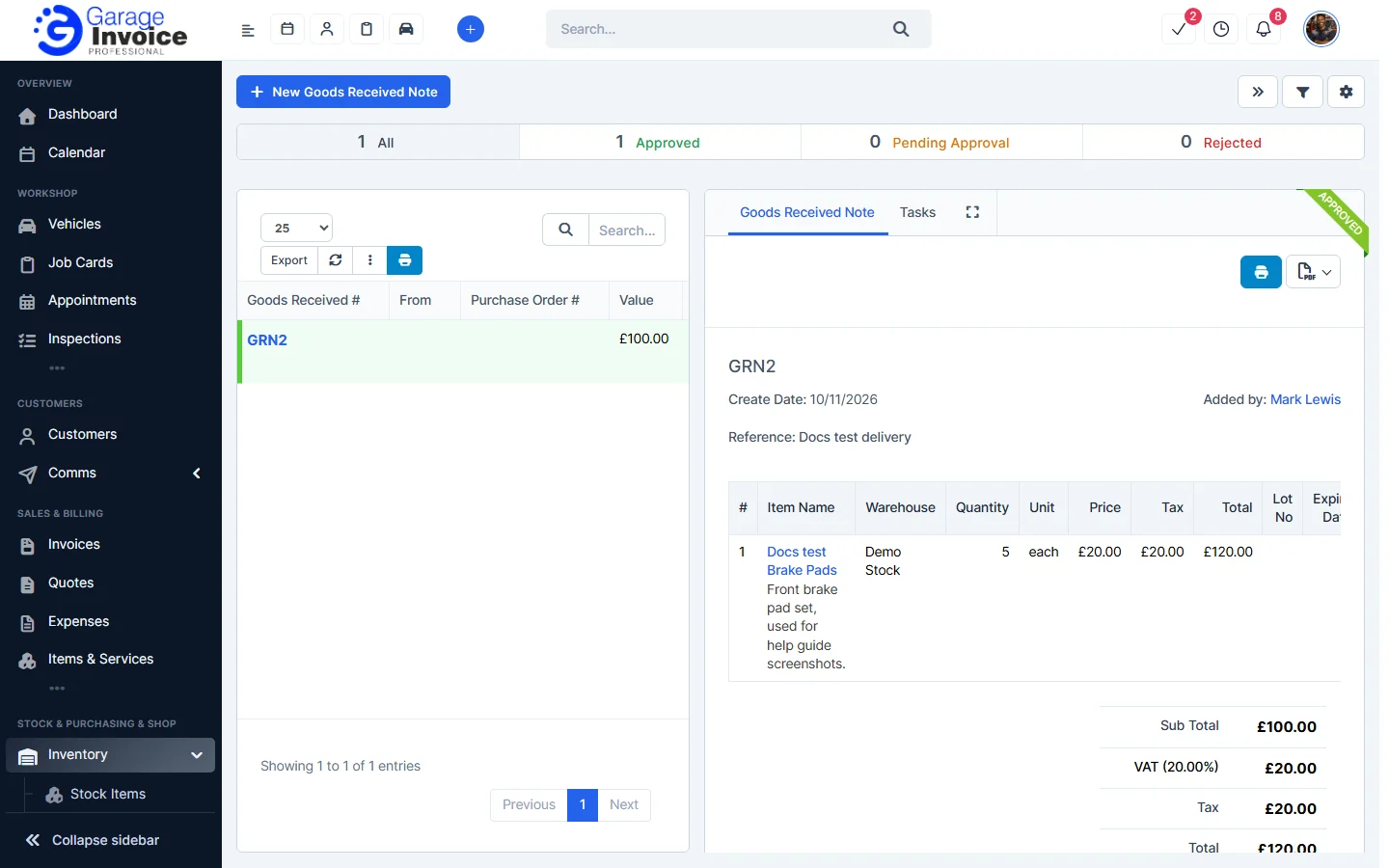
- Use the buttons at the top of the note:
- The blue printer button prints the document.
- The PDF button opens a menu with View PDF, View PDF in New Tab, Download and Print.
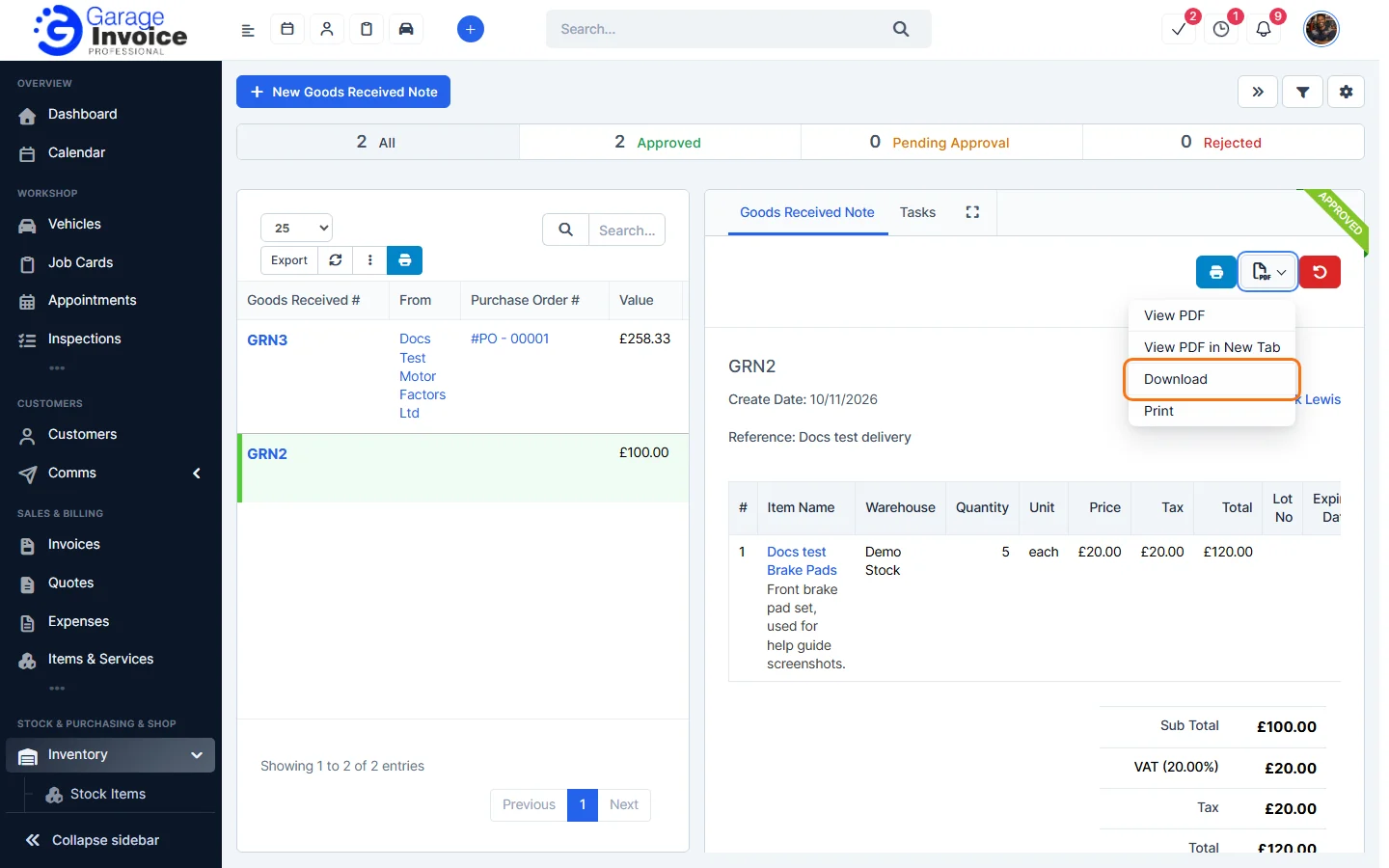
The bar at the top of the page shows how many notes are Approved, Pending Approval and Rejected. See Inventory Approval Settings.
Feature Stock and inventory control: see what it does and how it fits your workshop.