
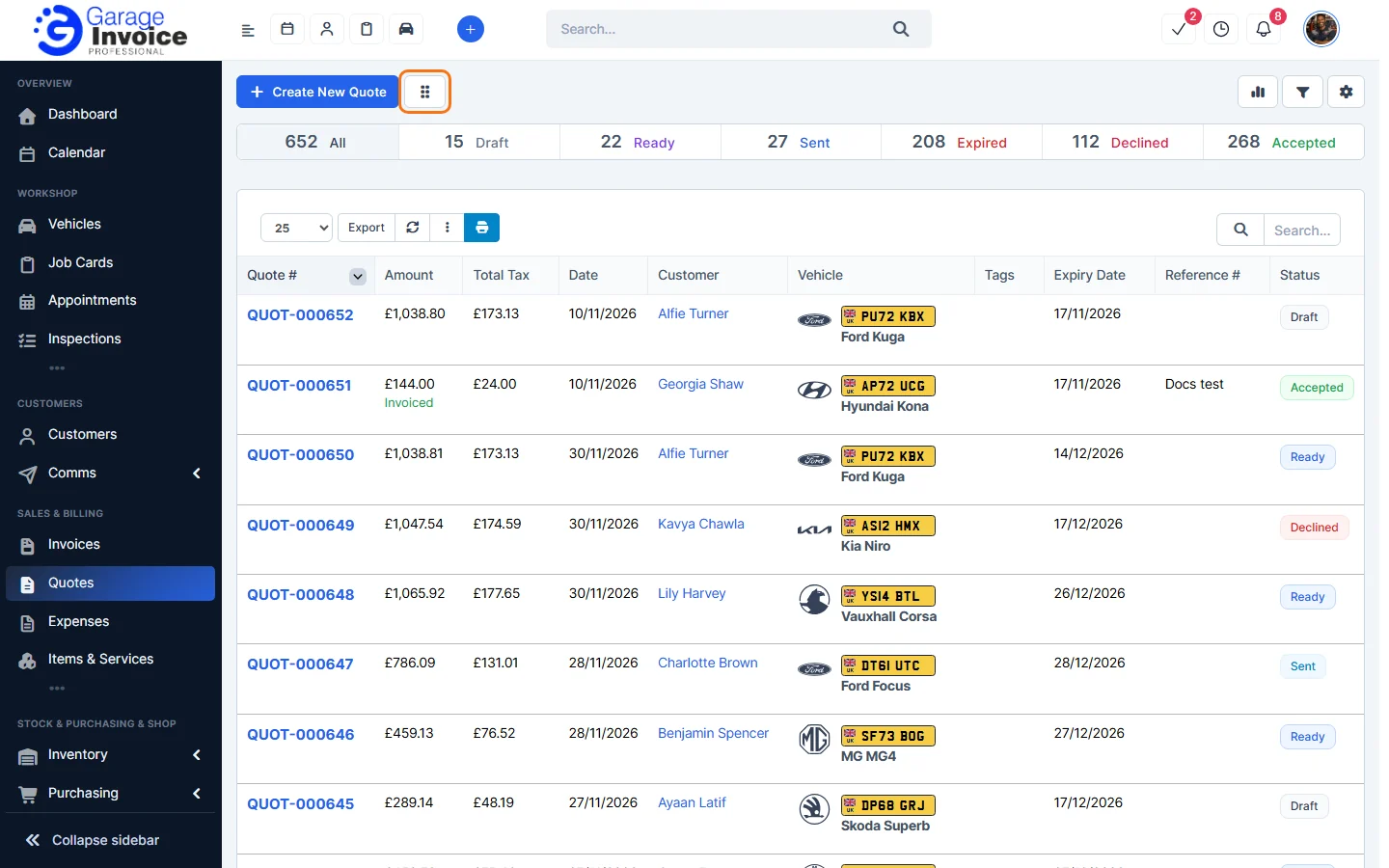
- Click Quotes in the sidebar, under Sales & Billing. Click the grid button next to Create New Quote.
- Each status has its own column, with the number of quotes in it, for example Draft – 15 Quotes. Each card shows the quote number, vehicle, customer, total, quote date and expiry date.
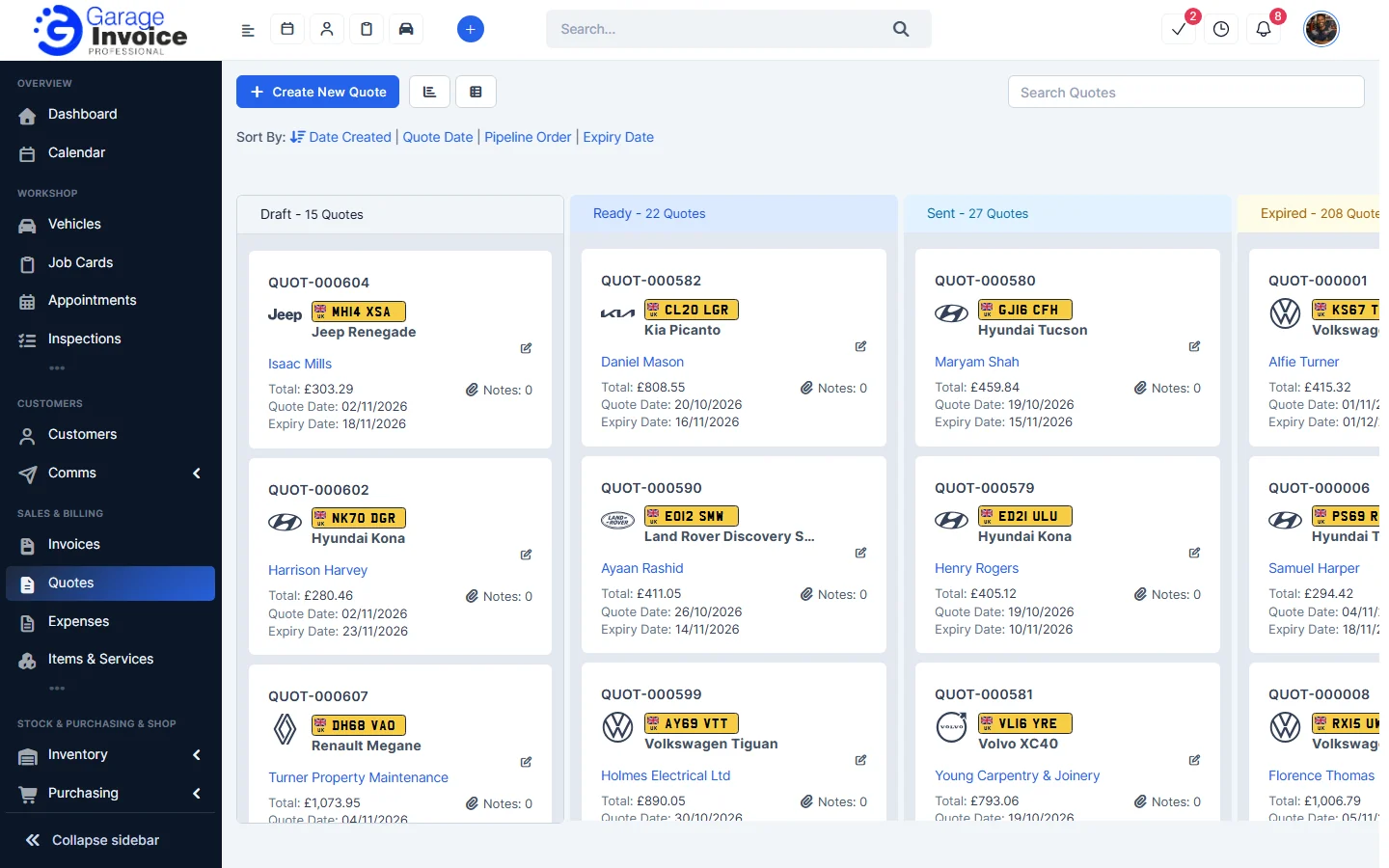
- Use Search Quotes to find a quote, and Sort By to order the cards by Date Created, Quote Date, Pipeline Order or Expiry Date.
- To go back to the list, click the list button next to Create New Quote.
Note: the Quotes page remembers the view you used last.
Pipeline settings
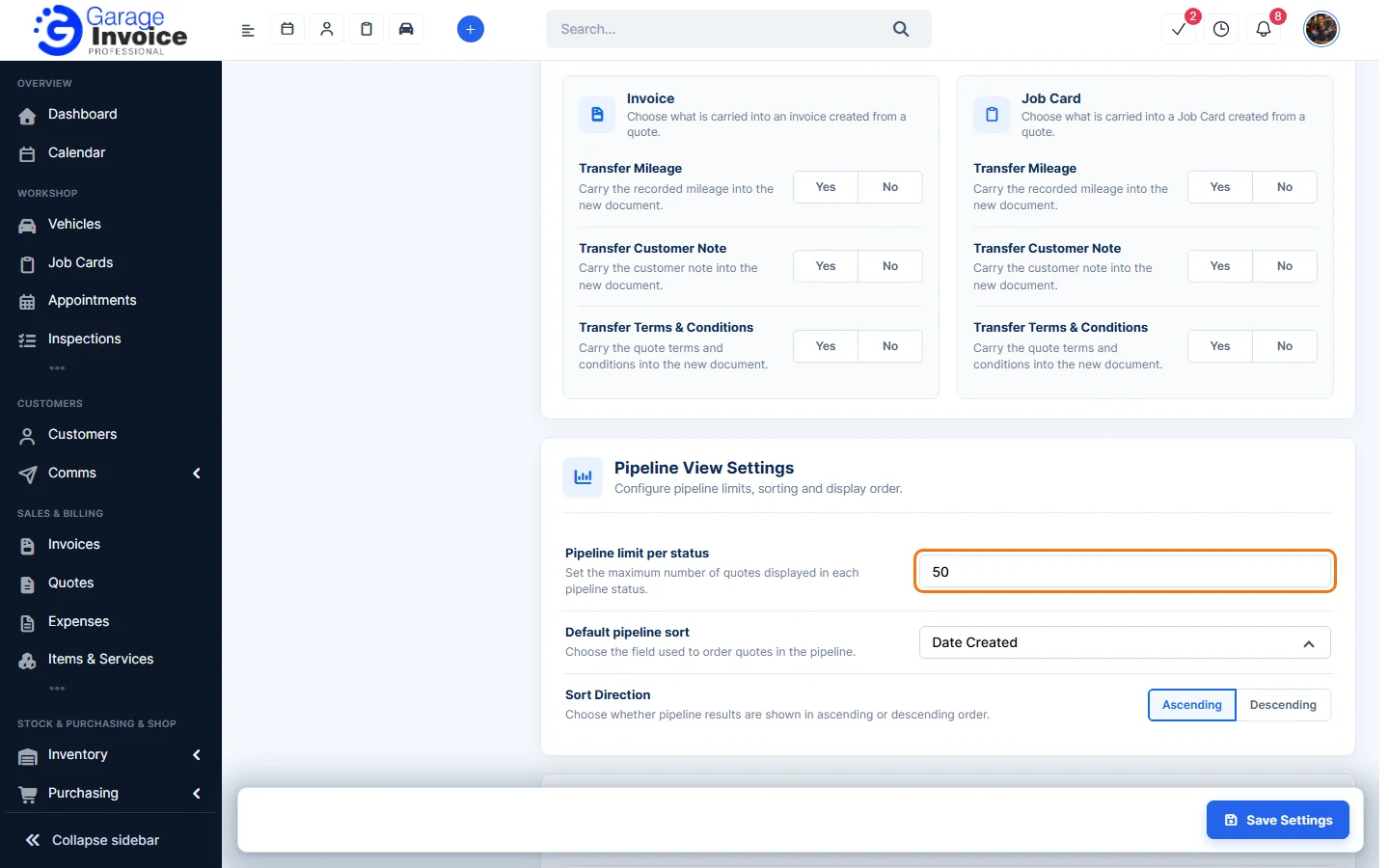
Click Settings in the sidebar, open Sales & Operations and click Quotes. You can also click the cog button on the Quotes page and choose Quote Settings. Under Pipeline View Settings set the Pipeline limit per status (how many quotes each column shows), the Default pipeline sort and the Sort Direction.
Feature Garage quoting software: see what it does and how it fits your workshop.