
- Click Settings at the bottom of the sidebar, under Administration. In the panel on the left, open Customers and click Customer Tickets. Click the Departments tab.
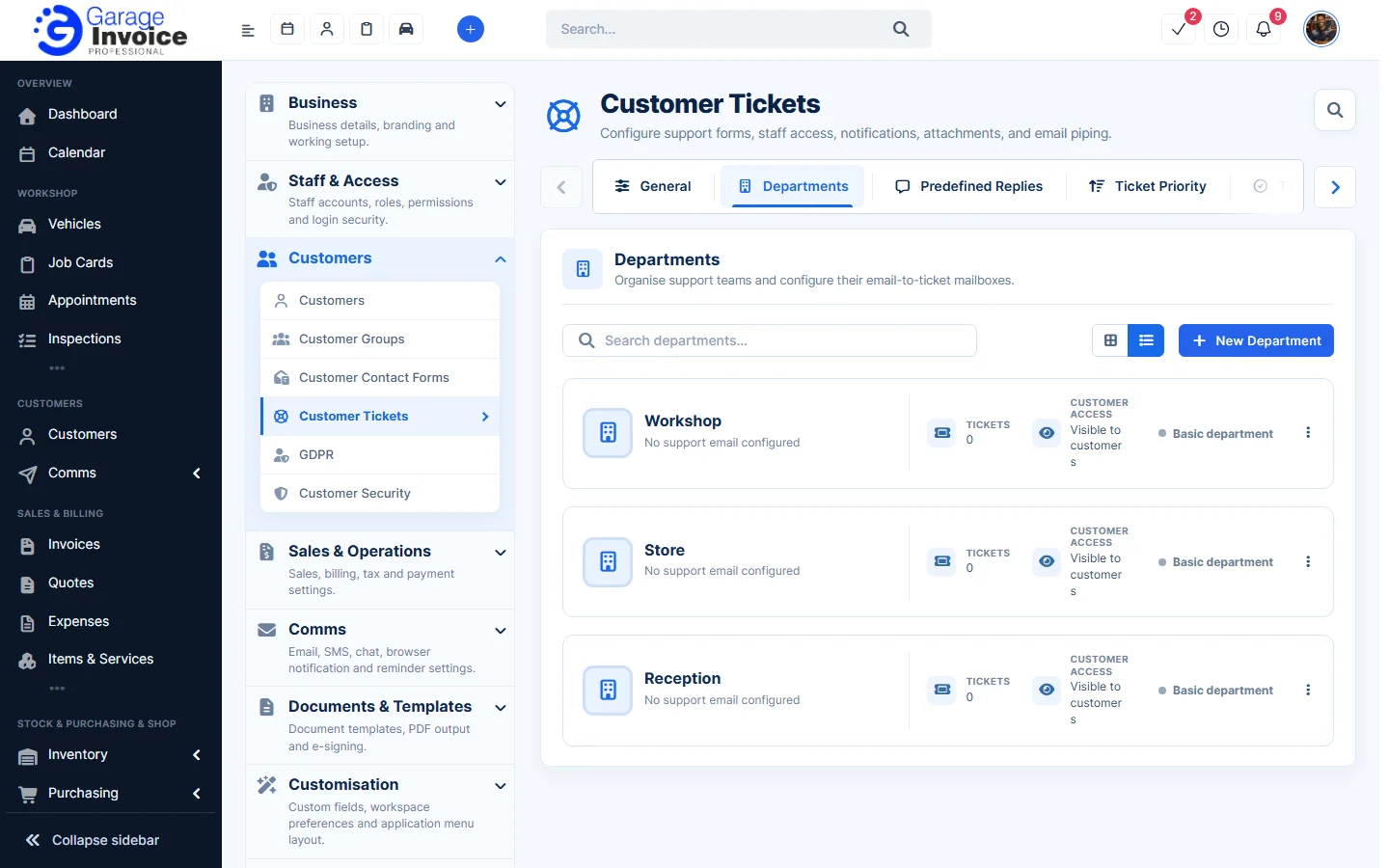
- Click New Department. Enter the Department Name and tick Hide from customer? if customers shouldn’t choose it.
- To turn emails into tickets, fill in the Email-to-ticket mailbox details (Department Email, IMAP Username, Host, Password, Encryption, Folder) and click Test IMAP Connection.
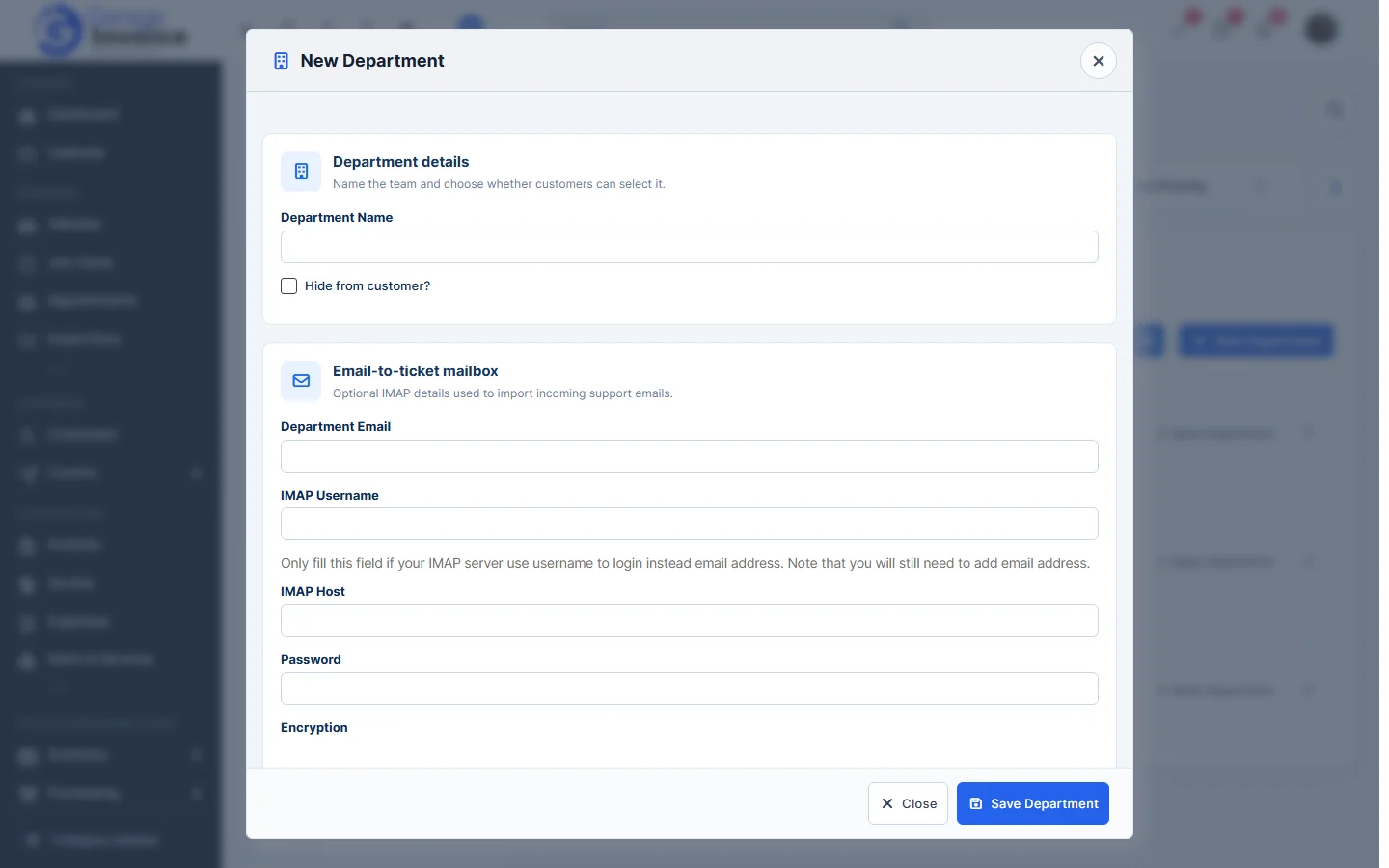
- Click Save Department.
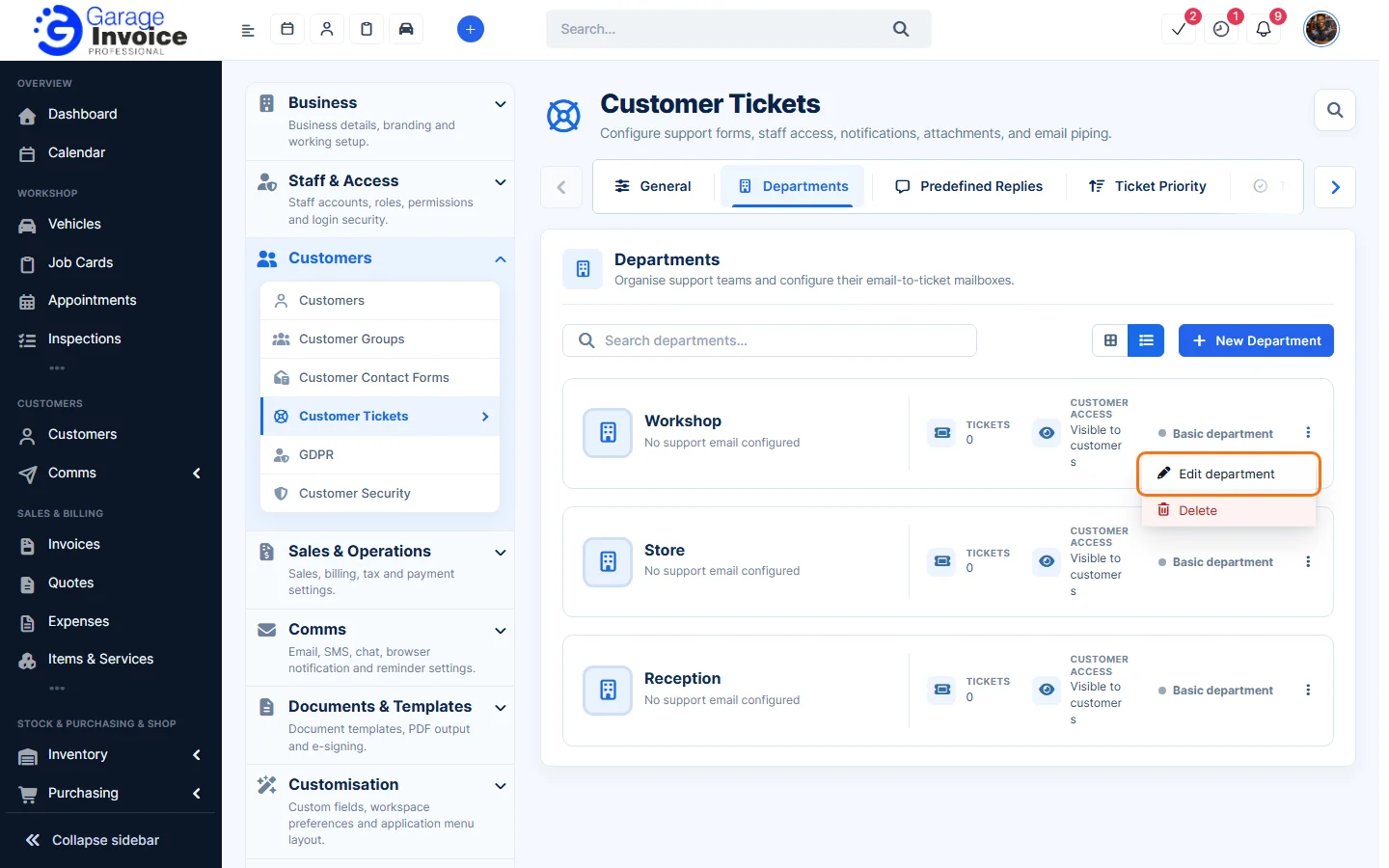
- To change or remove a department, click ⋮ on its card and choose Edit department or Delete.
Tip: for the form fields, notifications, attachments and the public support form, see Support Ticket Settings and Public Support Form.