
- Click Comms in the sidebar and choose Enquiries. Click the customer’s name, or hover over the row and click View.
- Make sure the customer is confirmed. If the enquiry still says Customer & vehicle review needed, click Review Customer & Vehicle first (see View and Handle an Enquiry). Until then Convert is locked.
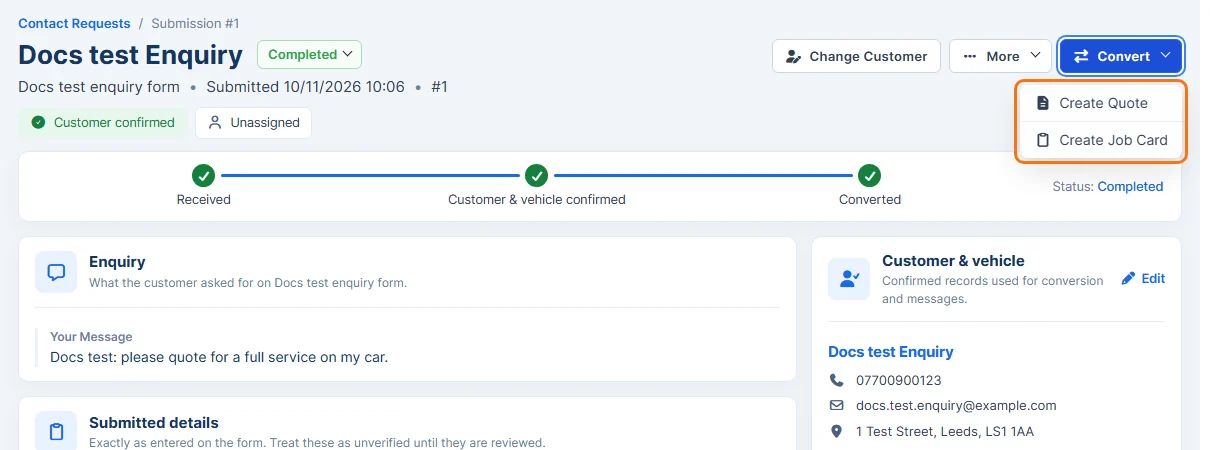
- Click Convert and choose Create Quote or Create Job Card.
- A new quote (or job card) opens with the customer, and the vehicle if one is linked, already filled in. Add the items and anything else you need, as described in Add New Quote or Create Job Card.
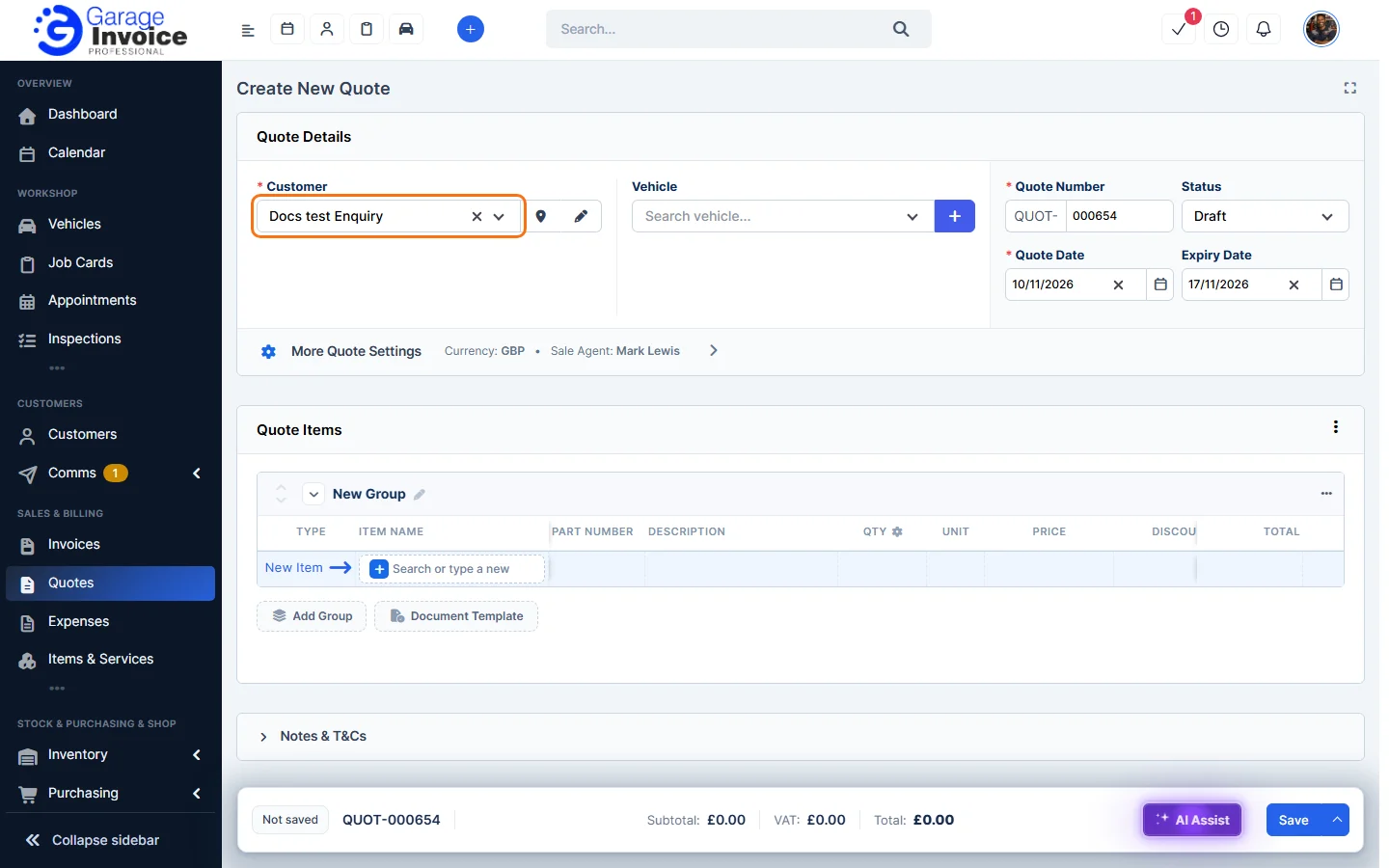
- Click Save.
Back on the enquiry, all three stages are ticked (Received, Customer & vehicle confirmed, Converted) and the status changes to Completed.

Note: the quote or job card is only created when you save it. If you close it without saving, the enquiry stays as it was.