
- Click Invoices in the sidebar and click the invoice number. The invoice opens on the right, with Edit, Send, Print, More and Payment at the top. To find an invoice, see Search for Invoice.
- Click More and choose Pause Overdue Reminders.
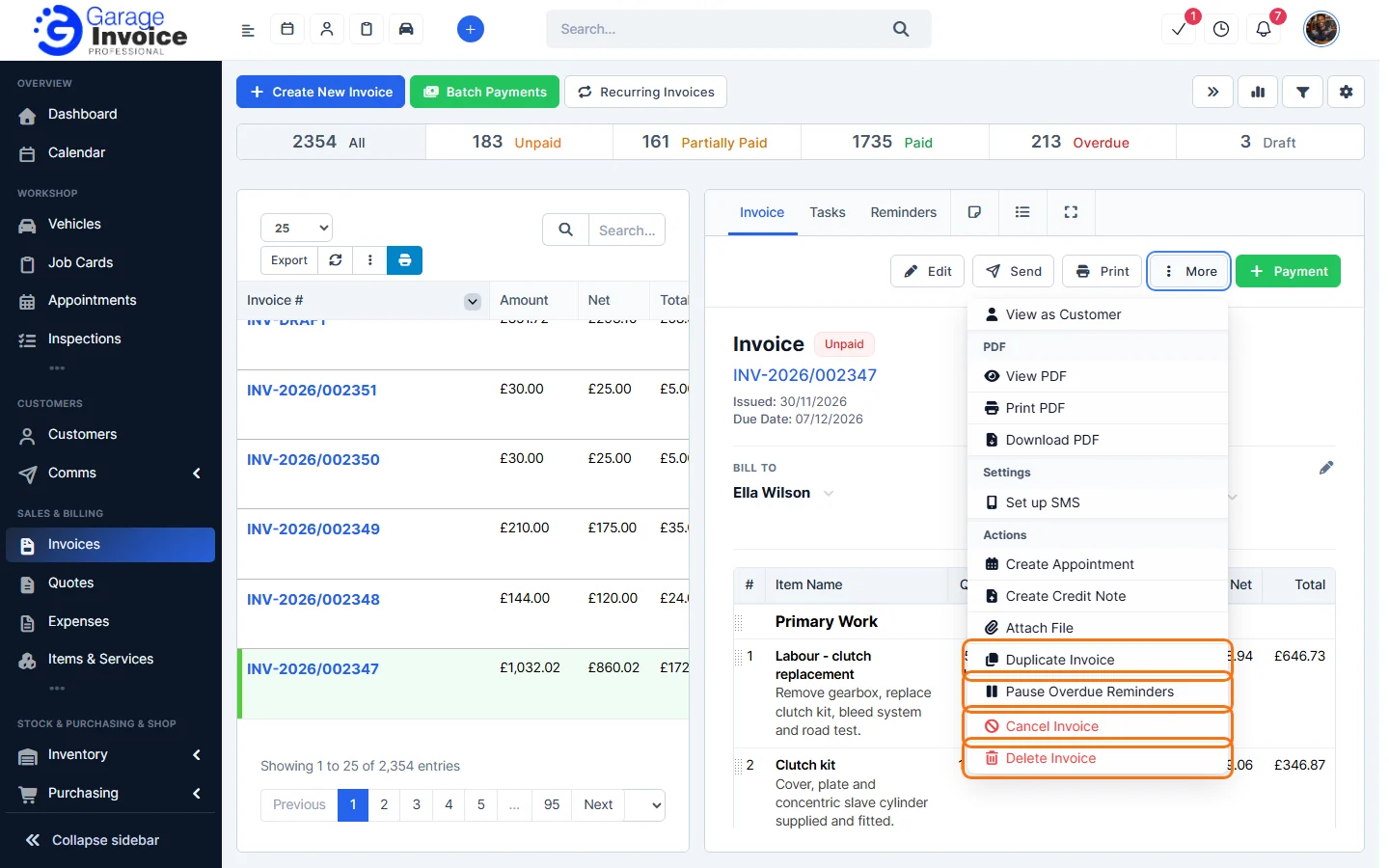
The customer won’t get automatic overdue reminders for this invoice. To start them again, click More → Resume Overdue Reminders.
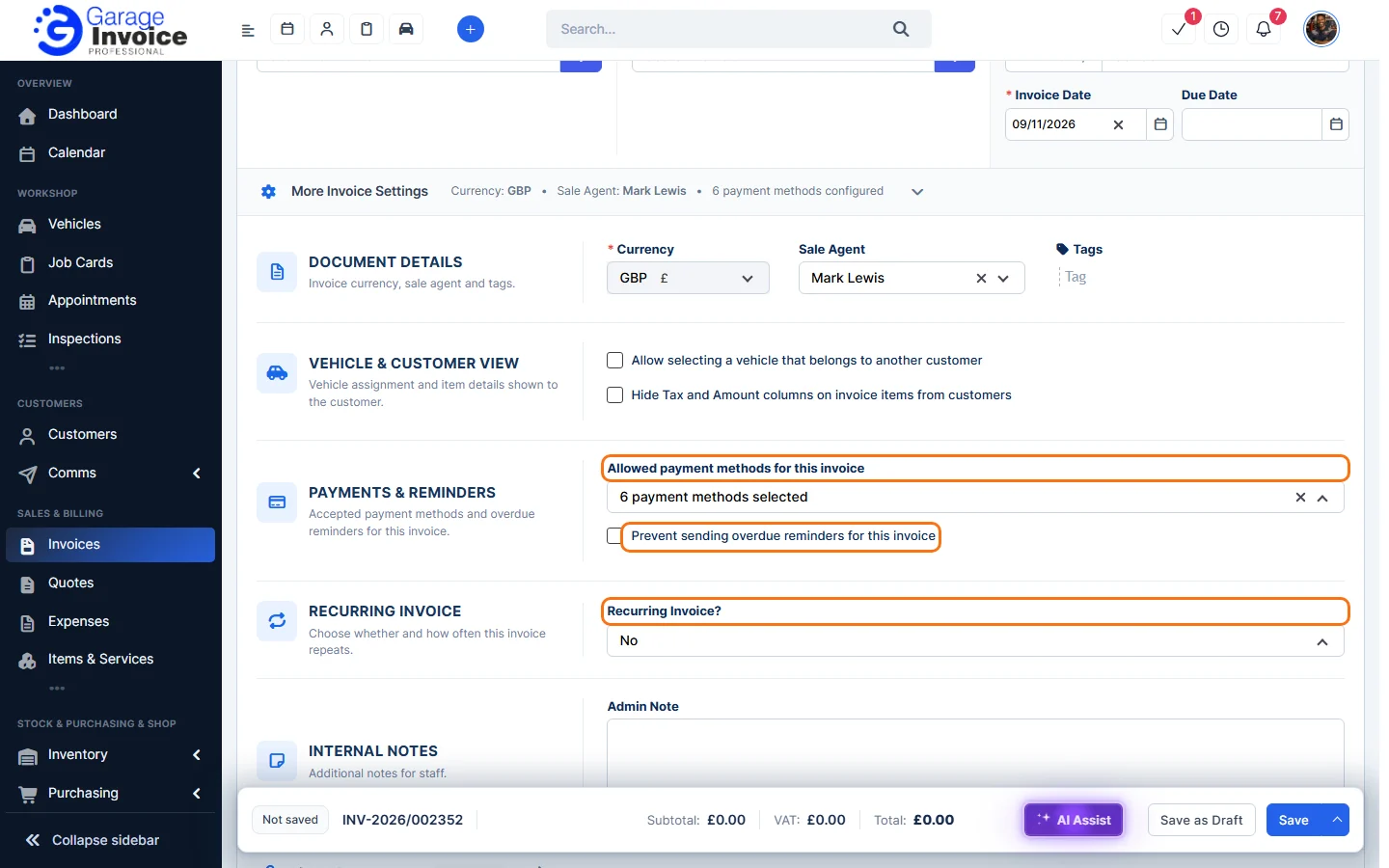
Tip: you can also tick Prevent sending overdue reminders for this invoice under More Invoice Settings when you create or edit the invoice.
To change when overdue reminders are sent for all invoices, see Set Up Automatic Invoice Overdue Notices.
Feature Garage invoicing software: see what it does and how it fits your workshop.