
- Click Inventory in the sidebar (under Stock & Purchasing & Shop) and click Stock Items.
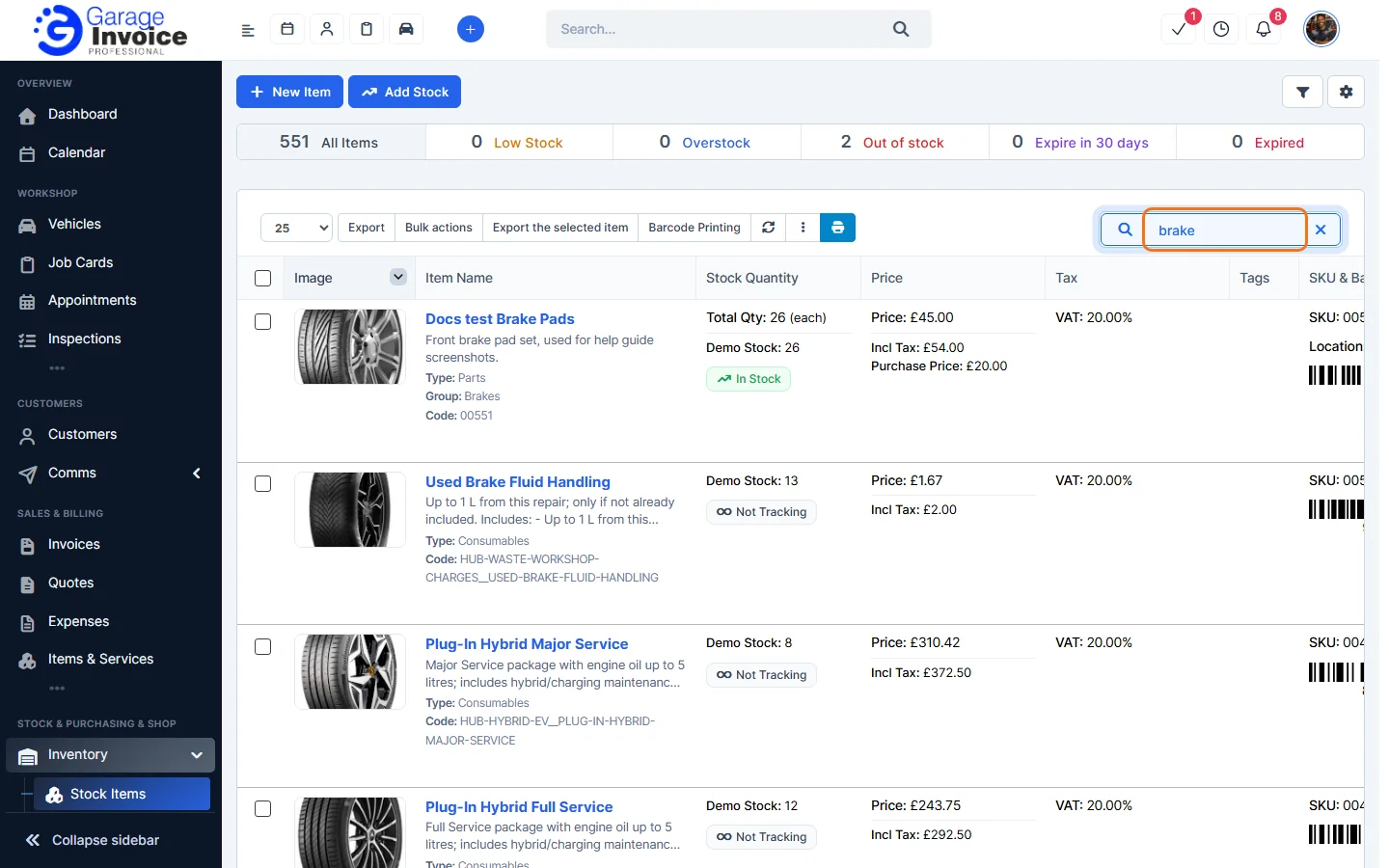
- Type part of the item name, code or description in the Search… box above the list. The list updates as you type.
- To narrow the list further, click the filter button (funnel) at the top right. You can filter by:
- Warehouse, Items, Item Groups, Sub Groups, Item Type and Tags.
- Stock Level: low stock, overstock, out of stock, expiring in 30 days or expired.
- Barcode: scan or type a barcode.
- Tyre Width, Tyre Profile, Tyre Rim and Tyre Season for tyres.
- Sale Price (£): from and up to.
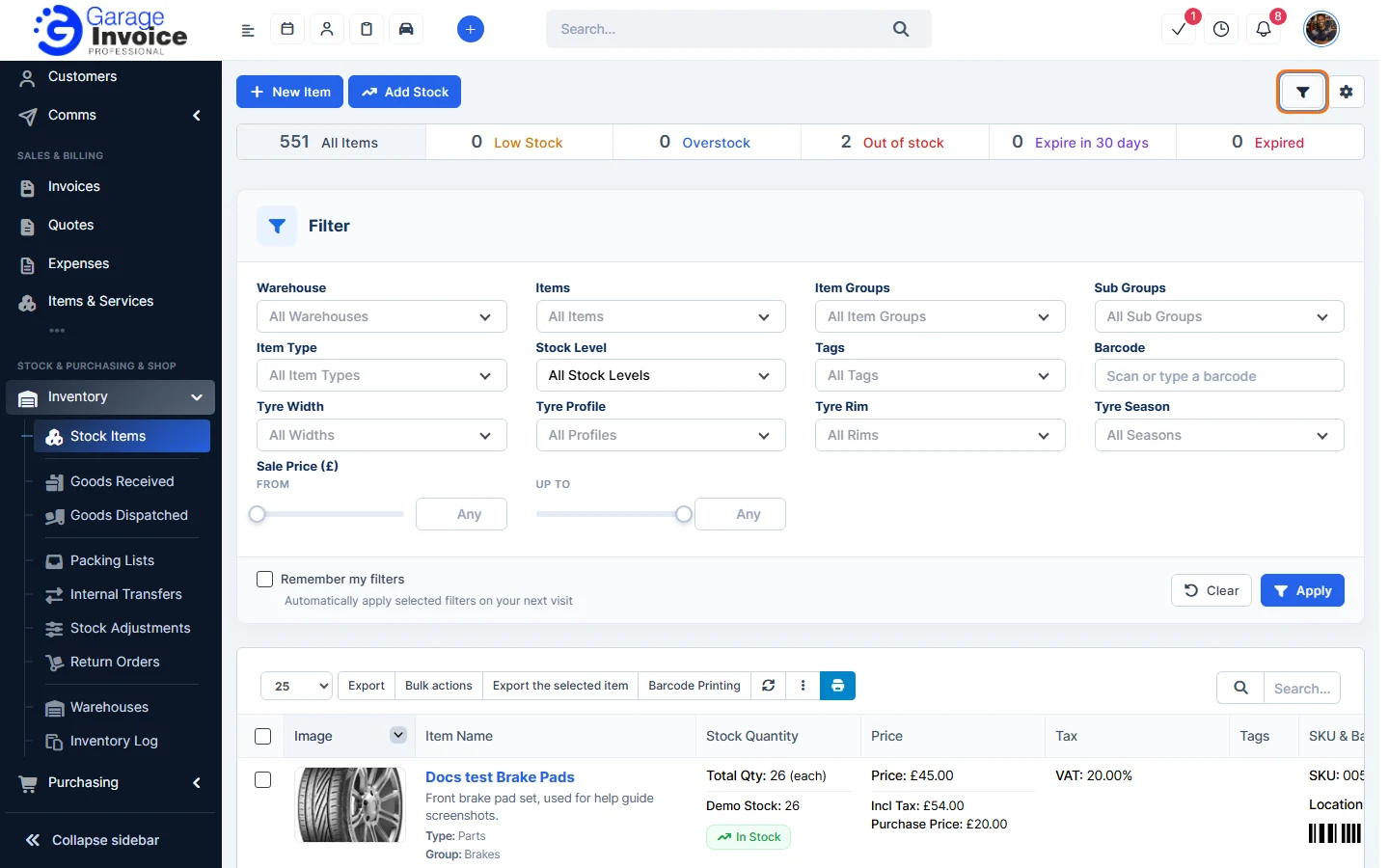
- Click Apply. Click Clear to remove the filters. Tick Remember my filters to use the same filters next time.
Click an item’s name to open it. See View Stock Item Details.
Feature Stock and inventory control: see what it does and how it fits your workshop.