
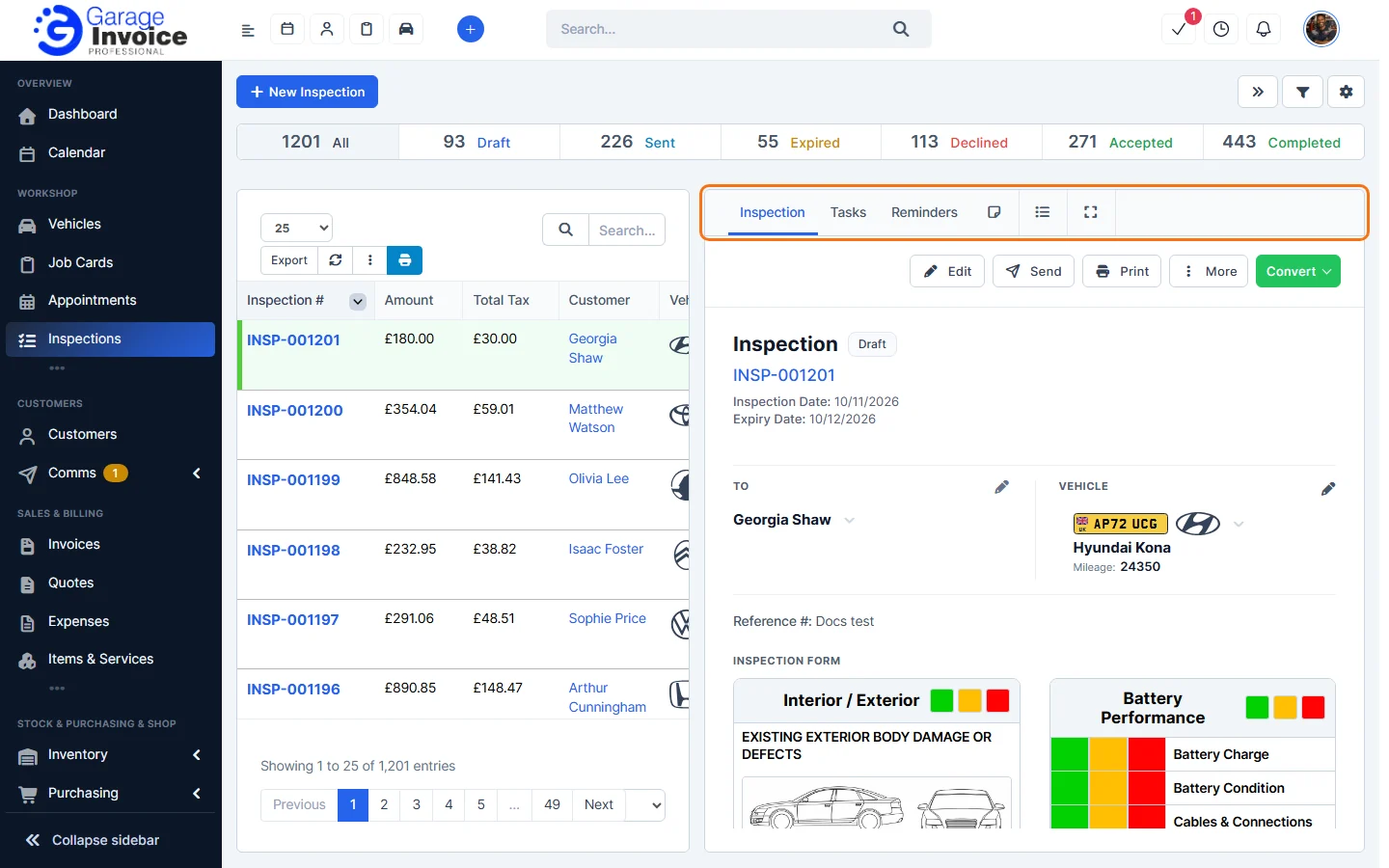
- Click Inspections in the sidebar (under Workshop) and click the inspection number. It opens on the right with Edit, Send, Print, More and Convert.
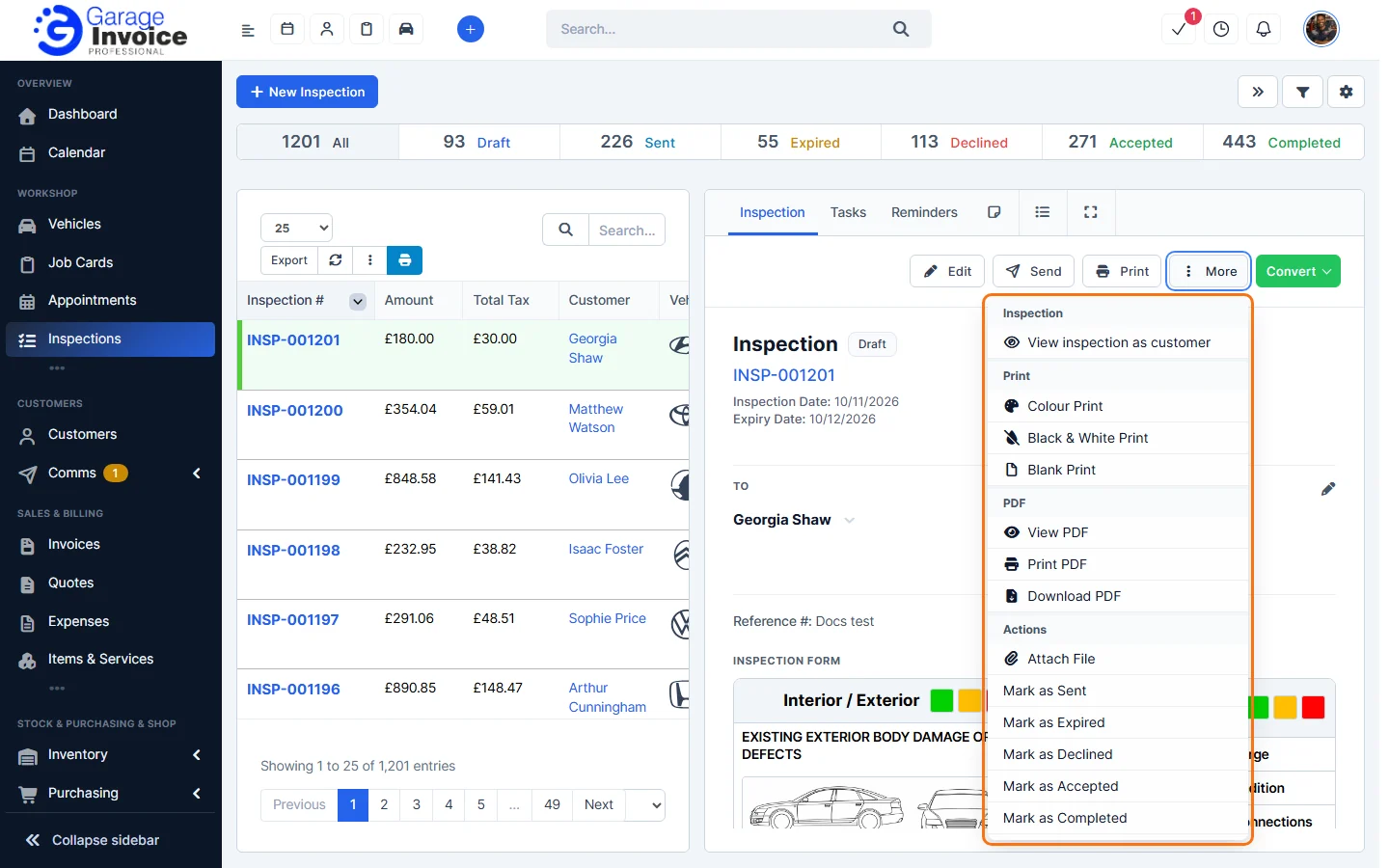
- Click More and, under Actions, choose Mark as Sent, Mark as Expired, Mark as Declined, Mark as Accepted or Mark as Completed.
You can also set the Status under More Inspection Settings when you edit the inspection. See Inspections Overview for what each status means.
Tip: the same More menu has Attach File to add documents to the inspection, and Copy Inspection.
Feature Vehicle inspections: see what it does and how it fits your workshop.