
Deactivate a staff member
- Click Settings at the bottom of the sidebar, under Administration. In the panel on the left, open Staff & Access and click Staff.
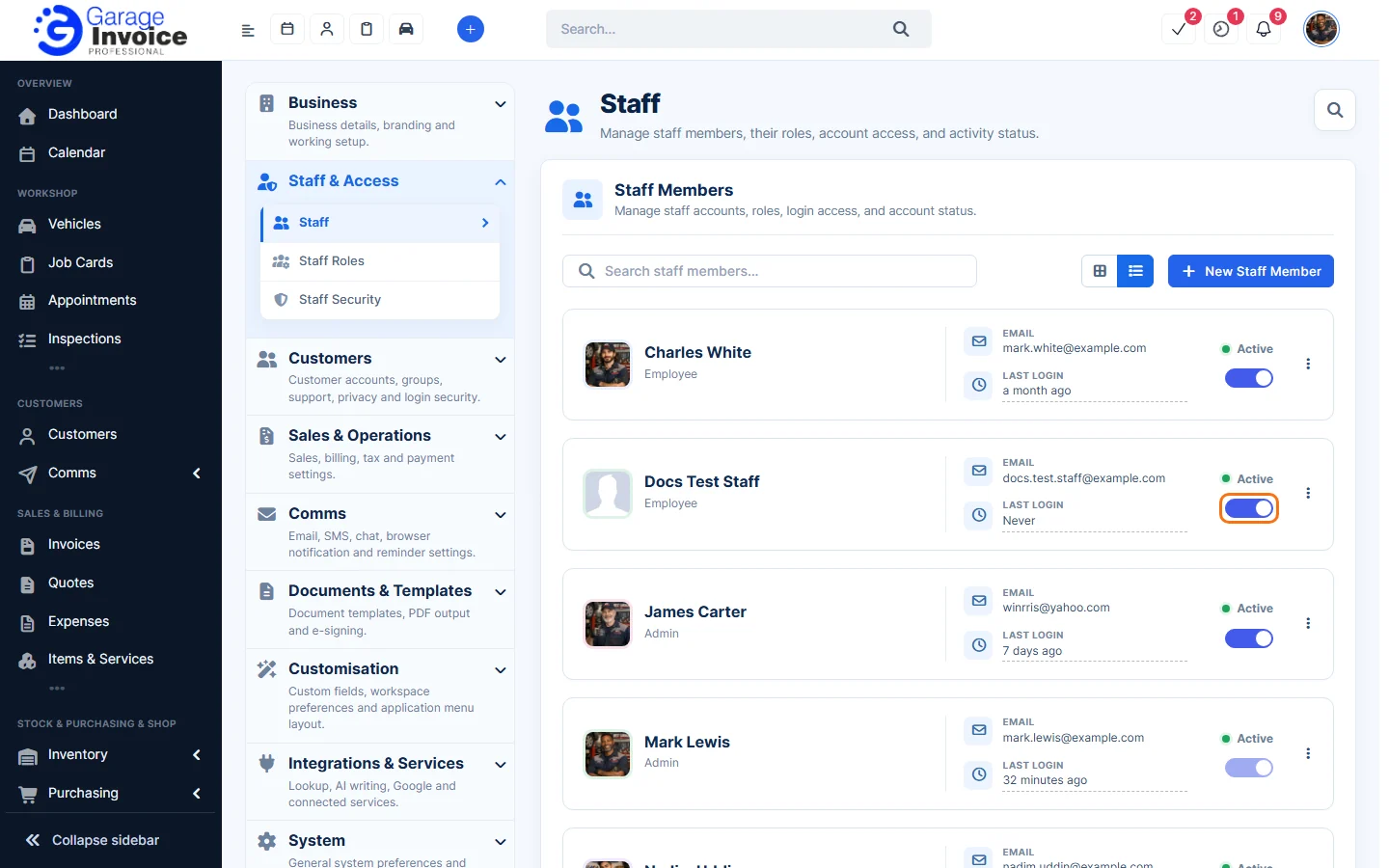
- Click the Active switch on the staff member’s card to turn it off. They can no longer sign in, and their records stay as they are. Turn the switch back on to reactivate them.
Delete a staff member
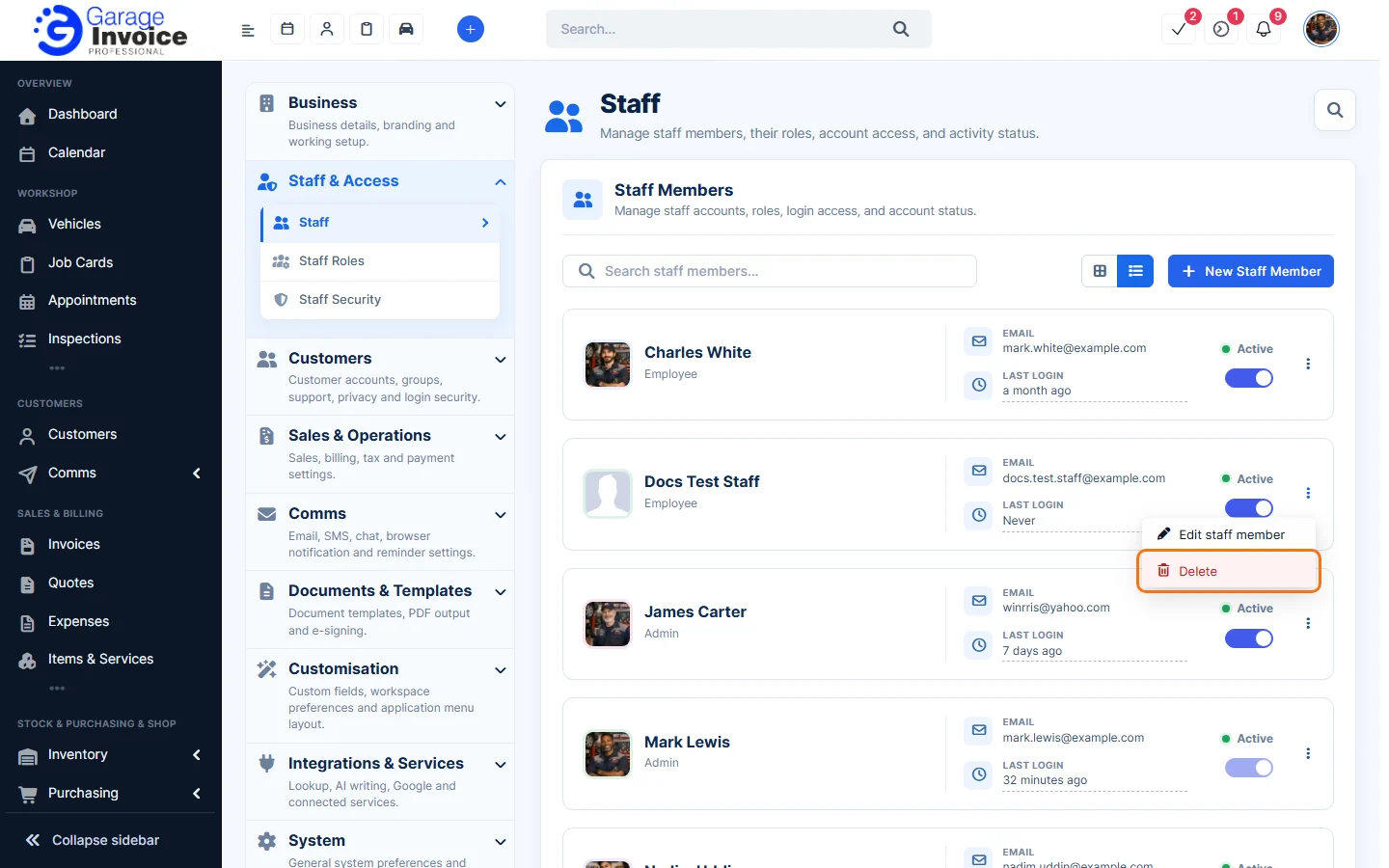
- Click ⋮ on the staff member’s card and choose Delete.
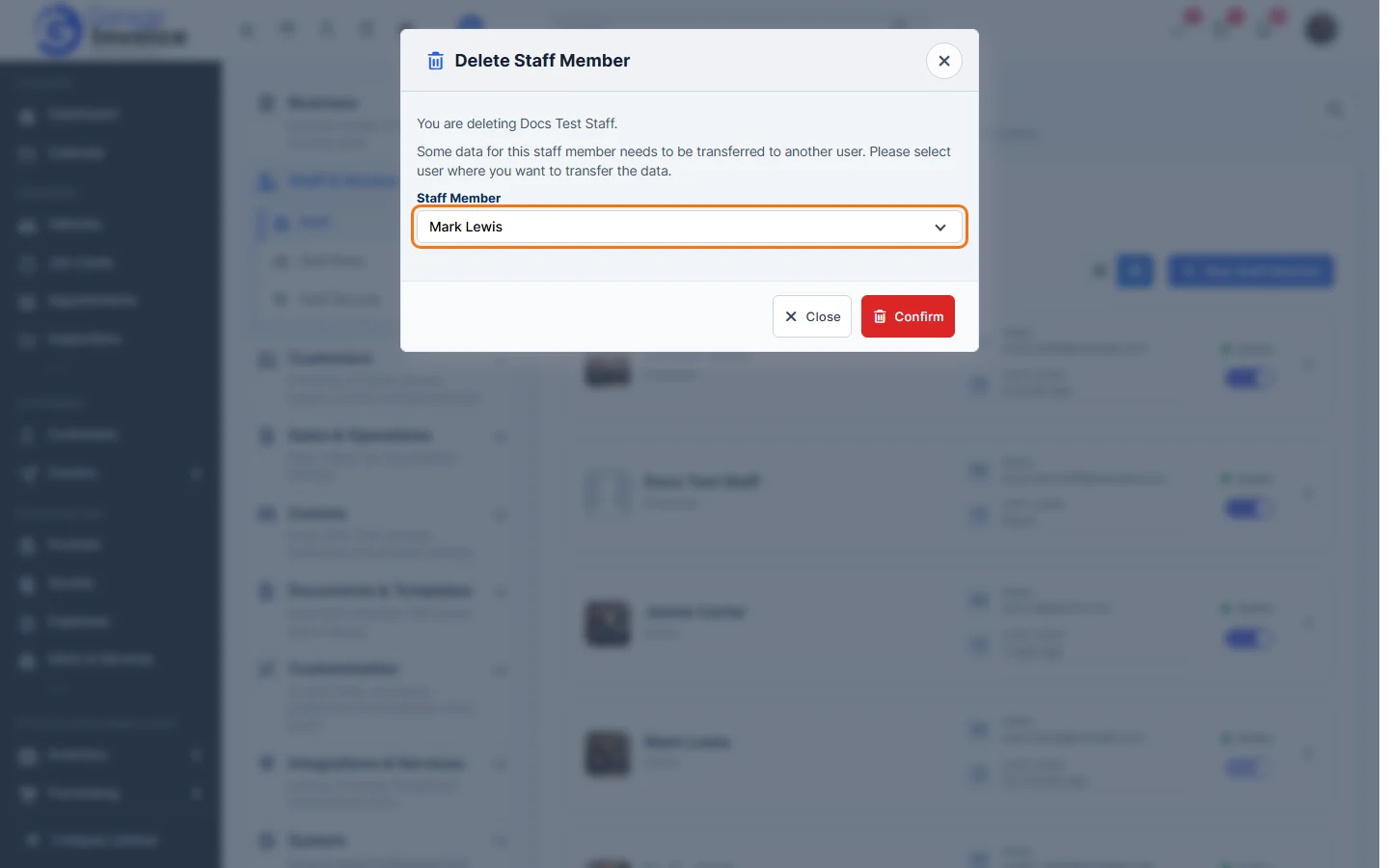
- In Delete Staff Member, choose the Staff Member their data should be transferred to, then click Confirm.
Tip: if you might need the person’s history later, deactivate them instead of deleting them.