
- Click Reports in the sidebar (under Insights) and click Shop & POS. and set the period and filters as needed.
- Use the stock tabs:
- Stock Movement: stock in and out in the period.
- Low Stock: products at or below their minimum stock level, with current stock, minimum stock, reorder quantity, supplier and last sold and purchased dates.
- Stock Valuation: the value of the stock you hold.
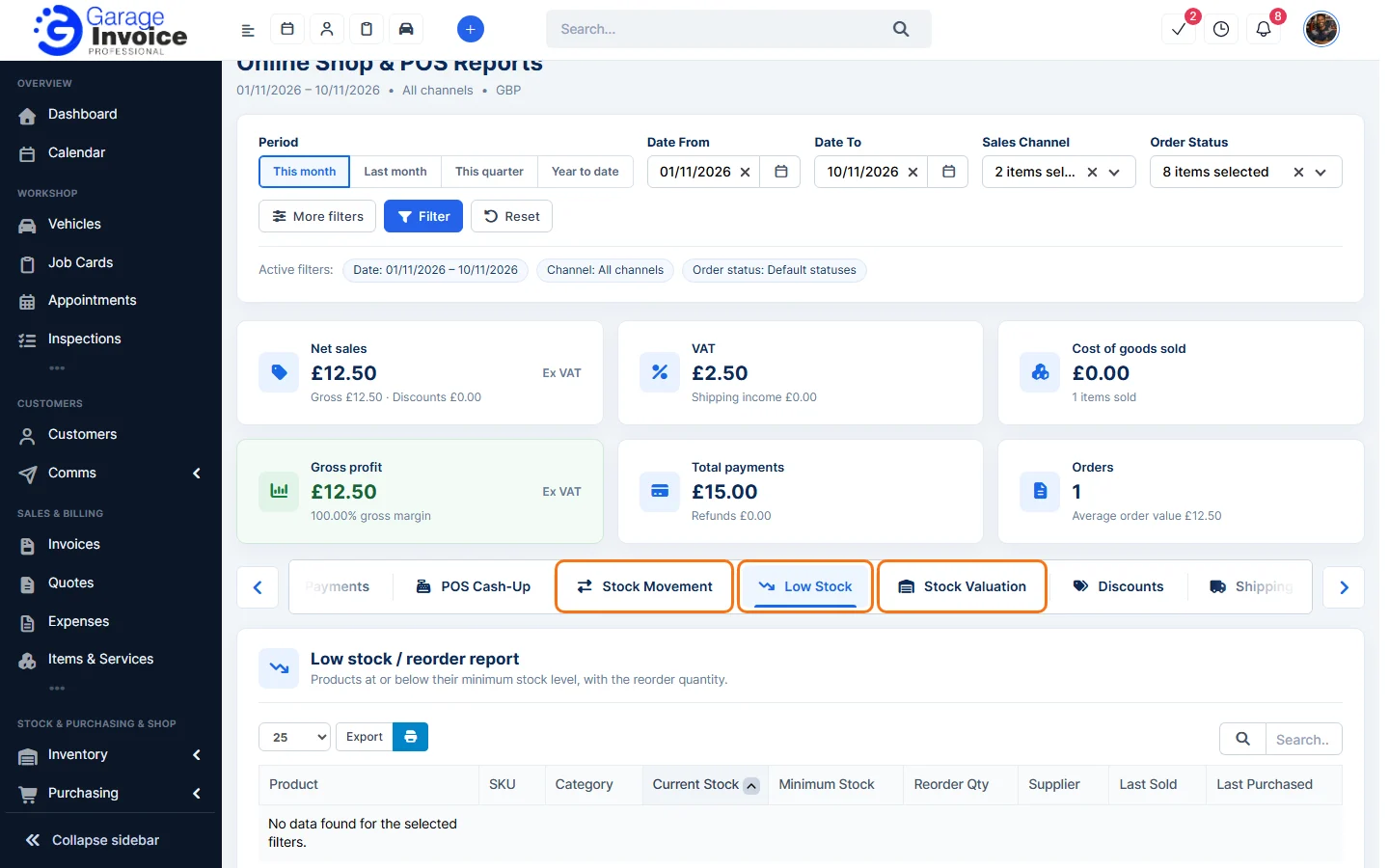
- Use Export above a table to save the list.
Tip: the Online Shop & POS report shows a View low stock report button when stock checks need attention. See Online Shop & POS Report.
Feature Garage reports: see what it does and how it fits your workshop.