
- Click Inventory in the sidebar (under Stock & Purchasing & Shop) and click Stock Items. Click the item’s name, or hover over it and click View.
- The top of the page shows the item’s type, group, codes and stock status, and the Actual Stock, Price, Price (incl Tax), Purchase Price and Markup. The buttons are Edit Item, Manage Stock and Delete Item.
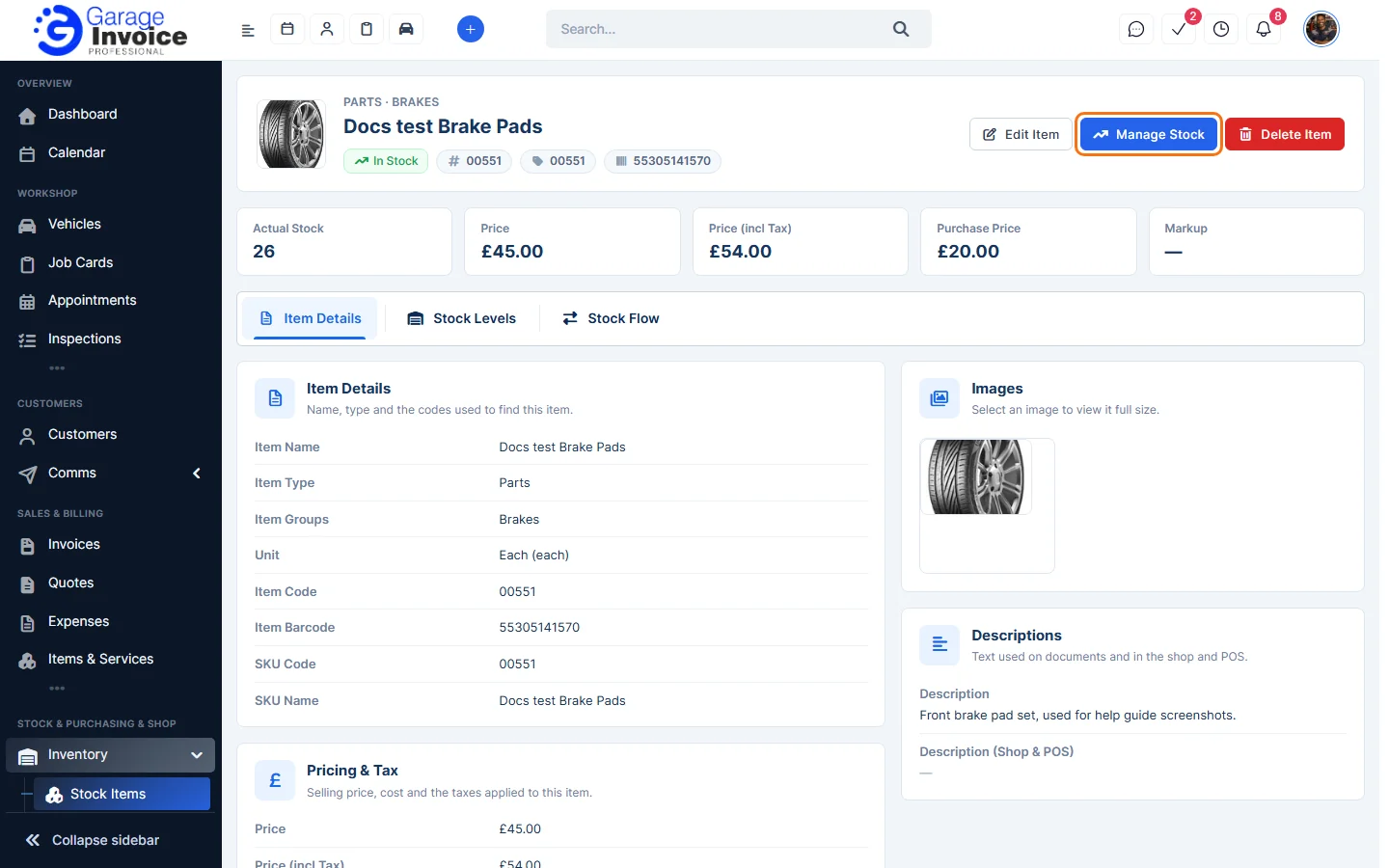
- The Item Details tab shows the name, codes, pricing and tax, attributes, images and descriptions.
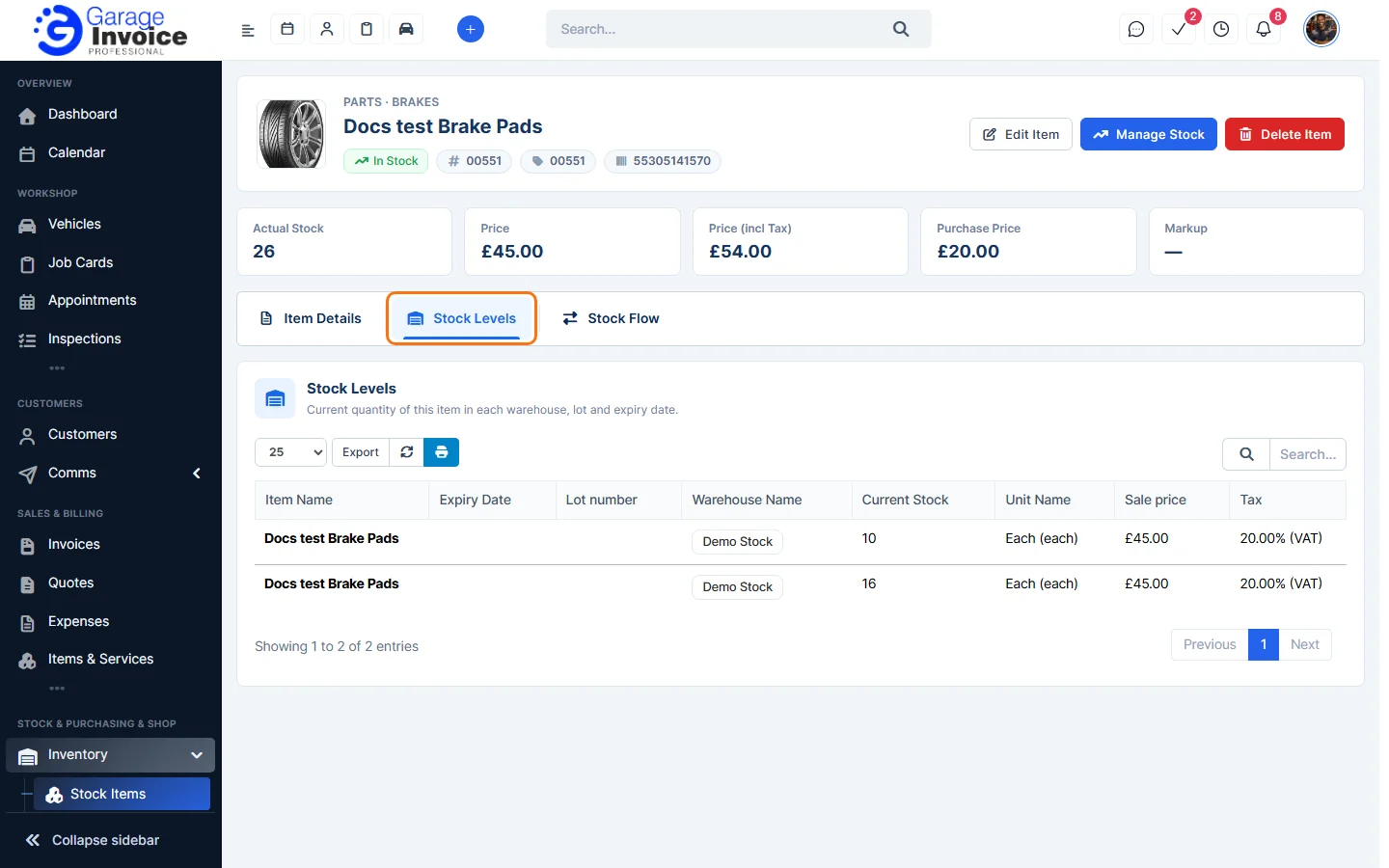
- The Stock Levels tab shows the current stock in each warehouse, with the lot number and expiry date.
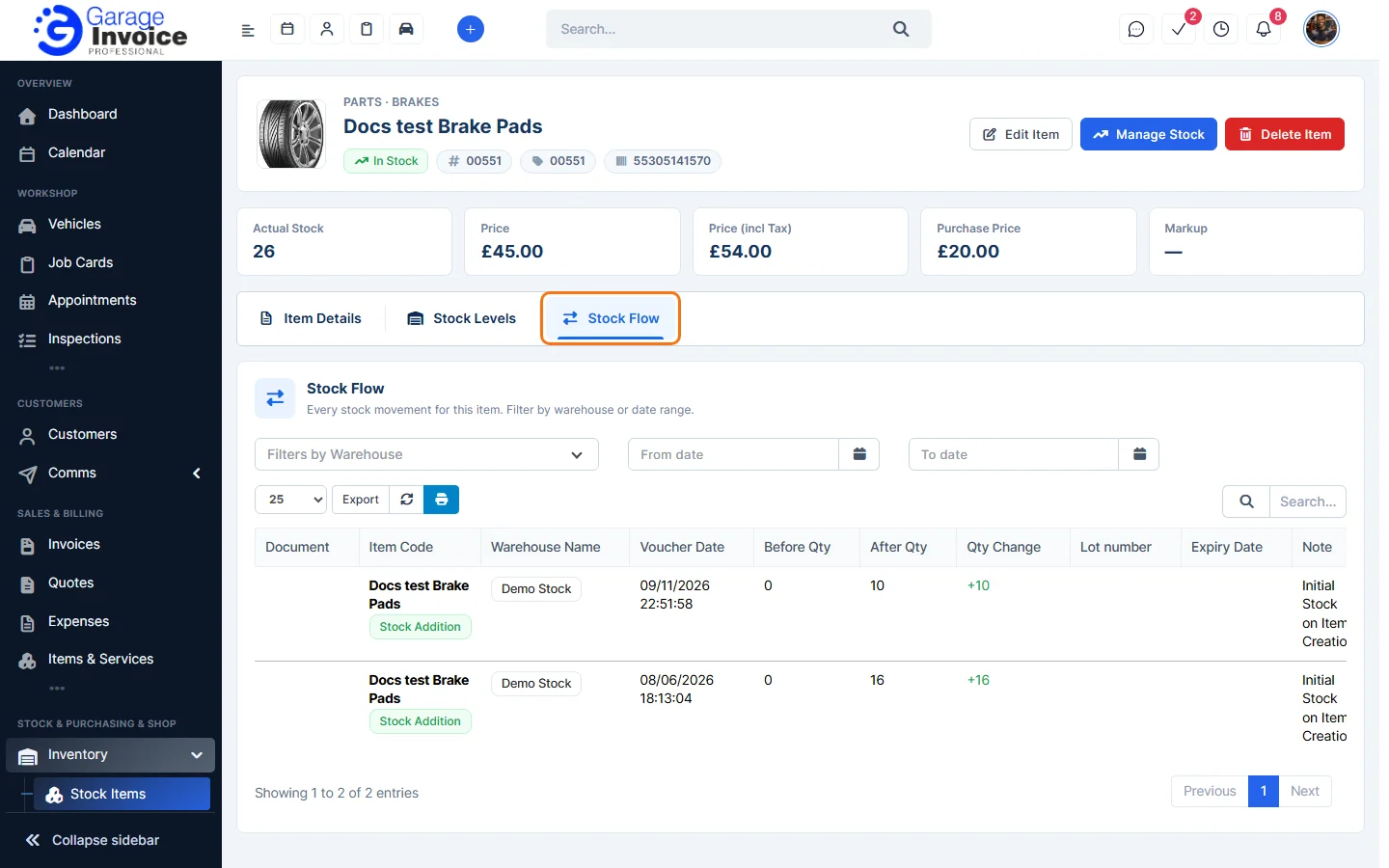
- The Stock Flow tab lists every stock movement for the item: the document, warehouse, date, quantity before and after, the change and who made it. Use Filters by Warehouse and the date boxes to narrow it, and Export to download it.
See also Edit Stock Item and Add Stock to an Item.
Feature Stock and inventory control: see what it does and how it fits your workshop.