
- Click Reports in the sidebar (under Insights) and click Shop & POS.
- Choose the Period or Date From / Date To, the Sales Channel (POS, Online Shop or both) and the Order Status. More filters adds payment method, customer, staff, category, product and fulfilment method. Click Filter.
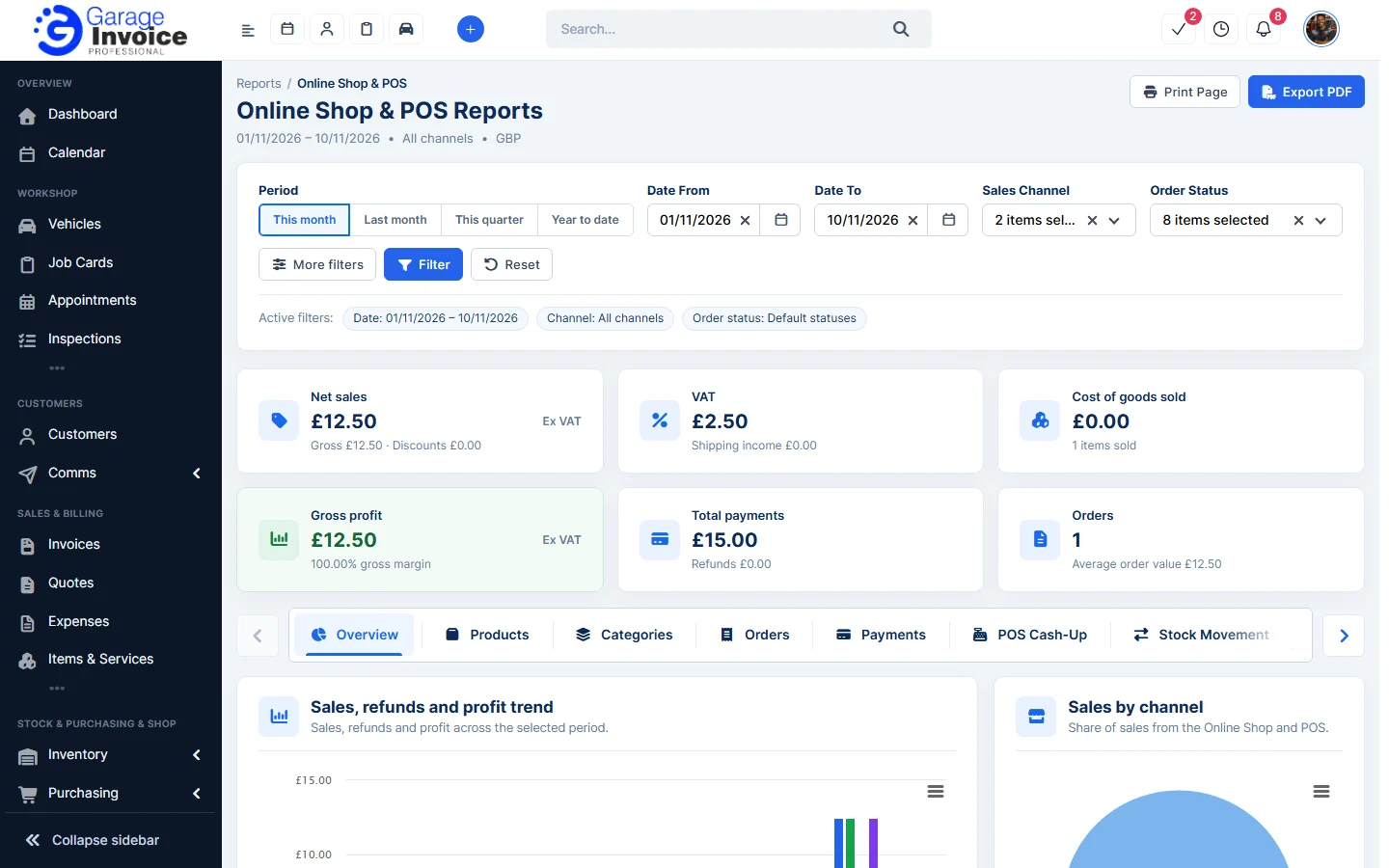
- The cards show Net sales, VAT, Cost of goods sold, Gross profit, Total payments and Orders with the average order value.
- Use the tabs for detail: Overview, Products, Categories, Orders, Payments, POS Cash-Up, Stock Movement, Low Stock, Stock Valuation, Discounts, Shipping, Customers, Staff and Refunds. Use the arrows at each end to scroll through them.
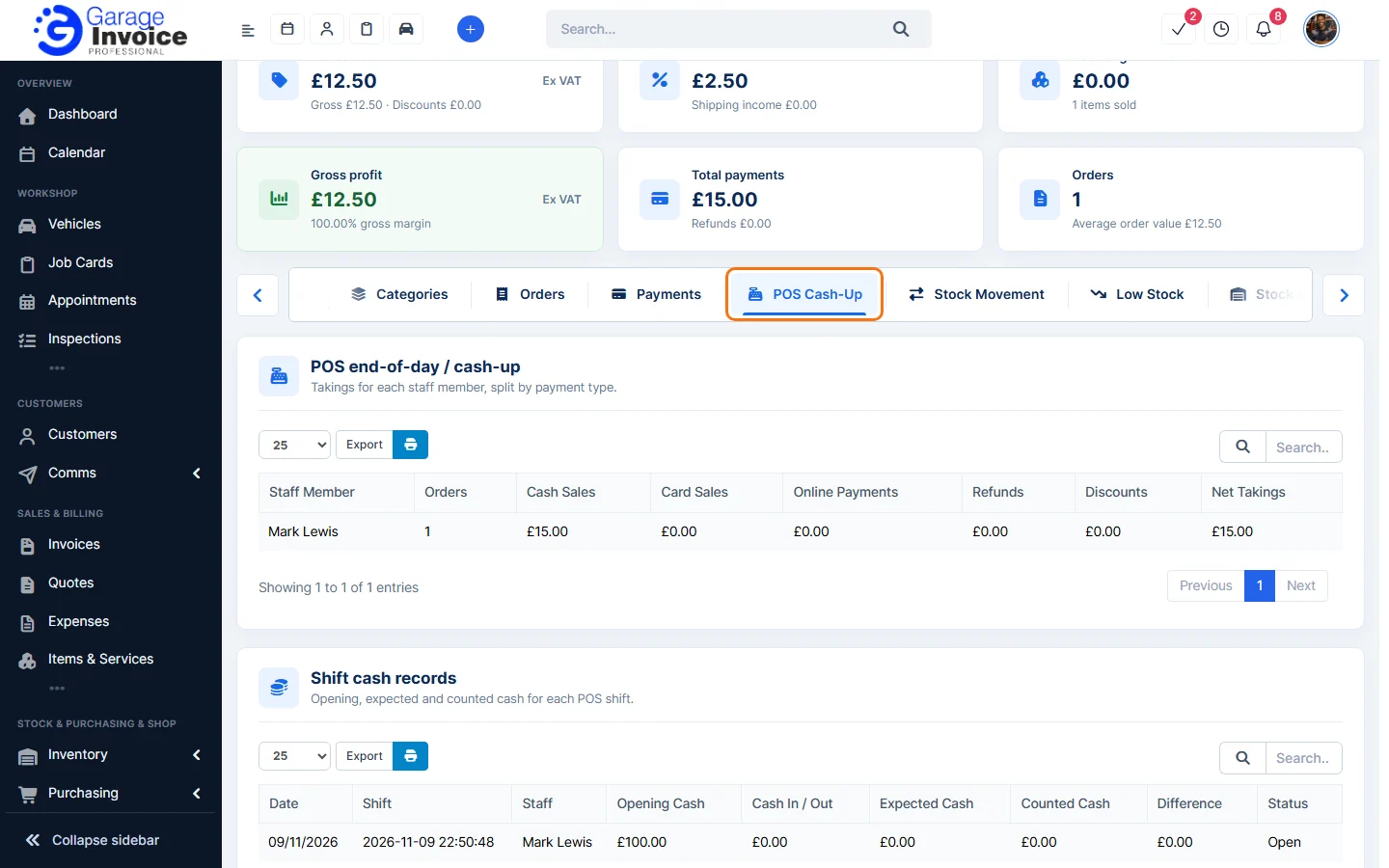
- POS Cash-Up shows each staff member’s takings split by cash, card and online payments, and Shift cash records with opening, expected and counted cash for each POS shift.
- Click Export PDF or Print Page to keep a copy.
See also: Stock Reports · Shop & POS Overview
Feature Garage reports: see what it does and how it fits your workshop.