How to update my GI Password | Change GI Password

Estimated reading: 1 minute 459 views
  1. Log In to your GI app.
    See guide: How to Access My GI app | Log In to GI app
  2. Click on your profile picture, and select Edit Profile option.
    9 Dashboard 1024X497 1
  3. Fill in ‘Change your password’ section, and click Save button.
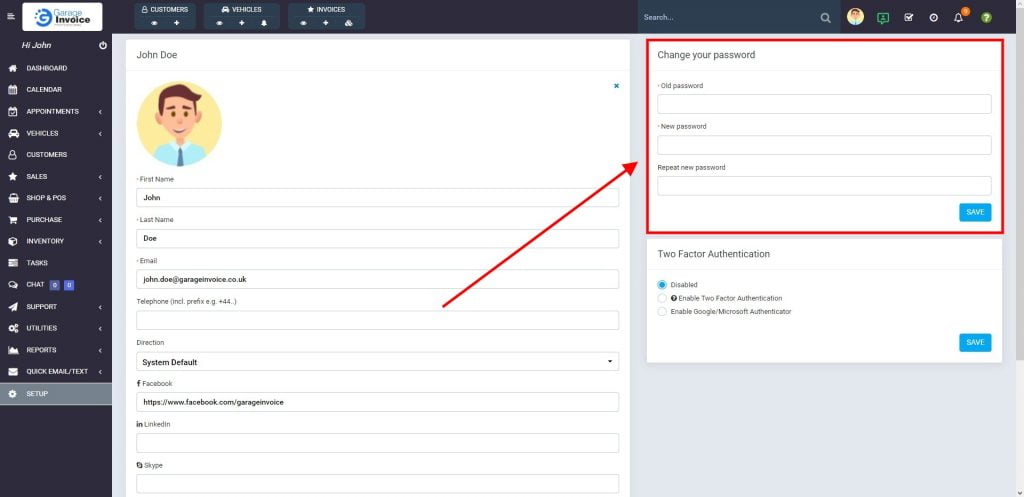
    9 John Doe 1024X497 1
    Your password has been changed!
CONTENTS
Garage Invoice Vehicle Management Software logo in the footer section
Professional, affordable, and feature-rich Invoicing software for Workshops and Car Garages - making management simple and efficient.