
- Click Bank Reconciliation in the sidebar. It’s under Sales & Billing; click the ••• there if you can’t see it. Click the Settings tab.
- Under Reconciliation Defaults:
- Default: send “Payment received” email: whether the Send payment received notification box is ticked when you match income to an invoice. You can still change it each time.
- Default transaction status filter: the status filter used when you open the transaction list or reset the filters (All, Not assigned, Assigned or Ignored).
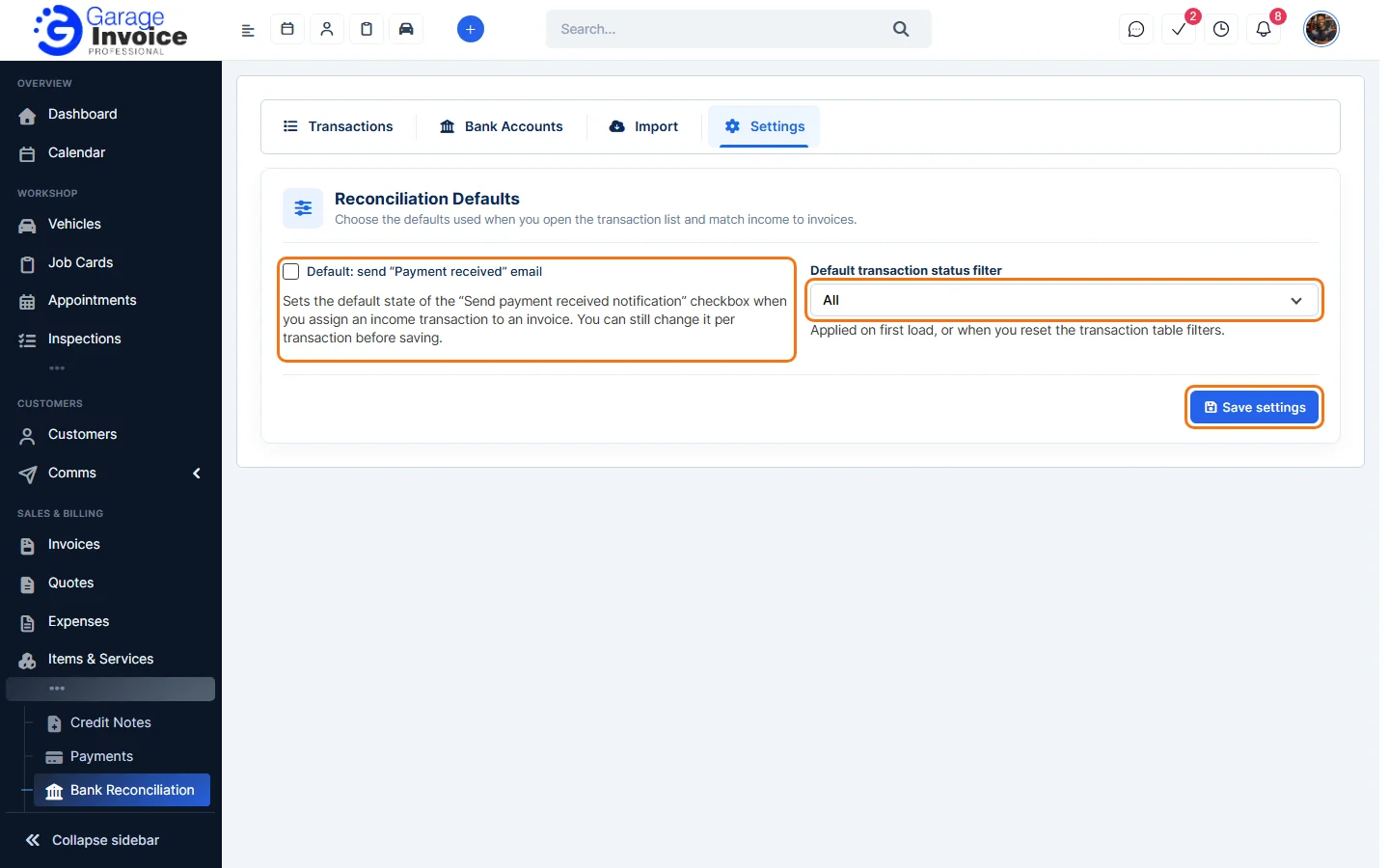
- Click Save settings.
Feature Payments and online payments: see what it does and how it fits your workshop.