
Filter expenses
- Click Expenses in the sidebar, under Sales & Billing. Click the filter button at the top right.
- Choose any of: Date Range, Category, Customer, Vehicle, Vendor, Payment Mode, Billing and Years.
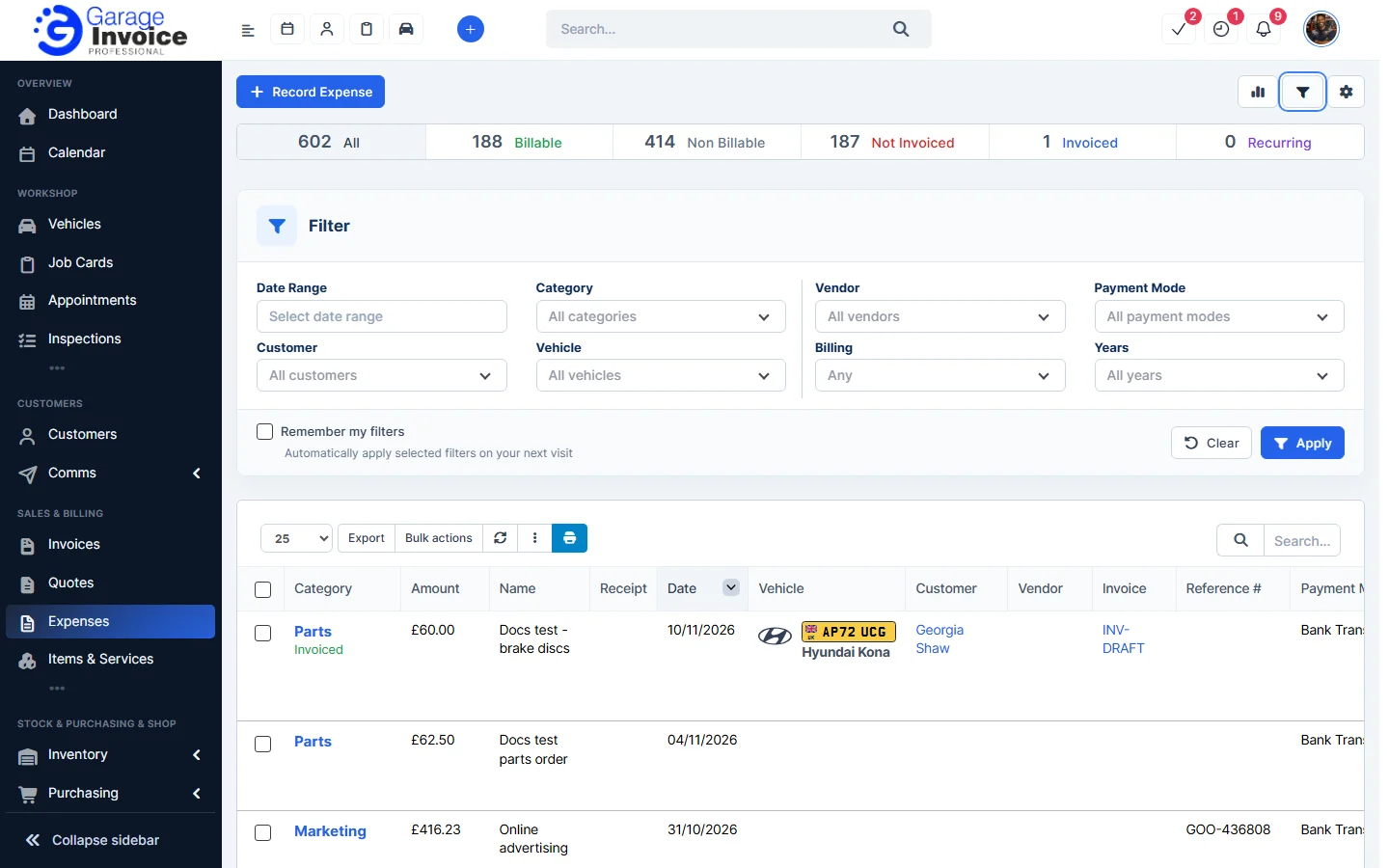
- Click Apply. Tick Remember my filters to keep them next time.
Quick stats
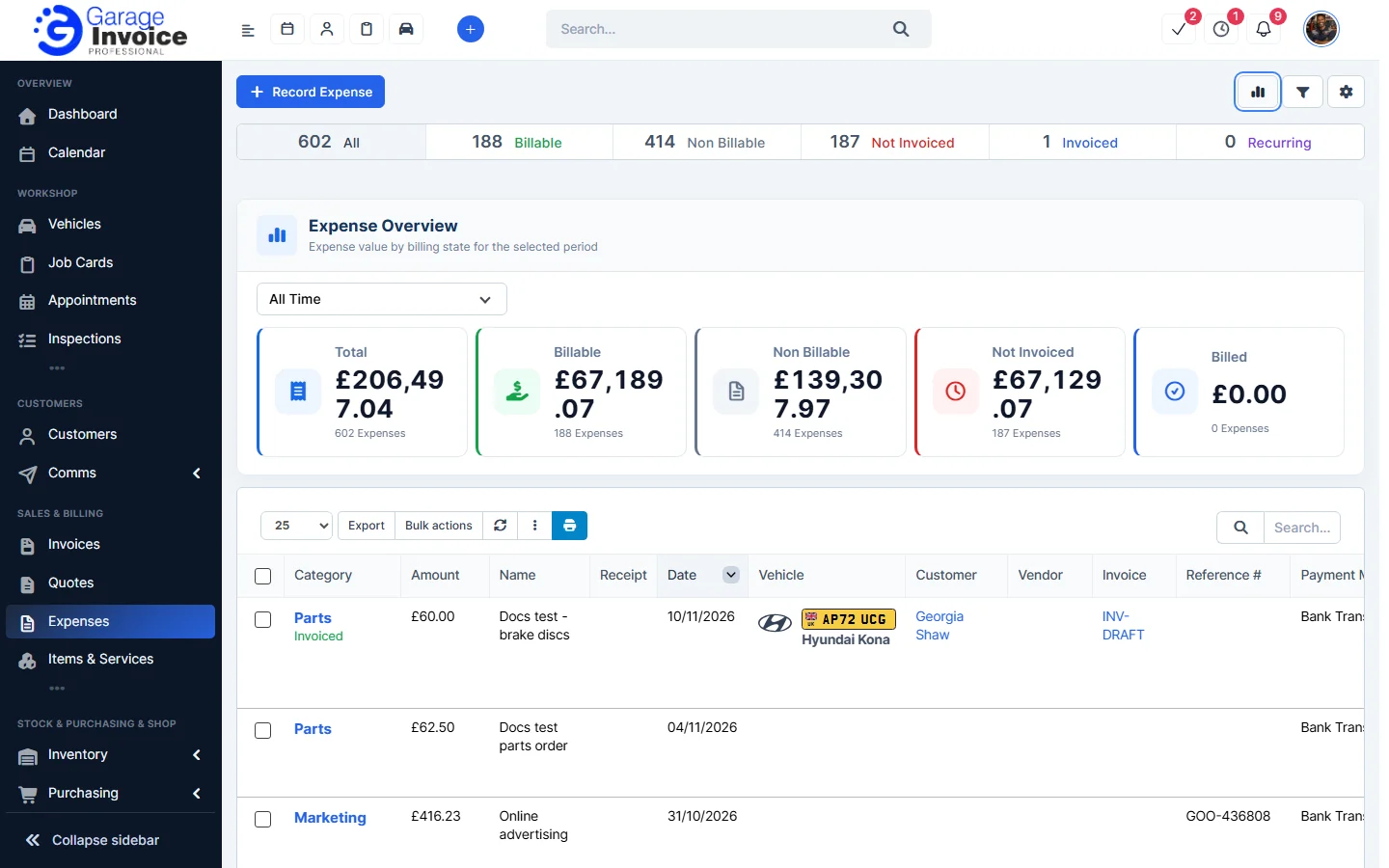
Click the chart button at the top right. Expense Overview shows the Total, Billable, Non Billable, Not Invoiced and Billed amounts for the period you choose.
Import and export
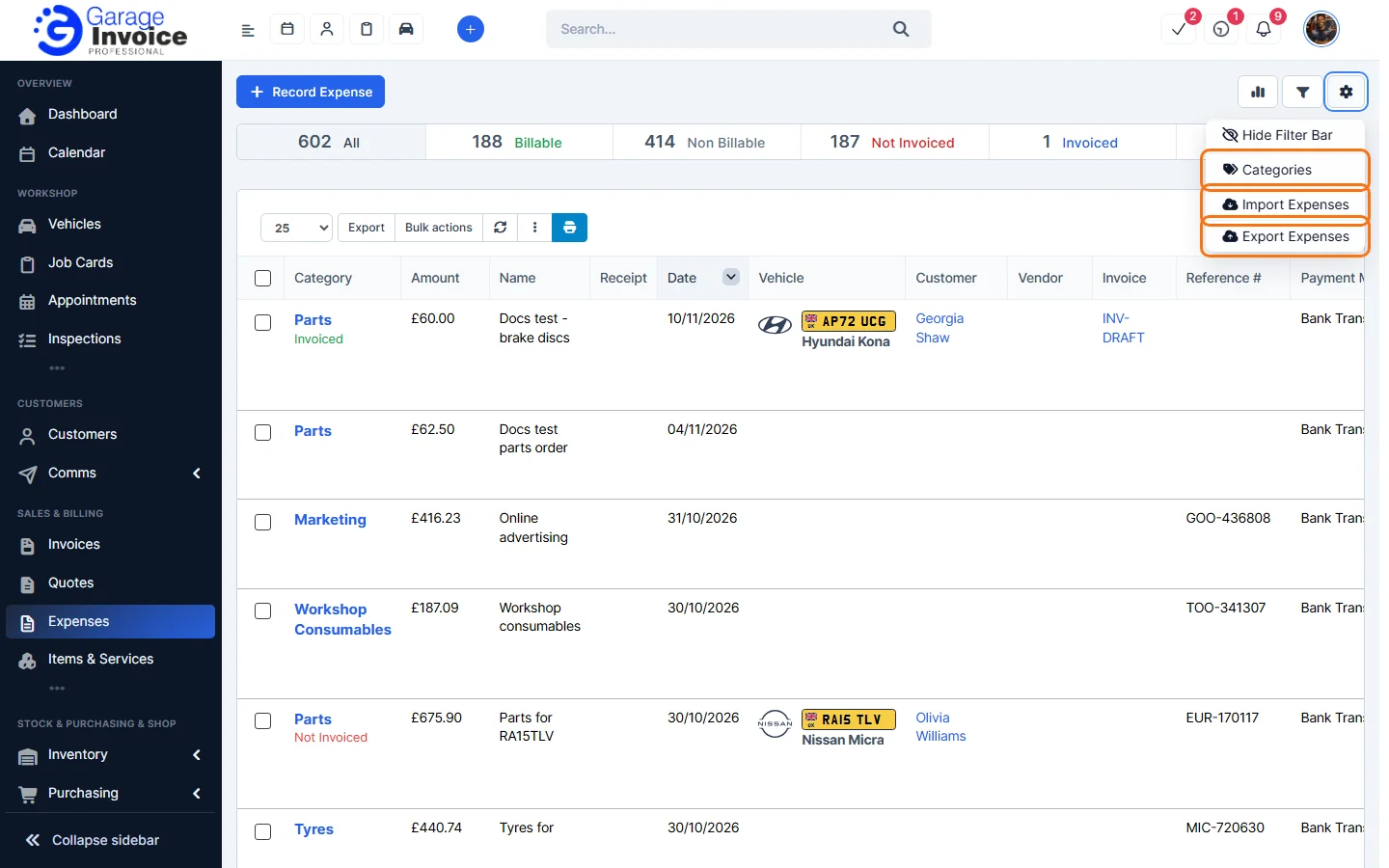
Click the cog button and choose Import Expenses or Export Expenses. See Data Import and Data Export.
Feature Expense tracking: see what it does and how it fits your workshop.