
- Click Settings in the sidebar (under Administration), open Integrations & Services and click Google.
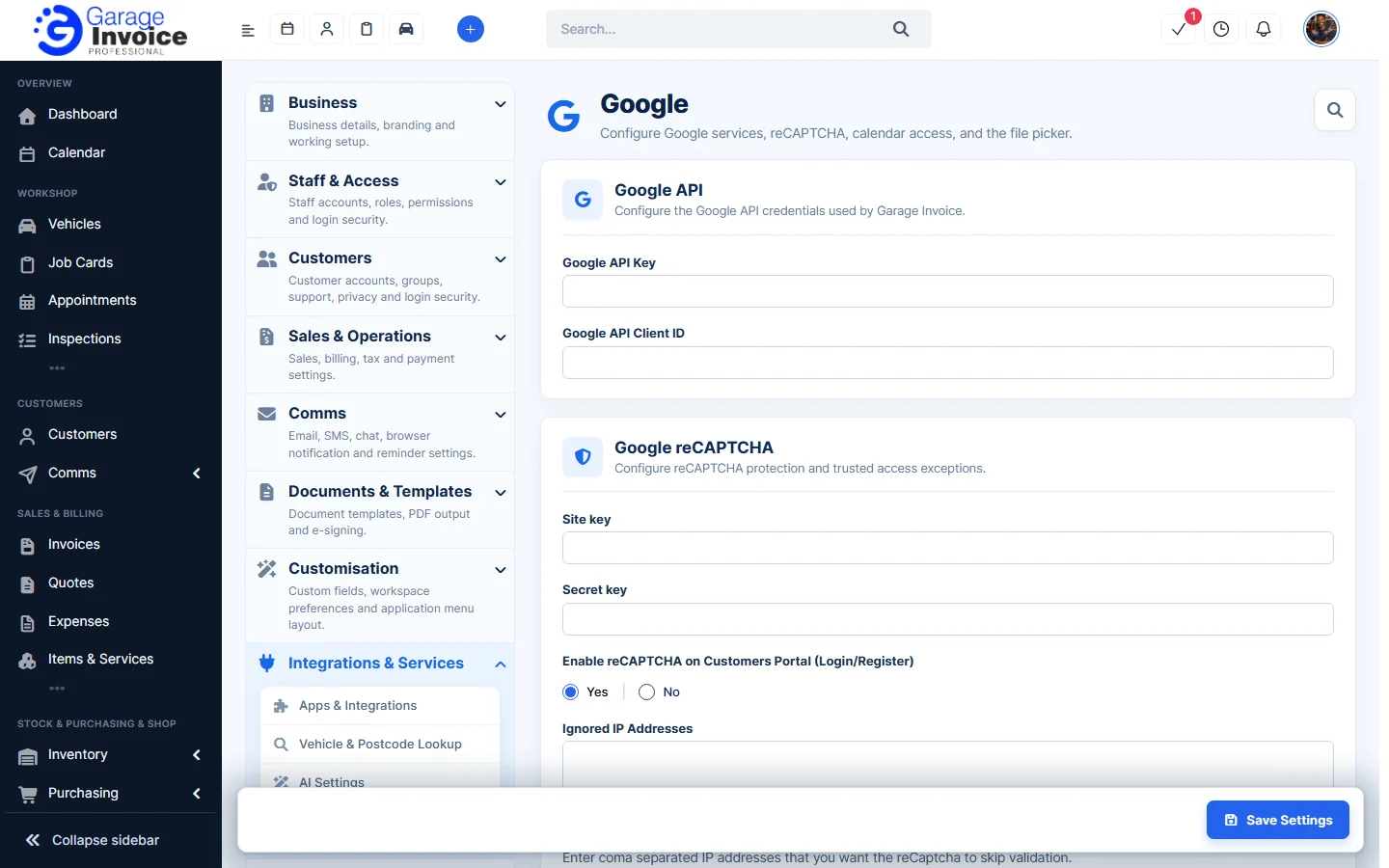
- Fill in the sections you need:
- Google API: the Google API Key and Google API Client ID that Garage Invoice uses for Google services, such as calendar access and the file picker.
- Google reCAPTCHA: the Site key and Secret key for Google reCAPTCHA, which checks that people logging in are not robots.
- Enable reCAPTCHA on Customers Portal (Login/Register): Yes adds the check to the customer portal login and registration pages.
- Ignored IP Addresses: IP addresses, separated by commas, that skip the reCAPTCHA check, for example your garage’s own connection.
- Google Drive Files Picker: Enable Google Picker lets you choose files from Google Drive.
- Click Save Settings.
Note: keep the keys private. If the reCAPTCHA keys are wrong, customers may not be able to log in to the portal, so test the portal login after saving.
See also: Apps & Integrations Overview